
Last updated on
Oct 19, 2026

Get the free Vehicle for Hire Driver Application
We are not affiliated with any brand or entity on this form

Fill out
Complete the form online in a simple drag-and-drop editor.

eSign
Add your legally binding signature or send the form for signing.

Share
Share the form via a link, letting anyone fill it out from any device.

Export
Download, print, email, or move the form to your cloud storage.
Why pdfFiller is the best tool for your documents and forms


End-to-end document management
From editing and signing to collaboration and tracking, pdfFiller has everything you need to get your documents done quickly and efficiently.
Accessible from anywhere
pdfFiller is fully cloud-based. This means you can edit, sign, and share documents from anywhere using your computer, smartphone, or tablet.
Secure and compliant
pdfFiller lets you securely manage documents following global laws like ESIGN, CCPA, and GDPR. It's also HIPAA and SOC 2 compliant.
What is VFH Driver Application
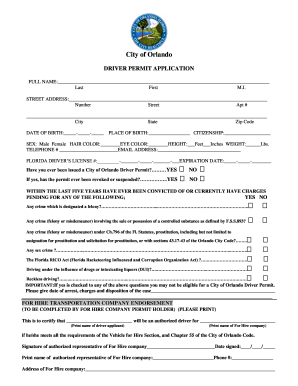
The Vehicle for Hire Driver Application is a professional license application used by individuals in Ohio to apply for a license to operate a vehicle for hire.
pdfFiller scores top ratings on review platforms




Who needs VFH Driver Application?
Explore how professionals across industries use pdfFiller.

VFH Driver Application is needed by:
-
Individuals seeking a vehicle for hire driver license in Ohio
-
Notaries assisting with the notarization of applications
-
Driving service companies hiring licensed drivers
-
Local government agencies processing vehicle for hire applications
-
Background check agencies for applicant verification
-
Existing drivers renewing their vehicle for hire licenses
Comprehensive Guide to VFH Driver Application
What is the Vehicle for Hire Driver Application?
The Vehicle for Hire Driver Application is a formal request used in Ohio to obtain a license to operate a vehicle for hire. This application serves critical functions, including ensuring that drivers meet necessary qualifications and adhere to state regulations. For individuals seeking to exercise this profession legally, filling out the vehicle for hire driver application is essential.
The requirement for an Ohio VFH driver license confirms that applicants have passed the necessary checks and understand the regulations governing vehicle for hire operations.
Purpose and Benefits of the Vehicle for Hire Driver Application
Obtaining a vehicle for hire license is a legal necessity for all drivers aiming to offer services such as taxi and rideshare in Ohio. The vehicle for hire license application not only fulfills legal requirements but also provides numerous benefits, significantly enhancing a driver's professional journey.
-
Increased credibility in the transportation sector, leading to more potential clients.
-
Access to a broader range of job opportunities in the growing rideshare market.
-
Compliance with state regulations, minimizing the risk of fines or legal issues.
Who Needs the Vehicle for Hire Driver Application?
This application is necessary for a diverse audience, including individuals planning to drive taxis or operate rideshare services. Applicants are typically professional drivers or agents representing firms that hire these drivers.
Common scenarios include:
-
Individuals who aim to drive a taxi cab in Columbus.
-
Those interested in partnering with rideshare platforms such as Uber or Lyft.
Eligibility Criteria for the Vehicle for Hire Driver Application
To apply for the Vehicle for Hire Driver Application, certain eligibility criteria must be met. Applicants should be aware of the following qualifications:
-
A minimum age requirement, usually 21 years or older.
-
Successful completion of an Ohio BCI background check to assess criminal history.
-
Submission of health history addressing any potential medical concerns that may affect driving.
How to Fill Out the Vehicle for Hire Driver Application Online
Filling out the Vehicle for Hire Driver Application is straightforward when using pdfFiller. Following a simple, step-by-step process will ensure your application is completed correctly.
-
Visit the pdfFiller website and access the Ohio VFH license form.
-
Gather all necessary documents and information to streamline the process.
-
Fill in the required fields, focusing on accuracy to avoid delays.
Field-by-Field Instructions for the Vehicle for Hire Driver Application
To aid applicants in completing the Vehicle for Hire Driver Application accurately, detailed field-by-field instructions are crucial.
-
Begin with personal identification details, ensuring correct spelling and accuracy.
-
Provide driving history, including any past citations or incidents.
-
Complete health questions thoughtfully, as this information is vital for evaluating fitness to drive.
How to Sign and Notarize the Vehicle for Hire Driver Application
Signing and notarizing the Vehicle for Hire Driver Application is a fundamental step in the application process. Proper understanding of the signing methods is necessary.
A digital signature can be utilized for online applications, while a wet signature is required for paper submissions. Notarization is necessary to authenticate the application before submission.
To find a notary, consider local banks, libraries, or mobile notary services that offer convenience.
Submission Methods for the Vehicle for Hire Driver Application
Applicants have multiple options for submitting their completed Vehicle for Hire Driver Application. Understanding these methods can enhance the submission experience.
-
Online submission through pdfFiller for efficiency and ease of tracking.
-
Mailing the completed form if preferred or required by your service area.
-
In-person delivery at designated local government offices.
What Happens After You Submit the Vehicle for Hire Driver Application
Once you submit your application, it enters a review process. Applicants can track their application status online, providing peace of mind.
Common rejection reasons include incomplete information or failure to meet eligibility criteria. Understanding these factors is crucial to avoid unnecessary delays.
Why Choose pdfFiller for Your Vehicle for Hire Driver Application?
pdfFiller offers numerous advantages for those navigating the Vehicle for Hire Driver Application process. Its platform supports a seamless experience for filling out forms securely.
-
Secure document handling with 256-bit encryption for peace of mind.
-
User-friendly interface designed to facilitate form completion.
-
Comprehensive support available throughout the application process to address any inquiries.
How to fill out the VFH Driver Application
-
1.Access the Vehicle for Hire Driver Application form by visiting pdfFiller and using the search function to locate the form.
-
2.Once located, click on the form to open it within the pdfFiller interface.
-
3.Begin by reading the instructions provided at the top of the form. Gather personal information, such as your full name, address, and contact details before starting.
-
4.Fill in the personal information fields diligently, ensuring accuracy as this information must match your identification documents.
-
5.Navigate to the driving history section and provide accurate details regarding your driving record, including any citations or accidents.
-
6.Continue to the health history section and disclose any pertinent medical information that may affect your driving capabilities.
-
7.If required, include answers for background check consent and any other relevant authorization sections.
-
8.Review the completed form thoroughly to ensure all necessary fields are filled, and all information is correct and legible.
-
9.Look for the signature field and sign the document as required. Ensure that you are in the presence of a notary for notarization.
-
10.After signing, save your completed form by clicking ‘Save’ on pdfFiller. Choose the preferred file format for saving.
-
11.You can also download the form directly to your device or submit it directly through pdfFiller according to the instructions provided by your local licensing agency.

Who is eligible to apply for the Vehicle for Hire Driver License in Ohio?
Eligibility to apply includes being a legal resident of Ohio, holding a valid Ohio driver’s license, and meeting the specified background check requirements. Applicants must also be at least 21 years old.
What documents are required to complete the application?
Essential documents include a valid Ohio driver’s license, proof of residency, and any relevant medical or driving history documentation. You may also need to provide a background check report.
How long does the application process take?
Processing times for the Vehicle for Hire Driver Application may vary. Typically, it can take anywhere from a few days to several weeks, depending on the local licensing agency's workload and requirements.
Can I submit the application online?
Submission methods may vary by jurisdiction. While using pdfFiller allows you to fill out the application form electronically, check with your local agency for specific submission procedures—some may require physical submission.
What are common mistakes to avoid when filling out the application?
Common mistakes include incomplete sections, incorrect personal information, and failing to notarize the application where required. Always double-check all information for accuracy before submission.
Related Forms






Get the latest insights from our blog


If you believe that this page should be taken down, please follow our DMCA take down process
here
.
This form may include fields for payment information. Data entered in these fields is not covered by PCI DSS compliance.