
Last updated on
Oct 19, 2026

Get the free CMS-2552-10 Hospital Cost Report
We are not affiliated with any brand or entity on this form

Fill out
Complete the form online in a simple drag-and-drop editor.

eSign
Add your legally binding signature or send the form for signing.

Share
Share the form via a link, letting anyone fill it out from any device.

Export
Download, print, email, or move the form to your cloud storage.
Why pdfFiller is the best tool for your documents and forms


End-to-end document management
From editing and signing to collaboration and tracking, pdfFiller has everything you need to get your documents done quickly and efficiently.
Accessible from anywhere
pdfFiller is fully cloud-based. This means you can edit, sign, and share documents from anywhere using your computer, smartphone, or tablet.
Secure and compliant
pdfFiller lets you securely manage documents following global laws like ESIGN, CCPA, and GDPR. It's also HIPAA and SOC 2 compliant.
What is Hospital Cost Report
The CMS-2552-10 Hospital Cost Report is a medical billing form used by hospitals in the United States to report their financial and operational data to the Centers for Medicare & Medicaid Services (CMS).
pdfFiller scores top ratings on review platforms




Who needs Hospital Cost Report?
Explore how professionals across industries use pdfFiller.

Hospital Cost Report is needed by:
-
Chief Financial Officers managing hospital finances
-
Hospital Administrators overseeing operational reporting
-
Healthcare accountants preparing financial statements
-
Medicare and Medicaid billing specialists
-
Auditors reviewing hospital financial compliance
-
Healthcare consultants advising on cost reporting
-
Healthcare institutions requiring federal reimbursement
Comprehensive Guide to Hospital Cost Report
What is the CMS-2552-10 Hospital Cost Report?
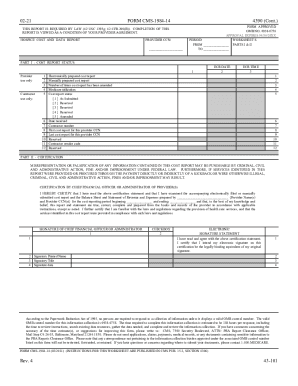
The CMS-2552-10 Hospital Cost Report is a legal requirement for hospitals in the United States to report their financial and operational data to the Centers for Medicare & Medicaid Services (CMS). This form plays a crucial role in healthcare financial reporting, ensuring that the data submitted is accurate and timely. Key information such as cost report status and certification must be signed by the hospital's Chief Financial Officer or Administrator, underscoring the importance of accountability in financial reporting.
Purpose and Benefits of the CMS-2552-10 Hospital Cost Report
Submitting the CMS-2552-10 form is essential for compliance with Medicare and Medicaid regulations. It has significant implications for a hospital's funding and overall financial health. The report not only facilitates reimbursement models but also aids in crucial data collection that supports health policy decisions. By submitting this form, hospitals ensure they meet the necessary compliance requirements for federal funding.
Key Features of the CMS-2552-10 Hospital Cost Report
The CMS-2552-10 form includes numerous fillable fields, checkboxes, and specific sections that must be accurately completed. Important parts of the form encompass cost report status and settlement summary sections, which are vital for financial accountability and transparency. Proper utilization of these features allows hospitals to maintain their operational integrity while complying with federal guidelines.
Who Needs the CMS-2552-10 Hospital Cost Report?
The primary audience for the CMS-2552-10 form includes Chief Financial Officers and Administrators in hospitals. Additionally, other departments may be involved in preparing the necessary data for accurate completion. Non-compliance with the reporting requirements can lead to serious financial repercussions, making it imperative that relevant stakeholders understand their responsibilities regarding this form.
How to Fill Out the CMS-2552-10 Hospital Cost Report Online
Filling out the CMS-2552-10 form can be efficiently accomplished using pdfFiller. Here are the steps to complete the process:
-
Access the CMS-2552-10 form in pdfFiller.
-
Gather the relevant financial and operational data needed for completion.
-
Follow the field-by-field guidance to fill out the form accurately.
Utilizing pdfFiller streamlines the process, reducing errors and enhancing efficiency during form submission.
How to Submit the CMS-2552-10 Hospital Cost Report
Submission of the CMS-2552-10 form can be done through various methods, ensuring flexibility for hospitals. Consider the following steps for effective submission:
-
Select your preferred submission method: online, mail, or fax.
-
Be mindful of deadlines to ensure timely submission.
-
Track the status of your submission to confirm receipt by CMS.
Following these steps helps hospitals manage their reporting responsibilities effectively.
Common Errors and How to Avoid Them When Filing the CMS-2552-10
Many hospitals face pitfalls when filling out the CMS-2552-10 form. Common mistakes include:
-
Missing signatures and incomplete sections that can lead to delays.
-
Failing to validate the form before submission, resulting in inaccuracies.
By paying close attention to detail during the filing process, hospitals can minimize errors and ensure compliance.
Security and Compliance for the CMS-2552-10 Hospital Cost Report
Handling sensitive information securely is critical when submitting the CMS-2552-10 form. PdfFiller implements advanced security features such as:
-
256-bit encryption to protect confidential data.
-
Compliance with HIPAA and GDPR regulations.
Following best practices for data protection while using pdfFiller ensures hospitals meet legal compliance standards while safeguarding their information.
How the Right Tools Enhance Your Experience with the CMS-2552-10 Hospital Cost Report
Utilizing pdfFiller for form management provides tangible benefits, including:
-
Easy editing and signing features that simplify the document process.
-
Cloud technology that enhances collaboration among staff, ensuring everyone can contribute efficiently.
Employing the right tools can greatly streamline the experience of managing the CMS-2552-10 Hospital Cost Report.
Take Next Steps for Completing Your CMS-2552-10 Hospital Cost Report
To begin the process of filling out and submitting the CMS-2552-10 form, consider the powerful features provided by pdfFiller. Starting now will help ensure accurate and timely filing while maximizing compliance with federal requirements. Remember the importance of correctly completing the form and adhere to submission deadlines for optimal results.
How to fill out the Hospital Cost Report
-
1.Access pdfFiller and log in or create an account if you haven’t done so already. Locate the CMS-2552-10 Hospital Cost Report in the form library or use the search feature.
-
2.Once you find the form, click on it to open it in the pdfFiller editor. Familiarize yourself with the layout, noting the various sections that need completion.
-
3.Before filling out the form, gather necessary financial documents and operational data from your hospital's accounting department. This information will ensure that all fields are accurately completed.
-
4.Utilize pdfFiller's interface to fill in the required fields. Click on each section, enter the relevant data, and check any applicable checkboxes. Ensure that all mandatory sections are filled in prior to finalizing.
-
5.After completing the form, review all entered data for accuracy. Use the 'Preview' option to see how the final document will appear. Make any necessary corrections by navigating back to the relevant fields.
-
6.Once satisfied with the completed form, save your work by clicking ‘Save’ on the top menu. You can also choose to download a copy or share it directly via email using pdfFiller's sharing features.
-
7.If required, submit the form according to your hospital's protocols for reporting to CMS. Ensure it is signed by the Chief Financial Officer or Administrator to validate the information provided.

Who is required to fill out the CMS-2552-10 Hospital Cost Report?
The CMS-2552-10 Hospital Cost Report must be filled out by the Chief Financial Officer or Administrator of the hospital, as they are legally responsible for certifying the accuracy of the financial data submitted.
Are there deadlines for submitting the CMS-2552-10 form?
Yes, hospitals are typically required to submit the CMS-2552-10 Hospital Cost Report annually, with specific deadlines varying depending on the fiscal year end. It is essential to check CMS guidelines for exact submission dates.
What should I do if I need assistance with the CMS-2552-10 form?
If you require assistance with the CMS-2552-10 form, consider consulting with a healthcare accountant or a billing specialist with experience in Medicare and Medicaid reporting to navigate the complexities of the form.
What supporting documents do I need to submit along with the CMS-2552-10 form?
Supporting documents may include financial statements, Medicare and Medicaid cost data, and any additional documentation requested by CMS. Ensure all supporting documents are accurate and relevant to the submitted form.
What are common mistakes to avoid when completing the CMS-2552-10 form?
Common mistakes include incomplete sections, miscalculating costs, or failing to obtain required signatures. Double-check all entries and ensure that all necessary information is included before submission.
How long does it take to process the CMS-2552-10 Hospital Cost Report?
Processing times for the CMS-2552-10 form can vary but typically take several weeks to months. For timely updates, it's advisable to follow up with CMS if you do not receive confirmation of processing.
Can the CMS-2552-10 form be submitted electronically?
Yes, the CMS-2552-10 should be submitted electronically through the CMS's online submission portal or via the method indicated by local Medicare contractors. Ensure to follow any specific electronic submission guidelines provided.
Related Forms



Get the latest insights from our blog


If you believe that this page should be taken down, please follow our DMCA take down process
here
.
This form may include fields for payment information. Data entered in these fields is not covered by PCI DSS compliance.