
Last updated on
Oct 19, 2026

Get the free North Carolina Employee Packet
We are not affiliated with any brand or entity on this form

Fill out
Complete the form online in a simple drag-and-drop editor.

eSign
Add your legally binding signature or send the form for signing.

Share
Share the form via a link, letting anyone fill it out from any device.

Export
Download, print, email, or move the form to your cloud storage.
Why pdfFiller is the best tool for your documents and forms


End-to-end document management
From editing and signing to collaboration and tracking, pdfFiller has everything you need to get your documents done quickly and efficiently.
Accessible from anywhere
pdfFiller is fully cloud-based. This means you can edit, sign, and share documents from anywhere using your computer, smartphone, or tablet.
Secure and compliant
pdfFiller lets you securely manage documents following global laws like ESIGN, CCPA, and GDPR. It's also HIPAA and SOC 2 compliant.
What is NC Employee Packet
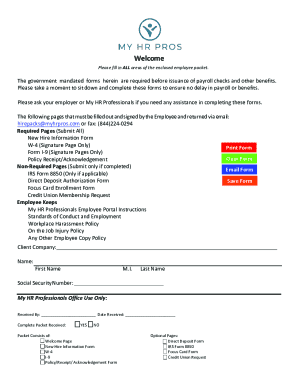
The North Carolina Employee Packet is a collection of employment forms used by new hires in North Carolina to complete essential onboarding paperwork.
pdfFiller scores top ratings on review platforms




Who needs NC Employee Packet?
Explore how professionals across industries use pdfFiller.

NC Employee Packet is needed by:
-
New employees in North Carolina
-
Employers hiring in North Carolina
-
HR departments managing new hire paperwork
-
Participants in employment agreements
-
Legal professionals reviewing employment documentation
Comprehensive Guide to NC Employee Packet
Overview of the North Carolina Employee Packet
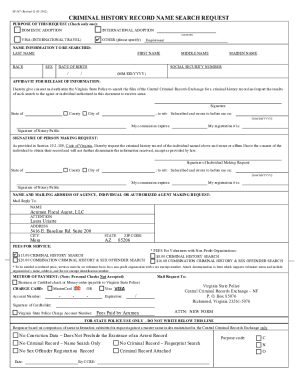
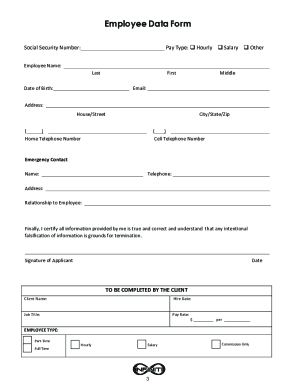
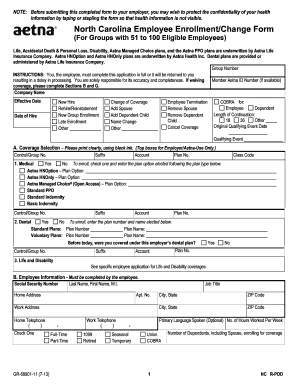
The North Carolina Employee Packet is vital for new hires in North Carolina. This packet encompasses various essential forms, including the employment application, Form I-9 for employment eligibility verification, and Form W-4 for federal tax withholding, among others. Completing and signing the employee packet is necessary for employees and employers alike to ensure proper onboarding.
Purpose and Benefits of the North Carolina Employee Packet
The North Carolina Employee Packet streamlines the onboarding process for new hires, making it easier for employers to manage paperwork efficiently. By utilizing this packet, companies adhere to legal compliance requirements while facilitating proper documentation for employment. Moreover, it simplifies the payroll process, incorporating essential forms that align with North Carolina's regulations.
Key Features of the North Carolina Employee Packet
This employee packet includes several main components, each designed with user experience in mind. Notably, many forms within the packet offer digital fillability, eSigning options, and user-friendly formats. Unique features such as checkboxes and signature lines enhance usability, ensuring a seamless experience for new hires as they complete the required documentation.
Who Needs to Complete the North Carolina Employee Packet?
The primary audience for the North Carolina Employee Packet consists of new hires in the state. Employers and HR departments utilize this packet to collect necessary information, ensuring that roles such as participants and employers are properly documented. Familiarity with this packet is crucial for employees embarking on their new roles.
How to Fill Out the North Carolina Employee Packet Online: Step-by-Step Guide
Accessing and completing the North Carolina Employee Packet is straightforward. Here’s a step-by-step guide:
-
Visit the pdfFiller platform and locate the North Carolina Employee Packet.
-
Select each form within the packet to open a fillable PDF.
-
Complete all required fields accurately.
-
Review your entries for accuracy before submission.
Signing and Submission of the North Carolina Employee Packet
Both employees and employers must understand the signing process for the North Carolina Employee Packet. Notarization is not required for submission, and users may opt for digital signatures or traditional wet signatures as needed. Completed packets can be submitted through various methods, including electronic submission via pdfFiller.
Security and Compliance for the North Carolina Employee Packet
Ensuring document security is critical when managing sensitive employee information. pdfFiller employs robust security measures, including 256-bit encryption and compliance with regulations such as HIPAA and GDPR, to safeguard completed forms. This commitment to security instills confidence in users regarding the safe handling of their documents.
What Happens After You Submit the North Carolina Employee Packet?
After submitting the North Carolina Employee Packet, employees can expect a processing timeline that outlines steps towards payroll integration. It's important for employees to track their submission status actively. In the event of rejections or requests for additional information, clear guidance on next steps will be provided.
Common Errors to Avoid When Filling Out the North Carolina Employee Packet
New employees often make frequent mistakes on their forms. To enhance accuracy, follow these tips:
-
Double-check all personal information provided on the forms.
-
Ensure required employer signatures are included where necessary.
-
Review the completed forms thoroughly before submission.
Discover the Ease of Using pdfFiller for Your North Carolina Employee Packet Needs
Using pdfFiller for handling the North Carolina Employee Packet offers numerous advantages. The platform’s functionalities can significantly enhance efficiency in form management. With a focus on security and user experience, pdfFiller provides the tools necessary for rapid processing and effortless form completion.
How to fill out the NC Employee Packet
-
1.To access the North Carolina Employee Packet on pdfFiller, visit the website and search for the form by name in the search bar.
-
2.Once the form appears, click on it to open and review the available fillable fields and sections.
-
3.Before you start filling out the form, gather necessary information such as your personal details, employment history, and tax information required for Form W-4 and Form NC-4 EZ.
-
4.Navigate through the form using pdfFiller's interactive features; click on each field to input information like your name, address, and date of birth.
-
5.Ensure all required fields are filled out correctly, paying special attention to signature lines as both the employee and employer must sign the packet.
-
6.After completing all sections, carefully review the form for completeness, making sure all information is accurate and nothing is missing.
-
7.Once satisfied, save your progress on pdfFiller to prevent loss of data, then download the filled form as a PDF for personal records.
-
8.Finally, submit the form digitally or print it to hand in to your employer, ensuring that all submission guidelines are followed.

Who needs to complete the North Carolina Employee Packet?
The North Carolina Employee Packet must be completed by all new hires in North Carolina, including employees and employers participating in employment agreements.
Are there any deadlines for submitting the Employee Packet?
The North Carolina Employee Packet should ideally be completed and submitted on or before the first day of employment to ensure timely payroll processing.
What documents are required to complete the Employee Packet?
Applicants should have personal identification documents, such as driver's licenses or social security cards, as well as tax forms like Form W-4 and Form NC-4 EZ ready before filling out the packet.
How can I sign the forms in the packet?
You can sign the forms in the North Carolina Employee Packet by using the electronic signature feature available in pdfFiller, ensuring both the employee and employer sign as required.
What should I do if I make a mistake while filling out the forms?
If you make a mistake, use pdfFiller’s editing tools to correct it. You can easily erase incorrect entries and replace them with the correct information.
How long does it take to process the Employee Packet after submission?
Processing time for the Employee Packet usually depends on the employer's HR practices, but it typically takes 1-2 business days to finalize and set up payroll.
Can the Employee Packet be completed in another language?
The North Carolina Employee Packet is primarily available in English, but translation services can be utilized to assist non-English speakers in understanding the forms.
Related Forms




Get the latest insights from our blog


If you believe that this page should be taken down, please follow our DMCA take down process
here
.
This form may include fields for payment information. Data entered in these fields is not covered by PCI DSS compliance.