
Last updated on
Oct 7, 2026

Get the free Comprehensive Provider Application Request Form
We are not affiliated with any brand or entity on this form

Fill out
Complete the form online in a simple drag-and-drop editor.

eSign
Add your legally binding signature or send the form for signing.

Share
Share the form via a link, letting anyone fill it out from any device.

Export
Download, print, email, or move the form to your cloud storage.
Why pdfFiller is the best tool for your documents and forms


End-to-end document management
From editing and signing to collaboration and tracking, pdfFiller has everything you need to get your documents done quickly and efficiently.
Accessible from anywhere
pdfFiller is fully cloud-based. This means you can edit, sign, and share documents from anywhere using your computer, smartphone, or tablet.
Secure and compliant
pdfFiller lets you securely manage documents following global laws like ESIGN, CCPA, and GDPR. It's also HIPAA and SOC 2 compliant.
What is Provider Application Form
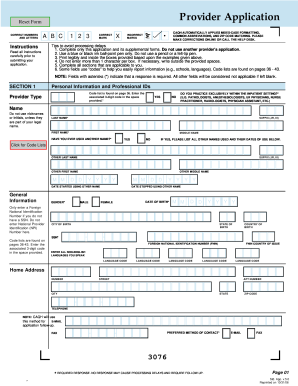
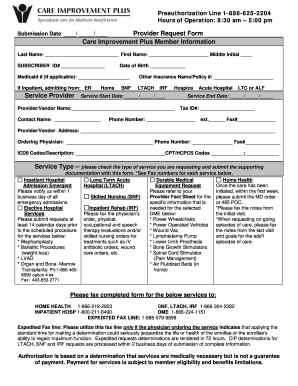
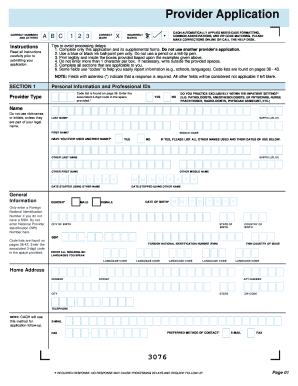
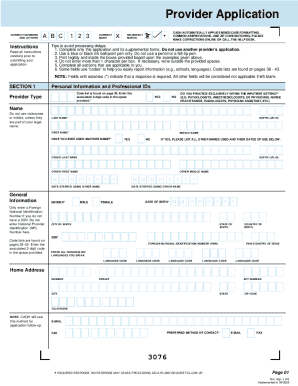
The Comprehensive Provider Application Request Form is a healthcare document used by providers to join the Alliance Health network or add new sites and services.
pdfFiller scores top ratings on review platforms




Who needs Provider Application Form?
Explore how professionals across industries use pdfFiller.

Provider Application Form is needed by:
-
New healthcare providers seeking to enroll in Alliance Health.
-
Out-of-network providers wanting to join a Medicaid program.
-
Contracted providers expanding their services or locations.
-
Behavioral and physical health providers applying for network participation.
-
Providers requiring service code adjustments.
Comprehensive Guide to Provider Application Form
Understanding the Comprehensive Provider Application Request Form
The Comprehensive Provider Application Request Form serves a crucial role in the healthcare system, specifically for joining the Alliance Health network. This form is necessary for providers looking to participate in Medicaid services within North Carolina. Providing accurate information during the application process is vital to ensure successful registration.
Purpose and Benefits of the Comprehensive Provider Application Request Form
This form is essential for healthcare providers aiming to streamline their enrollment in Medicaid programs and become part of the Alliance Health network. The benefits encompass enhanced access to services for patients, ensuring they receive the care they need promptly. Filling out this application correctly facilitates the integration of new providers into the healthcare ecosystem.
Who Needs the Comprehensive Provider Application Request Form?
The Comprehensive Provider Application Request Form is tailored for various healthcare providers. It is necessary for new providers, out-of-network providers, and those who are already contracted but expanding their services. Facilities intending to add new sites or service codes also need to complete this form.
How to Fill Out the Comprehensive Provider Application Request Form Online (Step-by-Step)
Accessing and filling out the Comprehensive Provider Application Request Form online can be done easily through pdfFiller. Follow these steps to complete the form:
-
Visit the pdfFiller website and log in to your account.
-
Locate the Comprehensive Provider Application Request Form in the templates.
-
Fill out each field accurately, including the legal name, tax ID, and NPI.
-
Review the form for completeness and accuracy.
-
Submit the form electronically once you are satisfied with the information provided.
Field-by-Field Instructions for the Comprehensive Provider Application Request Form
Each section of the Comprehensive Provider Application Request Form requires careful attention. Key fields include service sites and requested services, which must be filled out accurately. Common pitfalls often involve misentered tax IDs or missing signatures, so pay close attention to these requirements.
Common Errors and How to Avoid Them
Recognizing frequent mistakes in form completion is crucial for success. Common errors include incorrect documentation or missing information. To mitigate these, ensure you double-check your application against a review and validation checklist. Accuracy is essential to avoid delays in processing your application.
Submission Methods and Delivery for the Comprehensive Provider Application Request Form
There are several submission methods available for the Comprehensive Provider Application Request Form. Online submission through pdfFiller is highly recommended, but alternative methods may also exist. Retain a copy of your submission for your records, as confirmation and tracking can assist in monitoring the status of your application.
Security and Compliance for the Comprehensive Provider Application Request Form
Handling sensitive information securely is a top priority when filling out the Comprehensive Provider Application Request Form. pdfFiller incorporates robust security features, including encryption and compliance with HIPAA regulations. Prioritizing privacy and data protection is essential in all healthcare-related applications.
What Happens After You Submit the Comprehensive Provider Application Request Form?
After submitting the Comprehensive Provider Application Request Form, a processing timeline begins. Applicants can check the status of their application online and should be aware of potential follow-up actions required if their application is rejected or if corrections are needed. Understanding this process ensures applicants are prepared for what comes next.
Your Trusted Partner for Filling Out the Comprehensive Provider Application Request Form
Utilizing pdfFiller to complete the Comprehensive Provider Application Request Form can greatly enhance your experience. The platform offers a user-friendly interface, exceptional security measures, and reliable customer support, streamlining the application process while ensuring compliance with regulatory requirements.
How to fill out the Provider Application Form
-
1.Access the Comprehensive Provider Application Request Form on pdfFiller by searching 'Comprehensive Provider Application Request Form' in the site’s search bar.
-
2.Open the form and familiarize yourself with the layout and sections, including the personal information and service request fields.
-
3.Gather all necessary information before completing the form, including your legal name, tax ID, NPI, address, and contact details.
-
4.Fill in each field with accurate information, ensuring you complete required fields marked with an asterisk, like 'Provider full legal name' and 'Tax ID'.
-
5.Use pdfFiller's features to navigate easily through the form. Click on each field to enter your data, and utilize checkboxes as necessary for service requests.
-
6.Review the completed fields for accuracy, ensuring all relevant information is provided to avoid processing delays.
-
7.Once satisfied, use pdfFiller’s tools to save your completed form. You can download it directly to your device or submit it electronically through pdfFiller.

Who is eligible to use the Comprehensive Provider Application Request Form?
The form is intended for new providers, out-of-network providers, and existing contracted providers looking to add sites or services in the Alliance Health network.
What is the submission process for the application?
After completing the form on pdfFiller, users have the option to download the form or submit it electronically through the platform following the review process.
What information do I need to complete the form?
You will need personal information including legal name, tax ID, NPI, address, and contact information, along with details of requested services and service sites.
Are there any fees associated with submitting this application?
The form does not mention any specific fees; however, typical processing fees may apply for Medicaid-related applications. Check with Alliance Health for detailed information.
How do I avoid common mistakes when filling out the form?
Ensure all mandatory fields are completed, review your entries for spelling errors, and cross-check provided information against official documents to avoid omissions.
What is the processing time for the application?
Processing times can vary. Typically, expect a few weeks for application review and approval. Check directly with Alliance Health for estimated timelines.
Can I modify the application after submission?
Once submitted, modifications may not be allowed without resubmitting a new application. Contact Alliance Health for guidance on changing submitted information.
Related Forms


Get the latest insights from our blog


If you believe that this page should be taken down, please follow our DMCA take down process
here
.
This form may include fields for payment information. Data entered in these fields is not covered by PCI DSS compliance.