
Last updated on
Oct 19, 2026

Get the free no name™ Mobile Accessibility Services Application Form
We are not affiliated with any brand or entity on this form

Fill out
Complete the form online in a simple drag-and-drop editor.

eSign
Add your legally binding signature or send the form for signing.

Share
Share the form via a link, letting anyone fill it out from any device.

Export
Download, print, email, or move the form to your cloud storage.
Why pdfFiller is the best tool for your documents and forms


End-to-end document management
From editing and signing to collaboration and tracking, pdfFiller has everything you need to get your documents done quickly and efficiently.
Accessible from anywhere
pdfFiller is fully cloud-based. This means you can edit, sign, and share documents from anywhere using your computer, smartphone, or tablet.
Secure and compliant
pdfFiller lets you securely manage documents following global laws like ESIGN, CCPA, and GDPR. It's also HIPAA and SOC 2 compliant.
What is Accessibility Application Form
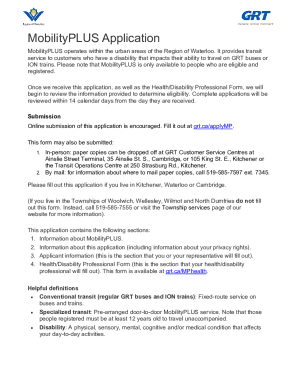
The no name™ Mobile Accessibility Services Application Form is a personal document used by individuals in Canada to register for accessibility services and discounts.
pdfFiller scores top ratings on review platforms




Who needs Accessibility Application Form?
Explore how professionals across industries use pdfFiller.

Accessibility Application Form is needed by:
-
Individuals seeking accessibility services in Québec
-
Licensed health practitioners verifying disabilities
-
Organizations representing individuals with disabilities
-
Families applying for support and discounts
-
Caregivers assisting with accessibility service applications
Comprehensive Guide to Accessibility Application Form
The no name™ Mobile Accessibility Services Application Form Explained
The no name™ Mobile Accessibility Services Application Form serves as a crucial document for individuals seeking mobile accessibility services in Canada. This form facilitates access to necessary services for persons with disabilities, ensuring they receive essential support. Understanding the significance of this form is vital for potential applicants and their health practitioners.
By completing this application, individuals can initiate the process to obtain accessibility services, making their daily lives more manageable and inclusive.
Why Use the no name™ Mobile Accessibility Services Application Form?
Utilizing the no name™ Mobile Accessibility Services Application Form provides several benefits for both applicants and healthcare professionals. Primarily, it allows individuals with disabilities to access mobile accessibility services and accompanying discounts, ensuring financial relief in obtaining necessary aids.
Additionally, the involvement of licensed health practitioners in the application process guarantees that applicants receive the proper medical validation, strengthening the integrity of the application. This partnership fosters a streamlined and effective approach to securing vital resources.
Key Features of the no name™ Mobile Accessibility Services Application Form
The application form is designed to be user-friendly and efficient, containing several important features. These include fillable sections for personal information, specific details about disabilities, and attestation areas requiring input from licensed healthcare professionals.
-
Easy-to-navigate layout with clear instructions for users
-
Sections that facilitate the collection of necessary information
-
The inclusion of attestation to validate disability claims
Who Needs the no name™ Mobile Accessibility Services Application Form?
This form is intended for individuals with disabilities who are seeking mobile accessibility services in Québec. Additionally, health practitioners and representatives from organizations play a significant role in assisting applicants with the completion of the form. Their involvement is critical in ensuring the application is filled out accurately and submitted in a timely manner.
-
Individuals with disabilities seeking crucial accessibility services
-
Healthcare providers supporting their patients' applications
-
Representatives from organizations aiding in the application process
Eligibility Criteria for the no name™ Mobile Accessibility Services Application Form
To qualify for using this application form, certain criteria must be met. Eligible applicants need to meet specific disability requirements as defined by the relevant authorities in Canada. Furthermore, health practitioners or organization representatives assisting in the application must also satisfy established qualifications.
-
Specific disabilities recognized by the program
-
Documentation required from health practitioners
-
Identification details of the applicant
How to Fill Out the no name™ Mobile Accessibility Services Application Form Online
Filling out the no name™ Mobile Accessibility Services Application Form online is a straightforward process. Start by accessing the form on pdfFiller. Following these instructions will ensure all required sections are completed effectively.
-
Open the application form on pdfFiller.
-
Complete the personal information section, including full name and contact details.
-
Provide specific details regarding the disability.
-
Obtain the necessary attestation from a licensed health practitioner.
-
Review all filled sections for accuracy before submitting.
Submission Methods for the no name™ Mobile Accessibility Services Application Form
After completing the no name™ Mobile Accessibility Services Application Form, submission can be accomplished via various methods. Applicants can choose to submit the form through email or traditional mail, depending on their preferences and needs.
It's essential to send the completed form to the Accessibility Services Centre in Québec to ensure it is processed appropriately. Follow these steps to submit your application:
-
Email the completed form to the designated address
-
Mail the hard copy to the Accessibility Services Centre in Québec
Security and Privacy Considerations for the no name™ Mobile Accessibility Services Application Form
When using the no name™ Mobile Accessibility Services Application Form, users can be assured of the security and privacy of their information. The application process places a strong emphasis on data protection, ensuring that sensitive information is managed carefully.
pdfFiller employs stringent security measures, including 256-bit encryption, compliance with HIPAA and GDPR regulations, and adherence to SOC 2 Type II standards, to safeguard user data throughout the process.
Keeping Track of Your no name™ Mobile Accessibility Services Application Submission
Once the application has been submitted, it is important for users to know how to confirm their submission. Applicants should receive a confirmation of receipt from the Accessibility Services Centre to validate that their application is in progress.
-
Instructions will be provided for tracking the application status
-
Common rejection reasons will be outlined to avoid future issues
Simplifying Your Application with pdfFiller
pdfFiller significantly simplifies the application process by offering an intuitive platform for completing forms. Users can easily edit, fill out, and sign forms online, enhancing the overall experience.
The cloud-based capabilities of pdfFiller ensure accessibility and security, making it a trusted choice for managing sensitive documents in a user-friendly manner.
How to fill out the Accessibility Application Form
-
1.Begin by accessing the no name™ Mobile Accessibility Services Application Form on pdfFiller. Use a web browser to visit pdfFiller's website and search for the form using the title in the search bar.
-
2.Once located, click on the form to open it in the editing interface. Ensure you have a registered account or choose the option to fill it out as a guest, if available.
-
3.Before starting, gather all necessary information including personal details, medical history, and practitioner information. This will ensure you have all data required for completion.
-
4.Navigate through the form using pdfFiller's tools. Fill in your personal information in the designated fields, ensuring accuracy and clarity.
-
5.When reaching sections needing attestation by a licensed health practitioner, you may need to consult with the practitioner to obtain their information and signature.
-
6.Carefully review each section of the form. Double-check that all fields are accurately completed, and that the required signatures have been provided.
-
7.Once satisfied with your entries and details, proceed to save your work using the 'Save' option. You can download a copy for your records before submitting.
-
8.Choose how you wish to submit the form. You can either email it directly from pdfFiller or download it and send it via traditional mail to the Accessibility Services Centre in Québec.
-
9.Make sure to keep a copy of the submitted form for your personal records, and take note of any confirmation emails you may receive.

Who is eligible to fill out the no name™ Mobile Accessibility Services Application Form?
Eligible applicants include individuals seeking accessibility services in Québec as well as those with disabilities needing support. Licensed health practitioners may also attest on behalf of applicants.
What is the submission method for this application form?
Applicants can submit the completed no name™ Mobile Accessibility Services Application Form via email or by mailing it directly to the Accessibility Services Centre in Québec.
What documents are required to complete this application?
To complete the application, you will need personal identification, relevant medical information, and your licensed health practitioner's details for attestation. Ensure all signatures are included before submission.
Are there any common mistakes to avoid when filling out this form?
Common mistakes include omitting required signatures, providing incomplete information, and failing to review the form before submission. Double-check all entries to ensure accuracy.
How long does it take to process the application after submission?
Processing times for the no name™ Mobile Accessibility Services Application can vary. Generally, allow several weeks for review and confirmation of application status.
What should I do if I have questions while completing the form?
If you have questions while filling out the form, consider contacting the Accessibility Services Centre directly for assistance or consulting with a licensed health practitioner for clarification.
Is notarization required for this application form?
No, notarization is not required for the no name™ Mobile Accessibility Services Application Form. However, signatures from both the applicant and the licensed health practitioner are necessary.
Related Forms



Get the latest insights from our blog


If you believe that this page should be taken down, please follow our DMCA take down process
here
.
This form may include fields for payment information. Data entered in these fields is not covered by PCI DSS compliance.