
Last updated on
Oct 7, 2026

Get the free HSBC WorldTrader Asset Transfer Form
We are not affiliated with any brand or entity on this form

Fill out
Complete the form online in a simple drag-and-drop editor.

eSign
Add your legally binding signature or send the form for signing.

Share
Share the form via a link, letting anyone fill it out from any device.

Export
Download, print, email, or move the form to your cloud storage.
Why pdfFiller is the best tool for your documents and forms


End-to-end document management
From editing and signing to collaboration and tracking, pdfFiller has everything you need to get your documents done quickly and efficiently.
Accessible from anywhere
pdfFiller is fully cloud-based. This means you can edit, sign, and share documents from anywhere using your computer, smartphone, or tablet.
Secure and compliant
pdfFiller lets you securely manage documents following global laws like ESIGN, CCPA, and GDPR. It's also HIPAA and SOC 2 compliant.
What is HSBC Transfer Form
The HSBC WorldTrader Asset Transfer Form is a financial document used by HSBC Invest customers to transfer their holdings to the HSBC WorldTrader platform.
pdfFiller scores top ratings on review platforms




Who needs HSBC Transfer Form?
Explore how professionals across industries use pdfFiller.

HSBC Transfer Form is needed by:
-
HSBC Invest customers looking to transfer assets
-
Individuals transferring brokerage accounts
-
Financial advisors assisting clients with transfers
-
Investors moving assets to a new platform
-
Account holders needing to consolidate investments
Comprehensive Guide to HSBC Transfer Form
What is the HSBC WorldTrader Asset Transfer Form?
The HSBC WorldTrader Asset Transfer Form is a critical document for customers wishing to transfer their assets to the HSBC WorldTrader platform. Understanding this form is essential for HSBC Invest customers to ensure seamless transitions and effective management of their investments. Using this form allows investors to consolidate their assets under the HSBC WorldTrader service, enhancing their investment opportunities.
Purpose and Benefits of the HSBC WorldTrader Asset Transfer Form
This form serves multiple purposes, primarily designed for customers looking to transfer their financial holdings. Users benefit greatly from the HSBC WorldTrader platform, which offers various investment opportunities and tools. By utilizing the asset transfer form, customers can streamline their investment processes within Australia, ensuring a more efficient brokerage transfer experience.
Who Needs the HSBC WorldTrader Asset Transfer Form?
The primary audience for the HSBC WorldTrader Asset Transfer Form includes current HSBC Invest customers. These users are typically looking to migrate their investment assets, facilitating an account transfer to HSBC WorldTrader. Eligibility generally includes anyone with an existing HSBC Invest account or any potential investor seeking to enhance their portfolio through this platform.
How to Fill Out the HSBC WorldTrader Asset Transfer Form Online (Step-by-Step)
Completing the HSBC WorldTrader Asset Transfer Form online is efficient and user-friendly. Follow these steps to ensure accurate submission:
-
Access the form on pdfFiller.
-
Fill in personal details, including your HSBC Invest account information.
-
Provide current broker details and specify the assets to be transferred.
-
Review all entries for accuracy.
-
Save your progress and complete the required signature.
This process emphasizes the ease of completing the HSBC WorldTrader Transfer Form online, allowing users to save and edit their submissions before finalizing.
Field-by-Field Instructions for the HSBC WorldTrader Asset Transfer Form
Each section of the HSBC WorldTrader Asset Transfer Form requires specific information:
-
Personal information: Enter your name and contact details.
-
HSBC Invest account details: Include your account number and related information.
-
Current broker: Provide details about your existing brokerage.
-
Asset information: List all assets you wish to transfer, including types and values.
Completing each field accurately is crucial to ensure prompt processing of your form and to avoid complications.
Common Errors and How to Avoid Them
When filling out the HSBC WorldTrader Asset Transfer Form, users often make frequent mistakes. Common pitfalls include omitting required fields, errors in account details, and incorrect asset values. To avoid delays in processing, double-check all entries and adhere to the instructions provided on the form.
How to Submit the HSBC WorldTrader Asset Transfer Form
After completing the form, submission to HSBC can be done through several methods:
-
Submit online via the HSBC portal.
-
Email the completed form to your HSBC representative.
-
Mail the form directly to HSBC's designated address.
Timelines for processing will vary, but submitting the form correctly ensures smoother handling and communication from HSBC.
Security and Compliance Considerations for the HSBC WorldTrader Asset Transfer Form
When handling the HSBC WorldTrader Asset Transfer Form, data protection is paramount. It is crucial for customers to ensure that their personal and financial information is safeguarded. Utilizing platforms like pdfFiller, which features 256-bit encryption and adheres to compliance standards, will assure users of their data’s security during the transfer process.
Sample or Example of a Completed HSBC WorldTrader Asset Transfer Form
Providing a visual example of a completed HSBC WorldTrader Asset Transfer Form can aid users in understanding how to fill it out. Key sections include personal information, current broker details, and a summary of the assets being transferred. This reference can help clarify common sections for users unfamiliar with the form.
Maximize Your Experience with pdfFiller
To enhance your form-filling experience, consider utilizing pdfFiller's robust features. Users can easily fill out, edit, and submit documents while benefiting from capabilities such as eSignature and comprehensive document security. This platform not only simplifies the process but ensures that users can manage their forms effectively and securely.
How to fill out the HSBC Transfer Form
-
1.To begin, access pdfFiller and search for 'HSBC WorldTrader Asset Transfer Form' in the form library.
-
2.Open the form to view multiple fillable fields, ensuring your browser is compatible with pdfFiller's interface.
-
3.Gather your HSBC Invest account details, current broker information, and specifics about the assets to be transferred before filling in the form.
-
4.Navigate through the form by clicking on the fields to type or select options that apply. Ensure all required fields, marked clearly, are filled correctly.
-
5.Double-check that all provided information is accurate, particularly account numbers and asset specifics, to avoid processing delays.
-
6.At the bottom of the form, locate the signature line. Use pdfFiller's e-signature feature or print the form to sign it by hand.
-
7.Once completed, review the entire form again before finalizing. Make sure no sections are left blank inadvertently.
-
8.Save your completed form on pdfFiller—choose a file format that suits your needs, such as PDF.
-
9.Finally, submit the form to HSBC as directed in the instructions, either by uploading it online or printing it out for mailing.

Who is eligible to use the HSBC WorldTrader Asset Transfer Form?
HSBC Invest customers looking to transfer their holdings to the HSBC WorldTrader platform are eligible. Make sure your account is active and in good standing.
What supporting documents are required for submission?
Generally, no additional documents are required beyond the completed form. However, check with HSBC for any specific requirements related to your assets.
How can I submit the HSBC WorldTrader Asset Transfer Form?
You can submit the form online via pdfFiller or print it for mail submission to HSBC. Make sure to follow the submission guidelines provided within the form.
What should I do if I make a mistake on the form?
If you make a mistake, you can edit directly within pdfFiller. Ensure to review all changes made before saving or submitting the updated form.
How long will it take to process my asset transfer?
Processing times can vary but typically range from a few business days to a couple of weeks. Check with HSBC for specific timelines related to your transfer request.
Are there any fees associated with the asset transfer?
Fees may apply depending on the specifics of the transfer. Consult HSBC's customer service or their fee schedule for accurate information.
What is the primary purpose of this form?
The primary purpose of the HSBC WorldTrader Asset Transfer Form is to facilitate the transfer of assets held in an HSBC Invest account to the HSBC WorldTrader platform, streamlining your investment management.
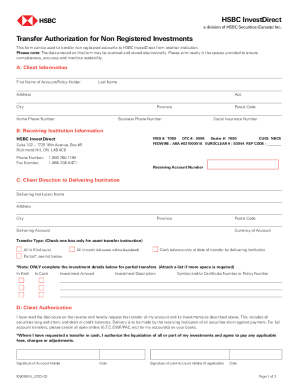
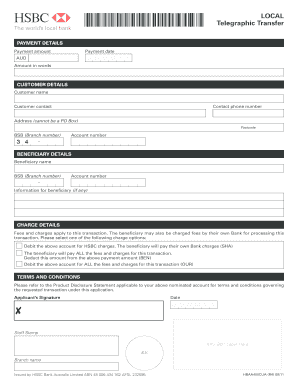
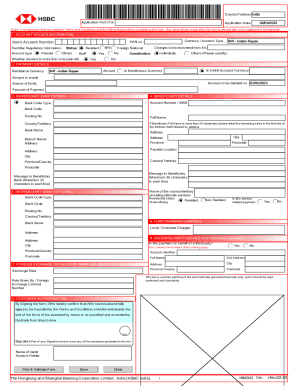
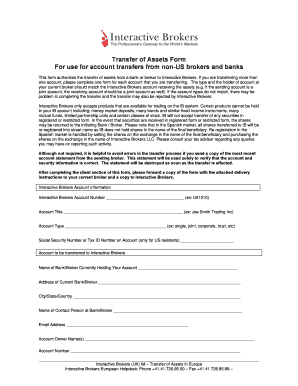
Related Forms



Get the latest insights from our blog


If you believe that this page should be taken down, please follow our DMCA take down process
here
.
This form may include fields for payment information. Data entered in these fields is not covered by PCI DSS compliance.