
Last updated on
Oct 7, 2026

Get the free North Carolina DHHS Grievance Filing Form
We are not affiliated with any brand or entity on this form

Fill out
Complete the form online in a simple drag-and-drop editor.

eSign
Add your legally binding signature or send the form for signing.

Share
Share the form via a link, letting anyone fill it out from any device.

Export
Download, print, email, or move the form to your cloud storage.
Why pdfFiller is the best tool for your documents and forms


End-to-end document management
From editing and signing to collaboration and tracking, pdfFiller has everything you need to get your documents done quickly and efficiently.
Accessible from anywhere
pdfFiller is fully cloud-based. This means you can edit, sign, and share documents from anywhere using your computer, smartphone, or tablet.
Secure and compliant
pdfFiller lets you securely manage documents following global laws like ESIGN, CCPA, and GDPR. It's also HIPAA and SOC 2 compliant.
What is NC DHHS Grievance Form
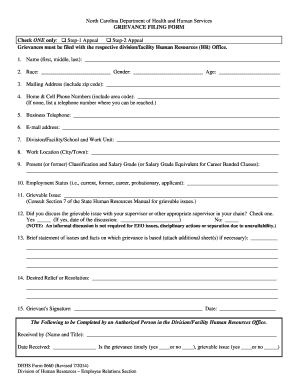
The North Carolina DHHS Grievance Filing Form is a document used by employees of the North Carolina Department of Health and Human Services to formally file a grievance regarding workplace issues.
pdfFiller scores top ratings on review platforms




Who needs NC DHHS Grievance Form?
Explore how professionals across industries use pdfFiller.

NC DHHS Grievance Form is needed by:
-
Employees of the North Carolina DHHS
-
Grievants filing workplace grievances
-
Authorized HR representatives
-
Legal advisors assisting employees
-
Union representatives supporting grievances
Comprehensive Guide to NC DHHS Grievance Form
What is the North Carolina DHHS Grievance Filing Form?
The North Carolina DHHS Grievance Filing Form is an essential document used by employees within the North Carolina Department of Health and Human Services to formally address workplace grievances. This form serves a critical purpose by ensuring that grievances are documented and processed appropriately. Employees are responsible for utilizing this form to detail their concerns, and it must be signed by the grievant. Additionally, involvement from Human Resources is crucial for the form's acceptance and processing.
The timely submission of this form plays a vital role in resolving workplace issues, promoting a healthier work environment.
Purpose and Benefits of the North Carolina DHHS Grievance Filing Form
The grievance filing form is designed to provide a structured approach to handling workplace disputes effectively. By utilizing this form, employees can articulate their concerns formally, ensuring they receive the necessary attention from HR. The benefits include enhanced protection for employees and a formal recourse for addressing grievances.
-
Aids in addressing workplace issues systematically.
-
Provides employees with protection through formal documentation.
-
Ensures adherence to established grievance processes.
Who Needs the North Carolina DHHS Grievance Filing Form?
The target users of the North Carolina DHHS Grievance Filing Form include any employees who face workplace conflicts that require formal recognition and action. The grievant—typically the affected employee—must complete this form, while an authorized HR personnel oversees the process.
This form should be filed in situations involving unfair treatment, violations of workplace policies, or any other grievances that impact an employee’s work experience.
Eligibility Criteria for Filing the North Carolina DHHS Grievance Form
To qualify for filing the North Carolina DHHS Grievance Form, the grievant must meet specific eligibility requirements. Authorized personnel and grievants must be defined to ensure proper identification during the grievance process. Employees within DHHS must adhere to the following criteria:
-
Must be current employees of the North Carolina Department of Health and Human Services.
-
Need valid reasons for filing, such as workplace harassment or policy violations.
-
Be aware of state-specific rules that govern grievance procedures.
How to Fill Out the North Carolina DHHS Grievance Filing Form
Completing the North Carolina DHHS Grievance Filing Form requires attention to detail and adherence to instructions outlined in the form. Here’s a step-by-step guide to ensure accuracy:
-
Provide your personal information accurately in the designated fields.
-
Clearly state the nature of your grievance, providing details for context.
-
Outline your desired outcome regarding the grievance.
-
Review the form for completeness, ensuring all relevant sections are filled.
-
Sign the form before submitting it to HR for review.
Paying attention to these details will help avoid common mistakes and ensure a smooth process.
Submission Methods for the North Carolina DHHS Grievance Filing Form
Once the grievance form is completed, several submission methods are available. Employees can choose the most convenient option based on their circumstances:
-
Submit the form online through the designated HR portal.
-
Mail the completed form to the appropriate HR office.
-
Deliver the form in person to ensure immediate acknowledgment.
It’s important to be aware of submission deadlines and processing times to prevent unnecessary delays in the grievance process.
What Happens After You Submit the North Carolina DHHS Grievance Filing Form
After submission, the grievance form undergoes a review process conducted by Human Resources. This initial assessment will determine the appropriate next steps. Potential outcomes following the review may include:
-
Resolution facilitated through mediation or direct communication.
-
Formal investigation into the grievance details.
-
Options for appeal or re-evaluation if the grievant is unsatisfied with the outcome.
Being informed about these processes can help grievants prepare for the next steps in addressing their issues.
Security and Privacy in Handling the North Carolina DHHS Grievance Form
Protecting the sensitive information contained within the North Carolina DHHS Grievance Filing Form is paramount. pdfFiller employs robust security measures, including:
-
256-bit encryption to safeguard all data.
-
Compliance with HIPAA and GDPR regulations for sensitive documents.
-
Commitment to maintaining privacy during the grievance process.
Ensuring secure handling of such forms contributes to the integrity of the grievance procedure and fosters employee trust.
Utilizing pdfFiller for Your North Carolina DHHS Grievance Form
pdfFiller offers an efficient platform for completing the North Carolina DHHS Grievance Filing Form. Utilizing this tool provides numerous advantages:
-
Easy filling, editing, and signing of forms online without any downloads.
-
Access to a cloud-based solution for efficient form management.
-
Streamlined processes that facilitate quicker resolution of grievances.
By choosing pdfFiller, employees can simplify their experience in managing grievance filings.
Sample of a Completed North Carolina DHHS Grievance Filing Form
To aid in the completion of the grievance form, a filled-out sample is available for reference. This example illustrates:
-
The necessary information in each section of the form.
-
Clear explanations regarding the purpose of each field.
-
Tips for ensuring that your submission accurately reflects the example.
Using this reference can enhance your likelihood of a successful grievance filing.
How to fill out the NC DHHS Grievance Form
-
1.To access the North Carolina DHHS Grievance Filing Form on pdfFiller, open your web browser and go to the pdfFiller website. Use the search bar to find 'North Carolina DHHS Grievance Filing Form' and select it from the results.
-
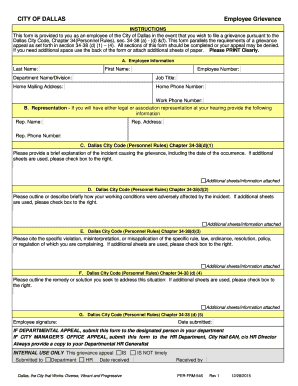
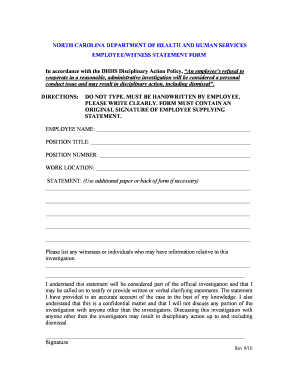
2.Once you've opened the form, familiarize yourself with the layout. The document contains various fillable fields and checkboxes that require your personal details and information related to your grievance.
-
3.Before filling out the form, gather all necessary information. This includes your employee details, the specifics of your grievance, any supporting documentation, and your desired resolution.
-
4.Begin by entering your personal information in the designated fields, such as your name, contact information, and employee ID. It's important that all details are accurate and up to date.
-
5.Next, provide a detailed description of your grievance. Be clear and concise, ensuring that you include all relevant facts. Use the space provided to articulate any workplace issues leading to the grievance.
-
6.After detailing your grievance, indicate the outcome you wish to achieve. Clearly state your expectations to help HR understand your desired resolution.
-
7.If applicable, complete any checkboxes associated with consent or acknowledgment that may appear within the form. Double-check that all required fields are filled out correctly.
-
8.Once you've completed the form to your satisfaction, review all entries for accuracy and completeness. Make any necessary edits before finalizing.
-
9.To save your work, click on the save button provided on the pdfFiller interface. You can choose to download the form as a PDF or submit it electronically through the platform, following any submission instructions provided.

Who is eligible to use the North Carolina DHHS Grievance Filing Form?
Any employee of the North Carolina Department of Health and Human Services who wishes to file a grievance regarding workplace issues is eligible to use this form.
Is there a deadline for submitting the grievance form?
While specific deadlines can vary, it is generally recommended to file your grievance as soon as possible after the incident. Check with your HR representative for any specific timelines.
What methods can I use to submit the grievance form?
You can submit the completed grievance form directly to your division or facility HR office. This can typically be done electronically via pdfFiller or by printing and physically delivering the form.
Are any supporting documents required when filing the grievance?
It is advisable to include any supporting documents that relate to your grievance. This may include emails, witness statements, or previous correspondence related to the issue.
What common mistakes should I avoid when filling out the form?
Ensure all required fields are completed accurately. Avoid vague descriptions of your grievance and do not forget to check for spelling and grammatical errors before submission.
How long does it take to process a grievance after submission?
The processing time can vary based on the complexity of the issue and the internal policies of DHHS. Typically, you should expect to hear back within a few weeks.
What if I need help completing the grievance form?
If you need assistance, consider consulting with an HR representative or a legal advisor who can provide guidance on how to complete the form and effectively present your grievance.
Related Forms
Get the latest insights from our blog


If you believe that this page should be taken down, please follow our DMCA take down process
here
.
This form may include fields for payment information. Data entered in these fields is not covered by PCI DSS compliance.