
Last updated on
Oct 7, 2026

Get the free Private Property Crash Information Form
We are not affiliated with any brand or entity on this form

Fill out
Complete the form online in a simple drag-and-drop editor.

eSign
Add your legally binding signature or send the form for signing.

Share
Share the form via a link, letting anyone fill it out from any device.

Export
Download, print, email, or move the form to your cloud storage.
Why pdfFiller is the best tool for your documents and forms


End-to-end document management
From editing and signing to collaboration and tracking, pdfFiller has everything you need to get your documents done quickly and efficiently.
Accessible from anywhere
pdfFiller is fully cloud-based. This means you can edit, sign, and share documents from anywhere using your computer, smartphone, or tablet.
Secure and compliant
pdfFiller lets you securely manage documents following global laws like ESIGN, CCPA, and GDPR. It's also HIPAA and SOC 2 compliant.
What is Crash Info Form
The Private Property Crash Information Form is a legal notice document used by individuals involved in non-injury motor vehicle crashes on private property in Illinois to exchange essential information.
pdfFiller scores top ratings on review platforms




Who needs Crash Info Form?
Explore how professionals across industries use pdfFiller.

Crash Info Form is needed by:
-
Drivers involved in non-injury crashes on private property
-
Insurance companies requiring crash information
-
Wheaton residents needing to report motor vehicle incidents
-
Legal representatives handling property damage claims
-
Private property owners seeking to document incidents
Comprehensive Guide to Crash Info Form
Understanding the Private Property Crash Information Form
The Private Property Crash Information Form is an essential document for individuals involved in non-injury motor vehicle accidents occurring on private property in Illinois. This form facilitates the exchange of crucial information between the parties involved. It is important to note that the form is intended for personal use and is not submitted to the Wheaton Police Department.
-
Definition: The form captures details about non-injury crashes on private property.
-
Significance: It supports individuals in managing the aftermath of an incident effectively.
-
Intended Use: Designed for personal documentation and insurance purposes.
Purpose and Benefits of the Private Property Crash Information Form
The primary aim of the Private Property Crash Information Form is to provide a streamlined approach for gathering details necessary for insurance claims. Using this form simplifies the exchange of information between the involved parties and minimizes the potential for legal complications.
-
Essential Details: Collects key information needed for insurance claims.
-
Information Exchange: Facilitates clear communication between involved drivers.
-
Non-Injury Focus: Tailored for crashes without injuries to avoid legal issues.
Who Needs the Private Property Crash Information Form?
This form is crucial for various individuals and situations where documentation of a non-injury accident on private property is needed. It serves drivers in Illinois and others who may have a stake in the incidents.
-
Drivers involved in non-injury accidents on private property in Illinois.
-
Individuals seeking to record crash details for insurance purposes.
-
Not limited to local residents: Anyone can utilize this form.
Key Features of the Private Property Crash Information Form
The Private Property Crash Information Form includes several key sections that ensure complete information is recorded. Each section is designed to capture vital details accurately.
-
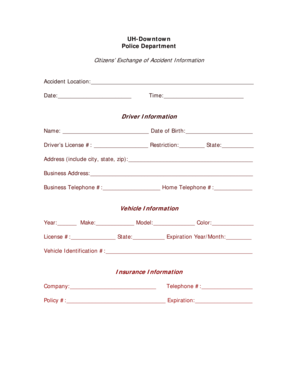
Required Fields: Includes driver's full name, address, driver's license number, and vehicle specifics.
-
Notes Section: Provides space for detailed descriptions of the crash.
-
Accuracy Importance: Complete and precise information is vital for successful insurance claims.
How to Fill Out the Private Property Crash Information Form Online
Filling out the Private Property Crash Information Form online is straightforward with the right steps and preparation. Here’s how users can ensure that the form is completed efficiently.
-
Gather necessary information about the other driver and the accident details.
-
Accurately fill in each field, ensuring all required details are included.
-
Review the completed form thoroughly to check for any errors before submission.
Common Errors and How to Avoid Them When Completing the Form
Completing the form correctly is vital; however, users often encounter common pitfalls. Being aware of these errors can help ensure accurate submissions.
-
Field Entry Errors: Look out for misentered license numbers and addresses.
-
Double-Check Information: Review all sections to confirm accuracy.
-
Clarity in Descriptions: Provide clear, detailed descriptions of the incident.
Submission Methods and Delivery of the Private Property Crash Information Form
Once completed, users need to know the various methods available for submitting their Private Property Crash Information Form. Understanding these options ensures proper record-keeping and compliance with local regulations.
-
Save, print, or share the completed form as needed.
-
Keep personal copies for record-keeping and insurance purposes.
-
Be aware of local submission requirements to ensure compliance.
Security and Compliance Considerations for the Private Property Crash Information Form
Handling sensitive information is a priority when using the Private Property Crash Information Form. Knowing the security measures in place can provide peace of mind for users.
-
Security Features: pdfFiller employs 256-bit encryption to secure data.
-
Compliance: The platform adheres to HIPAA and GDPR guidelines for data protection.
-
Personal Information Protection: Users must safeguard the information they include on the form.
Use pdfFiller to Easily Fill Out Your Private Property Crash Information Form
Utilizing pdfFiller offers numerous advantages for completing the Private Property Crash Information Form. The platform simplifies the process while ensuring security and compliance.
-
Flexibility: Users can edit, eSign, and share documents easily.
-
User-Friendly Tools: Features available on pdfFiller enhance the filing experience.
-
Secure and Compliant: Assures users of a safe environment while completing forms.
How to fill out the Crash Info Form
-
1.To access the Private Property Crash Information Form, go to pdfFiller's website and use the search bar to locate the form by its name or browse through relevant categories until you find it.
-
2.Once you've located the form, click on it to open the fillable PDF within the pdfFiller interface.
-
3.Begin by reviewing the form fields. Gather the necessary information beforehand, including the other driver's full name, address, driver's license number, vehicle details, insurance information, and any other relevant notes about the incident.
-
4.Start filling out the form by clicking on each blank field. Use the keyboard to enter information and utilize dropdowns or checkboxes where applicable by clicking on them.
-
5.Ensure that you accurately enter all data, particularly in fields such as DRIVER’S FULL NAME and ADDRESS. This information is crucial for clear communication with insurance companies.
-
6.As you fill out the form, periodically review your entries for accuracy and completeness. Make sure all relevant sections, as indicated in the instructions, are filled out with the correct details.
-
7.Once you’ve completed filling out the form, take the time to carefully proofread all entries to avoid any mistakes which could delay insurance processing.
-
8.To save your work, use the 'Save' option to keep a copy of the form in your pdfFiller account. You can also download it in PDF format for your records.
-
9.Finally, if you need to submit the form to an insurance company or other entity, follow their guidelines for submission, which may include printing, signing, or emailing the completed form.

Who is eligible to use the Private Property Crash Information Form?
Anyone involved in a non-injury motor vehicle crash on private property in Illinois is eligible to use this form to document the incident and exchange information with the other party.
How quickly should I complete this form after an accident?
It’s best to complete the Private Property Crash Information Form as soon as possible after the accident to ensure all information is accurate and fresh in your memory.
What information is required to fill out the form?
You will need to provide information such as the other driver’s full name, address, driver’s license number, vehicle details, and insurance information. Make sure to include a description of the collision if necessary.
How do I submit the completed form?
After filling out the form, you may need to print it and submit it to your insurance company. Alternatively, you can save a digital version for your records and follow the specific submission methods required by the involved parties.
Common mistakes to avoid when completing this form?
Always double-check that all fields are filled out accurately, especially contact information and vehicle details. Avoid leaving any sections incomplete, as this can delay the processing of your insurance claim.
What should I do if I lose my copy of the form?
If you lose your copy of the Private Property Crash Information Form, you can access it again through your pdfFiller account or download another copy from the web if you need to recreate your information.
Related Forms


Get the latest insights from our blog


If you believe that this page should be taken down, please follow our DMCA take down process
here
.
This form may include fields for payment information. Data entered in these fields is not covered by PCI DSS compliance.