
Last updated on
Oct 7, 2026

Get the free Maryland Youth Summer Camp Health Forms
We are not affiliated with any brand or entity on this form

Fill out
Complete the form online in a simple drag-and-drop editor.

eSign
Add your legally binding signature or send the form for signing.

Share
Share the form via a link, letting anyone fill it out from any device.

Export
Download, print, email, or move the form to your cloud storage.
Why pdfFiller is the best tool for your documents and forms


End-to-end document management
From editing and signing to collaboration and tracking, pdfFiller has everything you need to get your documents done quickly and efficiently.
Accessible from anywhere
pdfFiller is fully cloud-based. This means you can edit, sign, and share documents from anywhere using your computer, smartphone, or tablet.
Secure and compliant
pdfFiller lets you securely manage documents following global laws like ESIGN, CCPA, and GDPR. It's also HIPAA and SOC 2 compliant.
What is Maryland Camp Waiver
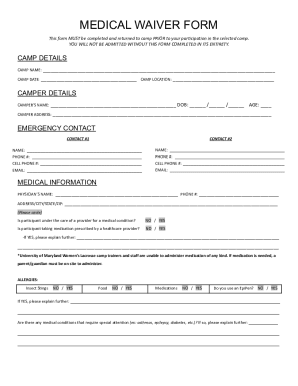
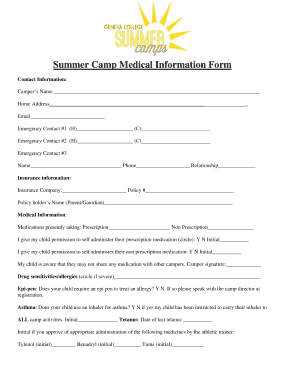
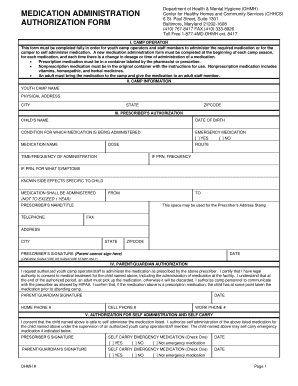
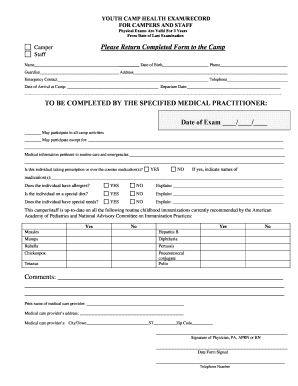
The Maryland Youth Summer Camp Health Forms are health information documents used by guardians and medical providers to provide critical health details and consent for a child's involvement in summer camp.
pdfFiller scores top ratings on review platforms




Who needs Maryland Camp Waiver?
Explore how professionals across industries use pdfFiller.

Maryland Camp Waiver is needed by:
-
Parents or guardians of youth attending summer camp.
-
Medical providers certifying immunization records.
-
Summer camp administrators for participant health compliance.
-
Emergency contact individuals for youth participants.
-
Non-profit organizations running summer camps in Maryland.
Comprehensive Guide to Maryland Camp Waiver
What are the Maryland Youth Summer Camp Health Forms?
The Maryland Youth Summer Camp Health Forms are essential documents required for children participating in summer camps across Maryland. These forms serve multiple purposes, including providing emergency contact information, detailing health histories, and recording immunization statuses. Through these forms, guardians ensure that critical health information is readily available to camp staff, thus facilitating a safer environment for all campers.
Each form includes specific sections that need to be filled out accurately. Emergency contacts must be provided in case of any incidents, while the health history section assures that parents or guardians disclose any relevant medical conditions. Additionally, some sections necessitate authorized signatures from both guardians and medical providers to confirm the authenticity of the information provided.
Purpose and Benefits of the Maryland Youth Summer Camp Health Forms
The Maryland Youth Summer Camp Health Forms are designed to guarantee the well-being of children while attending summer camps. These forms supply vital health insights to camp administrators, empowering them to tackle health situations effectively. Further, they promote a collaborative approach between parents and camp staff, enhancing the safety protocols for youth.
For guardians, filling out these forms can alleviate worries about their child's health care during camp. Accurate health information reduces the risk of miscommunication regarding medical needs, while consent elements embedded in the forms ensure proper emergency care if required. This guardian policy acts as an essential framework for securing children's health while pursuing summer activities.
Who Needs the Maryland Youth Summer Camp Health Forms?
The stakeholders required to complete the Maryland Youth Summer Camp Health Forms include parents, guardians, and licensed medical providers. Guardians play a significant role by supplying credible health histories and ensuring all requisite information is included. Medical providers are often responsible for confirming vaccination statuses, which may be another condition for camp attendance.
Every child attending a youth summer camp in Maryland must have these forms completed. This ensures that the facility is aware of each camper’s health requirements and can provide tailored care as necessary throughout their stay at camp.
Eligibility Criteria for the Maryland Youth Summer Camp Health Forms
To qualify for utilizing the Maryland Youth Summer Camp Health Forms, children must be enrolled in approved summer camp programs. Generally, these forms are applicable to youth ranging from age five to eighteen, although specific camps may impose additional age restrictions.
Furthermore, camps might have distinct medical requirements that guardians need to address on these forms. For example, immunization records may need to reflect current vaccinations, which can vary based on the camp's policies.
How to Fill Out the Maryland Youth Summer Camp Health Forms Online (Step-by-Step)
Filling out the Maryland Youth Summer Camp Health Forms online can be done easily using pdfFiller. Follow these steps for a smooth completion experience:
-
Navigate to the pdfFiller website.
-
Search for the Maryland Youth Summer Camp Health Forms template.
-
Begin filling in the required fields, ensuring accurate entries.
-
Pay special attention to emergency contact and immunization sections.
-
Review for completeness and accuracy before submission.
To avoid common pitfalls, gather all necessary information, including previous health records and vaccination details, beforehand.
Common Errors and How to Avoid Them
When completing the Maryland Youth Summer Camp Health Forms, several frequent mistakes can arise, potentially jeopardizing a child’s camp experience. Among these errors are missing signatures, incorrect health history details, and overlooked medical requirements.
To prevent these issues, double-check all entries and ensure that no sections are left blank. Confirm that both guardians and medical providers have signed where necessary, as deficiencies could lead to consequences, including delays in camper registration.
How to Sign the Maryland Youth Summer Camp Health Forms
The Maryland Youth Summer Camp Health Forms can be signed either digitally or using a wet signature. Opting for a digital signature using pdfFiller streamlines the process while ensuring legal validation.
For parents and medical providers, using pdfFiller to eSign eliminates the need for printing and scanning. This method simplifies compliance with necessary regulations while maintaining the integrity of the signed document.
Submission Methods for the Maryland Youth Summer Camp Health Forms
Once the Maryland Youth Summer Camp Health Forms are completed and signed, they can be submitted in several ways. Common submission methods include online uploads through pdfFiller, mailing hard copies, or dropping off forms in person at the camp's administrative office.
It is advisable to keep copies of submitted forms for personal records. Additionally, following up with camp officials can help confirm that all necessary documents are received and appropriately filed.
Security and Compliance for the Maryland Youth Summer Camp Health Forms
The safeguarding of sensitive health information is paramount when handling the Maryland Youth Summer Camp Health Forms. pdfFiller employs robust security measures, including 256-bit encryption, to protect user data.
Moreover, pdfFiller adheres to compliance standards such as HIPAA and GDPR, ensuring that all health information is securely managed. Users should also implement best practices like using strong passwords and regular account monitoring to maintain document security.
Experience the Ease of Filling Out Maryland Youth Summer Camp Health Forms with pdfFiller
Utilizing pdfFiller for completing Maryland Youth Summer Camp Health Forms enhances the overall experience by simplifying the form-filling process. The platform boasts user-friendly features that facilitate seamless navigation through health forms.
Additionally, pdfFiller's commitment to security ensures that all user interactions and data entries are protected, providing peace of mind for guardians as they manage their children's health documents.
How to fill out the Maryland Camp Waiver
-
1.Access the Maryland Youth Summer Camp Health Forms on pdfFiller by searching the form name in the platform's search bar.
-
2.Once opened, review the different sections of the form. Familiarize yourself with where to input health history and emergency contacts.
-
3.Before starting, gather necessary information such as your child's health history, immunization records, and emergency contact details to ensure you can fill the form accurately.
-
4.Begin filling in the form by clicking on editable fields and entering the required information. Use checkboxes where applicable.
-
5.Make sure to complete all required fields indicated by asterisks, including guardian and medical provider signatures.
-
6.After filling out the form, carefully review all entries to confirm that the health information and consents are correct. Editing is easy on pdfFiller.
-
7.Once you are satisfied with the completion of the form, save your work by clicking the save button in pdfFiller.
-
8.You can also download the form to your device in PDF format or submit it electronically through pdfFiller, depending on the submission requirements set by your summer camp.

What eligibility is required to use these forms?
These forms are relevant for parents or guardians of children who wish to enroll in a youth summer camp in Maryland. Children must be registered to attend a summer camp to require these health forms.
Are there deadlines for submitting these forms?
Yes, it is generally advisable to submit the Maryland Youth Summer Camp Health Forms at least a few weeks before the camp start date. Check with the camp organization for specific submission deadlines.
How do I submit the completed forms?
Completed forms can be submitted to the summer camp organization either electronically through pdfFiller or by downloading and mailing the physical copies, as per the camp's instructions.
What supporting documents are needed with this form?
Along with the health forms, you may need to provide copies of your child's immunization records and any medical consent documents if required by the camp.
What common mistakes should be avoided when filling out these forms?
Ensure all fields are completed before submission, especially those marked as required. Double-check for accurate health history and ensure all necessary signatures are present to avoid delays.
What is the typical processing time for these forms?
Processing times can vary by camp; however, it is often recommended to submit forms at least two weeks prior to the camp start date to allow adequate time for review and any necessary follow-ups.
What should I do if I have concerns about the health information listed?
If you have any concerns regarding the health information or require clarification, contact the camp administrators or your child's medical provider for assistance before submitting the forms.
Related Forms


Get the latest insights from our blog


If you believe that this page should be taken down, please follow our DMCA take down process
here
.
This form may include fields for payment information. Data entered in these fields is not covered by PCI DSS compliance.