
Last updated on
Oct 7, 2026

Get the free Authorization Agreement for Automatic Deposits (ACH Credits)
We are not affiliated with any brand or entity on this form

Fill out
Complete the form online in a simple drag-and-drop editor.

eSign
Add your legally binding signature or send the form for signing.

Share
Share the form via a link, letting anyone fill it out from any device.

Export
Download, print, email, or move the form to your cloud storage.
Why pdfFiller is the best tool for your documents and forms


End-to-end document management
From editing and signing to collaboration and tracking, pdfFiller has everything you need to get your documents done quickly and efficiently.
Accessible from anywhere
pdfFiller is fully cloud-based. This means you can edit, sign, and share documents from anywhere using your computer, smartphone, or tablet.
Secure and compliant
pdfFiller lets you securely manage documents following global laws like ESIGN, CCPA, and GDPR. It's also HIPAA and SOC 2 compliant.
What is ACH Credit Authorization
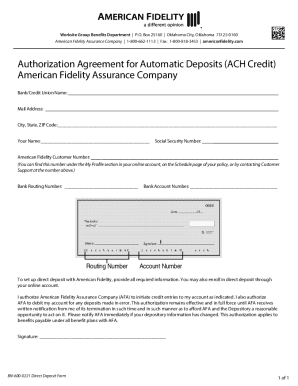
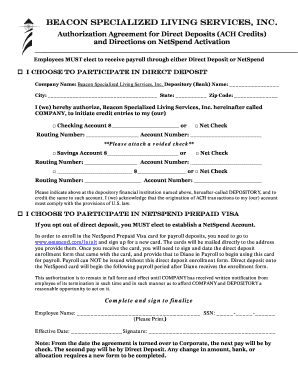
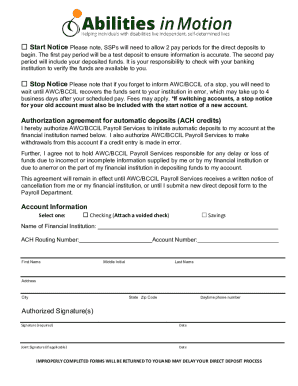
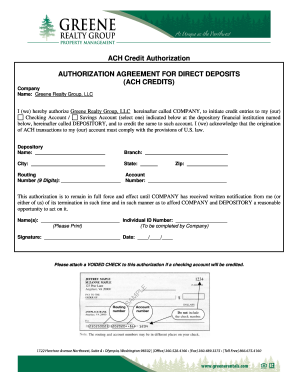
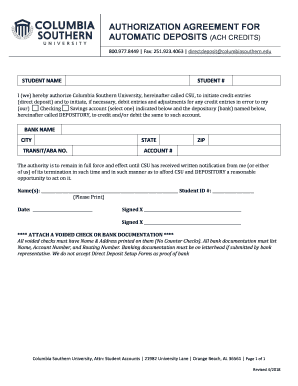
The Authorization Agreement for Automatic Deposits (ACH Credits) is a direct deposit authorization form used by employees to authorize automatic deposits into their bank accounts.
pdfFiller scores top ratings on review platforms




Who needs ACH Credit Authorization?
Explore how professionals across industries use pdfFiller.

ACH Credit Authorization is needed by:
-
Employees of Pasco County Board of County Commissioners
-
Individuals seeking direct deposit for payroll
-
Human resources personnel responsible for payroll processing
-
Finance departments managing employee compensation
-
New hires completing payroll documentation
-
Bank representatives for account verification
Comprehensive Guide to ACH Credit Authorization
What is the Authorization Agreement for Automatic Deposits (ACH Credits)?
The Authorization Agreement for Automatic Deposits (ACH Credits) is a vital document for Pasco County employees, enabling them to authorize direct deposits of their payroll. ACH credits, which facilitate electronic payments directly into employees’ bank accounts, simplify the payroll process.
This form is essential for outlining how employees can receive their payments efficiently and securely, thereby minimizing the reliance on paper checks, which can often lead to delays in fund availability.
Purpose and Benefits of Using the Authorization Agreement for Automatic Deposits
This agreement serves multiple purposes, primarily focusing on the advantages it offers to employees. Utilizing direct deposit through this authorization can provide a secure and convenient method of receiving payroll payments.
-
Eliminates the need for paper checks, reducing the risk of loss or delays.
-
Allows flexibility to split deposits into multiple bank accounts, which can aid in better financial management.
Key Features of the Authorization Agreement for Automatic Deposits
Understanding the key components of this authorization agreement is crucial for effective use. Employees must provide essential details, which include their bank account information and account type preferences.
-
Signature of the employee is required for processing.
-
A voided check or bank statement must be attached to verify account ownership.
-
This authorization remains effective until a termination notice is submitted in writing.
Who Should Use the Authorization Agreement for Automatic Deposits?
This form is primarily designed for employees of the Pasco County Board of County Commissioners. It is particularly beneficial for individuals seeking reliable and efficient payment methods.
Employees opting for direct deposit can also benefit significantly from this authorization as it streamlines the payroll process and enhances payment reliability.
How to Fill Out the Authorization Agreement for Automatic Deposits Online
Filling out the authorization agreement online is straightforward. Follow these steps to ensure the form is completed accurately:
-
Provide all required bank account information in the designated fields.
-
Ensure you select the correct account type (checking or savings).
-
Attach a voided check or a recent bank statement as proof of account ownership.
Always double-check the accuracy of your bank details before submitting to avoid issues with your deposits.
How to eSign and Submit the Authorization Agreement for Automatic Deposits
After filling out the form, signing it is the next crucial step. There are two options available for signing:
-
Digital signatures, which are widely accepted for online submissions.
-
Wet signatures, if required for in-person submissions.
Once signed, the form can be submitted either in person or online. Make sure to keep a copy of the signed document for your records, ensuring it is stored securely.
Security Measures for Handling the Authorization Agreement for Automatic Deposits
Handling personal information with care is essential. pdfFiller implements robust security measures to protect sensitive data.
-
Features 256-bit encryption to safeguard your personal information during transmission and storage.
-
Maintains compliance with standards such as HIPAA and GDPR to ensure privacy and data protection.
-
Adopt practical best practices for safeguarding your data, such as using strong passwords and enabling two-factor authentication.
What Happens After You Submit the Authorization Agreement for Automatic Deposits?
Once the authorization agreement is submitted, employees can expect a confirmation of receipt. The typical processing timeline should be communicated clearly to avoid confusion.
-
In some cases, follow-up communications may be necessary if additional documentation is required.
-
Employees should anticipate changes to their payroll schedule following the successful implementation of the direct deposit.
Common Errors to Avoid When Submitting the Authorization Agreement for Automatic Deposits
To ensure a smooth submission process, it's important to be aware of common mistakes. Frequent errors can hinder timely processing of the form.
-
Missing crucial information, such as bank account details or signatures.
-
Incorrect routing numbers, which can cause direct deposit failures.
Always verify that all documented details are correct and double-check any attachments, like voided checks or bank statements, before submission.
Experience Hassle-Free Form Completion with pdfFiller
For a seamless experience in managing the Authorization Agreement for Automatic Deposits, pdfFiller offers numerous advantages.
-
Utilize an easy-to-navigate online platform for filling out your forms.
-
Features like auto-save and eSigning enhance the form completion process.
Start using pdfFiller today to streamline your authorization process and enjoy the benefits of efficient document management.
How to fill out the ACH Credit Authorization
-
1.Access the Authorization Agreement for Automatic Deposits (ACH Credits) on pdfFiller by searching for the form name in the platform's search bar.
-
2.Open the form within the pdfFiller interface, ensuring you allow the necessary permissions for editing.
-
3.Collect your bank account information before filling out the form, including your depository name, account number, and ABA/routing number.
-
4.Locate the sections within the form designated for your bank account details, and enter the requested information carefully to avoid errors.
-
5.Use the checkbox options available on the form to select the appropriate account types for your direct deposit, usually checking if it's a checking or savings account.
-
6.A signature line is available for you to sign, confirming your authorization for automatic deposits.
-
7.If required, upload a voided check or bank statement as proof of account ownership by using the upload feature on pdfFiller.
-
8.Review the filled-out form to verify that all information is accurate and complete, ensuring there are no missing fields.
-
9.Finalize the form by clicking the save button to store your changes, download it for your records, or submit it electronically as per your organization’s submission guidelines.

Who is eligible to use the Authorization Agreement for Automatic Deposits?
Any employee of the Pasco County Board of County Commissioners, who wishes to authorize direct deposit of their wages into a bank account, is eligible to use this form.
What information is required to complete this form?
To complete the Authorization Agreement, you'll need your bank account details, including the depository name, account number, and ABA/routing number, along with a signature and potentially a voided check or bank statement.
How do I submit the completed form?
After filling out the form on pdfFiller, you can submit it electronically via your HR department’s specified method, or download and print it for physical submission as required.
Is notarization required for this form?
No, the Authorization Agreement for Automatic Deposits does not require notarization; however, a signature from the employee is mandatory.
What common mistakes should I avoid when filling out this form?
Ensure that all fields are filled out accurately, especially your bank account numbers and ABA/routing numbers. Double-check for spelling errors in your name and confirm the account type selected.
How long does it take for direct deposits to start after submitting the form?
Typically, it may take one to two pay cycles for direct deposit to become effective after submitting the Authorization Agreement, depending on your employer's payroll schedule.
Can I change my direct deposit information later?
Yes, you can change your direct deposit information by completing a new Authorization Agreement for Automatic Deposits and submitting it according to your organization’s protocols.
Related Forms





Get the latest insights from our blog


If you believe that this page should be taken down, please follow our DMCA take down process
here
.
This form may include fields for payment information. Data entered in these fields is not covered by PCI DSS compliance.