
Last updated on
Oct 7, 2026

Get the free Educational Technician Evaluation Form
We are not affiliated with any brand or entity on this form

Fill out
Complete the form online in a simple drag-and-drop editor.

eSign
Add your legally binding signature or send the form for signing.

Share
Share the form via a link, letting anyone fill it out from any device.

Export
Download, print, email, or move the form to your cloud storage.
Why pdfFiller is the best tool for your documents and forms


End-to-end document management
From editing and signing to collaboration and tracking, pdfFiller has everything you need to get your documents done quickly and efficiently.
Accessible from anywhere
pdfFiller is fully cloud-based. This means you can edit, sign, and share documents from anywhere using your computer, smartphone, or tablet.
Secure and compliant
pdfFiller lets you securely manage documents following global laws like ESIGN, CCPA, and GDPR. It's also HIPAA and SOC 2 compliant.
What is Technician Evaluation
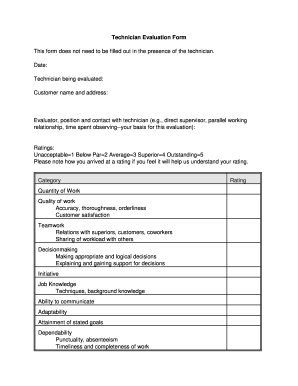
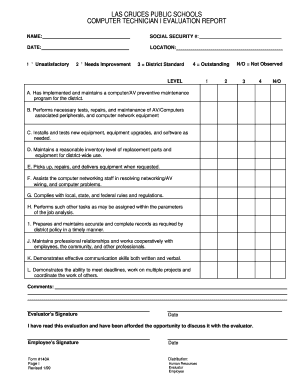
The Educational Technician Evaluation Form is a performance assessment document used by schools to evaluate educational technicians' effectiveness and professionalism.
pdfFiller scores top ratings on review platforms




Who needs Technician Evaluation?
Explore how professionals across industries use pdfFiller.

Technician Evaluation is needed by:
-
School administrators assessing educational technicians' performance
-
Supervisors providing feedback on support staff
-
Educational technicians needing performance reviews
-
Human resources professionals involved in staff evaluations
-
Education consultants advising on staff evaluations
Comprehensive Guide to Technician Evaluation
What is the Educational Technician Evaluation Form?
The Educational Technician Evaluation Form is fundamental for assessing the performance of educational technicians in schools. Its primary purpose is to evaluate their effectiveness with students, professionalism, and roles within support staff. This evaluation form enhances accountability and fosters continuous improvement, thus playing a vital role in the educational institution's success.
Purpose and Benefits of the Educational Technician Evaluation Form
This form offers a myriad of benefits to schools and educational institutions by promoting systematic evaluations. First, it encourages accountability among educational technicians, ensuring they meet established performance standards. Second, it aids in identifying areas for improvement, leading to enhanced support for both students and faculty. Overall, the Educational Technician Evaluation Form becomes an invaluable resource for ongoing development and success in educational settings.
Key Features of the Educational Technician Evaluation Form
The Educational Technician Evaluation Form is equipped with several essential features that streamline the evaluation process. Key characteristics include:
-
Fillable fields enabling easy entry of performance data
-
Scoring sections to quantify evaluations effectively
-
Required signatures from both support staff and supervisors
-
Sections for comments to provide qualitative feedback
These features collectively ensure a comprehensive assessment of educational technicians, facilitating constructive dialogue and growth.
Who Needs the Educational Technician Evaluation Form?
The primary users of the Educational Technician Evaluation Form include schools, supervisors, and support staff. Educational administrators also find this form beneficial as it helps them monitor staff performance and streamline evaluation processes. By utilizing this form, everyone involved can enhance their understanding of technician effectiveness and contribute to a more cohesive educational environment.
How to Fill Out the Educational Technician Evaluation Form Online (Step-by-Step)
Filling out the Educational Technician Evaluation Form online using pdfFiller involves several simple steps:
-
Access the Educational Technician Evaluation Form through pdfFiller.
-
Complete all fillable fields accurately, including technician details and evaluation criteria.
-
Utilize the scoring sections to provide quantitative assessments.
-
Include comments in designated sections for qualitative feedback.
-
Add required signatures from both support staff and supervisors.
-
Review the entire form for completeness before submission.
These steps help ensure that the form is filled out correctly for effective evaluation.
Common Errors and How to Avoid Them
When filling out the Educational Technician Evaluation Form, users often encounter common errors. To improve accuracy and completeness, consider the following best practices:
-
Double-check for missed fields to ensure no crucial information is omitted.
-
Use clear, specific language in comments to enhance understanding.
-
Avoid assumptions; provide evidence-based scores and feedback.
By adhering to these practices, users can minimize mistakes and submit a high-quality evaluation.
Security and Compliance for the Educational Technician Evaluation Form
Ensuring the secure handling of sensitive documents is a top priority for pdfFiller. The platform employs 256-bit encryption to protect data and maintain compliance with HIPAA and GDPR regulations. Using the Educational Technician Evaluation Form via pdfFiller guarantees that all parties involved in the evaluation process can trust that privacy and security are upheld.
How to Sign the Educational Technician Evaluation Form
The signing process for the Educational Technician Evaluation Form requires clear steps for both support staff and supervisors. Users can choose between digital signatures via pdfFiller or traditional wet signatures. Digital signing offers convenience, while wet signatures may be necessary for certain situations. Ensuring the correct signing method is followed allows the evaluation process to proceed smoothly.
Where to Submit the Educational Technician Evaluation Form
Upon completing the Educational Technician Evaluation Form, users must submit it through designated channels. Options for submission may include online uploads to specific portals or physical delivery to relevant administrative offices. Be aware of any associated fees or processing times that may affect the overall evaluation timeline.
Experience the Benefits of Using pdfFiller
Utilizing pdfFiller simplifies the evaluation process significantly. Its user-friendly features enhance the experience of filling out and managing the Educational Technician Evaluation Form. By leveraging this platform, users can save time and effort, all while ensuring a thorough evaluation is conducted efficiently.
How to fill out the Technician Evaluation
-
1.To access the Educational Technician Evaluation Form on pdfFiller, navigate to the pdfFiller website and use the search bar to find the form by its name.
-
2.Once you locate the form, click on it to open the fillable PDF interface. Familiarize yourself with the layout of the document and identify all required fields.
-
3.Before filling out the form, gather all necessary information such as the educational technician's performance metrics, comments from supervisors, and any specific evaluation criteria relevant to the technician's role.
-
4.Start filling out the form by clicking on the text fields and entering the required information. Use the provided scoring sections for structured feedback. If there are checkboxes to complete, click on them to mark your selections.
-
5.Make sure to review all completed sections to ensure accuracy. Utilize pdfFiller's built-in tools to highlight any areas needing corrections or make notes before finalizing.
-
6.Once satisfied with the form, check that both required signatures are obtained from the support staff and supervisor. Use the signature feature on pdfFiller if needed.
-
7.To save or download the completed form, click on the 'Save' or 'Download' button. You may also choose to submit the form directly from pdfFiller through email or by generating a shareable link.

Who is eligible to use the Educational Technician Evaluation Form?
Any educational institution or school district in the US can utilize the Educational Technician Evaluation Form to assess the performance of their educational technicians. It's essential for both supervisors and support staff to complete their sections.
What is the deadline for submitting the evaluation form?
Deadlines for submission of the Educational Technician Evaluation Form may vary by institution. Typically, evaluations are due at the end of the academic year or as directed by school administration. Always check your institution's specific guidelines.
How can I submit the completed form?
The completed Educational Technician Evaluation Form can be submitted through several methods. You can print it and hand it in physically, email it directly to the concerned department, or submit it through a designated portal if your school has one.
What supporting documents should accompany the evaluation form?
Generally, supporting documents are not required when submitting the Educational Technician Evaluation Form. However, additional performance metrics or examples of the technician's work may enhance the evaluation. Check with your institution for any specific requirements.
What common mistakes should I avoid when filling out the form?
Ensure all required fields are filled, signatures are obtained, and accuracy in scoring is maintained. Avoid leaving comments vague or generalized, as specific feedback is more impactful. Review your entries before submission.
How long does it take to process the evaluation form?
Processing time for the Educational Technician Evaluation Form depends on the relevant administrative office's workload. Generally, expect a turnaround of one to two weeks for feedback, but verify with your school for exact times.
Can the form be edited after submission?
Typically, once the Educational Technician Evaluation Form is submitted, it cannot be edited. If you realize a mistake after submission, communicate with your supervisor or HR department to discuss correcting the record if necessary.
Related Forms



Get the latest insights from our blog


If you believe that this page should be taken down, please follow our DMCA take down process
here
.
This form may include fields for payment information. Data entered in these fields is not covered by PCI DSS compliance.