
Last updated on
Oct 7, 2026

Get the free Motion to Modify/Suspend/Terminate Support
We are not affiliated with any brand or entity on this form

Fill out
Complete the form online in a simple drag-and-drop editor.

eSign
Add your legally binding signature or send the form for signing.

Share
Share the form via a link, letting anyone fill it out from any device.

Export
Download, print, email, or move the form to your cloud storage.
Why pdfFiller is the best tool for your documents and forms


End-to-end document management
From editing and signing to collaboration and tracking, pdfFiller has everything you need to get your documents done quickly and efficiently.
Accessible from anywhere
pdfFiller is fully cloud-based. This means you can edit, sign, and share documents from anywhere using your computer, smartphone, or tablet.
Secure and compliant
pdfFiller lets you securely manage documents following global laws like ESIGN, CCPA, and GDPR. It's also HIPAA and SOC 2 compliant.
What is Support Modification Motion
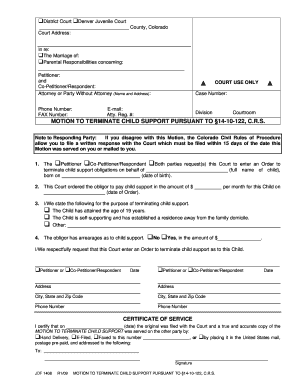
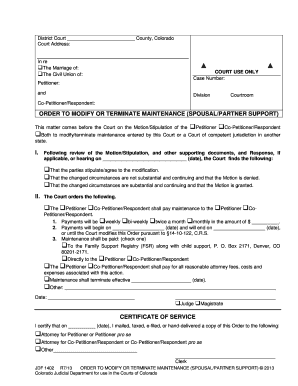
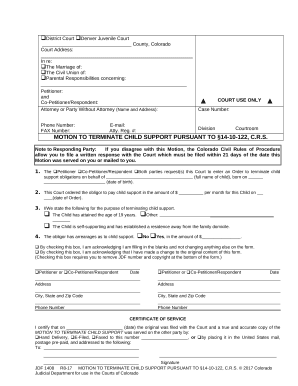
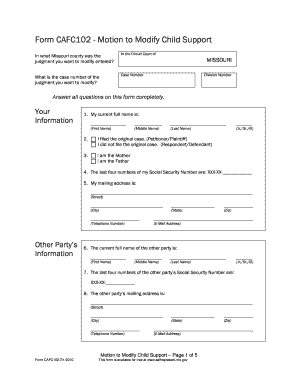
The Motion to Modify/Suspend/Terminate Support is a legal form used by petitioners and respondents in Illinois to request changes to an existing support order.
pdfFiller scores top ratings on review platforms




Who needs Support Modification Motion?
Explore how professionals across industries use pdfFiller.

Support Modification Motion is needed by:
-
Petitioners seeking to modify support payments
-
Respondents involved in support court cases
-
Legal representatives managing support orders
-
Individuals needing to suspend or terminate support
-
Families affected by changes in financial circumstances
Comprehensive Guide to Support Modification Motion
What is the Motion to Modify/Suspend/Terminate Support?
The Motion to Modify/Suspend/Terminate Support is a legal document utilized within the context of Illinois family law. Its primary purpose is to formally request changes to an existing support order. Parties may choose to file this motion under various circumstances, such as experiencing significant changes in financial situations, alterations in the needs of the recipient, or shifts in the payer's capacity to fulfill obligations. Understanding when to file this motion is crucial for those navigating financial obligations dictated by the courts.
Purpose and Benefits of the Motion to Modify/Suspend/Terminate Support
There are several compelling reasons to consider modifying, suspending, or terminating support payments. For instance, a change in job status or a significant medical expense may justify such modifications. This motion serves to achieve financial adjustments that reflect current circumstances. Potential benefits include reduced financial stress, appropriate support levels for both parties, and better overall compliance with court orders. Leveraging this motion can lead to fairer and more sustainable financial arrangements.
Eligibility Criteria for Filing the Motion to Modify/Suspend/Terminate Support
In Illinois, both the Petitioner and Respondent may have the right to file this motion. However, specific conditions must be met for eligibility. Generally, either party involved in the original support order can submit the motion, but they must sufficiently demonstrate a change in circumstances to trigger the court's review. Understanding the necessary prerequisites ensures that applicants prepare strong cases backed by valid reasons.
How to Fill Out the Motion to Modify/Suspend/Terminate Support Form Online (Step-by-Step)
To effectively fill out the Motion to Modify/Suspend/Terminate Support form online using pdfFiller, follow these steps:
-
Access the form on the pdfFiller platform.
-
Complete the required fields, including the date of the original support order and the current payment rate.
-
Provide personal details, such as the names and addresses of all parties involved.
-
Clearly state the reasons for requesting the modification, suspension, or termination.
-
Review and verify the accuracy of the information before finalizing the form.
Having the relevant information at hand, especially crucial fields, will streamline the process and ensure the document is correctly completed.
Common Errors and How to Avoid Them When Completing the Motion
Filing errors can lead to delays or rejections of the motion. Common mistakes include improper filling of fields, using outdated forms, and not providing sufficient evidence to support claims. To avoid these pitfalls, it is essential to:
-
Double-check all entries for accuracy.
-
Ensure all required documents are attached.
-
Utilize the latest version of the motion form.
Implementing these best practices can significantly increase the chances of a successful filing.
Submission Methods and Delivery of the Motion to Modify/Suspend/Terminate Support
Once the form is completed, it must be submitted to the appropriate court. Accepted methods of submission typically include in-person delivery or mail. Be mindful of any deadlines associated with the motion, as late submissions may result in complications or denials. Additionally, there may be filing fees associated with submitting this motion, so it is important to check specific requirements based on the local court's regulations.
What Happens After You Submit the Motion?
After submitting the motion, the court will review it, which may involve scheduling a hearing. Applicants can often track the status of their motion through the court's online system or by contacting the court clerk. Knowing the timeline and next steps is crucial for applicants awaiting the court's decision regarding their support modifications or terminations.
Security and Compliance for Handling Your Motion to Modify/Suspend/Terminate Support
Ensuring data privacy and compliance when handling legal documents is paramount. pdfFiller implements robust security measures such as 256-bit encryption and compliance with HIPAA and GDPR standards. This ensures that sensitive information remains confidential and secure throughout the entire process of filling out and submitting the motion.
Sample or Example of a Completed Motion to Modify/Suspend/Terminate Support
For reference, a sample completed Motion to Modify/Suspend/Terminate Support can guide users in accurately filling out their forms. By examining specific sections of this example, users can gain clarity on how to articulate their circumstances and the necessary details regarding the support order. This hands-on approach facilitates a better understanding of the filing process.
Empower Your Filing Process with pdfFiller
Utilizing pdfFiller can significantly enhance your filing experience. Its comprehensive features facilitate form completion, eSigning, and secure storage of legal documents. The platform is designed to simplify the modification process, making it accessible for users as they navigate their legal obligations efficiently and securely.
How to fill out the Support Modification Motion
-
1.Start by accessing pdfFiller and searching for the 'Motion to Modify/Suspend/Terminate Support' form in the template library.
-
2.Once located, open the form within pdfFiller's interface, ensuring it is visible on your screen.
-
3.Gather all necessary information, including the date of the original support order, current payment rate, and contact information for all parties involved.
-
4.Begin filling out the form by clicking on the required fields. Use pdfFiller’s tools to easily enter your information, such as names and addresses.
-
5.Check the sections for back support calculations and provide any relevant proof of service documentation.
-
6.Review the filled form carefully, checking for any errors or missing information to ensure accuracy.
-
7.Once you are satisfied with the completed form, utilize pdfFiller's options to save your work or download it in your preferred format.
-
8.For submitting, follow any additional instructions provided in the form regarding court filing procedures, or submit electronically if the court allows it.
-
9.Make sure to keep a copy of the submitted form for your records in case you need to reference it in the future.

Who is eligible to file the Motion to Modify/Suspend/Terminate Support?
Any individual involved in an existing support order case in Illinois can file this motion, including both petitioners and respondents.
Are there any deadlines for submitting this motion?
While specific deadlines may vary by case, it is generally advisable to file the motion as soon as the need for modification arises to avoid any delays in the support process.
How do I submit the completed form?
The completed form can be submitted either in person at the court where the original support order was filed or electronically if the court accepts such submissions.
What supporting documents are required with this motion?
You should include any relevant financial documents that support your request for a modification, such as proof of income or expenses that justify the change in support payments.
What common mistakes should I avoid when completing the form?
Ensure all fields are filled correctly, double-check the names and addresses provided, and avoid leaving any required sections blank to prevent delays in processing.
How long does it take for the court to process my motion?
Processing times can vary; however, you can typically expect a response from the court within a few weeks after filing the motion based on the court's schedule.
What if I need to change the form after filing?
If you need to make changes after filing, you may need to submit a new motion or an amended motion according to the court's requirements, so consult with your legal advisor.
Related Forms



Get the latest insights from our blog


If you believe that this page should be taken down, please follow our DMCA take down process
here
.
This form may include fields for payment information. Data entered in these fields is not covered by PCI DSS compliance.