
Last updated on
Oct 19, 2026

Get the free Harassment Policy Verification Form
We are not affiliated with any brand or entity on this form

Fill out
Complete the form online in a simple drag-and-drop editor.

eSign
Add your legally binding signature or send the form for signing.

Share
Share the form via a link, letting anyone fill it out from any device.

Export
Download, print, email, or move the form to your cloud storage.
Why pdfFiller is the best tool for your documents and forms


End-to-end document management
From editing and signing to collaboration and tracking, pdfFiller has everything you need to get your documents done quickly and efficiently.
Accessible from anywhere
pdfFiller is fully cloud-based. This means you can edit, sign, and share documents from anywhere using your computer, smartphone, or tablet.
Secure and compliant
pdfFiller lets you securely manage documents following global laws like ESIGN, CCPA, and GDPR. It's also HIPAA and SOC 2 compliant.
What is Harassment Policy Form
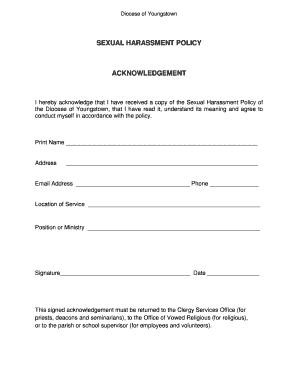
The Harassment Policy Verification Form is an employee management document used by employees and volunteers to acknowledge receipt and understanding of the diocesan harassment policy for minor employees and volunteers.
pdfFiller scores top ratings on review platforms




Who needs Harassment Policy Form?
Explore how professionals across industries use pdfFiller.

Harassment Policy Form is needed by:
-
Employees in diocesan organizations
-
Volunteers working with minors in parishes
-
Human resources personnel overseeing compliance
-
Parish leaders conducting training
-
Compliance officers ensuring policy adherence
-
Legal teams reviewing policy confirmation
Comprehensive Guide to Harassment Policy Form
What is the Harassment Policy Verification Form?
The Harassment Policy Verification Form is a crucial document used by employees and volunteers to confirm their understanding of the diocesan harassment policy. This form ensures that all participants are aware of the guidelines intended to maintain safety and respect within the diocesan framework. By defining this verification form clearly, organizations can promote a culture of compliance and safety for all involved.
This form plays a significant role in reinforcing the diocesan harassment policy, aimed at protecting both employees and volunteers from harassment and ensuring a secure environment. It is essential in the overarching goal of establishing a safe and respectful workplace.
Purpose and Benefits of the Harassment Policy Verification Form
The Harassment Policy Verification Form serves several vital purposes. First, it is instrumental in ensuring that all employees and volunteers acknowledge the harassment policy, which is crucial for maintaining workplace safety. By understanding and signing this form, individuals contribute to a respectful and secure environment.
Moreover, complying with this form not only fulfills ethical responsibilities but also aligns with legal obligations. The acknowledgment process through this anti-harassment agreement helps in mitigating risks associated with harassment claims, making it a protective measure for both the organization and its members.
Who Needs to Complete the Harassment Policy Verification Form?
The target audience for the Harassment Policy Verification Form includes all employees and volunteers who engage in parish activities. It is essential for these individuals to be aware of the harassment policy and the implications of non-compliance. Completing the form signifies their understanding and commitment to uphold the standards set forth.
Eligibility criteria for filling out this form may vary; therefore, it is vital that users confirm their role within the organization before proceeding. Adherence to this requirement enhances the effectiveness of the parish activities and reinforces the commitment to safety.
Key Features of the Harassment Policy Verification Form
The Harassment Policy Verification Form includes several essential components designed to facilitate user input. Key fields typically consist of the user's name, the name of their location, signature, and date. Additionally, there is a dedicated section for listing the name of the parish activity, which is important for organizational record-keeping.
Users should follow specific instructions to ensure proper completion of the form. Understanding these requirements not only helps in maintaining accurate records but also prevents common errors during submission, thereby enhancing the process of employee management.
How to Fill Out the Harassment Policy Verification Form Online
To fill out the Harassment Policy Verification Form online using pdfFiller, users can follow this step-by-step guide:
-
Access the form through the pdfFiller interface.
-
Begin by entering your name and location in the specified fields.
-
Carefully review the harassment policy before signing.
-
Provide your signature and the current date in the appropriate sections.
-
Submit the form electronically for processing.
Utilizing pdfFiller to fill out the form online offers significant advantages, such as convenience, ease of use, and the ability to store records electronically. This platform supports efficient completion of the harassment policy verification process.
How to Sign the Harassment Policy Verification Form
Signing the Harassment Policy Verification Form can involve either a digital or wet signature, depending on the organization's requirements. Users must ensure they are aware of the specific signing requirements to validate their submission effectively.
To eSign using pdfFiller, follow these simple steps: select the signature field, choose the option to create or upload your signature, and finalize the signing process. Having a valid signature is critical for the acceptance of the form, so it is important to ensure that all steps are completed correctly.
Submission Methods for the Harassment Policy Verification Form
Completed Harassment Policy Verification Forms can be submitted via various methods, ensuring flexibility for users. Options typically include online submission through the pdfFiller platform or postal mail, depending on organizational preferences.
Users should be mindful of any associated fees or submission deadlines that may apply. Following the appropriate submission method is crucial for timely processing and compliance with organizational protocols.
Security and Compliance for the Harassment Policy Verification Form
Security is paramount when handling sensitive documents such as the Harassment Policy Verification Form. Organizations must implement robust measures to protect user data throughout the submission process.
pdfFiller offers enhanced security features, including 256-bit encryption and compliance with industry standards such as HIPAA and GDPR. These measures ensure that user trust and data protection are prioritized, fostering a secure environment for all document submissions.
What to Do After Submitting the Harassment Policy Verification Form
After submitting the Harassment Policy Verification Form, users can expect to receive a confirmation regarding their submission. This confirmation typically indicates that the form is being processed as per the organization's protocols.
Users should be informed about how to check the status of their submission, as well as common issues that may arise during the processing phase. Addressing potential concerns promptly contributes to a smooth administrative experience.
Start Using pdfFiller for Your Harassment Policy Verification Form Needs
Using pdfFiller for completing the Harassment Policy Verification Form meets all your documentation needs effectively. Its user-friendly interface and robust features streamline the form-filling process, enabling users to complete their tasks efficiently.
With its numerous advantages, pdfFiller supports individuals in navigating the complexities of form management while ensuring compliance with organizational standards. This platform empowers users to handle their documentation accurately and securely.
How to fill out the Harassment Policy Form
-
1.To access the Harassment Policy Verification Form on pdfFiller, visit the pdfFiller website and search for the form by name or category.
-
2.Once you find the form, click on it to open and begin filling it out in the online pdfFiller editor.
-
3.Gather necessary information before starting, such as your name, location within the parish, and the specific parish activity if applicable.
-
4.In the editor, you will see multiple blank fields. Click on each field to input your information, including your printed name, location, and signature.
-
5.Make sure to correctly date the form and fill in any additional required sections, following the provided instructions for clarity.
-
6.After completing all fields, review the form to ensure all information is accurate and legible.
-
7.Once you are satisfied with your entries, you can download the completed form, save it to your device, or submit it directly through the pdfFiller platform.

Who is required to submit the Harassment Policy Verification Form?
This form must be submitted by all employees and volunteers who work with minors in the diocesan organization to confirm their acknowledgment of the harassment policy.
What information do I need to complete the form?
You will need your name, the name of your location or parish, the specific parish activity, your signature, and the date you are completing the form.
How do I submit the completed form?
Once you have filled out the form on pdfFiller, you can submit it by downloading it, saving it, or using pdfFiller's submission options to send it directly to your designated authority.
Are there deadlines for submitting the form?
Typically, forms like the Harassment Policy Verification Form should be submitted during employee onboarding or volunteer training sessions; check with your local parish for specific deadlines.
What should I do if I made a mistake on the form?
If you made a mistake, you can easily reopen the form in pdfFiller, edit the incorrect fields, and re-save or resubmit the form as needed.
Will I receive confirmation of my submitted form?
Confirmation procedures vary by organization; however, you may want to inquire with your HR department or parish leader to ensure your submission is acknowledged.
Is the Harassment Policy Verification Form notarized?
No, the Harassment Policy Verification Form does not require notarization; it only requires your signature and date to validate your acknowledgment.
Related Forms



Get the latest insights from our blog


If you believe that this page should be taken down, please follow our DMCA take down process
here
.
This form may include fields for payment information. Data entered in these fields is not covered by PCI DSS compliance.