
Last updated on
Oct 19, 2026

Get the free Larimer County Inmate File Request Form
We are not affiliated with any brand or entity on this form

Fill out
Complete the form online in a simple drag-and-drop editor.

eSign
Add your legally binding signature or send the form for signing.

Share
Share the form via a link, letting anyone fill it out from any device.

Export
Download, print, email, or move the form to your cloud storage.
Why pdfFiller is the best tool for your documents and forms


End-to-end document management
From editing and signing to collaboration and tracking, pdfFiller has everything you need to get your documents done quickly and efficiently.
Accessible from anywhere
pdfFiller is fully cloud-based. This means you can edit, sign, and share documents from anywhere using your computer, smartphone, or tablet.
Secure and compliant
pdfFiller lets you securely manage documents following global laws like ESIGN, CCPA, and GDPR. It's also HIPAA and SOC 2 compliant.
What is Inmate File Request
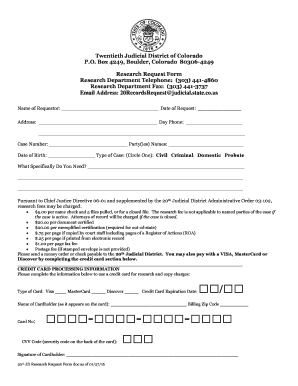
The Larimer County Inmate File Request Form is a legal document used by individuals to request inmate records from the Larimer County Sheriff's Office.
pdfFiller scores top ratings on review platforms




Who needs Inmate File Request?
Explore how professionals across industries use pdfFiller.

Inmate File Request is needed by:
-
Inmates seeking to access personal records
-
Family members of incarcerated individuals
-
Legal representatives requesting records for court cases
-
Researchers needing historical inmate data
-
Journalists covering local criminal justice issues
Comprehensive Guide to Inmate File Request
What is the Larimer County Inmate File Request Form?
The Larimer County Inmate File Request Form is a legal document designed for requesting various records related to an inmate from the Larimer County Sheriff's Office. This form is essential for individuals who wish to gain access to specific inmate information, such as medical screening details, property records, and inmate behavior reports. A significant aspect of the form is the requirement for a notarized signature, which ensures the authenticity of the request, thereby complying with local regulations.
Purpose and Benefits of the Larimer County Inmate File Request Form
Individuals may need to fill out the Larimer County Inmate File Request Form for various reasons, including legal proceedings or personal curiosity. Benefits of using this form include enhanced transparency and access to important records that could impact personal or legal matters. This form simplifies the process of obtaining inmate information, assisting users in fulfilling their inquiries or legal requirements efficiently.
Eligibility Criteria for the Larimer County Inmate File Request Form
The eligibility to request records using the Larimer County Inmate File Request Form includes both the requester and the inmate. It is important to acknowledge that specific conditions apply according to Colorado state laws. Consent from the inmate is crucial, as it safeguards their privacy and complies with legal standards regarding record requests.
How to Fill Out the Larimer County Inmate File Request Form Online (Step-by-Step)
Filling out the Larimer County Inmate File Request Form online involves several important steps to ensure accuracy and acceptance:
-
Access the online form through the designated portal.
-
Input the inmate's full name and date of birth in the required fields.
-
Provide details regarding incarceration dates and any other requested information.
-
Review all entries to ensure they are accurate and complete before submission.
-
Submit the form electronically, ensuring adherence to any notarization requirements.
Common Errors and How to Avoid Them
When completing the Larimer County Inmate File Request Form, users often encounter several common errors. Frequent mistakes include:
-
Missing signatures that could lead to rejection.
-
Incorrect or inconsistent dates entered that might delay processing.
-
Failure to include all required fields, resulting in incomplete submissions.
To ensure the form is filled out correctly, double-check all entries, confirm signatures, and adhere to instructions carefully to avoid these pitfalls.
How to Notarize the Larimer County Inmate File Request Form
Notarization is a vital step in the process of submitting the Larimer County Inmate File Request Form. It involves a notary public verifying the signatures on the document, an essential requirement for legal compliance. There are multiple ways to have the form notarized:
-
In-person notarization at a local notary service.
-
Utilizing online notarization services that comply with state laws.
-
Consulting with banks or law offices that offer notarization services.
Finding a reliable notarization service in Colorado can facilitate this step efficiently, ensuring all legalities are fulfilled.
Submitting the Larimer County Inmate File Request Form: Methods and Processing
Once the Larimer County Inmate File Request Form is completed, users can submit it through various methods:
-
Online submission via the designated government portal.
-
Mail to the appropriate address specified on the form.
-
In-person delivery at the Larimer County Sheriff's Office.
Be sure to include any required non-refundable fees and follow specific guidelines for each submission method. Tracking the submission process can help monitor status updates during processing.
What Happens After You Submit the Larimer County Inmate File Request Form
After submitting the Larimer County Inmate File Request Form, users should expect a confirmation communication regarding their application status. If records do not arrive promptly, users can follow up through designated channels to inquire about their request. Knowing how to check the status of their application is beneficial for managing expectations regarding record retrieval.
Security and Compliance for the Larimer County Inmate File Request Form
When handling the Larimer County Inmate File Request Form, privacy and security are of utmost importance. The process includes numerous security measures designed to protect sensitive inmate data. Compliance with laws such as HIPAA reinforces the confidentiality of personal information, ensuring that user data is appropriately safeguarded throughout the request process.
Leverage pdfFiller for Your Larimer County Inmate File Request Form Needs
Using pdfFiller streamlines the process of filling out, editing, and submitting the Larimer County Inmate File Request Form. This platform offers various security features to protect sensitive data, along with tools for tracking submissions and electronically signing documents. pdfFiller simplifies the documentation process, making it easier for users to manage their inmate file requests efficiently.
How to fill out the Inmate File Request
-
1.Begin by visiting pdfFiller and log into your account or create a new one if you don’t have an account.
-
2.Search for 'Larimer County Inmate File Request Form' in the template library to find the specific form.
-
3.Once you locate the form, click to open it in the pdfFiller editor.
-
4.Carefully read through the form to understand all the required sections, including the inmate's name, date of birth, and incarceration details.
-
5.Gather all necessary information about the inmate, such as their incarceration dates and any specific documents required for submission.
-
6.Using pdfFiller’s fillable fields, enter the inmate's details accurately and completely.
-
7.Ensure you check any applicable boxes, especially those requiring notarization and details about medical or behavior records.
-
8.After filling in all required fields, review the information for accuracy by using the preview function.
-
9.Once everything is confirmed, save your work to prevent any data loss during the process.
-
10.If required, print the form, sign it, and have it notarized as instructed.
-
11.Finally, submit the completed form by mailing it to the Larimer County Sheriff's Office or submit it electronically if that option is available.

Who is eligible to use the Larimer County Inmate File Request Form?
This form can be used by inmates seeking their records, family members, legal representatives, and individuals authorized by the inmate to access their files.
Are there any fees associated with the request?
Yes, submitting the Larimer County Inmate File Request Form typically requires a non-refundable fee. Check with the Sheriff's Office for the specific amount.
What documents are necessary to submit the form?
You will need the inmate's name, date of birth, and incarceration dates. Also, the form must be notarized, which requires presenting identification.
How will I receive the requested inmate records?
Completion and submission methods can vary; records may be sent via mail to the address provided on the form, or you may pick them up in person.
What are common mistakes to avoid when completing the form?
Ensure all fields are filled out completely and correctly, check to avoid spelling errors, and don’t forget to notarize your signature before submission.
How long will it take to process my request?
Processing times can vary, but expect a typical duration of several weeks. For specific time frames, consult the Larimer County Sheriff's Office.
Can I submit my form electronically?
While electronic submission options may be available, confirming with the Larimer County Sheriff's Office is recommended for clarity on accepted methods.
Related Forms





Get the latest insights from our blog


If you believe that this page should be taken down, please follow our DMCA take down process
here
.
This form may include fields for payment information. Data entered in these fields is not covered by PCI DSS compliance.