
Last updated on
Sep 15, 2026

Get the free North Carolina Live-In Caregiver Attestation Form
We are not affiliated with any brand or entity on this form

Fill out
Complete the form online in a simple drag-and-drop editor.

eSign
Add your legally binding signature or send the form for signing.

Share
Share the form via a link, letting anyone fill it out from any device.

Export
Download, print, email, or move the form to your cloud storage.
Why pdfFiller is the best tool for your documents and forms


End-to-end document management
From editing and signing to collaboration and tracking, pdfFiller has everything you need to get your documents done quickly and efficiently.
Accessible from anywhere
pdfFiller is fully cloud-based. This means you can edit, sign, and share documents from anywhere using your computer, smartphone, or tablet.
Secure and compliant
pdfFiller lets you securely manage documents following global laws like ESIGN, CCPA, and GDPR. It's also HIPAA and SOC 2 compliant.
What is Live-In Caregiver Attestation
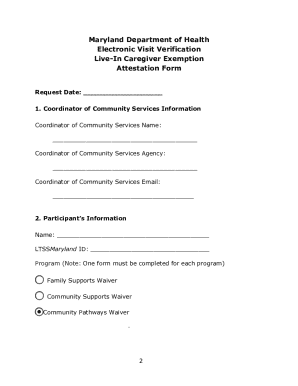
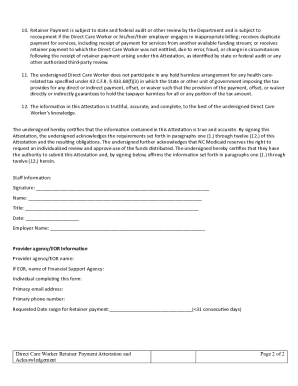
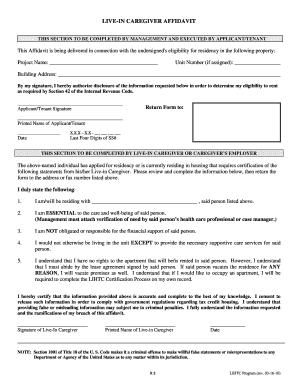
The North Carolina Live-In Caregiver Attestation Form is a document used by waiver recipients and their employers to verify that a paid live-in caregiver cohabits with the recipient, exempting them from Electronic Visit Verification (EVV) requirements.
pdfFiller scores top ratings on review platforms




Who needs Live-In Caregiver Attestation?
Explore how professionals across industries use pdfFiller.

Live-In Caregiver Attestation is needed by:
-
Waiver recipients in North Carolina
-
Employers of live-in caregivers in North Carolina
-
Social service agencies managing Medicaid waivers
-
Fiscal Agents processing caregiver attestations in North Carolina
-
Legal representatives of disabled individuals
-
Healthcare providers involved in the care of waiver recipients
Comprehensive Guide to Live-In Caregiver Attestation
What is the North Carolina Live-In Caregiver Attestation Form?
The North Carolina Live-In Caregiver Attestation Form is a critical document utilized by waiver recipients and their employers. This form attests that a paid live-in caregiver resides with the waiver recipient, providing an exemption from Electronic Visit Verification (EVV) requirements. The target audience consists of waiver recipients and their employers who need to navigate Medicaid rules in North Carolina.
This form, often referred to as the live-in caregiver attestation form, serves to facilitate compliance with specific Medicaid guidelines, making it essential for both caregivers and recipients.
Purpose and Benefits of the North Carolina Live-In Caregiver Attestation Form
Using the North Carolina Live-In Caregiver Attestation Form offers significant advantages. By filing this form, employers can be exempt from EVV requirements, streamlining the process of care management. This exemption has wide-reaching implications for waiver recipients and caregivers alike, positively impacting their daily routines.
Compliance with Medicaid rules in North Carolina is vital, and this form helps to ensure adherence, providing peace of mind to all parties involved.
Who Needs the North Carolina Live-In Caregiver Attestation Form?
The form is specifically designed for individuals who qualify as waiver recipients and their employers. A waiver recipient typically requires ongoing care, while the employer serves as the caregiver’s representative. Eligibility criteria include specific medical and financial qualifications that determine the need for caregiving services within the Medicaid framework.
The caregiver plays a crucial role in this process, directly impacting the quality of support provided to the waiver recipients.
How to Fill Out the North Carolina Live-In Caregiver Attestation Form Online
Filling out the North Carolina Live-In Caregiver Attestation Form online can be easily accomplished by following these steps:
-
Access the form on pdfFiller’s platform.
-
Complete the key fields: Waiver Recipient, Employer Name, Employee Name, Shared Address, and Signature.
-
Review all entered information for accuracy and completeness.
-
Ensure that the employer's signature is properly recorded.
Utilizing pdfFiller can enhance your experience, providing an organized and intuitive interface for form completion.
Common Errors and How to Avoid Them
When completing the North Carolina Live-In Caregiver Attestation Form, users often encounter several common errors:
-
Incorrect or incomplete personal information.
-
Missing signatures or dates.
-
Submission of outdated forms.
To avoid these pitfalls, carefully check all information before submitting the form. Double-checking signatures and dates ensures compliance with submission requirements.
Submission Methods and Important Deadlines
Successfully submitting the North Carolina Live-In Caregiver Attestation Form can be done via several methods:
-
Online submission through pdfFiller.
-
Mailing the completed form to the appropriate office.
-
Delivering it in person to the Fiscal Agent.
It is crucial to note that annual submissions have specific deadlines. Late submissions can lead to complications or delayed processing, so adhering to timelines is essential.
Security and Compliance for the North Carolina Live-In Caregiver Attestation Form
When dealing with the North Carolina Live-In Caregiver Attestation Form, security and compliance are paramount. pdfFiller employs robust security measures, including 256-bit encryption and compliance with regulations such as HIPAA and GDPR.
Users should prioritize data protection when submitted sensitive information. Best practices include avoiding public Wi-Fi when accessing form data and ensuring secure passwords for accounts.
Sample or Example of a Completed North Carolina Live-In Caregiver Attestation Form
To assist users in completing their forms accurately, a sample or example of a filled North Carolina Live-In Caregiver Attestation Form is available. This example clarifies each field and highlights essential sections to consider.
Referencing this comprehensive guide can enhance confidence in the form-filling process for both caregivers and employers.
How pdfFiller Can Help with the North Carolina Live-In Caregiver Attestation Form
pdfFiller provides invaluable assistance in managing the North Carolina Live-In Caregiver Attestation Form. The platform offers features for filling out, editing, and signing documents effortlessly.
With cloud access, users can complete forms quickly from any device. Creating an account on pdfFiller streamlines form handling, making it easier than ever to manage your documents efficiently.
How to fill out the Live-In Caregiver Attestation
-
1.To begin, navigate to pdfFiller and search for the 'North Carolina Live-In Caregiver Attestation Form.' Access the correct form from the search results.
-
2.Once opened, familiarize yourself with the form layout. Identify the key fillable fields including 'Waiver Recipient', 'Employer Name', 'Employee Name', and 'Shared Address'.
-
3.Gather the necessary documents before filling out the form, such as proof of residency to confirm the shared address of the caregiver and the recipient.
-
4.Start by entering the name of the Waiver Recipient in the designated field, followed by the Employer Name and Employee Name.
-
5.Enter the Shared Address where the live-in caregiver resides with the waiver recipient in the appropriate section of the form.
-
6.Ensure all provided information is accurate and matches any supporting documentation you gathered. Check for any additional details that must be included.
-
7.Review the form thoroughly, making sure that all required fields are filled in without any errors. Double-check the names and addresses for accuracy.
-
8.Once you are satisfied with the form, save any data entered. You can download the completed form as a PDF for your records.
-
9.Finally, submit the form to the appropriate Fiscal Agent, ensuring you include all necessary supporting documents for verification.

Who is eligible to submit the North Carolina Live-In Caregiver Attestation Form?
Eligibility for submitting this form includes waiver recipients and their designated employers who wish to verify cohabitation with live-in caregivers for exemption from EVV mandates.
What is the deadline for submitting this form?
The North Carolina Live-In Caregiver Attestation Form must be submitted annually. Ensure submission occurs before the fiscal year deadlines to maintain eligibility.
How should I submit the completed form?
After filling out the form, submit it to the designated Fiscal Agent responsible for processing Medicaid waivers in North Carolina, along with any required supporting documents.
What supporting documents are required for this form?
You may need to provide proof of residency such as utility bills or lease agreements that demonstrate the shared address of the waiver recipient and the live-in caregiver.
What common mistakes should I avoid when completing the form?
Common mistakes include leaving required fields blank, entering incorrect names or addresses, and failing to provide supporting documentation. Review the form carefully before submission.
How long does processing take once I submit the form?
Processing times can vary. Generally, you should allow several weeks for the Fiscal Agent to review and process your attestation form, so plan accordingly.
Is notarization required for this form?
No, the North Carolina Live-In Caregiver Attestation Form does not require notarizing; however, valid signatures from both the waiver recipient and the employer are necessary.
Related Forms


Get the latest insights from our blog


If you believe that this page should be taken down, please follow our DMCA take down process
here
.
This form may include fields for payment information. Data entered in these fields is not covered by PCI DSS compliance.