
Last updated on
Oct 1, 2026

Get the free City of Tampa AutoPay Enrollment Form
We are not affiliated with any brand or entity on this form

Fill out
Complete the form online in a simple drag-and-drop editor.

eSign
Add your legally binding signature or send the form for signing.

Share
Share the form via a link, letting anyone fill it out from any device.

Export
Download, print, email, or move the form to your cloud storage.
Why pdfFiller is the best tool for your documents and forms


End-to-end document management
From editing and signing to collaboration and tracking, pdfFiller has everything you need to get your documents done quickly and efficiently.
Accessible from anywhere
pdfFiller is fully cloud-based. This means you can edit, sign, and share documents from anywhere using your computer, smartphone, or tablet.
Secure and compliant
pdfFiller lets you securely manage documents following global laws like ESIGN, CCPA, and GDPR. It's also HIPAA and SOC 2 compliant.
What is Tampa AutoPay Form
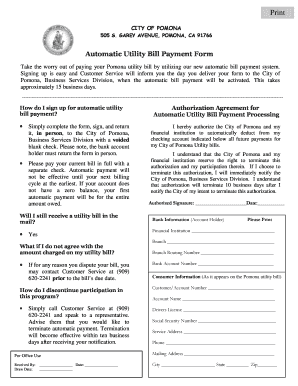
The City of Tampa AutoPay Enrollment Form is a financial document used by residents to enroll in, update, or cancel automatic bank payments for their utility bills.
pdfFiller scores top ratings on review platforms




Who needs Tampa AutoPay Form?
Explore how professionals across industries use pdfFiller.

Tampa AutoPay Form is needed by:
-
City of Tampa residents needing automatic utility payments
-
New customers requiring utility services in Tampa
-
Existing customers wanting to modify autopayment details
-
Account holders looking to streamline bill payments
-
Landlords managing utility accounts for rental properties
-
Individuals seeking to avoid late payment fees
Comprehensive Guide to Tampa AutoPay Form
What is the City of Tampa AutoPay Enrollment Form?
The City of Tampa AutoPay Enrollment Form facilitates automatic bank payments for utility bills. This form streamlines the payment process, ensuring that customers can manage their finances effectively while maintaining service continuity. Signing and submitting this form to the City of Tampa Utilities is essential for every user who wishes to enroll in this convenient payment option.
Purpose and Benefits of the City of Tampa AutoPay Enrollment Form
Automatic bank payments provide unparalleled convenience for users, allowing them to process utility payments effortlessly. By enrolling in this program, account holders can save time and reduce the effort associated with manual payments. Furthermore, using the utility autopay enrollment feature helps ensure timely payments, preventing late fees that could arise from missed deadlines.
Who Needs the City of Tampa AutoPay Enrollment Form?
This form is designed for customers of City of Tampa Utilities, targeting both existing account holders and potential customers. To be eligible for autopay, account holders must meet specific requirements set forth by the city, which underscores the importance of the form for anyone seeking to enjoy the benefits of streamlined utility payment processing.
How to Fill Out the City of Tampa AutoPay Enrollment Form Online
Filling out the City of Tampa AutoPay Enrollment Form online is a straightforward process. Follow these steps to ensure proper completion:
-
Access the fillable form from your browser.
-
Input required personal information, including name, address, and account details.
-
Provide necessary banking information, such as bank name and account number.
-
Review and understand the authorization for automatic debits.
-
Submit the completed form electronically or print it for mailing.
Common Errors When Filling Out the City of Tampa AutoPay Enrollment Form
Users often encounter several common issues when completing this form. To avoid these mistakes, pay attention to the following tips:
-
Ensure all personal and banking information is accurate and up-to-date.
-
Double-check to confirm that the signature is included where required.
-
Review instructions for each key field to avoid missing important information.
-
Use a checklist to verify completion of all required sections.
How to Submit the City of Tampa AutoPay Enrollment Form
After filling out the form, you have multiple submission methods available:
-
Submit online using the dedicated portal.
-
Mail the completed form to the City of Tampa Utilities office.
-
Deliver the form in person to the local utility office.
Be aware of any associated submission fees and understand what happens post-submission, including tracking the status of your enrollment.
Security and Compliance for the City of Tampa AutoPay Enrollment Form
Security is a top priority when handling sensitive banking information within the City of Tampa AutoPay Enrollment Form. The city complies with regulations to ensure user data privacy, employing advanced measures such as encryption to protect personal information. The integration of pdfFiller enhances document security further, providing users with peace of mind when submitting their forms.
What Happens After You Submit the City of Tampa AutoPay Enrollment Form?
Once the form is submitted, users can expect a series of processing steps. The city will notify you of successful enrollment or inform you if there are any issues. Additionally, stay informed about the renewal process and how to make updates to your enrollment to maintain uninterrupted utility service.
How pdfFiller Simplifies the City of Tampa AutoPay Enrollment Process
pdfFiller offers a powerful platform for creating and managing the City of Tampa AutoPay Enrollment Form online. Key features include eSigning, seamless editing, and easy document sharing, all designed to optimize the form-filling experience. The use of pdfFiller ensures that users can securely and efficiently complete their forms with confidence.
Get Started with the City of Tampa AutoPay Enrollment Form Today
Taking the first step towards your auto-enrollment is easy and secure with pdfFiller’s intuitive platform. With robust security features and a user-friendly interface, you can efficiently fill out and submit your forms, enhancing your experience with the City of Tampa's utility payment system.
How to fill out the Tampa AutoPay Form
-
1.Start by accessing pdfFiller and searching for the City of Tampa AutoPay Enrollment Form using the search bar.
-
2.Once located, click on the form to open it in pdfFiller's editing interface.
-
3.Review the information required on the form before you begin filling it out, including personal details and banking information.
-
4.Begin by entering your name and account details in the designated fields, ensuring all information is accurate.
-
5.Use the fillable fields for banking details, making sure to double-check account numbers and routing information.
-
6.Include your signature at the end of the form, as this is required for authorization of automatic debits.
-
7.After filling in all necessary fields, take the time to review your entries for correctness and completeness.
-
8.Once satisfied, you can save the completed form directly on pdfFiller or download it in your preferred format.
-
9.If you wish to submit your form electronically, follow the submission instructions provided by pdfFiller. If mailing, print the form and send it to the City of Tampa Utilities.

What are the eligibility requirements for the City of Tampa AutoPay Enrollment Form?
To enroll in automatic payments using the City of Tampa AutoPay Enrollment Form, you must be a customer or account holder of the City of Tampa Utilities. Ensure your account is in good standing.
Is there a deadline for submitting the AutoPay Enrollment Form?
While there is no strict deadline, it's best to submit the AutoPay Enrollment Form before your next billing cycle to ensure timely processing. Late submissions may lead to missed payments.
What methods are available for submitting the completed form?
You can submit the completed City of Tampa AutoPay Enrollment Form either electronically via pdfFiller or by printing the form and mailing it directly to the City of Tampa Utilities.
What supporting documents are required with this form?
Typically, no additional documents are required with the City of Tampa AutoPay Enrollment Form. Ensure that all requested personal and banking information is completed accurately.
What common mistakes should I avoid when filling out the form?
Common mistakes include entering incorrect banking details, leaving required fields blank, and failing to sign the form. Double-check all entries before submission.
How long does it take for the AutoPay enrollment to process?
Processing times can vary, but it usually takes a few business days for your enrollment to be active once submitted. Check with the City of Tampa Utilities for specific timelines.
Can I cancel my auto payments after enrolling?
Yes, you can cancel your auto payments at any time by submitting a written request to the City of Tampa Utilities, following the same process as enrolling.
Related Forms




Get the latest insights from our blog


If you believe that this page should be taken down, please follow our DMCA take down process
here
.
This form may include fields for payment information. Data entered in these fields is not covered by PCI DSS compliance.