
Last updated on
Oct 16, 2026

Get the free New Patient Demographic Form
We are not affiliated with any brand or entity on this form

Fill out
Complete the form online in a simple drag-and-drop editor.

eSign
Add your legally binding signature or send the form for signing.

Share
Share the form via a link, letting anyone fill it out from any device.

Export
Download, print, email, or move the form to your cloud storage.
Why pdfFiller is the best tool for your documents and forms


End-to-end document management
From editing and signing to collaboration and tracking, pdfFiller has everything you need to get your documents done quickly and efficiently.
Accessible from anywhere
pdfFiller is fully cloud-based. This means you can edit, sign, and share documents from anywhere using your computer, smartphone, or tablet.
Secure and compliant
pdfFiller lets you securely manage documents following global laws like ESIGN, CCPA, and GDPR. It's also HIPAA and SOC 2 compliant.
What is Patient Demographic Form
The New Patient Demographic Form is a healthcare intake document used by medical providers to gather essential information about a new pediatric patient for effective record-keeping.
pdfFiller scores top ratings on review platforms




Who needs Patient Demographic Form?
Explore how professionals across industries use pdfFiller.

Patient Demographic Form is needed by:
-
Parents or guardians of new pediatric patients
-
Healthcare providers in pediatric practices
-
Medical administrators managing patient records
-
Insurance agents verifying patient demographics
-
Emergency contact personnel for minors
Comprehensive Guide to Patient Demographic Form
What is the New Patient Demographic Form?
The New Patient Demographic Form is a crucial document used in pediatric healthcare to collect essential information about new patients. This form assists healthcare providers in establishing comprehensive medical records, ensuring all pertinent patient details are recorded accurately. The process of pediatric patient registration relies heavily on this form, as it addresses the unique healthcare needs of children and their families.
Purpose and Benefits of the New Patient Demographic Form
The primary purpose of the new patient demographic form is to facilitate the gathering of vital information that healthcare providers need for effective patient management. By accurately filling out this form, families help to ensure that their children receive tailored healthcare services. The benefits to healthcare providers include streamlined record-keeping and enhanced communication with families. On the patient side, it leads to better healthcare delivery and a smoother registration process.
Key Features of the New Patient Demographic Form
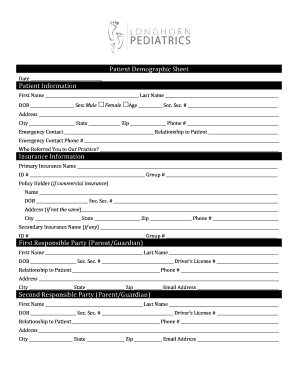
This form includes several important sections that capture comprehensive patient information. Key features of the new patient demographic form involve the following components:
-
Child details such as name, date of birth, and address
-
Contact information for the parent or guardian, including emergency contact
-
Medical history covering previous conditions, medications, and allergies
-
Fillable fields that enhance ease of use and accuracy
-
Sections for consent regarding treatment
These features are designed to ensure all necessary information is easily accessible for effective healthcare management.
Who Needs the New Patient Demographic Form?
The new patient demographic form is essential for various stakeholders within the healthcare system. Primarily, healthcare providers and parents or guardians are the main users of this document. For pediatric patients, its completion is especially crucial as it ensures that medical professionals have immediate access to relevant medical history and family background, which are vital for proper care.
How to Fill Out the New Patient Demographic Form Online (Step-by-Step)
Filling out the new patient demographic form online through pdfFiller is straightforward. Follow these steps:
-
Access the new patient demographic form on pdfFiller.
-
Begin by entering the child's information, including their name and date of birth.
-
Fill in contact details for the parent or guardian.
-
Complete sections related to medical history, including any allergies and current medications.
-
Review the information for accuracy before finalizing the form.
By following these steps, users can ensure that all required information is provided, facilitating a smooth intake process.
Review and Validation Checklist for the New Patient Demographic Form
Before submitting the new patient demographic form, users should review their completed documents. Here’s a checklist for final validation:
-
Verify all fields are filled out completely.
-
Ensure that contact details for both parents/guardians are current.
-
Confirm that medical history is accurate and up-to-date.
-
Check for any missing signatures or consent agreements.
Avoid common mistakes such as leaving required fields blank, as these could delay the registration process.
How to Submit the New Patient Demographic Form
Submitting the new patient demographic form can be done in several ways, allowing flexibility for users. Options include:
-
Online submission through pdfFiller
-
Mailing the completed form to the healthcare facility
-
In-person delivery at the practice
Utilizing pdfFiller also allows families to track the submission status easily, ensuring peace of mind after sending the form.
Security and Compliance for the New Patient Demographic Form
With the handling of sensitive health information, data protection is paramount. pdfFiller implements strong security measures, including 256-bit encryption, to ensure that patient information remains confidential and secure. The platform complies with HIPAA and GDPR standards, providing an additional layer of trust for users concerned about privacy.
Sample or Example of a Completed New Patient Demographic Form
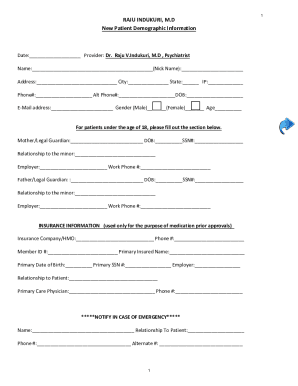
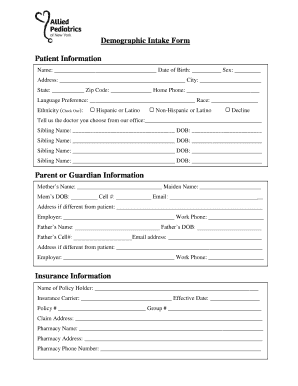
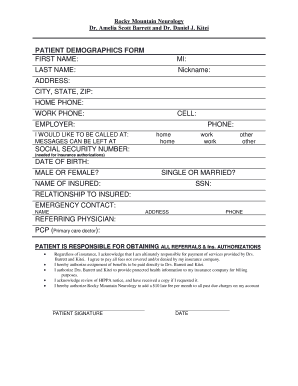
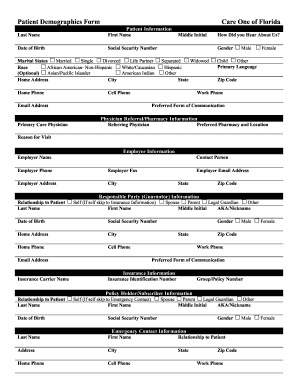
To help users accurately fill out their forms, a sample layout of the new patient demographic form can be useful. The form typically includes:
-
Child’s Name: _______________
-
Date of Birth: _______________
-
Parent/Guardian Name: _______________
-
Medical History Section with checkboxes for allergies
Having a clear example illustrates how to effectively complete the form and highlights important fields that require attention.
Maximize Your Experience with pdfFiller
Utilizing pdfFiller’s features, users can enhance their experience by efficiently filling out and managing their forms. Key benefits of using pdfFiller include:
-
Ease of use with an intuitive interface
-
Compliance with healthcare regulations for patient documentation
-
The ability to edit and annotate forms as needed
These capabilities simplify the process of managing healthcare forms, making it a valuable resource for parents and guardians.
How to fill out the Patient Demographic Form
-
1.Access pdfFiller and search for the New Patient Demographic Form by entering its name in the search bar.
-
2.Open the form by clicking on the appropriate link, which will display the form in your workspace.
-
3.Gather the necessary information, including your child's name, date of birth, insurance details, and contact information for emergencies.
-
4.Navigate through the form by clicking on each fillable field. Enter the required information in the designated areas.
-
5.For sections with checkboxes, simply click to select or deselect the appropriate options relevant to your child's health.
-
6.Review all entered data carefully, ensuring accuracy and completeness before finalizing the form.
-
7.Use the top menu to save your progress and choose 'Download' to save the completed form to your device or 'Submit' to send it directly to the healthcare provider.

Who needs to fill out the New Patient Demographic Form?
The New Patient Demographic Form needs to be filled out by parents or guardians of new pediatric patients, or by authorized healthcare staff when registering a child in a medical practice.
What information is required on this form?
You'll need to provide your child's name, date of birth, address, race, ethnicity, preferred language, and insurance information, as well as your own contact details and consent for medical treatment.
Are there any deadlines for submitting the New Patient Demographic Form?
While specific deadlines might vary by healthcare provider, it's ideal to complete and submit this form before your child's first appointment to ensure prompt medical attention.
Can I submit the form online?
Yes, you can submit the New Patient Demographic Form online through pdfFiller by choosing the 'Submit' option after completing the form.
What should I do if I make a mistake on the form?
If you make a mistake, simply click on the incorrect field to edit the information. Ensure that all fields are accurately filled out before finalizing the form.
Is there a fee associated with processing this form?
Typically, there is no fee for filling out the New Patient Demographic Form itself, but you may want to confirm with the healthcare provider regarding any potential charges.
Where can I find help if I have questions about the form?
For assistance, refer to the FAQs provided by your healthcare provider, or reach out directly to their office for guidance on completing the New Patient Demographic Form.
Related Forms



Get the latest insights from our blog


If you believe that this page should be taken down, please follow our DMCA take down process
here
.
This form may include fields for payment information. Data entered in these fields is not covered by PCI DSS compliance.