
Last updated on
Oct 6, 2026

Get the free Consent for Administration of Immunizations
We are not affiliated with any brand or entity on this form

Fill out
Complete the form online in a simple drag-and-drop editor.

eSign
Add your legally binding signature or send the form for signing.

Share
Share the form via a link, letting anyone fill it out from any device.

Export
Download, print, email, or move the form to your cloud storage.
Why pdfFiller is the best tool for your documents and forms


End-to-end document management
From editing and signing to collaboration and tracking, pdfFiller has everything you need to get your documents done quickly and efficiently.
Accessible from anywhere
pdfFiller is fully cloud-based. This means you can edit, sign, and share documents from anywhere using your computer, smartphone, or tablet.
Secure and compliant
pdfFiller lets you securely manage documents following global laws like ESIGN, CCPA, and GDPR. It's also HIPAA and SOC 2 compliant.
What is Immunization Consent
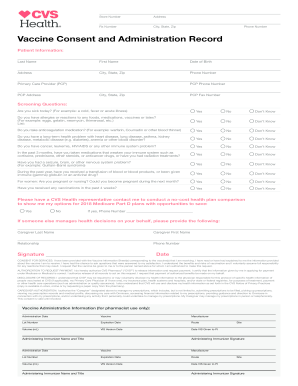
The Consent for Administration of Immunizations is a healthcare form used by parents or legal guardians to provide consent for their child’s vaccinations.
pdfFiller scores top ratings on review platforms




Who needs Immunization Consent?
Explore how professionals across industries use pdfFiller.

Immunization Consent is needed by:
-
Parents and legal guardians seeking to vaccinate children
-
Healthcare providers administering vaccines
-
Schools requiring proof of vaccination for enrollment
-
Daycare facilities needing vaccination verification
-
Public health agencies distributing vaccines
-
Insurance companies processing claims for vaccinations
Comprehensive Guide to Immunization Consent
What is the Consent for Administration of Immunizations?
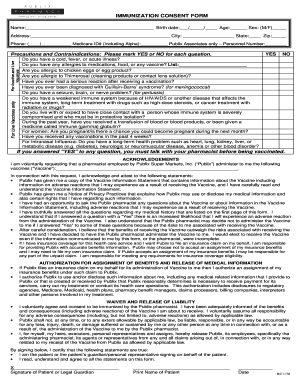
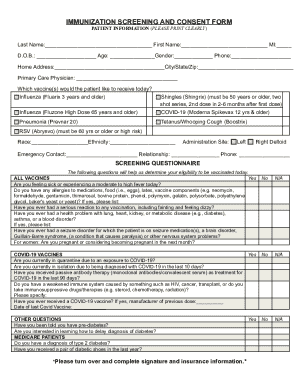
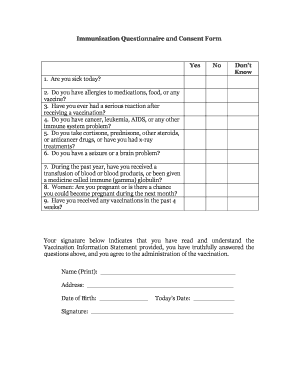
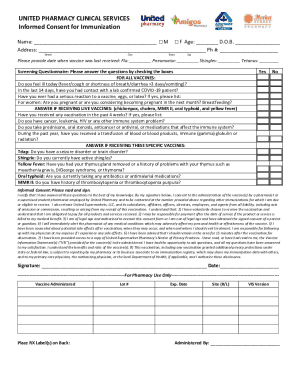
The Consent for Administration of Immunizations is a crucial healthcare form used to obtain consent from a parent or legal guardian for a child’s vaccinations. It serves multiple purposes, including ensuring that parents provide necessary information, such as the patient’s name and date of birth, and allows the healthcare provider to recommend specific vaccines. This form emphasizes the critical role of obtaining parental consent in the vaccination process, which protects the child's well-being and complies with legal protocols.
Purpose and Benefits of the Consent for Administration of Immunizations
This consent form plays an essential role in the vaccination process by fulfilling legal requirements for vaccination consent in the U.S. Its structured format facilitates clear communication between parents, guardians, and healthcare providers, thus streamlining the consent process. Additionally, the form aligns with CDC guidelines and supports public health initiatives aimed at increasing vaccination rates among children, thereby enhancing community immunity.
Key Features of the Consent for Administration of Immunizations
The consent form includes several user-friendly features that enhance its practicality. Key elements comprise:
-
Fillable form functionality that adapts to the specific vaccination case.
-
Sections designated for vaccine selection, signatures, and the date of consent.
-
Inclusion of Vaccine Information Statements (VIS) that provide essential vaccination details.
These features ensure that the form is efficient and accessible for all parties involved.
Who Needs the Consent for Administration of Immunizations?
This consent form is required for several stakeholders, primarily parents, legal guardians, and healthcare providers. It is necessary when children are to receive vaccinations, ensuring that the child's rights and health are prioritized. There may be specific scenarios that could necessitate different consent processes, such as vaccination for minors without parental presence.
How to Fill Out the Consent for Administration of Immunizations Online
Completing the consent form online through pdfFiller involves the following steps:
-
Access the form via pdfFiller’s platform.
-
Fill in the required fields, ensuring accurate patient information.
-
Select the vaccines recommended by the healthcare provider.
-
Review the form for any common errors before submission.
It's critical to ensure accuracy throughout the completion process to prevent delays in vaccination.
How to Sign the Consent for Administration of Immunizations
Signing the consent form can be done digitally using pdfFiller or with a traditional wet signature, depending on preferred methods or requirements. The platform supports digital signatures, which streamline the process. For traditional signatures, ensure compliance with any specific requirements outlined by healthcare providers. Security measures are in place to protect sensitive information throughout this process.
Where to Submit the Consent for Administration of Immunizations
After completing the consent form, it can be submitted through various methods, including online through pdfFiller, in-person delivery to a healthcare facility, or via traditional mail. Specific locations or offices for submission may be provided, and users should be aware of any associated fees or expected processing times for submitted forms.
What Happens After You Submit the Consent for Administration of Immunizations?
Following the submission of the consent form, the process includes confirmation of receipt and tracking the submission status. Users should familiarize themselves with guidelines on checking the submission status and be prepared to address any issues or rejections should they arise.
Security and Compliance of the Consent for Administration of Immunizations
Users can trust that their data is handled securely throughout the consent process. The consent form incorporates robust security features, including encryption techniques to protect documents. Additionally, pdfFiller is compliant with HIPAA and GDPR standards, emphasizing commitment to privacy and data protection for all healthcare forms.
Experience Seamless Form Management with pdfFiller
Leverage the capabilities of pdfFiller for efficient management of the consent form. This cloud-based solution enhances the process of filling out, signing, and managing healthcare documents, making it more accessible and organized. To explore further capabilities and tools offered by pdfFiller, consider visiting their website for more information.
How to fill out the Immunization Consent
-
1.Access pdfFiller and log in or create an account if necessary. Use the search bar to find the 'Consent for Administration of Immunizations' form.
-
2.Once accessed, the form will appear on your screen. Begin by reviewing the form layout to familiarize yourself with the required fields.
-
3.Gather necessary information before filling out the form, including your child's name, date of birth, and vaccination preferences.
-
4.Click on the designated fields to enter your child's information, following the prompts to ensure accuracy.
-
5.Use the checkboxes to indicate which vaccines you consent to, based on the provider's recommendations or your choices.
-
6.If you are the parent or legal guardian, navigate to the signature field and provide your electronic signature by following pdfFiller's instructions. Repeat for the healthcare provider’s section if applicable.
-
7.Carefully review all filled fields to ensure accuracy and completeness. Make any necessary edits before finalizing the form.
-
8.Once satisfied, save the form using the 'Save' option. You may also choose to download or print it directly from pdfFiller before submission.

Who needs to sign the Consent for Administration of Immunizations form?
The form requires signatures from both the parent or legal guardian and the healthcare provider administering the vaccines. This ensures that consent is formally documented for medical records.
Is notarization required for this consent form?
No, notarization is not required for the Consent for Administration of Immunizations form. You only need the signatures of the parent or legal guardian and the provider.
What information do I need to gather before completing the form?
Before completing the form, gather your child's name, date of birth, preferred vaccines, and the healthcare provider's recommendations. Having this information ready will facilitate a smoother completion process.
How do I submit the form after filling it out?
After completing the form on pdfFiller, you can save, download, or print it. If your healthcare provider accepts electronic submissions, you can also send it directly through their specified submission method.
What should I do if I make a mistake on the form?
If you make a mistake while filling out the form on pdfFiller, simply click on the field with the error, make the necessary changes, and review the updated form before finalizing it.
How long does it typically take to process the immunization consent form?
Processing times for immunization consent forms may vary by provider or facility. It's best to submit the form as soon as possible to ensure timely vaccination for your child.
Where can I find information about vaccination schedules?
Information regarding vaccination schedules can be found in the educational materials included with the form, typically referencing the CDC’s Vaccine Recommendation Schedule. Always consult your healthcare provider for specific advice.
Related Forms




Get the latest insights from our blog


If you believe that this page should be taken down, please follow our DMCA take down process
here
.
This form may include fields for payment information. Data entered in these fields is not covered by PCI DSS compliance.