
Last updated on
Oct 8, 2026

Get the free Laboratory Outpatient Requisition Form
We are not affiliated with any brand or entity on this form

Fill out
Complete the form online in a simple drag-and-drop editor.

eSign
Add your legally binding signature or send the form for signing.

Share
Share the form via a link, letting anyone fill it out from any device.

Export
Download, print, email, or move the form to your cloud storage.
Why pdfFiller is the best tool for your documents and forms


End-to-end document management
From editing and signing to collaboration and tracking, pdfFiller has everything you need to get your documents done quickly and efficiently.
Accessible from anywhere
pdfFiller is fully cloud-based. This means you can edit, sign, and share documents from anywhere using your computer, smartphone, or tablet.
Secure and compliant
pdfFiller lets you securely manage documents following global laws like ESIGN, CCPA, and GDPR. It's also HIPAA and SOC 2 compliant.
What is Lab Requisition Form
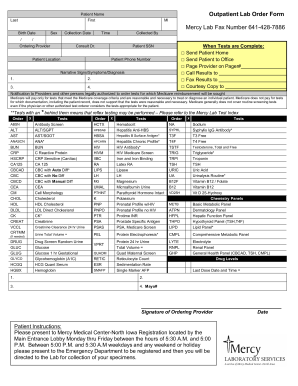
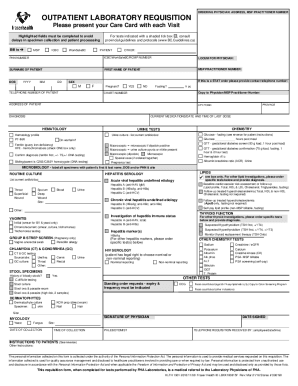
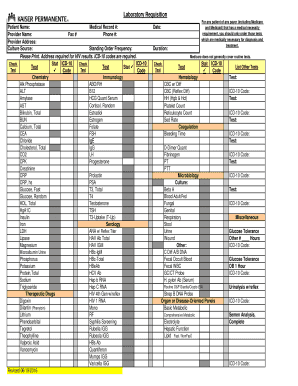
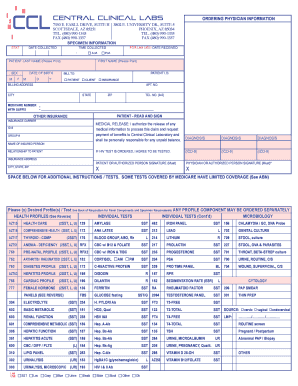
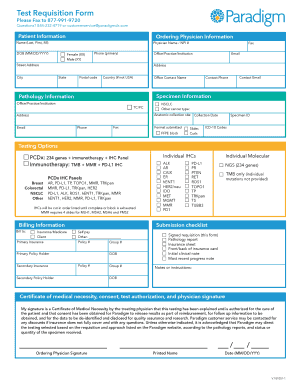
The Laboratory Outpatient Requisition Form is a healthcare document used by healthcare providers to request laboratory tests for patients.
pdfFiller scores top ratings on review platforms




Who needs Lab Requisition Form?
Explore how professionals across industries use pdfFiller.

Lab Requisition Form is needed by:
-
Healthcare providers ordering lab tests
-
Patients undergoing medical tests
-
Insurance representatives verifying claims
-
Laboratory technicians processing test orders
-
Medical billing staff handling insurance reimbursements
Comprehensive Guide to Lab Requisition Form
What is the Laboratory Outpatient Requisition Form?
The Laboratory Outpatient Requisition Form serves a critical function in the healthcare system by requesting laboratory tests for patients. This essential medical test form facilitates communication between healthcare providers, patients, and laboratories. Accurate billing and insurance coverage are supported by incorporating CPT codes, making this form vital for efficient healthcare delivery.
Purpose and Benefits of the Laboratory Outpatient Requisition Form
This healthcare form is indispensable for patients, providers, and laboratories alike. By utilizing this medical requisition form through pdfFiller, users can easily submit and track their requests. The form significantly impacts patient care and promotes efficient healthcare delivery by ensuring all necessary information is consistently provided.
Key Features of the Laboratory Outpatient Requisition Form
The laboratory outpatient requisition form includes several fillable fields that gather necessary patient and provider details. Key features include:
-
Patient Information: First Name, Last Name, Date of Birth
-
Provider Details: Name and Signature fields
-
Test Selections: Checkboxes for specific tests
Additionally, pdfFiller emphasizes security through HIPAA compliance, ensuring sensitive information protection and offering convenient online editing and sharing options.
Who Needs the Laboratory Outpatient Requisition Form?
Primary users of the laboratory outpatient requisition form include ordering providers and patients. Healthcare professionals are responsible for completing the form accurately in various scenarios, such as routine lab tests or specialty tests requiring detailed information. This medical requisition form is mandatory in situations where test orders must be documented formally.
How to Fill Out the Laboratory Outpatient Requisition Form Online (Step-by-Step)
Filling out the lab test requisition form using pdfFiller is straightforward. Follow these steps:
-
Access the form on pdfFiller's platform.
-
Enter patient details: First Name, Last Name, and Date of Birth.
-
Add the provider's name and signature.
-
Select the required tests using the provided checkboxes.
Be mindful of common mistakes, such as omitting required fields or incorrect CPT code entries, to ensure the form's accuracy and completeness.
Submission Methods for the Laboratory Outpatient Requisition Form
Once filled out, the medical requisition form can be submitted through both online and offline options. Consider the following:
-
Check for any associated fees for submissions.
-
Be aware of deadlines and processing times.
After submission, pdfFiller provides tracking features to monitor the status of the request, enhancing user experience.
Security and Compliance for the Laboratory Outpatient Requisition Form
pdfFiller prioritizes security when handling the laboratory outpatient requisition form. They implement 256-bit encryption and are HIPAA compliant, underscoring the importance of data protection in managing sensitive medical information. Record retention guidelines also help ensure compliance with relevant regulations, safeguarding patient details.
Sample or Example of a Completed Laboratory Outpatient Requisition Form
A visual guide or a detailed description of a completed lab test requisition form can be a helpful resource. Each section should be accurately filled out to maintain its integrity. Ensure completeness and accuracy before submission by following the guidelines and double-checking required fields.
Enhance Your Experience with pdfFiller
pdfFiller streamlines the process of managing healthcare-related forms with features that enhance user experience. Users are encouraged to take advantage of capabilities such as eSigning and document sharing, which help simplify the overall workflow for managing the laboratory outpatient requisition form.
How to fill out the Lab Requisition Form
-
1.To access the Laboratory Outpatient Requisition Form on pdfFiller, first visit the pdfFiller website and use the search function to find the form by name or category.
-
2.Once you locate the form, click on it to open it in the pdfFiller interface, where you will see various fillable fields available for input.
-
3.Before you start filling out the form, gather necessary information such as the patient's first name, last name, date of birth (DOB), and any specific laboratory tests required along with their corresponding CPT codes.
-
4.Using the pdfFiller interface, click on each field to enter the required information. You can also utilize the checkbox options for selecting tests and make sure to fill in the ordering provider's details accurately.
-
5.As you're completing the form, ensure that all sections are filled out completely. Review the instructions provided on the form for any specific data needed for insurance or test submission.
-
6.Once you have filled out all the information, take a moment to review the document for any mistakes or missing data. Ensuring accuracy is crucial for acceptable processing.
-
7.After reviewing, you can finalize the form using pdfFiller’s saving options. You can choose to save it directly to your device, or submit it via email if that option is available on the platform.

Who can use the Laboratory Outpatient Requisition Form?
The Laboratory Outpatient Requisition Form can be used by healthcare providers, patients, and laboratory staff for ordering and processing laboratory tests.
What information do I need to complete the form?
You will need patient information including first name, last name, date of birth, and details of the laboratory tests requested along with any relevant CPT codes.
How should I submit the form after filling it out?
After completing the form, you can submit it electronically through pdfFiller, download it for printing, or email it directly to the appropriate laboratory or provider.
What are common mistakes to avoid when filling out the form?
Common mistakes include leaving fields blank, incorrect patient information, and failing to review the form for errors before submission. Double-check all entries to avoid delays.
Is notarization required for this form?
No, the Laboratory Outpatient Requisition Form does not require notarization, making it a more straightforward document to complete.
What happens if I need to make corrections after submission?
If you need to correct something after submission, contact the laboratory or provider directly to discuss the issue and request an amendment if necessary.
How long does it take to process the form?
Processing times can vary depending on the laboratory's workload and the specific tests ordered. It is advisable to check with the laboratory for their estimated processing times.
Related Forms





Get the latest insights from our blog


If you believe that this page should be taken down, please follow our DMCA take down process
here
.
This form may include fields for payment information. Data entered in these fields is not covered by PCI DSS compliance.