
Last updated on
Oct 13, 2026

Get the free Employment Retention Advancement Programme Questionnaire
We are not affiliated with any brand or entity on this form

Fill out
Complete the form online in a simple drag-and-drop editor.

eSign
Add your legally binding signature or send the form for signing.

Share
Share the form via a link, letting anyone fill it out from any device.

Export
Download, print, email, or move the form to your cloud storage.
Why pdfFiller is the best tool for your documents and forms


End-to-end document management
From editing and signing to collaboration and tracking, pdfFiller has everything you need to get your documents done quickly and efficiently.
Accessible from anywhere
pdfFiller is fully cloud-based. This means you can edit, sign, and share documents from anywhere using your computer, smartphone, or tablet.
Secure and compliant
pdfFiller lets you securely manage documents following global laws like ESIGN, CCPA, and GDPR. It's also HIPAA and SOC 2 compliant.
What is ERA Questionnaire
The Employment Retention Advancement Programme Questionnaire is a survey used by researchers to gather data on employment experiences, retention, and advancement in the UK.
pdfFiller scores top ratings on review platforms




Who needs ERA Questionnaire?
Explore how professionals across industries use pdfFiller.

ERA Questionnaire is needed by:
-
Researchers conducting employment studies
-
Students studying labor market trends
-
Policy makers analyzing employment retention strategies
-
Non-profit organizations focusing on workforce development
-
Employers seeking insights into employee advancement
Comprehensive Guide to ERA Questionnaire
Understanding the Employment Retention Advancement Programme Questionnaire
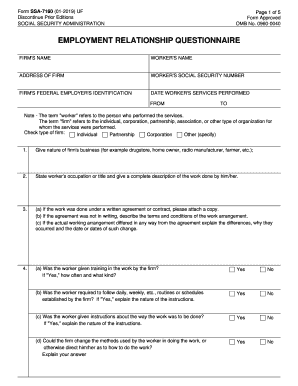
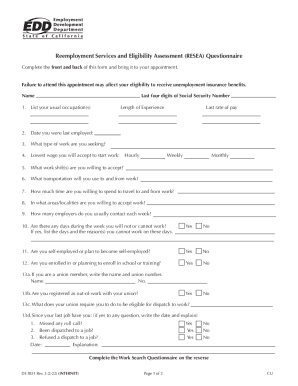
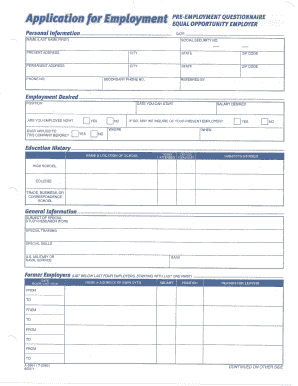
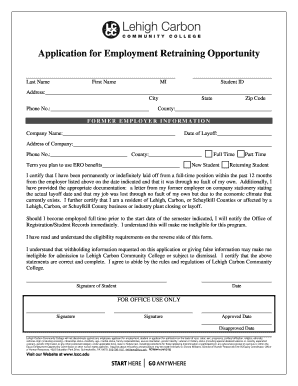
The Employment Retention Advancement Programme Questionnaire serves to collect vital data on employment experiences between 2004 and 2010. This questionnaire is crucial for analyzing trends in employment retention and advancement, particularly in the UK. By gathering insights through this UK employment survey form, stakeholders can better understand the workforce landscape and track changes over time.
Purpose and Benefits of Completing the Employment Retention Advancement Programme Questionnaire
Completing the Employment Retention Advancement Programme Questionnaire has significant implications. The data collected will inform employment retention and advancement policies, making it instrumental in shaping future programs. Participants also gain benefits, such as access to valuable resources and potential support tailored to their employment experiences.
Key Features of the Employment Retention Advancement Programme Questionnaire
This questionnaire is designed with several key features to enhance user experience. Its structure includes various fields for personal information, living arrangements, and family status. Moreover, the form's fillable capabilities facilitate ease of completion, allowing respondents to enter their information seamlessly.
Who Should Complete the Employment Retention Advancement Programme Questionnaire?
The questionnaire targets a specific demographic that can provide valuable insights. Individuals who have participated in relevant employment programs or have experiences related to retention and advancement are encouraged to respond. Scenarios that may apply include those who experienced changes in their employment status or sought advancement opportunities during the survey period.
How to Fill Out the Employment Retention Advancement Programme Questionnaire Online
To complete the Employment Retention Advancement Programme Questionnaire online, follow these steps:
-
Gather necessary information, including personal and employment details.
-
Access the questionnaire on the designated platform.
-
Carefully fill out each section, ensuring accuracy in responses.
-
Review your entries for completeness before submission.
-
Submit the form according to the given instructions.
Utilizing this structured approach will streamline the process and improve the accuracy of your responses.
Common Mistakes to Avoid When Completing the Employment Retention Advancement Programme Questionnaire
To ensure accurate completion, be aware of typical errors that respondents often make:
-
Filling out required fields incorrectly or overlooking them altogether.
-
Providing inconsistent information across different sections of the form.
A review and validation checklist can help confirm that all required fields are properly filled out before submission.
Submitting the Employment Retention Advancement Programme Questionnaire
When you're ready to submit the Employment Retention Advancement Programme Questionnaire, follow these guidelines:
-
Use pdfFiller for a convenient online submission process.
-
Ensure that you have any necessary supporting documents ready to upload if prompted.
Follow the instructions provided on the submission platform to finalize your submission successfully.
Security and Compliance When Using the Employment Retention Advancement Programme Questionnaire
Data privacy and security are paramount when handling sensitive information. pdfFiller implements robust security measures, including 256-bit encryption, to safeguard your data. Furthermore, the platform complies with GDPR regulations, ensuring that your information is handled with the utmost care and confidentiality.
Utilizing pdfFiller for the Employment Retention Advancement Programme Questionnaire
pdfFiller enhances the process of filling out the Employment Retention Advancement Programme Questionnaire through its user-friendly features. Key capabilities include the ability to edit, eSign, and efficiently manage documents, making your experience seamless and straightforward. Furthermore, pdfFiller offers convenient options for digital signatures, allowing for a smoother submission process.
Next Steps After Submitting the Employment Retention Advancement Programme Questionnaire
After submitting the Employment Retention Advancement Programme Questionnaire, users can track their submission status. Look for options to confirm your submission and steps to check its progress. This ensures that you stay informed about the status of your input and any subsequent actions required.
How to fill out the ERA Questionnaire
-
1.Access the Employment Retention Advancement Programme Questionnaire by visiting pdfFiller and navigating to the form section.
-
2.Once you've located the form, click to open it in the pdfFiller editor.
-
3.Before completing the form, gather necessary information such as your personal details, family status, and living arrangements.
-
4.Utilize the pdfFiller interface to navigate through the form. Click on blank fields to enter your responses using either a keyboard or by selecting checkboxes where applicable.
-
5.Take your time to read each question carefully and fill in all relevant sections to ensure comprehensive data collection.
-
6.After completing all sections, review your answers for accuracy, ensuring that no fields are left empty unless they are optional.
-
7.Finalize your input by selecting the 'Save' option to store your responses securely.
-
8.To download or submit the form, click on the designated buttons available, and follow the prompts to either download a copy or submit it electronically.

Who is eligible to fill out the Employment Retention Advancement Programme Questionnaire?
Individuals participating in the Employment Retention Advancement Programme study from 2004 to 2010 are eligible to complete the questionnaire.
Is there a deadline for submitting the questionnaire?
While specific deadlines are not mentioned, it is essential to complete and submit the questionnaire as soon as possible for timely analysis related to employment trends.
How should I submit the completed questionnaire?
You can submit the completed questionnaire electronically through pdfFiller. Use the submission option provided after finalizing the form.
What supporting documents are needed for this questionnaire?
No specific supporting documents are required to complete the Employment Retention Advancement Programme Questionnaire; however, relevant personal information should be readily available.
What are common mistakes to avoid when filling out the form?
Common mistakes include leaving mandatory fields blank, providing incorrect personal information, and not reviewing the form for accuracy before submission.
How long does it take to process my submitted questionnaire?
Processing times can vary; please check with the program coordinators for specific timelines regarding data analysis and feedback.
Can I edit my questionnaire response after submitting?
Typically, once submitted, a questionnaire cannot be edited. It's advisable to thoroughly review your responses before finalization.



Get the latest insights from our blog


If you believe that this page should be taken down, please follow our DMCA take down process
here
.
This form may include fields for payment information. Data entered in these fields is not covered by PCI DSS compliance.