
Last updated on
Oct 13, 2026

Get the free Preschool Profile Form
We are not affiliated with any brand or entity on this form

Fill out
Complete the form online in a simple drag-and-drop editor.

eSign
Add your legally binding signature or send the form for signing.

Share
Share the form via a link, letting anyone fill it out from any device.

Export
Download, print, email, or move the form to your cloud storage.
Why pdfFiller is the best tool for your documents and forms


End-to-end document management
From editing and signing to collaboration and tracking, pdfFiller has everything you need to get your documents done quickly and efficiently.
Accessible from anywhere
pdfFiller is fully cloud-based. This means you can edit, sign, and share documents from anywhere using your computer, smartphone, or tablet.
Secure and compliant
pdfFiller lets you securely manage documents following global laws like ESIGN, CCPA, and GDPR. It's also HIPAA and SOC 2 compliant.
What is Preschool Profile
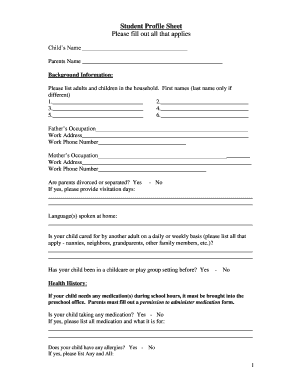
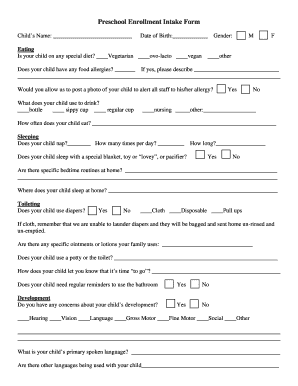
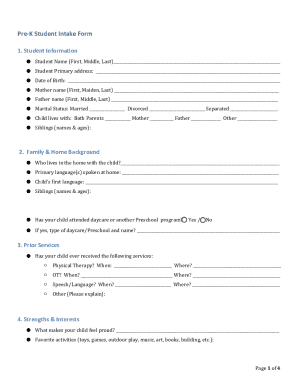
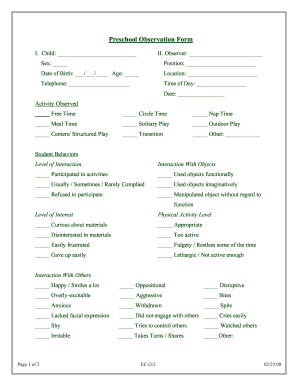
The Preschool Profile Form is a school enrollment document used by preschools to collect comprehensive information about a child’s background, health, and family dynamics.
pdfFiller scores top ratings on review platforms




Who needs Preschool Profile?
Explore how professionals across industries use pdfFiller.

Preschool Profile is needed by:
-
Parents enrolling their children in preschool
-
Preschool administrators looking to gather student information
-
Teachers needing insights into student backgrounds
-
Childcare providers assessing individual needs
-
Health professionals monitoring children’s health status
Comprehensive Guide to Preschool Profile
What is the Preschool Profile Form?
The Preschool Profile Form is a crucial tool for gathering vital background and family information about a child. It plays an essential role in enhancing the partnership between teachers and parents, ensuring a comprehensive understanding of the child's individual needs. This detailed approach helps create a supportive learning environment tailored to each child's unique background.
Purpose and Benefits of the Preschool Profile Form
Filling out the Preschool Profile Form provides several advantages for both parents and preschools. It aids teachers in customizing learning experiences based on a child's specific background and interests. Additionally, this form enhances communication between parents and educators, enabling a more cohesive approach to the child's development. Understanding the child's health and interests through this form provides a robust foundation for their educational journey.
Who Needs the Preschool Profile Form?
The Preschool Profile Form is essential for parents enrolling their children in preschool programs. Schools also require this form to gather detailed child profiles, which facilitate better support and educational planning. Different preschool programs may have variations of the form tailored to their specific requirements, ensuring that all relevant information is collected efficiently.
Sections of the Preschool Profile Form Explained
The Preschool Profile Form consists of several key sections that contribute to a holistic understanding of the child. These sections include:
-
General Information: Basic details about the child.
-
Health & Safety: Important health information and safety concerns.
-
Child’s Interests: Information about the child's hobbies and preferences.
-
Family Life: Insight into the child's home environment.
-
Home Language: Details on the language spoken at home.
Each section is designed to provide teachers with a comprehensive view of the child's needs, helping to foster a supportive educational atmosphere.
How to Fill Out the Preschool Profile Form Online (Step-by-Step)
Filling out the Preschool Profile Form online is a straightforward process. Follow these steps:
-
Access the form via the designated online portal.
-
Navigate through the form and select the appropriate fields to fill in.
-
Ensure accuracy by double-checking all entered information.
-
Utilize fillable fields for convenience.
-
Review the completed form for any potential errors before submission.
Common Errors to Avoid When Completing the Preschool Profile Form
To ensure successful completion of the Preschool Profile Form, it is important to avoid common mistakes, such as:
-
Entering incorrect or incomplete information.
-
Neglecting to check health and safety concerns thoroughly.
-
Forgetting to include information about family dynamics or the child's specific interests.
Being mindful of these errors can streamline the enrollment process and enhance communication with educators.
How to Submit the Preschool Profile Form
Once the form is filled out, submission can be done through various methods:
-
Online: Directly submit through the preschool’s portal.
-
Print: Print and physically submit the form.
-
Email: Send the completed form as an attachment.
-
In-Person: Deliver the form directly to the school.
It is vital to be aware of any potential fees or requirements linked to the submission method chosen. Confirming the submission will help prevent delays in the enrollment process.
Security and Privacy Considerations with the Preschool Profile Form
When submitting sensitive information through the Preschool Profile Form, data protection is paramount. pdfFiller implements robust security measures, including encryption and compliance with regulations like HIPAA and GDPR. It is crucial to safeguard family and child information during the submission process, and users should follow secure methods for transmitting online forms.
Streamlining Your Preschool Enrollment Process with pdfFiller
Utilizing pdfFiller to complete the Preschool Profile Form offers numerous advantages. Key features include:
-
eSigning: Easily sign documents electronically.
-
Easy Sharing: Quickly share completed forms with relevant parties.
-
Time-Saving: Save time with streamlined edits and corrections.
These features collectively simplify the form-filling process, making it efficient for both parents and educators.
Getting Started with pdfFiller: Your Ultimate Solution for Form Completion
Getting started with pdfFiller is easy. Follow these simple instructions:
-
Access pdfFiller's website to get started.
-
Explore the user-friendly interface designed for effortless navigation.
-
Take advantage of available support resources if needed.
Join the over 100 million users who are benefiting from pdfFiller’s comprehensive document management solutions, streamlining their form completion and submission processes.
How to fill out the Preschool Profile
-
1.Access the Preschool Profile Form by visiting pdfFiller and searching for the form by name.
-
2.Open the form to view its various sections including General Information, Health and Safety Concerns, and Family Life.
-
3.Before you start filling out the form, gather all necessary information such as your child’s previous school experiences, health records, and family details.
-
4.Begin by clicking on each field within the pdfFiller interface to type in the required information. Use checkboxes where applicable.
-
5.Make sure to fill in all sections thoroughly, as this will help teachers understand your child's needs.
-
6.After completing all sections, review the information carefully to ensure accuracy and completeness.
-
7.Once satisfied with your responses, look for the saving options in the pdfFiller interface to either download a copy or submit the form directly.
-
8.Choose to save the form as a PDF or another format, and ensure it is properly submitted to your chosen preschool.

What are the eligibility requirements for filling out the Preschool Profile Form?
Typically, any parent or guardian whose child will be enrolling in preschool can fill out the form. It's important to provide accurate details to ensure a smooth enrollment process.
Are there any deadlines for submitting the Preschool Profile Form?
Deadlines may vary by preschool. It’s advisable to complete the form as early as possible during the enrollment period to secure your child’s spot.
How can I submit the completed Preschool Profile Form?
You can submit the completed form either by downloading it and sending it via email or mail to the preschool or using pdfFiller's submit function if available.
What supporting documents do I need to submit with the Preschool Profile Form?
In addition to the completed form, you may need to provide copies of your child’s health records and proof of residency or identity, depending on the preschool's requirements.
What common mistakes should I avoid when filling out the Preschool Profile Form?
Ensure all sections are filled out completely and accurately. Common mistakes include missing crucial health information or neglecting to sign the form.
How long does it take to process the Preschool Profile Form?
Processing times can vary depending on the preschool. Generally, expect a few days to a couple of weeks for the form to be reviewed and processed.
What specific information should I prepare before filling out the form?
Prepare details about your child's health history, previous school experiences, family details, and any specific interests or needs to complete the form accurately.
Related Forms





Get the latest insights from our blog


If you believe that this page should be taken down, please follow our DMCA take down process
here
.
This form may include fields for payment information. Data entered in these fields is not covered by PCI DSS compliance.