
Last updated on
Oct 15, 2026

Get the free Notice of Equivalent Occupation: Electrical Mutual Recognition
We are not affiliated with any brand or entity on this form

Fill out
Complete the form online in a simple drag-and-drop editor.

eSign
Add your legally binding signature or send the form for signing.

Share
Share the form via a link, letting anyone fill it out from any device.

Export
Download, print, email, or move the form to your cloud storage.
Why pdfFiller is the best tool for your documents and forms


End-to-end document management
From editing and signing to collaboration and tracking, pdfFiller has everything you need to get your documents done quickly and efficiently.
Accessible from anywhere
pdfFiller is fully cloud-based. This means you can edit, sign, and share documents from anywhere using your computer, smartphone, or tablet.
Secure and compliant
pdfFiller lets you securely manage documents following global laws like ESIGN, CCPA, and GDPR. It's also HIPAA and SOC 2 compliant.
What is Electrical Mutual Recognition
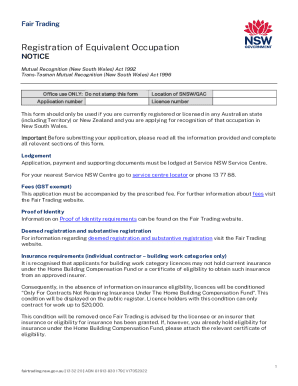
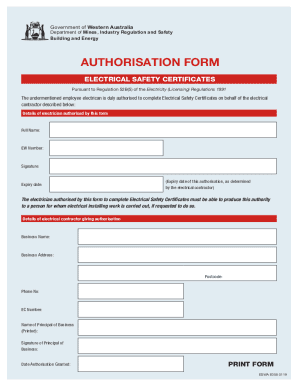
The Notice of Equivalent Occupation: Electrical Mutual Recognition is a government form used by individuals to register in the electrical trade in Western Australia under mutual recognition laws.
pdfFiller scores top ratings on review platforms




Who needs Electrical Mutual Recognition?
Explore how professionals across industries use pdfFiller.

Electrical Mutual Recognition is needed by:
-
Electricians looking to transfer their licenses from another state or territory
-
Individuals seeking to register as electrical workers in Western Australia
-
Electrical contractors needing to comply with licensing regulations
-
Applicants from New Zealand wanting to work in the Australian electrical trade
-
Professionals wanting to ensure their qualifications are recognized
-
Those applying for an electrical license under the Mutual Recognition framework
Comprehensive Guide to Electrical Mutual Recognition
What is the Notice of Equivalent Occupation: Electrical Mutual Recognition?
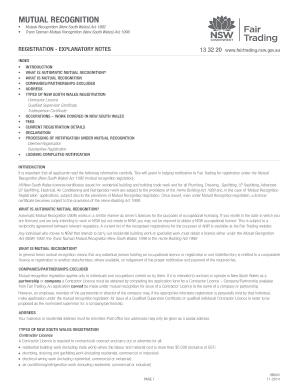
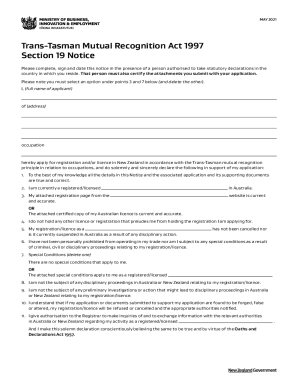
The Notice of Equivalent Occupation: Electrical Mutual Recognition is a form designed for individuals seeking registration in the electrical trade in Western Australia. Established under the Mutual Recognition Act 1992 and the Trans-Tasman Mutual Recognition Act 2007, its primary purpose is to facilitate the recognition of electrical qualifications across state and national borders. By completing this electrical mutual recognition form, applicants can obtain a valid western Australia electrical license.
Purpose and Benefits of the Notice of Equivalent Occupation: Electrical Mutual Recognition
This form provides numerous advantages for applicants pursuing recognition of their electrical qualifications. It streamlines the process of transferring electrical licenses, enabling workers to engage in employment seamlessly across different states and even internationally. Additionally, utilizing this form can significantly reduce the time and complexity involved in obtaining an electrical worker registration in WA.
Who Needs the Notice of Equivalent Occupation: Electrical Mutual Recognition?
The Notice of Equivalent Occupation is essential for electrical workers from other states or New Zealand seeking to practice in Western Australia. Specific roles, such as electrical contractors, are particularly well-suited to benefit from this recognition. It is important that applicants provide their signatures on the form to validate their application and ensure compliance with regulatory requirements.
Eligibility Criteria for the Notice of Equivalent Occupation: Electrical Mutual Recognition
Applicants must meet several key eligibility criteria to use the Notice of Equivalent Occupation. This includes having a current and valid license from another state or New Zealand, as well as providing personal details such as name, date of birth, and residential address. Furthermore, candidates must confirm their residency status and comply with any specific licensing conditions relevant to their qualifications.
Required Documents and Supporting Materials
To successfully submit the Notice of Equivalent Occupation, applicants must include a range of supporting documents. These may include:
-
Current interstate or New Zealand electrical license
-
Proof of identity such as a driver's license or passport
-
Residency documentation
-
Any additional certifications relevant to the electrical trade
When preparing these documents, applicants are advised to organize them systematically to ensure a smooth application process.
How to Fill Out the Notice of Equivalent Occupation: Electrical Mutual Recognition Online (Step-by-Step)
Completing the Notice of Equivalent Occupation online can be done with ease through platforms like pdfFiller. Follow these steps:
-
Access the form on the pdfFiller website.
-
Fill in your first name and family name in the respective fields.
-
Enter your date of birth, residential address, mobile phone number, and email address.
-
Provide your license details accurately.
-
Review all information for accuracy before submission.
This process ensures that all required fields are completed, facilitating electronic submission of your application.
Submission Methods and Fees
Once the Notice of Equivalent Occupation has been completed, applicants can submit it through various methods, including online platforms. The associated fees for the application can vary, so it's essential to check for the latest updates. Payment options may include credit card, bank transfer, or other online payment methods. Additionally, potential fee waivers or reductions might be available under certain circumstances.
What Happens After You Submit the Notice of Equivalent Occupation?
After submission, applicants can track the status of their application online. It typically takes a few weeks for processing, during which applicants should remain prepared to address any potential issues. Common reasons for application rejection include incomplete information, discrepancies in documentation, or failure to meet eligibility requirements. If an application is not approved, applicants are encouraged to review the feedback provided and address any deficiencies before reapplying.
Security and Compliance for the Notice of Equivalent Occupation
pdfFiller ensures high security for all documents handled through its platform. Utilizing measures such as 256-bit encryption and compliance with regulations like HIPAA and GDPR, applicants can trust that their sensitive information is protected throughout the application process. It is critical for users to be aware of these security protocols while submitting their forms online.
Experience Ease with pdfFiller for Your Electrical Mutual Recognition Form
Using pdfFiller to fill out the Notice of Equivalent Occupation streamlines the process significantly. The platform’s user-friendly interface allows for seamless editing, signing, and document management. Users can take full advantage of pdfFiller's features to ensure their submissions are completed efficiently and securely.
How to fill out the Electrical Mutual Recognition
-
1.To start, visit pdfFiller and search for 'Notice of Equivalent Occupation: Electrical Mutual Recognition.' You can find it by entering the form name in the search bar.
-
2.Once located, click on the form to open it in the pdfFiller editor. Familiarize yourself with the layout and fillable fields provided within the form.
-
3.Before filling out the form, gather necessary details such as your personal information, current interstate or New Zealand electrical license information, and any relevant supporting documents needed for submission.
-
4.Begin completing the form by clicking in the fillable fields. Fill in your first name and family name accurately, then proceed to add your date of birth, residential address, mobile phone number, and email address.
-
5.Carefully review each filled field. Make sure all entered information is accurate and matches your identification records to avoid any processing issues.
-
6.After you’ve completed all fields, check for any sections that may require additional documentation. Ensure you have personal identification and any state-specific proof ready to attach.
-
7.Once satisfied with the form, utilize pdfFiller’s tools for final adjustments. Review your details again, ensuring clarity and correctness. This is crucial before the form submission.
-
8.To save your completed form, click on the 'Save' button to download a copy to your device. Alternatively, you can directly submit the form through pdfFiller's integrated submission options, if available.

Who is eligible to fill out the Notice of Equivalent Occupation form?
Eligible individuals include electricians, electrical contractors, and applicants from New Zealand wishing to register as electrical workers in Western Australia based on their existing licenses.
What supporting documents are required for submission?
You will need to provide your personal identification, current interstate or New Zealand electrical license information, and any specific documents outlined in the form instructions to support your application.
Is there a deadline for submitting the form?
While specific deadlines may vary, it is advisable to submit the Notice of Equivalent Occupation as soon as possible to avoid delays in your registration process.
How do I submit the completed form?
The completed form can be submitted online through pdfFiller using its submission features, or alternatively, you can print it out and send it directly to the appropriate regulatory authority in Western Australia.
What are common mistakes to avoid when filling out this form?
Common mistakes include filling in incorrect personal information, neglecting to attach required documents, and failing to review the form for clarity and accuracy before submission.
How long does the processing take after submission?
Processing times can vary, but you can typically expect to receive updates within several weeks. Always ensure you check any additional requirements that may affect processing duration.
Can I refill the form once submitted?
Once submitted, you generally cannot refill the same form. If changes are needed, it's best to contact the relevant authority for guidance on how to proceed or to submit a new application.
Related Forms



Get the latest insights from our blog


If you believe that this page should be taken down, please follow our DMCA take down process
here
.
This form may include fields for payment information. Data entered in these fields is not covered by PCI DSS compliance.