
Last updated on
Oct 19, 2026

Get the free Orthotic Device Prescription Form
We are not affiliated with any brand or entity on this form

Fill out
Complete the form online in a simple drag-and-drop editor.

eSign
Add your legally binding signature or send the form for signing.

Share
Share the form via a link, letting anyone fill it out from any device.

Export
Download, print, email, or move the form to your cloud storage.
Why pdfFiller is the best tool for your documents and forms


End-to-end document management
From editing and signing to collaboration and tracking, pdfFiller has everything you need to get your documents done quickly and efficiently.
Accessible from anywhere
pdfFiller is fully cloud-based. This means you can edit, sign, and share documents from anywhere using your computer, smartphone, or tablet.
Secure and compliant
pdfFiller lets you securely manage documents following global laws like ESIGN, CCPA, and GDPR. It's also HIPAA and SOC 2 compliant.
What is Orthotic Prescription
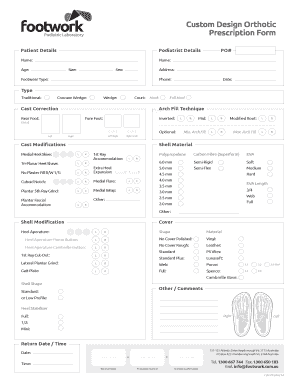
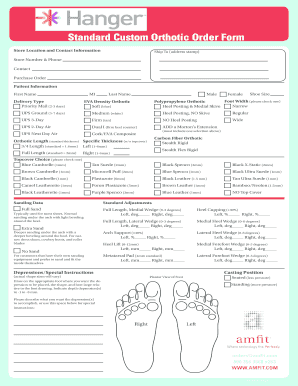
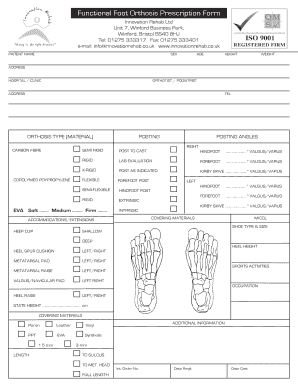
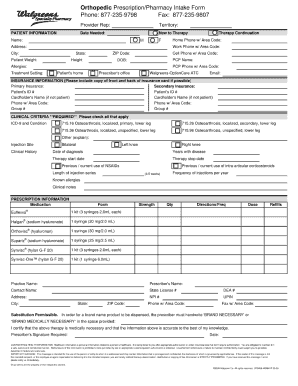
The Orthotic Device Prescription Form is a healthcare document used by practitioners to detail orthotic devices required for patients.
pdfFiller scores top ratings on review platforms




Who needs Orthotic Prescription?
Explore how professionals across industries use pdfFiller.

Orthotic Prescription is needed by:
-
Healthcare practitioners issuing orthotic prescriptions
-
Patients requiring orthotic devices
-
Healthcare facilities managing patient records
-
Medical assistants handling documentation
-
Insurance companies for reimbursement purposes
Comprehensive Guide to Orthotic Prescription
What is the Orthotic Device Prescription Form?
The Orthotic Device Prescription Form is a crucial tool utilized by healthcare practitioners to document the specifications for orthotic devices prescribed to patients. This healthcare practitioner form is vital in the orthotics process, ensuring clarity and precision in patient care.
This form includes essential components, such as fields for both practitioner and patient details, and it plays a significant role in aligning the orthotic supply chain with patient requirements. By capturing all pertinent information, this document facilitates effective communication between medical professionals and patients throughout the treatment journey.
Purpose and Benefits of the Orthotic Device Prescription Form
Healthcare practitioners utilize the orthotic prescription template to maintain organized patient records. This structured documentation allows for quick referencing during consultations and enhances the overall workflow within clinical settings.
The benefits extend to both patients and practitioners. The form streamlines documentation, improves care delivery, and ensures that all critical treatment details are systematically captured. Additionally, it enhances communication not only among healthcare providers but also with patients, fostering a collaborative care environment.
Key Features of the Orthotic Device Prescription Form
The Orthotic Device Prescription Form contains specific fields designed to record vital information such as patient orthotic details and device specifications. Key usability features enhance its practicality, including fillable fields and checkboxes that improve efficiency during the completion process.
Moreover, the requirements for this form are stringent; it must be signed by a practitioner to validate the prescription, ensuring accountability and accuracy in all orthotic recommendations.
Who Needs the Orthotic Device Prescription Form?
Primary users of this form include various healthcare practitioners, such as orthopedic specialists, physiotherapists, and podiatrists, who are involved in prescribing custom orthotic devices. Situations that necessitate the use of this form often arise when a patient requires a specialized device tailored to their medical needs.
Eligibility criteria for patients who require an orthotic prescription often include specific medical conditions or treatment plans, ensuring that only those with legitimate needs receive the recommended devices.
How to Fill Out the Orthotic Device Prescription Form Online
To complete the orthotic device prescription form online using pdfFiller, follow these step-by-step instructions:
-
Access the form through pdfFiller’s platform to start editing.
-
Fill out the practitioner and patient details in the designated fields.
-
Enter the orthotic device specifications accurately.
-
Utilize fillable fields and checkboxes to simplify the process.
-
Ensure to review all entries for accuracy before submission.
pdfFiller simplifies the form-filling process, providing user-friendly tools that help maintain efficiency while ensuring that all necessary details are captured accurately.
Common Errors to Avoid When Completing the Orthotic Device Prescription Form
While filling out the orthotic device prescription form, users often encounter frequent mistakes that can delay the processing of prescriptions. Common errors include incomplete fields, incorrect patient details, or specifications that do not match the patient’s needs.
To ensure a seamless experience, double-check all provided information, verify that the form is signed correctly, and confirm that all relevant modifications have been documented. The importance of accuracy in details cannot be overstated, as errors can lead to delays in patient care.
Submission and Delivery Methods for the Orthotic Device Prescription Form
Once the form is completed, there are several options available for submission. These include:
-
Online submission through pdfFiller for immediate processing.
-
Faxing the form directly to the appropriate office.
-
Mailing a hard copy to ensure it reaches the designated department.
Each submission method may have specific guidelines and steps that must be followed. It is crucial to track the submission status and confirm receipt through appropriate channels to ensure timely processing.
Security and Compliance for the Orthotic Device Prescription Form
Handling sensitive information in the orthotic device prescription form raises significant data security concerns. pdfFiller addresses these by adhering to HIPAA and GDPR regulations, ensuring the privacy of all users.
The platform employs stringent security measures, including 256-bit encryption, to protect all documents and personal data during transmission and storage, enhancing user confidence when managing sensitive documents.
Leveraging pdfFiller for Your Orthotic Device Prescription Form Needs
pdfFiller provides extensive support for users looking to edit, fill out, and eSign the orthotic device prescription form. Its features, including secure medical record storage and customizable templates, contribute to a streamlined user experience.
By utilizing pdfFiller, practitioners can enhance their workflow, ensuring that all necessary documentation is handled efficiently while maintaining security and compliance throughout the process.
How to fill out the Orthotic Prescription
-
1.Access the Orthotic Device Prescription Form by visiting pdfFiller's website and searching for the form by name.
-
2.Open the form in the editor by selecting it from the search results.
-
3.Begin by filling out the practitioner's details at the top of the form, ensuring accurate contact information.
-
4.Next, enter patient details, including name, contact information, and any relevant identification numbers.
-
5.Move to the device specifications section and input the required specifications for the orthotic device.
-
6.For cast specifications, provide measurements, models, or relevant details as prompted on the form.
-
7.Review all filled fields for accuracy to minimize any common mistakes before finalizing.
-
8.Once completed, navigate to the save options. Choose to download the form, save it in your pdfFiller account, or submit it directly if available.
-
9.Confirm that the practitioner signs the form electronically or print it for physical signing before submission.

Who is eligible to use the Orthotic Device Prescription Form?
The Orthotic Device Prescription Form is intended for healthcare practitioners who are authorized to prescribe orthotic devices for patients.
What supporting documents are required when submitting this form?
Typically, supporting documents include a medical history that justifies the need for an orthotic device and possibly previous prescription records.
How can I submit the completed Orthotic Device Prescription Form?
The completed form can be submitted through pdfFiller either electronically, if signed within the platform, or by printing and sending via postal mail or fax.
How can I avoid common mistakes when filling out this form?
Double-check all entries for accuracy, ensuring all required fields are filled. Pay special attention to the device specifications and practitioner signatures.
What is the typical processing time for the prescription after submission?
Processing times can vary depending on the healthcare provider and insurance requirements, but typically, you can expect a response within a few business days.
Do I need to notarize the Orthotic Device Prescription Form?
No, notarization is not required for the Orthotic Device Prescription Form according to the metadata provided.
What happens if I need to make changes after submitting the form?
If changes are needed after submission, contact the healthcare practitioner immediately to discuss revisions, as corrections may require a new form submission.






Get the latest insights from our blog


If you believe that this page should be taken down, please follow our DMCA take down process
here
.
This form may include fields for payment information. Data entered in these fields is not covered by PCI DSS compliance.