

Get the free RESEA Unemployment Eligibility Forms
We are not affiliated with any brand or entity on this form

Fill out
Complete the form online in a simple drag-and-drop editor.

eSign
Add your legally binding signature or send the form for signing.

Share
Share the form via a link, letting anyone fill it out from any device.

Export
Download, print, email, or move the form to your cloud storage.
Why pdfFiller is the best tool for your documents and forms


End-to-end document management
From editing and signing to collaboration and tracking, pdfFiller has everything you need to get your documents done quickly and efficiently.
Accessible from anywhere
pdfFiller is fully cloud-based. This means you can edit, sign, and share documents from anywhere using your computer, smartphone, or tablet.
Secure and compliant
pdfFiller lets you securely manage documents following global laws like ESIGN, CCPA, and GDPR. It's also HIPAA and SOC 2 compliant.
What is RESEA Forms
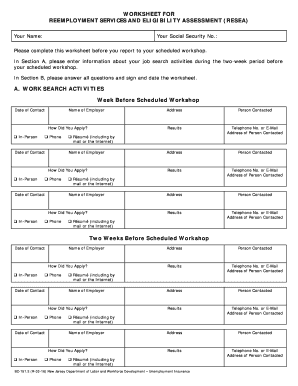
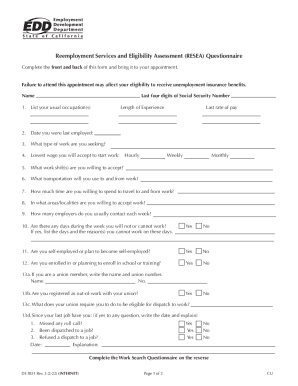
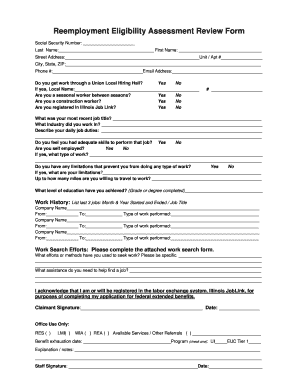
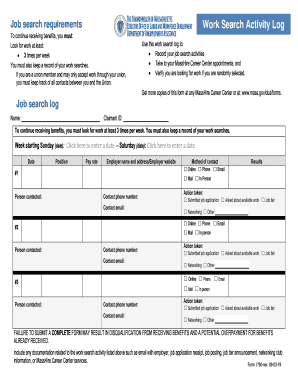
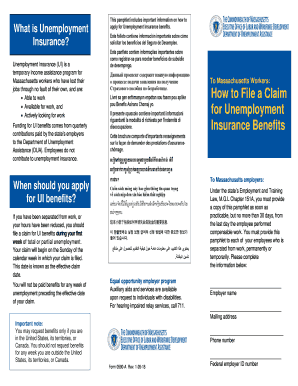
The RESEA Unemployment Eligibility Forms are required documents used by job seekers in Massachusetts to apply for unemployment benefits and provide necessary information for eligibility assessment.
pdfFiller scores top ratings on review platforms




Who needs RESEA Forms?
Explore how professionals across industries use pdfFiller.

RESEA Forms is needed by:
-
Job seekers in Massachusetts applying for unemployment benefits
-
Individuals seeking to participate in the RESEA program
-
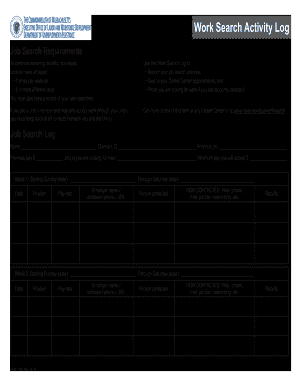
Those required to submit work search logs
-
Individuals filling out the UI Eligibility Form
-
Users needing to submit a Career Action Plan
-
People gathering Labor Market Information
How to fill out the RESEA Forms
-
1.To access the RESEA Unemployment Eligibility Forms on pdfFiller, go to their website and use the search feature to locate the form by name.
-
2.Once you find the form, click on it to open it in the pdfFiller editor. Navigate the interface to familiarize yourself with the tools available.
-
3.Before completing the form, gather necessary documents such as your resume, work search logs, and any other information required.
-
4.Begin filling in your personal details in each of the designated fillable fields. Use the instructions provided to guide you on what information is needed.
-
5.Utilize the checkboxes included in the form as needed. Make sure to double-check your responses to ensure accuracy.
-
6.Once you have filled out all required fields, review the form thoroughly to confirm all information is correct and complete.
-
7.To finalize your document, use the save feature in pdfFiller. You can choose to download the completed form as a PDF to your device or submit directly through the platform to the specified email address.

Who is eligible to fill out the RESEA Unemployment Eligibility Forms?
The RESEA Unemployment Eligibility Forms are for job seekers in Massachusetts who are applying for unemployment benefits under the Reemployment Services and Eligibility Assessment program.
What documents do I need to submit with my RESEA form?
You will need to attach your resume, work search logs, as well as any additional documentation specified in the instructions accompanying the form.
How do I submit the RESEA forms once completed?
Once you have filled out the RESEA Unemployment Eligibility Forms, you can submit them by emailing the completed documents to the address provided in the form instructions.
What common mistakes should I avoid when filling out the RESEA forms?
Ensure that all required fields are completed accurately and that you provide all supporting documents. Double-check for typos and missing information to avoid processing delays.
Is there a deadline for submitting the RESEA Unemployment Eligibility Forms?
It's important to complete and submit your RESEA Unemployment Eligibility Forms as soon as possible to avoid any delays in receiving your unemployment benefits. Check the specific guidelines provided for any time-sensitive information.
How long does it take to process my RESEA application?
Processing times can vary depending on the volume of applications. Typically, it may take several weeks to receive a decision or further instructions regarding your unemployment benefits.
Do I need to notarize the RESEA forms?
No, you do not need to have the RESEA Unemployment Eligibility Forms notarized. Just ensure they are completed and submitted according to the guidelines provided.
Related Forms




Get the latest insights from our blog


If you believe that this page should be taken down, please follow our DMCA take down process
here
.
This form may include fields for payment information. Data entered in these fields is not covered by PCI DSS compliance.