
Last updated on
Oct 20, 2026

Get the free Manufacturer Declaration Form
We are not affiliated with any brand or entity on this form

Fill out
Complete the form online in a simple drag-and-drop editor.

eSign
Add your legally binding signature or send the form for signing.

Share
Share the form via a link, letting anyone fill it out from any device.

Export
Download, print, email, or move the form to your cloud storage.
Why pdfFiller is the best tool for your documents and forms


End-to-end document management
From editing and signing to collaboration and tracking, pdfFiller has everything you need to get your documents done quickly and efficiently.
Accessible from anywhere
pdfFiller is fully cloud-based. This means you can edit, sign, and share documents from anywhere using your computer, smartphone, or tablet.
Secure and compliant
pdfFiller lets you securely manage documents following global laws like ESIGN, CCPA, and GDPR. It's also HIPAA and SOC 2 compliant.
What is Manufacturer Declaration
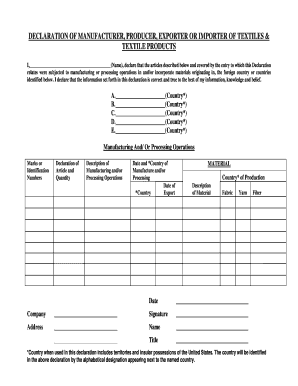
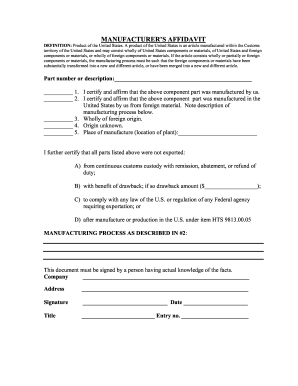
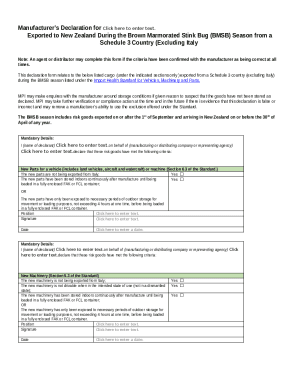
The Manufacturer Declaration Form is a business document used by manufacturers to certify the accuracy of information regarding production processes, materials, and costs of goods.
pdfFiller scores top ratings on review platforms




Who needs Manufacturer Declaration?
Explore how professionals across industries use pdfFiller.

Manufacturer Declaration is needed by:
-
Manufacturers requiring formal documentation
-
Business owners managing vendor contracts
-
Compliance officers verifying production integrity
-
Accountants preparing cost assessments
-
Suppliers engaging in formal agreements
-
Regulatory agencies overseeing industry standards
Comprehensive Guide to Manufacturer Declaration
What is the Manufacturer Declaration Form?
The Manufacturer Declaration Form is a crucial document used by manufacturers in Jamaica to certify the precision of information regarding their production processes. This form is essential for ensuring that all production-related data, including materials and costs, are accurate and transparent. By certifying this information, manufacturers not only establish credibility but also uphold industry standards.
Certifying accuracy is vital as it protects both the integrity of the manufacturer and the interests of consumers. Utilizing a comprehensive manufacturer declaration form helps mitigate risks associated with misinformation and enhances trust within the marketplace.
Purpose and Benefits of the Manufacturer Declaration Form
The primary purpose of the Manufacturer Declaration Form is to ensure compliance with manufacturing regulations while documenting accurate information. This form provides several benefits that are vital for manufacturers operating in Jamaica.
-
Ensures compliance with local and international standards.
-
Enhances accuracy in reporting production processes and materials.
-
Facilitates quality assurance, assuring consumers of product reliability.
Moreover, the form serves as protection for manufacturers by reinforcing their commitment to transparency, which ultimately benefits consumers by ensuring the quality and safety of products in the market.
Key Features of the Manufacturer Declaration Form
The Manufacturer Declaration Form includes essential features that streamline the documentation process for manufacturers. Key fields on the form require manufacturers to input specifics that validate their production claims.
-
Manufacturer details such as name and contact information.
-
Product information, including specifications and quantities.
-
Detailed breakdown of costs associated with production.
The form's requirement for the manufacturer's signature is particularly significant, as it signifies the certification of the provided information, further enhancing the form's credibility.
Who Needs the Manufacturer Declaration Form?
This form is primarily intended for manufacturers operating in Jamaica who are involved in the production of goods. These manufacturers form the core audience that necessitates the accurate reporting of production processes.
In addition, secondary users such as third-party vendors may also require the Manufacturer Declaration Form to validate and certify products, ensuring adherence to regulatory standards.
How to Fill Out the Manufacturer Declaration Form Online
Filling out the Manufacturer Declaration Form using pdfFiller is a straightforward process. Here is a step-by-step guide to ensure accurate completion:
-
Access the form via pdfFiller’s platform.
-
Fill in the manufacturer details accurately in the designated fields.
-
Provide detailed product information as specified.
-
Complete all cost-related sections with precise figures.
-
Review all entries to ensure compliance and accuracy.
-
Sign the form to certify the information provided.
By following these steps, manufacturers can reliably complete the form and maintain regulatory compliance.
Common Errors and How to Avoid Them
When filling out the Manufacturer Declaration Form, users may encounter several common mistakes that can lead to inaccuracies. Awareness of these pitfalls is crucial for ensuring proper completion.
-
Omitting required fields, which can invalidate the form.
-
Inaccurately reporting product costs, leading to compliance issues.
-
Failing to provide a signature, which renders the form incomplete.
By being vigilant and adopting best practices, manufacturers can significantly reduce the likelihood of these errors.
How to Sign the Manufacturer Declaration Form
The signing process for the Manufacturer Declaration Form is critical, ensuring that the information is certified by the manufacturer. Users should understand the distinction between digital signatures and wet signatures.
Utilizing pdfFiller's eSigning capabilities allows for a seamless signing experience, ensuring that the document complies with modern signature requirements while maintaining the integrity and reliability of the certification process.
Submission Methods for the Manufacturer Declaration Form
Once the Manufacturer Declaration Form is completed, users have several options for submitting their documents. Available methods include both online submission through pdfFiller and traditional mail.
To ensure timely processing, it is essential to follow the submission guidelines meticulously. Users should confirm the correct address for mailing and be aware of any pertinent processing times associated with their chosen method.
Security and Compliance for the Manufacturer Declaration Form
Security and compliance are paramount when handling sensitive documents such as the Manufacturer Declaration Form. Data protection and adherence to regulations like HIPAA and GDPR are crucial aspects of pdfFiller's operations.
pdfFiller employs enhanced security features, including 256-bit encryption, to protect user information. This assurance enables manufacturers to complete and submit forms with confidence, knowing that their data is protected against unauthorized access.
Unlock the Ease of Completing Your Manufacturer Declaration Form
Leveraging pdfFiller’s services simplifies the process of completing the Manufacturer Declaration Form. The platform offers numerous capabilities that enhance user experience, such as editing, eSigning, and secure document storage.
With over 100 million satisfied users, pdfFiller stands as a trusted solution for manufacturers looking to streamline their form-filling experience while ensuring the utmost security and compliance in document handling.
How to fill out the Manufacturer Declaration
-
1.Access the Manufacturer Declaration Form on pdfFiller by searching for its name in the document library.
-
2.Once the form is open, navigate through the fillable fields using your mouse or keyboard.
-
3.Before completing the form, gather all necessary information, including production details, materials used, and associated costs.
-
4.Carefully enter the required information in each field, ensuring accuracy and detail.
-
5.Once you have filled in all sections, review the information meticulously for any errors or omissions.
-
6.Make adjustments as needed before you finalize the form by navigating to the review section on pdfFiller.
-
7.After confirming the details are correct, proceed to sign the form electronically, as it requires your signature for certification.
-
8.Finally, save the completed form on pdfFiller, download it as needed, or submit it directly through the platform by following the prompts.

Who is eligible to fill out the Manufacturer Declaration Form?
The Manufacturer Declaration Form is designed for manufacturers and business owners who need to certify the accuracy of information related to the production of goods.
What documents do I need to complete the form?
To complete the Manufacturer Declaration Form, gather information about your products, production processes, materials used, and cost details to ensure accurate data entry.
How do I submit the Manufacturer Declaration Form after completing it?
You can submit the Manufacturer Declaration Form electronically through pdfFiller, or save and download it to submit via mail or email, based on your needs.
Is there a deadline for submitting this form?
Deadlines for submitting the Manufacturer Declaration Form may depend on specific business agreements or regulatory requirements, so check pertinent deadlines from your industry.
What common mistakes should I avoid when filling out the form?
Common mistakes include leaving fields blank, providing incorrect information, or failing to sign the form. Ensure all sections are filled correctly and that the signature is provided.
How long does it take to process the Manufacturer Declaration Form?
Processing times for the Manufacturer Declaration Form can vary based on submission type and industry requirements. Typically, approval may take a few business days to weeks.
Do I need to have this form notarized?
No, the Manufacturer Declaration Form does not require notarization, but it does require the manufacturer's signature to ensure the validity of the information provided.
Related Forms



Get the latest insights from our blog



If you believe that this page should be taken down, please follow our DMCA take down process
here
.
This form may include fields for payment information. Data entered in these fields is not covered by PCI DSS compliance.