
Last updated on
Oct 20, 2026

Get the free ASIC Form 205 Notification of Resolution
We are not affiliated with any brand or entity on this form

Fill out
Complete the form online in a simple drag-and-drop editor.

eSign
Add your legally binding signature or send the form for signing.

Share
Share the form via a link, letting anyone fill it out from any device.

Export
Download, print, email, or move the form to your cloud storage.
Why pdfFiller is the best tool for your documents and forms


End-to-end document management
From editing and signing to collaboration and tracking, pdfFiller has everything you need to get your documents done quickly and efficiently.
Accessible from anywhere
pdfFiller is fully cloud-based. This means you can edit, sign, and share documents from anywhere using your computer, smartphone, or tablet.
Secure and compliant
pdfFiller lets you securely manage documents following global laws like ESIGN, CCPA, and GDPR. It's also HIPAA and SOC 2 compliant.
What is ASIC Form 205
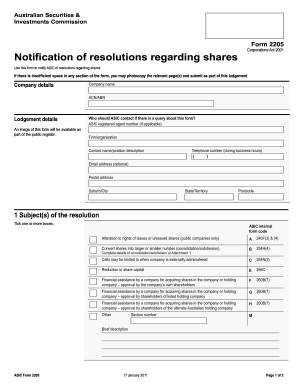
The ASIC Form 205 Notification of Resolution is a business form used by Australian companies to notify ASIC of passed resolutions.
pdfFiller scores top ratings on review platforms




Who needs ASIC Form 205?
Explore how professionals across industries use pdfFiller.

ASIC Form 205 is needed by:
-
Directors of Australian companies
-
Company secretaries
-
External administrators
-
Business compliance officers
-
Corporate legal professionals
-
Accountants managing company filings
Comprehensive Guide to ASIC Form 205
What is ASIC Form 205 Notification of Resolution?
ASIC Form 205 serves as a formal notification to the Australian Securities and Investments Commission (ASIC) regarding resolutions passed by a company. This document is pivotal for legal compliance and corporate governance, ensuring that companies adhere to the standards set forth in the Corporations Act 2001. Companies are mandated to file this notification to maintain accurate records and uphold transparency in their operations.
Purpose and Benefits of ASIC Form 205 Notification of Resolution
Filing ASIC Form 205 is not merely a procedural task; it is a legal obligation under the Corporations Act 2001. Companies benefit from using this form as it aids in maintaining precise and up-to-date records with ASIC. By submitting this notification, companies foster transparency and accountability within their operations.
-
Essential for legal compliance with the Corporations Act 2001
-
Contributes to accurate company records with ASIC
-
Enhances transparency in corporate operations
Who Needs to File ASIC Form 205 Notification of Resolution?
Various roles within a company play a critical part in the filing of ASIC Form 205. This includes directors, company secretaries, and external administrators who are required to sign the form. Additionally, companies encountering significant changes—such as alterations to their name or constitution—are obligated to file this notification.
-
Directors
-
Company Secretaries
-
External Administrators
How to Fill Out ASIC Form 205 Notification of Resolution Online
To fill out ASIC Form 205 online, users can leverage platforms like pdfFiller, which simplifies the process. The form includes various fields and checkboxes, and following a step-by-step approach ensures accurate completion. Users should thoroughly review each section for validation opportunities as they fill out the form.
-
Access the form through pdfFiller
-
Complete all mandated fields such as company name and resolution details
-
Utilize checkboxes for clarity
Field-by-Field Instructions for ASIC Form 205
When completing ASIC Form 205, it is essential to pay close attention to mandatory fields. For instance, users must provide the company's name, ACN/ABN, and detailed information about the resolution. Ensuring accuracy in these details is crucial to prevent any processing delays from ASIC.
-
Company name
-
ACN/ABN
-
Details of the resolution
Common Errors When Submitting ASIC Form 205 and How to Avoid Them
Recognizing common errors during the filing of ASIC Form 205 can save users significant time and hassle. Frequent mistakes include improper signatures and incomplete fields, which may delay processing. To ensure a smooth submission, double-check all entries and verify compliance with ASIC guidelines.
-
Incorrect signatures
-
Incomplete fields
-
Failure to follow ASIC guidelines
Submission Methods for ASIC Form 205 Notification of Resolution
There are several methods available for submitting ASIC Form 205. Companies can choose electronic submission for efficiency or opt for traditional paper filing. If mailing the form, users must be aware of the associated fees and any specific requirements set by ASIC.
-
Electronic submission through ASIC's online services
-
Paper filing option
-
Mailing instructions if paper submission is preferred
What Happens After You Submit ASIC Form 205 Notification of Resolution?
Once ASIC Form 205 is submitted, companies can expect a confirmation of submission from ASIC, if available. It is also important for users to understand the expected response times and how to track the application status following submission.
-
Confirmation of submission from ASIC
-
Expected response times
-
Tracking application status
How pdfFiller Can Help You with ASIC Form 205
pdfFiller offers a comprehensive solution for completing and submitting ASIC Form 205. Users can take advantage of editing, eSigning, and secure document management features to streamline their filing process. The platform complies with privacy and security regulations, ensuring users can manage their forms confidently.
-
Document editing and annotation capabilities
-
eSigning functionality for secure approvals
-
Compliance with privacy standards
Sample Completed ASIC Form 205 Notification of Resolution
To assist users, a sample completed ASIC Form 205 is available, providing a visual reference for filling out the document accurately. This sample includes annotations that clarify the purpose and requirements of each section, helping users navigate the form with greater ease.
How to fill out the ASIC Form 205
-
1.Access pdfFiller and search for 'ASIC Form 205 Notification of Resolution'. Click on the form to open it in the editor.
-
2.Familiarize yourself with the interface, using tools provided by pdfFiller to navigate through blank fields and checkboxes.
-
3.Before completing the form, gather necessary information including the company name, ACN/ABN, and details of the resolution being notified.
-
4.Carefully fill in each required field, ensuring all information is accurate and concise. Use the built-in text tools to modify any necessary sections.
-
5.If additional information is required, attach appropriate annexures as indicated. Check the guidance on required signatures for each role.
-
6.Once all information is entered, review the form for accuracy. Use the preview feature in pdfFiller to check all sections before finalizing.
-
7.Save your completed form in pdfFiller for your records. You can also download the form in your desired format or submit it directly through pdfFiller's submission options.

Who is eligible to complete ASIC Form 205?
ASIC Form 205 can be completed by current officeholders of the company, which includes directors and company secretaries, as well as external administrators.
What is the deadline for submitting ASIC Form 205?
The form should be submitted to ASIC promptly after the resolution has been passed by the company to ensure compliance with the Corporations Act 2001.
How do I submit ASIC Form 205?
You can submit ASIC Form 205 electronically through the ASIC portal or, if using pdfFiller, submit directly via the platform’s submission options.
What supporting documents are needed for ASIC Form 205?
Typically, no additional supporting documents are needed, but ensure to include relevant annexures if requested for specific resolutions.
What common mistakes should I avoid when filling out the form?
Ensure all required fields are filled correctly and accurately. Double-check for typo errors in company details and ensure that the necessary signatures are obtained.
What are the processing times for ASIC Form 205?
Processing times can vary. Generally, electronic submissions are processed faster than paper filings. Always check the latest ASIC updates for current timelines.
Is ASIC Form 205 required for every company resolution?
Yes, ASIC Form 205 is required specifically for resolutions that need to be notified to ASIC, such as changes in company name or alterations to the company constitution.
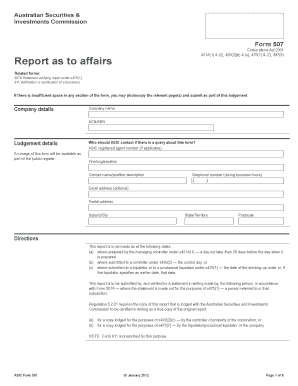
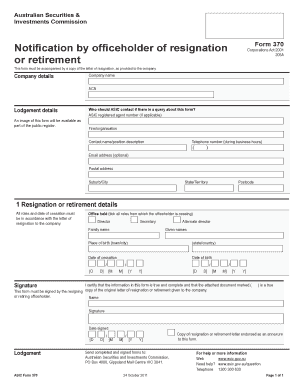
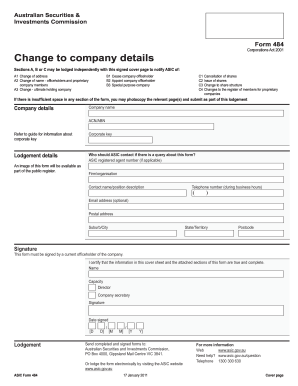
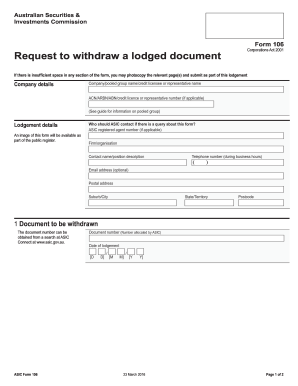
Related Forms

Get the latest insights from our blog



If you believe that this page should be taken down, please follow our DMCA take down process
here
.
This form may include fields for payment information. Data entered in these fields is not covered by PCI DSS compliance.