
Last updated on
Oct 20, 2026

Get the free TE3 Order for Recovery of Unpaid Penalty Charge
We are not affiliated with any brand or entity on this form

Fill out
Complete the form online in a simple drag-and-drop editor.

eSign
Add your legally binding signature or send the form for signing.

Share
Share the form via a link, letting anyone fill it out from any device.

Export
Download, print, email, or move the form to your cloud storage.
Why pdfFiller is the best tool for your documents and forms


End-to-end document management
From editing and signing to collaboration and tracking, pdfFiller has everything you need to get your documents done quickly and efficiently.
Accessible from anywhere
pdfFiller is fully cloud-based. This means you can edit, sign, and share documents from anywhere using your computer, smartphone, or tablet.
Secure and compliant
pdfFiller lets you securely manage documents following global laws like ESIGN, CCPA, and GDPR. It's also HIPAA and SOC 2 compliant.
What is TE3 Penalty Charge
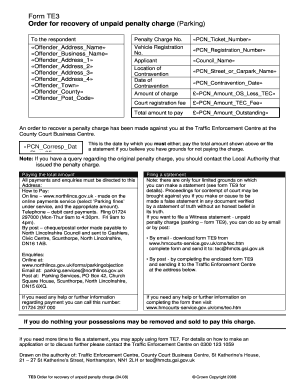
The TE3 Order for Recovery of Unpaid Penalty Charge is a legal notice used by authorities to recover unpaid penalty charges from registered vehicle owners.
pdfFiller scores top ratings on review platforms




Who needs TE3 Penalty Charge?
Explore how professionals across industries use pdfFiller.

TE3 Penalty Charge is needed by:
-
Vehicle owners facing unpaid penalty charges
-
Representatives of local authorities enforcing traffic regulations
-
Legal advisors assisting clients with traffic violations
-
Individuals disputing penalty charges under TE13 or PE3 forms
-
Administrators at Northampton County Court managing enforcement actions
Comprehensive Guide to TE3 Penalty Charge
1. What is the TE3 Order for Recovery of Unpaid Penalty Charge?
The TE3 form functions as a legal notice for recovering unpaid penalty charges. Its primary role is to facilitate the enforcement of traffic violations through the Northampton County Court, ensuring that unpaid fines are addressed appropriately.
-
The TE3 form acts as an official notification to individuals regarding the outstanding penalty charge.
-
Issued by the Traffic Enforcement Centre, it outlines the necessary steps the respondent can take.
2. Purpose and Benefits of the TE3 Order for Recovery of Unpaid Penalty Charge
The TE3 form is crucial as it streamlines the process of collecting unpaid fines imposed due to traffic violations. Not only does it serve as a structured approach for recovery, but it also offers respondents valuable options.
-
The form enables parties to contest their charges if they believe there are valid reasons not to pay.
-
It establishes a clear protocol for remedying unpaid penalties while emphasizing the necessity of compliance.
3. Who Needs to Use the TE3 Order for Recovery of Unpaid Penalty Charge?
The TE3 form is primarily intended for individuals or entities facing unpaid penalty charges. It is essential for those who have received a penalty charge notice due to a traffic violation.
-
Parties responsible for the charges, such as drivers or vehicle owners, should consider using the TE3 form.
-
Those actively engaged in traffic disputes have a direct interest in this form.
4. Eligibility Criteria for the TE3 Order for Recovery of Unpaid Penalty Charge
To successfully file the TE3 form, respondents must meet specific eligibility criteria based on the nature of their penalty charge. Understanding these criteria helps to ensure the process does not encounter unnecessary delays.
-
Respondents must evaluate whether their circumstances align with the conditions laid out for the TE3.
-
If individuals have grounds for contesting the charge, they may consider filing a TE13 or PE3 form instead.
5. How to Fill Out the TE3 Order for Recovery of Unpaid Penalty Charge Online (Step-by-Step)
Completing the TE3 form online requires adherence to specific guidelines to avoid errors. Follow these detailed instructions to ensure accuracy.
-
Begin by entering the penalty charge number accurately.
-
Input the vehicle registration number in the designated field.
-
Fill in your name and address as the respondent.
-
Provide additional details, including the location and date of the contravention.
6. Common Errors and How to Avoid Them When Submitting the TE3 Order
Filing the TE3 form can come with pitfalls that might delay the processing of your submission. Identifying these common errors can prove beneficial.
-
Misidentifying details, such as incorrect vehicle registration or penalty charge numbers, can lead to rejection.
-
Incomplete sections may result in processing delays; ensuring each field is properly filled is crucial.
7. Submission Methods and Delivery for the TE3 Order for Recovery of Unpaid Penalty Charge
Once filled, the TE3 form requires proper submission through various methods. Knowing your options can streamline this process.
-
Online submission through approved platforms is often the most efficient option.
-
Confirming your submission through the appropriate channels is advisable to ensure it has been received.
8. Tracking Your Submission and What Happens After You Submit the TE3 Order
After submitting the TE3 form, it is essential to monitor its progress effectively. Familiarizing yourself with post-submission protocols can aid in understanding your next steps.
-
Utilize tracking options provided by the submission platform to keep up with your form's status.
-
Be aware of potential outcomes, including further actions required from you following your submission.
9. Security and Compliance for the TE3 Order for Recovery of Unpaid Penalty Charge
Handling sensitive documentation like the TE3 form necessitates strict adherence to security measures. Understanding these practices can provide peace of mind during the submission process.
-
Data protection protocols are in place to ensure the privacy of the respondents’ information.
-
Compliance standards are upheld throughout the handling of the TE3 form by platforms such as pdfFiller.
10. Experience Hassle-Free Filing with pdfFiller
Utilizing pdfFiller for completing your TE3 form offers a range of advantages. A cloud-based PDF editor simplifies the overall process, allowing for effortless management of your documents.
-
pdfFiller enables easy eSigning and the editing of documents to tackle any adjustments required.
-
Begin your journey toward secure and compliant document management with pdfFiller's tools.
How to fill out the TE3 Penalty Charge
-
1.To access the TE3 form, visit the pdfFiller website and search for 'TE3 Order for Recovery of Unpaid Penalty Charge'.
-
2.Once you locate the form, open it within the pdfFiller interface to enable editing features.
-
3.Before you start filling out the form, gather all necessary information, such as your penalty charge number, vehicle registration number, and other related details.
-
4.Navigate to the fillable fields on the form, including 'Name of respondent', 'Address', 'Penalty charge number (PCN)', 'Vehicle registration number', and 'Date of contravention'.
-
5.Enter the required information in each field clearly and accurately, ensuring that all data corresponds to the details of the penalty charge.
-
6.Take a moment to review the filled-out form for any errors or missing information to ensure its completeness.
-
7.Once you are satisfied with your entries, use pdfFiller's options to save your form, download it in your preferred format, or submit directly through their platform.

Who is eligible to complete the TE3 form?
The TE3 form can be completed by vehicle owners who have received a penalty charge notice and are required to either pay the charge or dispute it.
What is the deadline for submitting the TE3 form?
While specific deadlines can vary, generally the TE3 form must be completed and submitted by the date specified in the penalty notice to avoid additional penalties.
How should I submit the completed TE3 form?
The completed TE3 form can be submitted electronically through platforms like pdfFiller or printed and sent directly to the Traffic Enforcement Centre at Northampton County Court.
Are there any required supporting documents for the TE3 form?
Typically, supporting documents may include the original penalty charge notice and any evidence related to your case. Check your notice for specific requirements.
What are common mistakes to avoid when filling out the TE3 form?
Common mistakes include entering incorrect information, failing to complete all required fields, and missing the submission deadline. Double-check your entries before submitting.
How long does it take to process the TE3 form after submission?
Processing times can vary, but you should generally expect a response from the Traffic Enforcement Centre within a few weeks of submitting the TE3 form.
What should I do if I want to dispute the penalty charge?
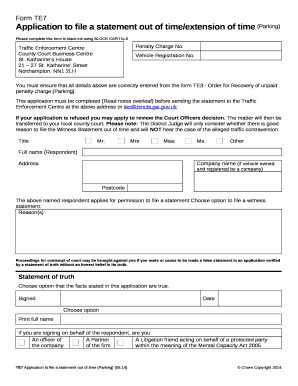
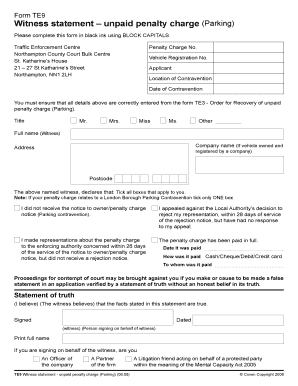
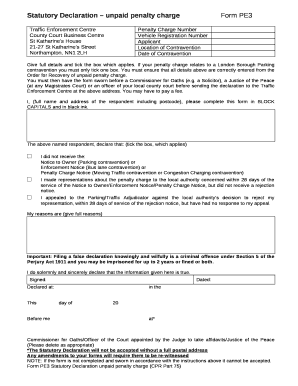
If you wish to dispute the penalty charge, you should file a statement using forms TE13 or PE3 as outlined in the instructions on the TE3 form, providing valid grounds for your dispute.
Related Forms




Get the latest insights from our blog


If you believe that this page should be taken down, please follow our DMCA take down process
here
.
This form may include fields for payment information. Data entered in these fields is not covered by PCI DSS compliance.