
Last updated on
Oct 20, 2026

Get the free COVID-19 Patient Screening Form
We are not affiliated with any brand or entity on this form

Fill out
Complete the form online in a simple drag-and-drop editor.

eSign
Add your legally binding signature or send the form for signing.

Share
Share the form via a link, letting anyone fill it out from any device.

Export
Download, print, email, or move the form to your cloud storage.
Why pdfFiller is the best tool for your documents and forms


End-to-end document management
From editing and signing to collaboration and tracking, pdfFiller has everything you need to get your documents done quickly and efficiently.
Accessible from anywhere
pdfFiller is fully cloud-based. This means you can edit, sign, and share documents from anywhere using your computer, smartphone, or tablet.
Secure and compliant
pdfFiller lets you securely manage documents following global laws like ESIGN, CCPA, and GDPR. It's also HIPAA and SOC 2 compliant.
What is COVID-19 Screening
The COVID-19 Patient Screening Form is a medical consent document used by healthcare facilities to assess patients' COVID-19 status before entry.
pdfFiller scores top ratings on review platforms




Who needs COVID-19 Screening?
Explore how professionals across industries use pdfFiller.

COVID-19 Screening is needed by:
-
Patients seeking to enter healthcare facilities
-
Healthcare providers conducting screenings
-
Administrative staff managing patient records
-
Public health officials monitoring COVID-19 data
-
Insurance companies requiring proof of screening
Comprehensive Guide to COVID-19 Screening
What is the COVID-19 Patient Screening Form?
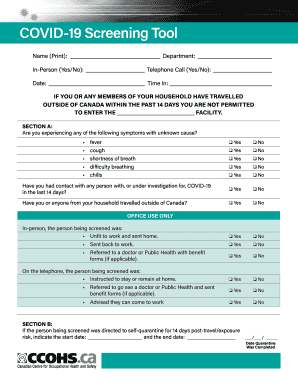
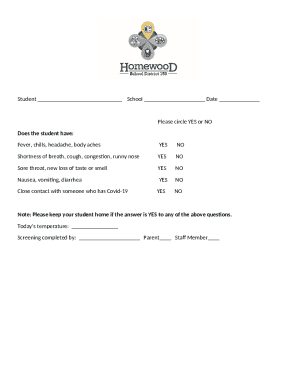
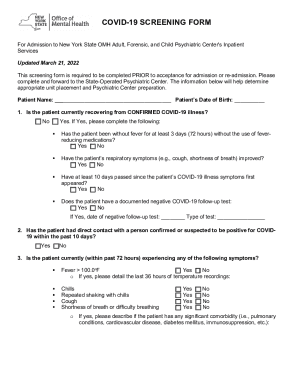
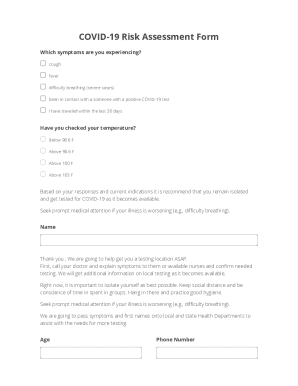
The COVID-19 Patient Screening Form is a vital tool used in healthcare settings to assess a patient's COVID-19 status prior to entry. This form collects essential information about symptoms, vaccination status, and recent exposure to the virus, helping healthcare providers to ensure the safety of both patients and staff. By utilizing this COVID-19 screening form, facilities can effectively manage healthcare entry protocols.
Purpose and Benefits of the COVID-19 Patient Screening Form
The primary purpose of the COVID-19 Patient Screening Form is to assess the risk of COVID-19 transmission in healthcare environments. This is crucial to maintaining safety and health standards in such facilities. Benefits for patients include a streamlined entry process that adheres to health guidelines, alleviating wait times and ensuring compliance with necessary safety measures.
Key Features of the COVID-19 Patient Screening Form
The COVID-19 Patient Screening Form is designed with user-friendliness in mind. Key features include:
-
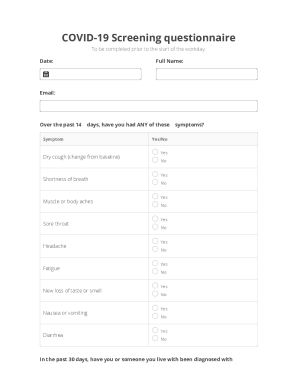
A symptoms checklist that enables quick identification of potential COVID-19 indicators.
-
Request for vaccination proof to simplify verification and entry processes.
-
Checklists and input fields that allow for straightforward completion for users at any tech level.
Who Needs the COVID-19 Patient Screening Form?
This form is essential for a range of individuals including patients visiting healthcare facilities and employees entering the workplace. Situations that necessitate completing the form include routine check-ups, surgical procedures, and any visits where COVID-19 exposure could be a concern, ensuring that everyone involved is screened effectively.
How to Fill Out the COVID-19 Patient Screening Form Online (Step-by-Step)
Completing the COVID-19 Patient Screening Form online is a straightforward process. Here’s a step-by-step guide to assist you:
-
Access the online form through the designated platform.
-
Review the fields carefully to understand what information is needed.
-
Gather necessary details such as recent COVID-19 test results and vaccination records beforehand.
-
Input your information in the required fields, checking each entry for accuracy.
-
Sign and date the form electronically upon completion.
Common Errors and How to Avoid Them
When completing the COVID-19 Patient Screening Form, some common errors may occur. To ensure that your form is accurately filled out, be mindful of the following issues:
-
Leaving checkboxes unchecked, which may result in incomplete evaluations.
-
Not providing required signatures, leading to invalid submissions.
-
Forgetting to double-check inputted information for accuracy.
Submission Methods for the COVID-19 Patient Screening Form
Once completed, the COVID-19 Patient Screening Form can be submitted in various ways. Each method has its advantages:
-
Digital submission through platforms like pdfFiller for convenience and immediacy.
-
In-person submission at the healthcare facility.
-
Sending via fax if electronic methods are not available.
Security and Compliance for the COVID-19 Patient Screening Form
Ensuring the security of the COVID-19 Patient Screening Form is paramount. Platforms like pdfFiller comply with regulations such as HIPAA and GDPR, protecting sensitive information throughout the form completion and submission processes. Users can trust that their data is handled with the utmost care and privacy.
Why Choose pdfFiller for Your COVID-19 Patient Screening Form Needs?
pdfFiller offers numerous advantages for completing the COVID-19 Patient Screening Form. Among its key capabilities are:
-
Ease of use, allowing users to complete forms quickly and efficiently.
-
eSigning and editing features that enhance document accuracy and relevance.
-
Integration within a comprehensive suite that saves time and streamlines workflows.
Get Started with Your COVID-19 Patient Screening Form Today!
Begin your journey towards smoother healthcare entry by utilizing the COVID-19 Patient Screening Form online with pdfFiller. The platform’s user-friendly features simplify the process, helping ensure that your form is completed accurately and efficiently, thereby enhancing your overall healthcare experience.
How to fill out the COVID-19 Screening
-
1.To access the COVID-19 Patient Screening Form on pdfFiller, visit the pdfFiller website and use the search function to locate the form by its name.
-
2.Once you find the form, click on it to open and start editing within the pdfFiller interface. The form can be filled out electronically.
-
3.Before starting, gather essential information such as your recent symptoms, vaccination details, and any contact history with infected individuals.
-
4.Navigate through the form by clicking on fields that require input. Use the tab key to move from one field to the next efficiently.
-
5.Answer all questions accurately, selecting options where applicable and entering information in the required text boxes.
-
6.Review the filled form thoroughly to ensure all information is correct, including signatures and dates where necessary.
-
7.Once everything is completed, save your progress regularly using the save button. You can also download a copy or submit it directly through the platform.
-
8.To finalize, select the download option for a copy of the filled form for your records or submit electronically if required by the provider.

Who is eligible to fill out the COVID-19 Patient Screening Form?
Any patient wishing to enter a healthcare facility during the COVID-19 pandemic is eligible to complete this form. It is crucial for assessing the patient's current health status and potential exposure.
Is there a deadline for submitting the COVID-19 Patient Screening Form?
While there is no universal deadline, it is advisable to complete and submit the form immediately prior to your appointment or upon arrival at the facility to ensure safety protocol compliance.
What information do I need to provide with the COVID-19 Patient Screening Form?
You will need to provide personal health information, symptoms experienced, vaccination status, contact history with positive cases, and recent COVID-19 test results as applicable.
How do I submit the COVID-19 Patient Screening Form?
The form can be submitted electronically through pdfFiller if the healthcare facility allows it. Alternatively, you can print it and submit it in person at the healthcare facility.
What mistakes should I avoid when filling out the COVID-19 Patient Screening Form?
Ensure all fields are completed accurately, especially on symptoms and vaccination status. Double-check spelling and dates to avoid any processing delays or misunderstandings.
How long does it take to process the COVID-19 Patient Screening Form?
Processing time for this form can vary based on the healthcare facility's procedures. Typically, forms are evaluated immediately upon submission during screenings.
What should I do if I forgot to bring my proof of vaccination or test result?
If you forget your proof of vaccination or negative test result, inform the healthcare facility staff immediately. They may offer alternatives or reschedule your appointment.
Related Forms



Get the latest insights from our blog


If you believe that this page should be taken down, please follow our DMCA take down process
here
.
This form may include fields for payment information. Data entered in these fields is not covered by PCI DSS compliance.