
Last updated on
Oct 22, 2026

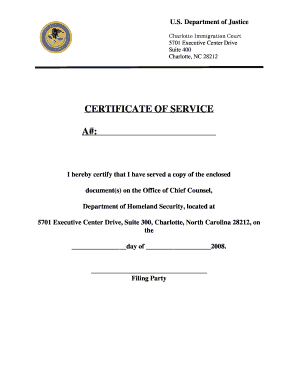
Get the free Certification of Signature
We are not affiliated with any brand or entity on this form

Fill out
Complete the form online in a simple drag-and-drop editor.

eSign
Add your legally binding signature or send the form for signing.

Share
Share the form via a link, letting anyone fill it out from any device.

Export
Download, print, email, or move the form to your cloud storage.
Why pdfFiller is the best tool for your documents and forms


End-to-end document management
From editing and signing to collaboration and tracking, pdfFiller has everything you need to get your documents done quickly and efficiently.
Accessible from anywhere
pdfFiller is fully cloud-based. This means you can edit, sign, and share documents from anywhere using your computer, smartphone, or tablet.
Secure and compliant
pdfFiller lets you securely manage documents following global laws like ESIGN, CCPA, and GDPR. It's also HIPAA and SOC 2 compliant.
What is Signature Certification
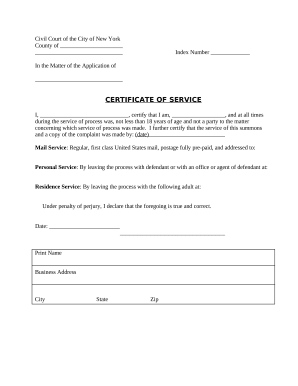
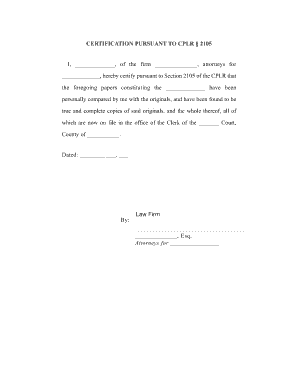
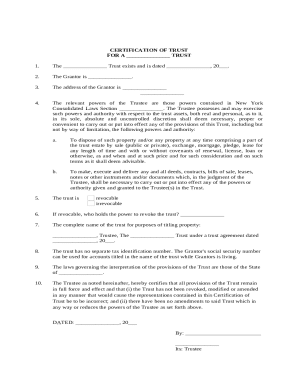
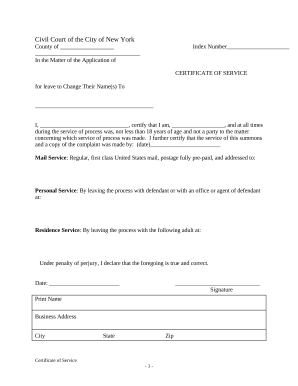
The Certification of Signature is a legal document used by counsels in New York to certify the authenticity of their signature on e-filed documents.
pdfFiller scores top ratings on review platforms




Who needs Signature Certification?
Explore how professionals across industries use pdfFiller.

Signature Certification is needed by:
-
Counsels submitting documents in New York courts
-
Legal assistants processing court filings
-
Law firms handling e-filing requirements
-
Individuals involved in legal proceedings requiring signature certification
-
Court personnel validating legal documents
Comprehensive Guide to Signature Certification
What is the Certification of Signature?
The Certification of Signature is a legal document crucial for New York's e-filing process. It serves to verify a counsel's signature on legal documents submitted electronically, ensuring the authenticity and integrity of the filing. This certification plays a vital role in upholding the standards required by the New York court system.
This form is essential for any legal practitioner who needs to confirm their identity and the legitimacy of their submissions in court, thereby streamlining the process of legal documentation.
Purpose and Benefits of the Certification of Signature
The Certification of Signature holds significant importance in legal proceedings as it helps to ensure the authenticity of documents filed with the court. By requiring a formal certification, the integrity of the judicial process is maintained, preventing fraudulent activities that could undermine the legal system.
Utilizing this certification offers several advantages, allowing counsel to provide a formal declaration that supports their submissions while also protecting the interests of their clients.
Who Needs the Certification of Signature?
This form is primarily intended for counsel involved in legal proceedings. In New York, “counsel” typically refers to licensed attorneys who represent clients in various legal matters.
-
Counsel must complete this form to authenticate their signature on e-filed documents.
-
Situations requiring this certification often include the filing of legal notices, motions, or petitions.
Key Features of the Certification of Signature
The Certification of Signature includes several essential fields that must be completed for valid submission. These fields ensure that all necessary information is captured to verify the counsel's identity and contact details.
-
Signature of the counsel
-
Name of the law firm
-
Printed or typed name
-
Address, phone number, and email address
Proper structure and format are crucial; users must follow instructions closely to complete the form accurately.
How to Fill Out the Certification of Signature Online (Step-by-Step)
Filling out the Certification of Signature electronically is straightforward. Here’s a detailed guide to assist you:
-
Access pdfFiller and open the Certification of Signature form.
-
Enter your details in the required fields, including your signature.
-
Review all information for accuracy and completeness.
-
Save your completed form and prepare it for submission.
Make sure to double-check each entry to avoid errors that could complicate your filing.
Digital vs. Wet Signature Requirements
In New York, counsel can use either digital signatures or traditional wet signatures on the Certification of Signature. Digital signatures are increasingly accepted, but it's essential to understand the differences between the two.
Digital signatures are secure and convenient for electronic filings, while wet signatures may still be required in certain traditional or formal contexts. Familiarizing yourself with both options and their legal implications is vital for compliance.
Submission Methods and Where to File the Certification of Signature
Once the Certification of Signature is completed, there are various methods available for submission:
-
E-filing through the New York court system’s electronic filing portal
-
Mailing a hard copy to the appropriate court
It is crucial to address the submission correctly and follow court guidelines for delivery to ensure your document is processed efficiently.
What Happens After You Submit the Certification of Signature?
After submitting the Certification of Signature, there are several possible outcomes. The form will be reviewed by court officials, and you will receive confirmation of your submission status.
Tracking the status of your submitted form can typically be done through the court’s online portal or by contacting the court directly.
Security and Compliance with the Certification of Signature
Using pdfFiller to handle your Certification of Signature ensures that sensitive information is well protected. The platform employs robust security measures including 256-bit encryption and is compliant with standards like SOC 2 Type II, HIPAA, and GDPR.
These security features address user concerns regarding privacy and data protection, allowing counsel to handle documents confidently.
Create Your Certification of Signature with pdfFiller
pdfFiller offers a user-friendly interface that simplifies the creation and management of the Certification of Signature. With tools for editing, signing, and saving, users can efficiently maintain their legal documents within a cloud-based platform.
This cloud solution enhances accessibility and organization, making document management easier for legal professionals.
How to fill out the Signature Certification
-
1.Access the Certification of Signature form on pdfFiller by searching for the form name or navigating through the legal forms category.
-
2.Open the form in the pdfFiller interface where you can view all necessary fields clearly presented.
-
3.Before starting to fill out the form, gather crucial information such as your signature, firm name, printed or typed name, address, phone number, and email address to streamline the process.
-
4.Start by clicking on the first blank field to input your information. Use pdfFiller’s text tools to ensure neatness and readability.
-
5.Make sure to provide your signature in the designated area to affirm the document's validity.
-
6.Continue filling in your firm name, along with your printed or typed name, ensuring accuracy in every detail.
-
7.Once all fields are completed, review the entire form for any missed sections or errors. Utilize pdfFiller’s proofreading tools to assist you.
-
8.Finalize the form by saving a copy to your device or directly submitting it through pdfFiller to the appropriate court or entity. Consider downloading a copy for your records.

What are the eligibility requirements for using the Certification of Signature form?
Counsels who are licensed to practice law in New York and who are certifying e-filed documents must use the Certification of Signature form. It is essential to have the necessary credentials before submitting any legal documents.
Are there specific deadlines associated with submitting this form?
Yes, deadlines depend on the individual court's requirements for e-filing. Ensure you are familiar with your court's schedule and e-filing deadlines to avoid any delays in your legal proceedings.
How do I submit the Certification of Signature form?
The form can be submitted electronically through the e-filing system of New York courts. Make sure to follow the submission guidelines provided by the court to ensure your document is accepted.
What supporting documents are required with this form?
Typically, no additional supporting documents are required when submitting the Certification of Signature form. However, other related filings may need to accompany it depending on the case context.
What common mistakes should I avoid when completing this form?
Common mistakes include failing to sign the form, leaving blank fields, or providing incorrect personal information. Always double-check your entries and ensure all required fields are filled before submission.
What is the processing time for the Certification of Signature form?
Processing times can vary but generally take a few business days. Check with the specific court for detailed timelines regarding their e-filing and processing procedures.
Are there any fees associated with this form?
Most electronic certifications like the Certification of Signature will have nominal fees; however, details can differ by court. Review the required fees for your specific filing before submission.





Get the latest insights from our blog


If you believe that this page should be taken down, please follow our DMCA take down process
here
.
This form may include fields for payment information. Data entered in these fields is not covered by PCI DSS compliance.