
Last updated on
Oct 22, 2026

Get the free Department of the Navy Local Population ID Card Registration
We are not affiliated with any brand or entity on this form

Fill out
Complete the form online in a simple drag-and-drop editor.

eSign
Add your legally binding signature or send the form for signing.

Share
Share the form via a link, letting anyone fill it out from any device.

Export
Download, print, email, or move the form to your cloud storage.
Why pdfFiller is the best tool for your documents and forms


End-to-end document management
From editing and signing to collaboration and tracking, pdfFiller has everything you need to get your documents done quickly and efficiently.
Accessible from anywhere
pdfFiller is fully cloud-based. This means you can edit, sign, and share documents from anywhere using your computer, smartphone, or tablet.
Secure and compliant
pdfFiller lets you securely manage documents following global laws like ESIGN, CCPA, and GDPR. It's also HIPAA and SOC 2 compliant.
What is Navy ID Card
The Department of the Navy Local Population ID Card Registration is a government form used by individuals to control physical access to Department of Defense installations, providing necessary identification and employment details.
pdfFiller scores top ratings on review platforms




Who needs Navy ID Card?
Explore how professionals across industries use pdfFiller.

Navy ID Card is needed by:
-
Military personnel requiring base access
-
Civilian contractors working with the Department of Defense
-
Employees of the U.S. Navy and Marine Corps
-
Family members of service members
-
Visitors needing temporary access to military installations
Comprehensive Guide to Navy ID Card
What is the Department of the Navy Local Population ID Card Registration?
The Department of the Navy Local Population ID Card Registration is a crucial process that facilitates access control to various Department of Defense (DoD) and Navy installations. This registration is essential for individuals seeking entry for employment or personal reasons, providing a means to monitor who is allowed on these secure properties.
The registration acts as a gateway for controlled access, ensuring security within military environments. For applicants, obtaining this ID card can simplify entry procedures and provide necessary identification for various activities on installations.
Purpose and Benefits of the Department of the Navy Local Population ID Card Registration
The purpose of registering for the Department of the Navy Local Population ID Card is to enhance security through effective access control systems. This process offers numerous benefits, both for applicants and the Department of Navy.
-
Improved security features streamline the badge issuance and replacement process.
-
Enhanced monitoring of personnel entry and exit helps maintain safety and compliance.
-
Facilitates quicker access during routine activities for authorized individuals.
Eligibility Criteria for the Navy Local Population ID Card Registration
To apply for the Navy Local Population ID Card, applicants must meet specific eligibility criteria. These prerequisites ensure that only authorized individuals can gain access to military installations.
-
Applicants must provide proof of identity and employment.
-
A security clearance or background check may be required depending on the applicant's role.
-
Eligibility distinctions exist for civilians, contractors, and active military personnel.
Required Documents and Supporting Materials
Completing the Department of the Navy Local Population ID Card Registration requires specific documentation. Applicants should prepare the necessary materials to expedite the application process.
-
Proof of identity, such as a government-issued ID.
-
Employment verification documents to confirm current employment status.
-
Any additional forms that may support the application, enhancing its completeness.
How to Fill Out the Department of the Navy Local Population ID Card Registration Online
Filling out the Department of the Navy Local Population ID Card Registration online involves several steps to ensure accuracy and compliance. Follow these detailed instructions during the process.
-
Access the online registration form and enter all required information.
-
Use clear, printed text or type your responses.
-
Review the form for common errors before submitting it.
Submission Methods for the Department of the Navy ID Card Registration
After completing the registration form, understanding how to submit it is essential. There are various ways to submit the application, each with specific instructions.
-
Online submission through the designated portal.
-
In-person submission at the designated military installation.
-
Mailing the completed form to the appropriate office, being mindful of deadlines.
Common Errors and How to Avoid Them
Many applicants encounter errors during the ID card registration process. Recognizing and avoiding these common pitfalls can streamline application processing.
-
Incomplete information can lead to application rejection; ensure all fields are filled correctly.
-
Failure to attach necessary supporting documentation can delay the process.
-
Review the form thoroughly for accuracy to increase the chances of approval.
The Role of pdfFiller in Completing the Department of the Navy Local Population ID Card Registration
pdfFiller is an innovative tool that simplifies the completion of the Department of the Navy Local Population ID Card Registration. With its user-friendly features, pdfFiller enhances the form-filling experience.
-
Allows easy editing of form fields as required.
-
Supports eSigning for quick approval processes.
-
Ensures document security and compliance with regulations.
What Happens After You Submit the Department of the Navy ID Card Registration?
Understanding the post-submission process is vital for applicants. After submitting the registration form, specific steps follow regarding application status and potential issues.
-
Typically, applicants will receive a status update within a defined timeline.
-
If corrections are needed, follow provided instructions for proper updates.
-
Use available resources to track the progress of your ID card application.
Sample of a Completed Department of the Navy Local Population ID Card Registration
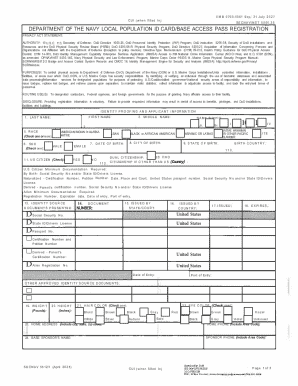
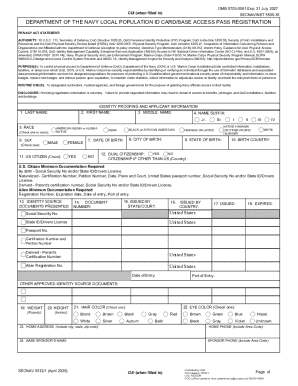
Providing a visual aid can be beneficial to applicants. A filled-out sample form illustrates what a completed registration should look like.
-
The example highlights critical sections to pay attention to during completion.
-
Annotations guide users on common areas of focus for accurate entries.
-
Understanding the significance of each entry in the context of the application enhances accuracy.
How to fill out the Navy ID Card
-
1.To begin, access pdfFiller and log in or create an account if you haven't done so already.
-
2.Search for 'Department of the Navy Local Population ID Card Registration' in the templates to find the form.
-
3.Click on the form to open it in the pdfFiller editor interface.
-
4.Review each section carefully and gather necessary personal and employment information before filling out the form.
-
5.Complete fillable fields by clicking on them; use the typing tool or fill in your details in black ink.
-
6.Check if you need to upload identification or proof of employment, as these documents may be required.
-
7.Once all fields have been filled out, review the information for accuracy to avoid mistakes.
-
8.Use the preview option to view how the completed form looks, and make any necessary adjustments.
-
9.After finalizing the form, you can choose to save, download, or submit it directly through pdfFiller.
-
10.If submitting electronically, ensure that you follow the submission method outlined for your specific installation.

Who is eligible to complete the Local Population ID Card Registration form?
Eligibility typically includes military personnel, civilian contractors, and family members of service members who require access to Department of Defense installations. Ensure you meet the specific requirements outlined by your installation.
What documents are required to complete the form?
You will need to provide identification proof, employment details, and any other supporting documents specified on the form. Be sure to have these ready to streamline the filling process.
How do I submit the filled form?
Once the form is fully completed on pdfFiller, you can either download a copy to print and submit in person or submit it electronically, if allowed, as per your installation's submission guidelines.
Are there any deadlines for submitting the ID Card Registration?
Deadlines may vary based on the specific installation and the type of access needed. It's best to submit your application as soon as possible to avoid any delays.
What are common mistakes to avoid when filling out this form?
Common mistakes include incomplete fields, incorrect personal information, and failure to provide required documents. Always double-check your entries and ensure all sections are filled correctly.
How long does it take to process the ID Card Registration form?
Processing times can vary based on location and demand. Generally, allow several days for processing, and check with the installation for specific time frames.
Is notarization required for this form?
This specific form does not require notarization; however, make sure to verify with your installation as requirements can change.
Related Forms





Get the latest insights from our blog


If you believe that this page should be taken down, please follow our DMCA take down process
here
.
This form may include fields for payment information. Data entered in these fields is not covered by PCI DSS compliance.