
Last updated on
Oct 22, 2026

Get the free Equal Employment Opportunity Compliance Notice
We are not affiliated with any brand or entity on this form

Fill out
Complete the form online in a simple drag-and-drop editor.

eSign
Add your legally binding signature or send the form for signing.

Share
Share the form via a link, letting anyone fill it out from any device.

Export
Download, print, email, or move the form to your cloud storage.
Why pdfFiller is the best tool for your documents and forms


End-to-end document management
From editing and signing to collaboration and tracking, pdfFiller has everything you need to get your documents done quickly and efficiently.
Accessible from anywhere
pdfFiller is fully cloud-based. This means you can edit, sign, and share documents from anywhere using your computer, smartphone, or tablet.
Secure and compliant
pdfFiller lets you securely manage documents following global laws like ESIGN, CCPA, and GDPR. It's also HIPAA and SOC 2 compliant.
What is EEO Compliance Notice
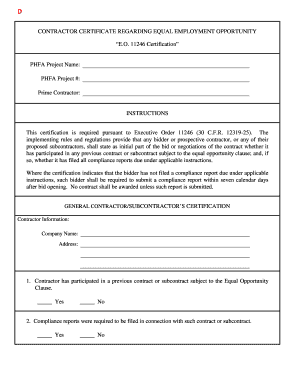
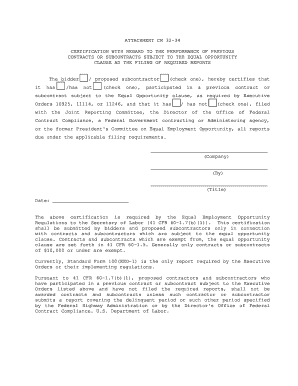
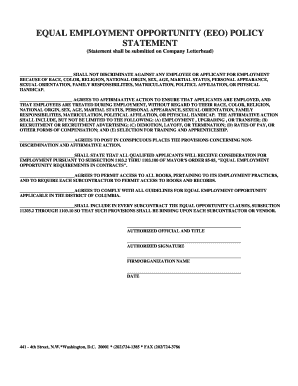
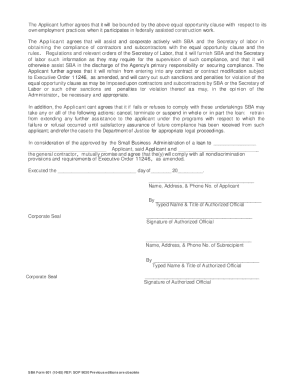
The Equal Employment Opportunity Compliance Notice is a legal document used by contractors in the District of Columbia to certify compliance with non-discrimination and equal employment opportunity practices.
pdfFiller scores top ratings on review platforms




Who needs EEO Compliance Notice?
Explore how professionals across industries use pdfFiller.

EEO Compliance Notice is needed by:
-
Contractors operating in the District of Columbia
-
Business owners seeking compliance with local regulations
-
Human resources professionals managing diversity initiatives
-
Legal advisors assisting clients with compliance documentation
-
Government entities requiring compliance from contractors
-
Individuals involved in contract negotiations
-
Organizations focused on promoting workplace equality
Comprehensive Guide to EEO Compliance Notice
What is the Equal Employment Opportunity Compliance Notice?
The Equal Employment Opportunity Compliance Notice is a legal document required for contractors in the District of Columbia. This compliance notice is closely tied to Mayor's Order 85-85 and the D.C. Human Rights Act, underscoring its significance in promoting fair employment practices. It demonstrates a contractor's commitment to non-discrimination and establishes affirmative action policies to ensure equal employment opportunities.
Purpose and Benefits of the Equal Employment Opportunity Compliance Notice
This form serves a crucial purpose by certifying compliance among contractors. It is vital for maintaining non-discrimination in the workplace and aligns with the affirmative action policy. By adhering to the requirements outlined in the Equal Employment Opportunity Compliance Notice, businesses can enjoy several advantages such as enhanced reputation, improved workplace culture, and potentially greater contract eligibility.
-
Ensures legal compliance
-
Promotes a diverse workforce
-
Facilitates access to government contracts
Who Needs the Equal Employment Opportunity Compliance Notice?
All contractors and specific businesses within the District of Columbia must utilize the Equal Employment Opportunity Compliance Notice. This includes various industry sectors that face heightened scrutiny regarding employment practices. Only authorized officials are permitted to sign the document, ensuring accountability and compliance.
How to Fill Out the Equal Employment Opportunity Compliance Notice Online
Completing the Equal Employment Opportunity Compliance Notice online is a straightforward process. To fill out the form using pdfFiller, follow these steps:
-
Access the compliance notice template.
-
Enter the contractor’s name and contract number.
-
Check compliance status and ensure all required fields are complete.
Engaging with this digital platform simplifies the process of completing essential business legal forms, enhancing efficiency.
Field-by-Field Instructions for the Compliance Notice
Understanding each section of the Equal Employment Opportunity Compliance Notice is vital for successful completion. Key fields include contractor names, titles, and signatures. Additionally, the document features checkboxes to indicate compliance status, which are crucial for ensuring the accuracy of submitted information.
-
Names and titles must match official records.
-
Ensure all signatures are from authorized officials.
Submission Methods and Delivery of the Equal Employment Opportunity Compliance Notice
Submitting the completed Equal Employment Opportunity Compliance Notice can be done through several methods. Contractors can opt for online submission to expedite processing or submit via mail for traditional processing. Timing considerations are critical, as delays in filing may result in penalties or missed opportunities.
Common Errors in Filing the Equal Employment Opportunity Compliance Notice
When filling out the Equal Employment Opportunity Compliance Notice, certain common pitfalls should be avoided. Frequent errors include missing signatures, incorrect contract numbers, and incomplete sections. To prevent these issues, make it a habit to double-check entries before submission and review compliance requirements thoroughly.
How pdfFiller Assists with the Equal Employment Opportunity Compliance Notice
pdfFiller offers a range of tools specifically designed to facilitate the completion of the Equal Employment Opportunity Compliance Notice. Users can benefit from features that allow for filling, editing, and digitally signing the form. The platform emphasizes strong security measures, ensuring that sensitive information is protected during processing.
Next Steps After Submission of the Compliance Notice
Once the Equal Employment Opportunity Compliance Notice is submitted, it's important to understand the next steps. Confirmation of receipt and tracking submission status should be prioritized. Additionally, contractors may need to prepare for follow-up inspections or address any discrepancies in the information submitted if required.
Ensuring Security and Compliance with the Equal Employment Opportunity Compliance Notice
Proper handling of the Equal Employment Opportunity Compliance Notice is paramount, particularly regarding data security. Businesses should be aware of local regulations surrounding record retention and compliance. Best practices for managing submitted documents include using secure storage solutions and ensuring that access is limited to authorized personnel.
How to fill out the EEO Compliance Notice
-
1.Access pdfFiller and use the search feature to locate the Equal Employment Opportunity Compliance Notice form.
-
2.Once located, click on the form to open it in the pdfFiller interface.
-
3.Familiarize yourself with the provided fields for entering relevant information such as your name, title, and contact information.
-
4.Before filling out the form, gather necessary information including your contract number and any applicable compliance details.
-
5.Begin filling out the form by entering your information into each designated field. Make sure to read instructions for each section carefully.
-
6.Use checkboxes to indicate your compliance status with the relevant regulations outlined in the form.
-
7.After entering all required information, review the form thoroughly to ensure all fields are completed accurately, including any required signatures.
-
8.Once you are satisfied with the entered information, finalize the form by clicking the 'Finish' or 'Submit' button within pdfFiller.
-
9.Choose your preferred action for the completed form: save a PDF copy, download it to your device, or directly submit it according to required procedures.

Who needs to complete the Equal Employment Opportunity Compliance Notice?
Any contractor operating within the District of Columbia and required to certify compliance with Mayor's Order 85-85, the D.C. Human Rights Act, or similar regulations must complete this form.
What is the deadline for submitting this compliance notice?
While specific deadlines may depend on the context of the contract, it is recommended to submit the Equal Employment Opportunity Compliance Notice as soon as the contract is finalized and before work begins.
How do I submit the completed form?
You can submit the completed Equal Employment Opportunity Compliance Notice through pdfFiller by selecting the submit option, or you may need to send it directly to the relevant government agency or client, as specified in the contract.
Are there any supporting documents required with this form?
Typically, you may be asked to submit additional documentation that supports your compliance claim, such as evidence of your non-discrimination policies or affirmative action plans.
What common mistakes should I avoid when filling out this form?
Ensure that all required signatures and dates are completed. Double-check for any missing information and avoid using unclear abbreviations that may confuse the reviewing authority.
How long does it take to process the form after submission?
Processing times can vary depending on the reviewing body. Generally, it's advisable to follow up after a few weeks to check on the status of your submitted compliance notice.
Can I make changes to the form after it's been submitted?
If changes are necessary after submission, contact the receiving agency to inquire about amendments, as procedures may vary depending on the organization's policies.
Related Forms



Get the latest insights from our blog


If you believe that this page should be taken down, please follow our DMCA take down process
here
.
This form may include fields for payment information. Data entered in these fields is not covered by PCI DSS compliance.