
Last updated on
Oct 22, 2026

Get the free Westfield State University Student Health Form
We are not affiliated with any brand or entity on this form

Fill out
Complete the form online in a simple drag-and-drop editor.

eSign
Add your legally binding signature or send the form for signing.

Share
Share the form via a link, letting anyone fill it out from any device.

Export
Download, print, email, or move the form to your cloud storage.
Why pdfFiller is the best tool for your documents and forms


End-to-end document management
From editing and signing to collaboration and tracking, pdfFiller has everything you need to get your documents done quickly and efficiently.
Accessible from anywhere
pdfFiller is fully cloud-based. This means you can edit, sign, and share documents from anywhere using your computer, smartphone, or tablet.
Secure and compliant
pdfFiller lets you securely manage documents following global laws like ESIGN, CCPA, and GDPR. It's also HIPAA and SOC 2 compliant.
What is Student Health Form
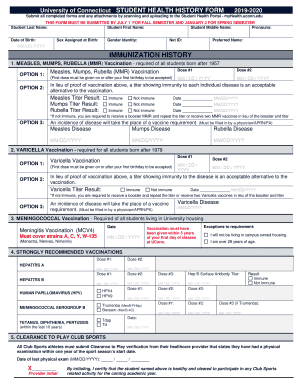
The Westfield State University Student Health Form is a medical consent document used by students to report their medical history and immunizations.
pdfFiller scores top ratings on review platforms




Who needs Student Health Form?
Explore how professionals across industries use pdfFiller.

Student Health Form is needed by:
-
Current students of Westfield State University who are required to submit health information.
-
Parents or legal guardians of students needing to provide consent for health information.
-
Healthcare providers filling out the physical examination sections of the form.
-
University administrative staff managing student health compliance.
-
Health insurance representatives needing medical history for coverage purposes.
Comprehensive Guide to Student Health Form
What is the Westfield State University Student Health Form?
The Westfield State University Student Health Form plays a vital role in supporting student health compliance. It is designed for students to report essential medical history, immunizations, and results from physical examinations. By ensuring that this form is completed, the university can adhere to health policies that safeguard the well-being of its community.
This form essentially serves as a student health form template, streamlining the process for collecting necessary health documentation. Completing it accurately is not just a formality but a crucial step in ensuring student safety and compliance with Massachusetts student health requirements.
Purpose and Benefits of the Westfield State University Student Health Form
Completing the Westfield State University Student Health Form provides several benefits for both students and the university. It facilitates effective management of student health and safety, which is crucial in today's educational environment.
Timely submission is particularly important; failure to submit the form by the June 1 deadline for the Fall semester or December 1 for the Spring semester may lead to account holds at the university. This makes understanding the form's purpose and adhering to submission timelines essential for all students.
Who Needs the Westfield State University Student Health Form?
Different individuals are required to complete the Westfield State University Student Health Form. The key participants include:
-
Students: Required to complete their personal details and medical history.
-
Parents or Legal Guardians: Must sign the form for minors or dependents.
-
Health Care Providers: Required to provide verification of physical examinations and immunizations.
Each role has specific responsibilities for form completion and signing, making collaboration important to ensure compliance with health protocols.
When to Submit the Westfield State University Student Health Form
Critical deadlines for submitting the Westfield State University Student Health Form are established to promote compliance. Students must ensure their forms are submitted by:
-
June 1 for the Fall semester
-
December 1 for the Spring semester
Late submission can have significant consequences, including account holds and potential penalties that may impact academic progress.
How to Fill Out the Westfield State University Student Health Form Online
Filling out the Westfield State University Student Health Form online is a straightforward process. To get started, access the form using pdfFiller's tools, and follow these steps:
-
Open the Westfield State University Student Health Form in pdfFiller.
-
Fill in your personal information as required.
-
Complete the medical history section, providing accurate details.
-
Ensure the health care provider completes the physical exam section.
Common errors can complicate the process, so taking care to provide precise information is essential for a smooth submission.
Digital Signature and Submission Methods for the Westfield State University Student Health Form
To submit the Westfield State University Student Health Form securely, you have multiple options. You can choose between a digital signature and a wet signature. Digital signatures are often more efficient and help expedite the process.
Acceptable submission methods include:
-
Online submission via pdfFiller
-
Email submission
-
In-person submission at designated university offices
Each method provides a secure way to ensure your form is processed correctly and promptly.
Security and Compliance for the Westfield State University Student Health Form
When handling the Westfield State University Student Health Form, your personal information remains protected through strong security measures. pdfFiller ensures compliance with regulations such as HIPAA and GDPR, which govern the handling of sensitive medical information.
Encryption protocols safeguard data during transmission, giving users confidence in the privacy protections surrounding their submissions. It's essential to handle all sensitive documents, including this health form, with care to maintain security and comply with record retention requirements.
What Happens After You Submit the Westfield State University Student Health Form?
Upon submission of the Westfield State University Student Health Form, a confirmation process typically occurs. Students can track their submissions to ensure everything is processed correctly.
If necessary, students can also check their submission status or amend the form for accuracy. This follow-up step ensures that students remain compliant with health policies and can address any potential issues proactively.
Get Started with pdfFiller to Easily Complete Your Westfield State University Student Health Form
Transitioning to pdfFiller for completing the Westfield State University Student Health Form brings convenience and efficiency. Its user-friendly interface allows for easy editing, signing, and submitting of documents.
Security features enhance the trustworthiness of the process, making it simple for users to fill out forms confidently. By embracing pdfFiller, students can streamline their experience and ensure compliance without the hassle.
How to fill out the Student Health Form
-
1.Access the Westfield State University Student Health Form via pdfFiller by entering the provided link or searching for it on the platform.
-
2.Open the form in your pdfFiller account. Make sure to save a copy of the document to your profile for easy access.
-
3.Navigate through the form by using the search function to jump to specific sections, such as medical history and immunizations.
-
4.Gather necessary information such as vaccinations records, previous medical history, and details of your healthcare provider before you begin filling out the form.
-
5.Fill in all required fields, including personal information and medical history. Use checkboxes for immunizations and provide detailed notes where necessary.
-
6.If there are signature areas, use pdfFiller’s signature feature to create and place your electronic signature in the relevant sections.
-
7.After completing all sections of the form, review each field for accuracy and completeness. Check for missing information or signatures.
-
8.Finalize your form by saving your changes. Use the download option if you need a copy for your records.
-
9.Submit the completed form via the submission method provided by Westfield State University, which may involve downloading and emailing it or submitting it through a university portal.

What are the deadlines for submitting the Westfield State University Student Health Form?
The form must be submitted by June 1st for Fall enrollment and December 1st for Spring enrollment to avoid holds on student accounts.
Who is required to sign the Student Health Form?
The form requires signatures from the student, a parent or legal guardian, and the healthcare provider who conducts the physical examination.
What happens if I miss the submission deadline for the health form?
Missing the submission deadline may result in a hold on your student account, which can affect course registration and access to university services.
Can I submit the form electronically?
Yes, the Westfield State University Student Health Form can be submitted electronically through the university's designated platform or via email, depending on the instructions provided.
What information is required on the form?
You will need to provide personal information, a detailed medical history, vaccination records, and a physical exam report from a healthcare provider.
Is the Student Health Form available in languages other than English?
Currently, the primary language for the Westfield State University Student Health Form is English, and non-English translations may not be available.
What should I do if I made a mistake on my submission?
If you notice an error after submission, contact the university’s health services department immediately to rectify the issue and follow their guidance.
Related Forms


Get the latest insights from our blog


If you believe that this page should be taken down, please follow our DMCA take down process
here
.
This form may include fields for payment information. Data entered in these fields is not covered by PCI DSS compliance.