
Last updated on
Oct 22, 2026

Get the free Motion to Dismiss / Nonsuit
We are not affiliated with any brand or entity on this form

Fill out
Complete the form online in a simple drag-and-drop editor.

eSign
Add your legally binding signature or send the form for signing.

Share
Share the form via a link, letting anyone fill it out from any device.

Export
Download, print, email, or move the form to your cloud storage.
Why pdfFiller is the best tool for your documents and forms


End-to-end document management
From editing and signing to collaboration and tracking, pdfFiller has everything you need to get your documents done quickly and efficiently.
Accessible from anywhere
pdfFiller is fully cloud-based. This means you can edit, sign, and share documents from anywhere using your computer, smartphone, or tablet.
Secure and compliant
pdfFiller lets you securely manage documents following global laws like ESIGN, CCPA, and GDPR. It's also HIPAA and SOC 2 compliant.
What is Dismissal Motion
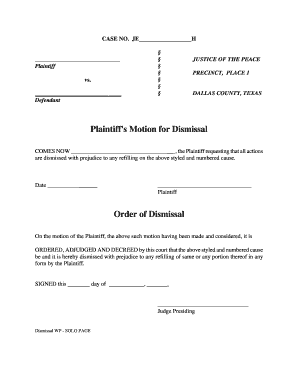
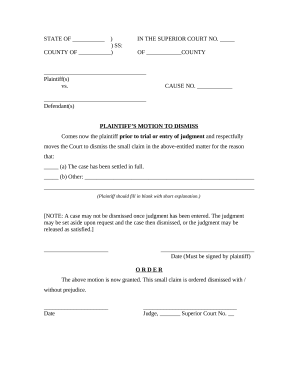
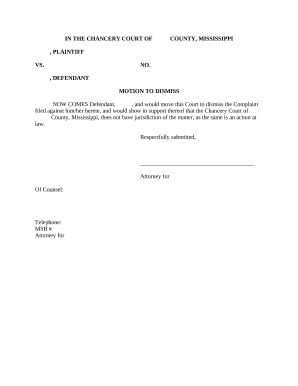
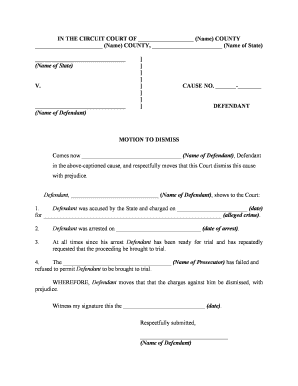
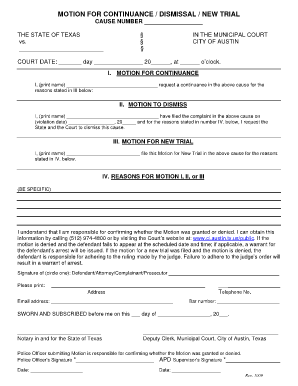
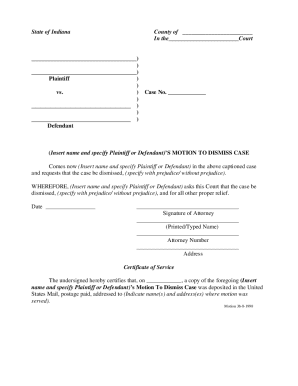
The Motion to Dismiss / Nonsuit is a legal document used by plaintiffs in Texas to request the dismissal of a case in court.
pdfFiller scores top ratings on review platforms




Who needs Dismissal Motion?
Explore how professionals across industries use pdfFiller.

Dismissal Motion is needed by:
-
Plaintiffs in Denton County Justice Court
-
Legal representatives or attorneys for plaintiffs
-
Individuals filing Legal Forms in Texas
-
Parties seeking to withdraw a legal motion
-
People engaging in civil litigation in Texas
-
Clients needing to dismiss court cases
Comprehensive Guide to Dismissal Motion
What is a Motion to Dismiss / Nonsuit?
A Motion to Dismiss / Nonsuit is a legal document used in the Justice Court of Denton County, Texas, that allows a plaintiff to formally request the dismissal of their case. This motion holds significant legal weight and can be critical in protecting a plaintiff's rights within the legal system. Plaintiffs may choose to file this motion for various reasons, such as changes in circumstance, the decision to withdraw the case, or a lack of evidence to support their claims.
Employing a well-structured motion to dismiss can streamline the legal process and help avoid lengthy hearings. A comprehensive understanding of the motion's function in Texas law emphasizes its importance in legal proceedings and gives plaintiffs strategic options in managing their cases.
Purpose and Benefits of Using the Motion to Dismiss / Nonsuit
Formally requesting a dismissal through a Motion to Dismiss / Nonsuit carries numerous advantages. By making this request, plaintiffs can safeguard their legal rights and avoid the expenses associated with continuing a case that may no longer be viable. Saving time and legal costs is crucial, particularly when court schedules are crowded with unnecessary hearings.
This motion also simplifies case management for plaintiffs, allowing them to focus their efforts on more pressing legal matters. Its strategic use can set the stage for a more efficient resolution of disputes.
Eligibility Criteria for Filing a Motion to Dismiss / Nonsuit
Eligibility to file a Motion to Dismiss / Nonsuit is determined by specific criteria that plaintiffs must meet. Generally, any plaintiff involved in a case that is eligible for dismissal can file this motion, provided they adhere to the guidelines set by Texas courts.
Case types suitable for a nonsuit request typically include those where the plaintiff is no longer pursuing the claim. It is important for plaintiffs to be aware of potential limitations and considerations relevant to their specific situation when submitting the form, ensuring compliance with legal standards.
When and How to File the Motion to Dismiss / Nonsuit
Understanding when and how to file a Motion to Dismiss / Nonsuit is crucial for plaintiffs. Recommended timelines for submission vary, but generally, it is advisable to file the motion at the outset of the case or as soon as the decision to dismiss is made.
The filing process is straightforward and includes steps such as:
-
Gathering required information and documents.
-
Completing the motion form accurately.
-
Submitting the form directly to the appropriate court.
Adhering to strict deadlines is essential to avoid complications and ensure that the dismissal is processed efficiently.
How to Fill Out the Motion to Dismiss / Nonsuit Online
When filling out the Motion to Dismiss / Nonsuit online, users should follow a structured approach to ensure accuracy. Step-by-step instructions for using the fillable form online include providing all necessary information such as signature, name, and address.
Each field in the form plays a role in the application’s validity, so attention to detail is crucial. Common errors can be avoided by:
-
Double-checking all entries.
-
Ensuring compatibility with court standards.
Reviewing and Submitting the Motion to Dismiss / Nonsuit
Prior to submitting the Motion to Dismiss / Nonsuit, a thorough review process is beneficial. A checklist of critical items includes validating the completion of fields, ensuring all signatures are present, and confirming dates.
Submission methods can vary, with options including:
-
Online submission through the court’s website.
-
In-person delivery to the courthouse.
-
Mailing the documents to the court.
After submission, plaintiffs can expect a confirmation of receipt, adding an extra layer of assurance throughout the filing process.
What Happens After You Submit the Motion to Dismiss / Nonsuit
After a Motion to Dismiss / Nonsuit is submitted, several processes may occur, including notifications from the court. Plaintiffs should be prepared for potential outcomes, which can range from the motion being granted to it being denied.
In the event of a denial, plaintiffs must be ready to address common issues that may arise and consider their next steps in the case. Understanding the implications of each possible outcome enhances strategic planning moving forward.
Security and Compliance in Filing the Motion to Dismiss / Nonsuit
Ensuring security and compliance when filing sensitive legal documents is paramount. pdfFiller employs robust security measures that protect users' data through 256-bit encryption and adherence to legal standards such as HIPAA and GDPR.
Using trusted platforms for legal form submissions not only safeguards personal information but also enhances the overall integrity of the filing process, instilling confidence in users as they manage their legal documents.
Why Choose pdfFiller for Your Motion to Dismiss / Nonsuit?
Utilizing pdfFiller for filling out and submitting the Motion to Dismiss / Nonsuit offers distinct advantages. The platform provides user-friendly online tools designed to simplify the form completion process and streamline document management.
User testimonials highlight the platform's effectiveness and the overall satisfaction derived from using its services. PDF features such as filling out motions, professional support, and guidance make pdfFiller a practical choice for users navigating legal proceedings.
Get Started with Your Motion to Dismiss / Nonsuit
To get started with your Motion to Dismiss / Nonsuit, accessing pdfFiller's services is straightforward. Users can easily transition from filling out the form to submitting it directly through the platform.
With comprehensive support and resources available, pdfFiller ensures that users feel confident and well-informed throughout their legal journey, empowering them to take decisive action with their motion.
How to fill out the Dismissal Motion
-
1.To begin, navigate to pdfFiller’s website and sign in to your account.
-
2.In the search bar, type 'Motion to Dismiss / Nonsuit' and select the form from the search results.
-
3.The form will open, revealing blank fields for you to complete.
-
4.Before filling out the form, gather your necessary information, including your signature, printed name, address, city, state, zip code, phone number, and email.
-
5.Use the cursor to click into each field and enter the required information accurately.
-
6.For the reasons for dismissal, ensure you articulate clearly in the designated section; use multiple checkboxes if applicable.
-
7.After completing all fields, double-check each entry to ensure accuracy and completeness.
-
8.Finalize the form by clicking on the 'Review' option to examine your entries once more.
-
9.When satisfied, save the document using the ‘Save’ button, which allows you to keep a copy for your records.
-
10.You can also choose to download it as a PDF or submit it electronically if the service option is available.

Who is eligible to file a Motion to Dismiss / Nonsuit in Texas?
Any plaintiff involved in a case in Texas has the right to file a Motion to Dismiss / Nonsuit, typically followed by a written formal request and signature.
Are there deadlines for submitting this Motion to Dismiss?
Deadlines may vary based on court schedules; it's advisable to consult the court rules or a legal advisor regarding specific timelines for your case.
How do I submit my completed Motion to Dismiss?
You can submit the Motion to Dismiss in person at the courthouse or electronically if the court permits online filing options. Check with your local court for guidance.
What supporting documents are needed to file this motion?
Depending on your case, you may be required to submit supporting documents justifying the dismissal; consult with legal counsel to ensure you have all necessary paperwork.
What are common mistakes to avoid when filling this form?
Ensure that all fields are accurately completed, especially your signature and contact details. Avoid leaving any required sections blank, as this could delay processing.
How long does it take to process a Motion to Dismiss?
Processing times can vary based on the court's caseload; typically, you should follow up with the court clerk if you do not receive a confirmation in a reasonable period.
Can I amend my Motion to Dismiss after submission?
Yes, you can usually amend your motion; however, you should file a new form or request permission from the court to do so. Check local rules for specific procedures.




Get the latest insights from our blog


If you believe that this page should be taken down, please follow our DMCA take down process
here
.
This form may include fields for payment information. Data entered in these fields is not covered by PCI DSS compliance.