
Last updated on
Oct 24, 2026

Get the free School Transfer Form
We are not affiliated with any brand or entity on this form

Fill out
Complete the form online in a simple drag-and-drop editor.

eSign
Add your legally binding signature or send the form for signing.

Share
Share the form via a link, letting anyone fill it out from any device.

Export
Download, print, email, or move the form to your cloud storage.
Why pdfFiller is the best tool for your documents and forms


End-to-end document management
From editing and signing to collaboration and tracking, pdfFiller has everything you need to get your documents done quickly and efficiently.
Accessible from anywhere
pdfFiller is fully cloud-based. This means you can edit, sign, and share documents from anywhere using your computer, smartphone, or tablet.
Secure and compliant
pdfFiller lets you securely manage documents following global laws like ESIGN, CCPA, and GDPR. It's also HIPAA and SOC 2 compliant.
What is Transfer Form
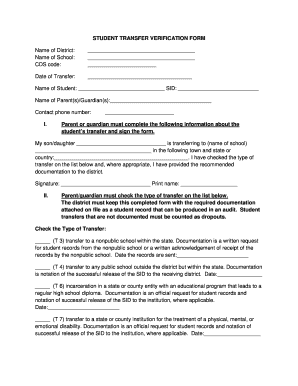
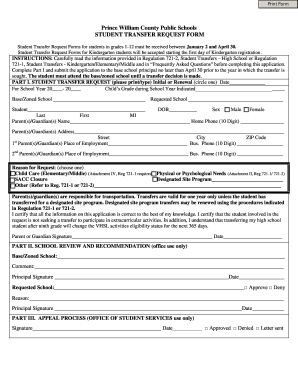
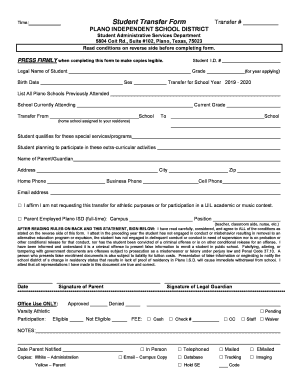
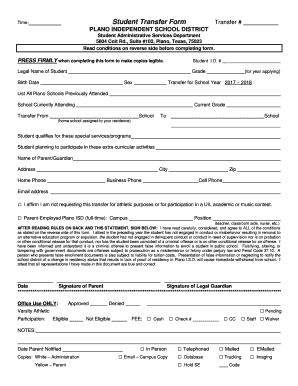
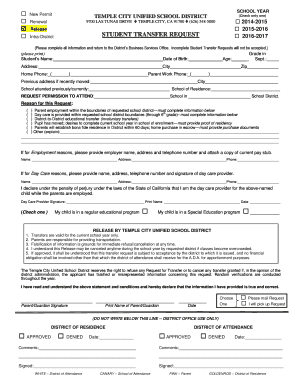
The School Transfer Form is a document used by parents or guardians to request a transfer of their child to a different school.
pdfFiller scores top ratings on review platforms




Who needs Transfer Form?
Explore how professionals across industries use pdfFiller.

Transfer Form is needed by:
-
Parents or guardians wanting to transfer their children to another school
-
School administrators processing student transfer requests
-
Educational institutions evaluating transfer applications
-
Counselors advising families on school choices
-
Legal guardians managing educational decisions
Comprehensive Guide to Transfer Form
What is the School Transfer Form?
The School Transfer Form is a document that parents or guardians use to request a transfer of their child to a different educational institution. This form plays a crucial role in outlining the intent to relocate a student from one school to another. It also serves as a formal communication tool between the current and future schools.
In the transfer process, the parent or guardian is integral, as they are responsible for filling out the form accurately. The signatures of the parent or guardian are necessary to validate the request and initiate the transfer process.
Purpose and Benefits of the School Transfer Form
Parents or guardians may need to submit this form for various reasons, such as relocation to a new area or seeking better education opportunities for their child. Submitting the student transfer request helps streamline the enrollment process in the new school.
Moreover, the transfer request form formally communicates the intent to both the current school and the desired school, ensuring that all parties are informed about the changes. This transparency can facilitate a smoother transition for the student.
Who Needs the School Transfer Form?
The target audience for the School Transfer Form includes parents and guardians intending to transfer their children to another school. This form is particularly necessary for those moving between school districts or facing unique educational situations.
-
Parents or guardians seeking to enroll their child in a different school.
-
Families relocating to a new district.
-
Guardians wanting to change the school for various educational reasons.
How to Fill Out the School Transfer Form Online (Step-by-Step)
Filling out the School Transfer Form accurately is essential for a successful transfer. Here’s a straightforward guide to ensure the form is completed correctly:
-
Access the form via pdfFiller’s online platform.
-
Carefully complete each section, providing necessary details such as the student's name, current school, and desired school.
-
Utilize pdfFiller’s tools to edit or add information easily.
-
Review the completed form thoroughly to check for any errors.
-
Save and prepare the final version for submission.
Common Errors and How to Avoid Them
Completing the School Transfer Form can be straightforward, but there are common pitfalls to watch out for. Frequent mistakes include missing signatures and providing incorrect personal details.
-
Double-check that all required fields are completed.
-
Ensure the parent or guardian's signature is present.
-
Verify that all information is accurate before submission.
Submission Methods and Delivery
Once the School Transfer Form is completed, it needs to be submitted to the appropriate authorities. Different submission methods are available, including:
-
Online submission through pdfFiller.
-
Email submissions to the school district.
-
Traditional mail delivery.
Typical processing times for form approvals can vary, so it’s advisable to confirm the receipt of the submitted form with the school district to avoid any unforeseen delays.
What Happens After You Submit the School Transfer Form?
After submission of the School Transfer Form, applicants can expect various outcomes. Submissions may be approved or rejected based on school policies and capacity.
-
Track the status of the submission via the school's communication channels.
-
Be prepared to provide additional documentation if requested.
Understanding these next steps can help parents and guardians navigate the school transfer process effectively.
Security and Compliance for the School Transfer Form
pdfFiller is dedicated to ensuring the security and privacy of sensitive data contained in each School Transfer Form. Key security features include encryption and compliance with regulations like GDPR.
It is critical for users to handle personal information responsibly while filling out the form. With pdfFiller, users can trust that their information is managed securely throughout the transfer process.
Final Steps and Getting Help with Your School Transfer Form
To maximize the effectiveness of the School Transfer Form, users are encouraged to explore pdfFiller's various features to create, edit, and eSign documents. Customer support is readily available to assist with any questions throughout the form completion and submission phases.
-
Access templates and guides available on the pdfFiller website.
-
Utilize customer support for assistance as needed.
How to fill out the Transfer Form
-
1.To access the School Transfer Form on pdfFiller, begin by visiting the pdfFiller website and using the search function to locate the form.
-
2.Open the School Transfer Form by clicking on it from your search results, which will lead you to the editing interface.
-
3.Before filling out the form, gather all necessary information including the student's current school details, the desired school information, and the guardian's contact information.
-
4.Start filling in each required field on the form, ensuring you accurately input the information about the student, current and desired schools, and your relationship to the student.
-
5.To navigate fields in pdfFiller, click on each text box to enter data. Use available dropdown menus or checkboxes for specific selections, ensuring that you complete all mandatory fields marked with an asterisk.
-
6.Once all fields are filled, review the information entered to confirm its accuracy and completeness, paying special attention to spelling and required signatures.
-
7.If any changes are needed, use the editing tools provided by pdfFiller to make adjustments before finalizing.
-
8.To finalize the form, locate the save or submit options. You can save the document to your computer or cloud storage, download it directly, or submit it electronically if the feature is available.
-
9.Confirm the submission or download by checking for a success message or acknowledgment email, ensuring that you have retained a copy for your records.

What are the eligibility requirements for the School Transfer Form?
Eligibility for the School Transfer Form generally includes having a child currently enrolled in a school and seeking to transfer them to another school. Ensure that you are a parent or legal guardian to complete this form.
Is there a deadline for submitting the School Transfer Form?
Deadlines for submitting the School Transfer Form vary by district and school policy. It is best to check with the specific school to know their requirement for timely submission and processing.
How do I submit the School Transfer Form?
You can submit the School Transfer Form by downloading it and delivering it in person or sending it via email. Some schools also allow electronic submissions through their web portals.
What documents do I need to attach with this form?
Common supporting documents for the School Transfer Form may include proof of residency, report cards, or other school records. Check with the specific school for any additional document requirements.
What are some common mistakes to avoid when filling out the form?
Common mistakes include omitting required information, failing to sign the form, or providing inaccurate school details. Double-check all entries for completeness and accuracy to avoid delays.
How long does it take to process the School Transfer Form?
Processing times for the School Transfer Form can vary significantly based on school policies and current enrollment conditions. Generally, you can expect a response within a few days to a couple of weeks.
Are there any fees associated with the School Transfer Form?
Typically, there are no fees for submitting a School Transfer Form. However, certain schools might have associated costs for processing transfers or for obtaining copies of records, so it's advisable to check with the school.
Related Forms





Get the latest insights from our blog


If you believe that this page should be taken down, please follow our DMCA take down process
here
.
This form may include fields for payment information. Data entered in these fields is not covered by PCI DSS compliance.