Create Header and Time in PDF
Add headers and timestamps to your PDF documents easily with pdfFiller.
What is Edit Mode in pdfFiller?
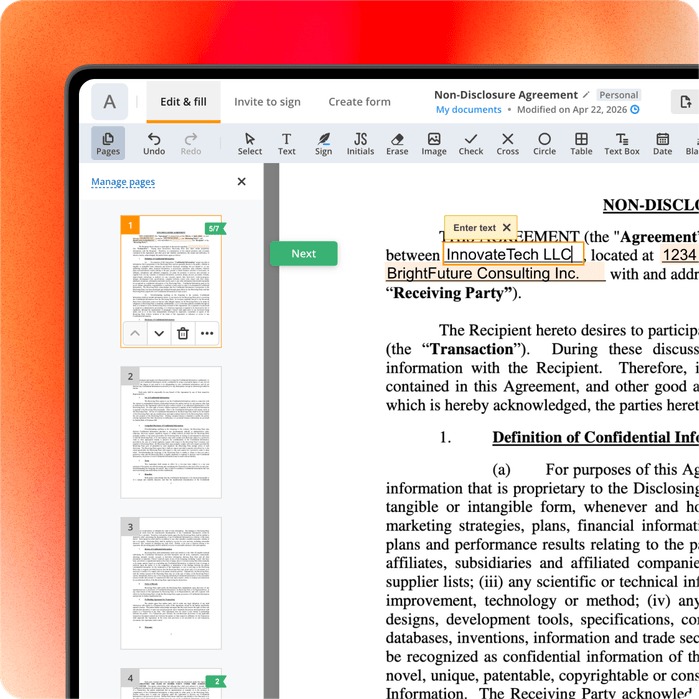
Edit Mode in pdfFiller allows you to access various features for PDF editing. You can access Edit Mode via the Edit button, which is prominently displayed in the interface. Once in Edit Mode, you can modify existing PDF content directly, making it easy to update your documents. Additionally, pdfFiller provides built-in templates for headers, ensuring that you can create a professional look without starting from scratch. This feature is compatible with all devices, allowing you to edit your PDFs from anywhere without the need for complex software.
How to Create a Header in Your PDF
- Click on the text block at the top of your PDF to edit the header.
- Choose the font style and size that best fits your document's theme.
- Position the header at the top of the page for visibility.
- Save changes to your document to ensure the header is applied.
Adding a Timestamp to Your PDF
- Select the area where you want to place the timestamp in your PDF.
- Format the date and time according to your preferences.
- Ensure legal compliance for documents requiring timestamps.
- Preview the document before saving to confirm the timestamp's placement.
Why Use pdfFiller for PDF Editing?
pdfFiller stands out as a reliable choice for PDF editing due to its user-friendly features. It is trusted by over 68 million users, which speaks volumes about its reliability. With more than 1 million templates available, you can easily find a suitable design for your headers and timestamps. There are no hidden fees or IT setup required, making it accessible for small and medium-sized businesses. Additionally, pdfFiller works on any device, allowing you to edit your documents on the go.
Editing Existing Text in PDFs
To modify existing text in your PDF, click on the text blocks that you wish to edit. You can use the Find & Replace feature for efficiency, especially in longer documents. Adjust the formatting as needed to match your document's style. Remember to save changes before exiting to ensure that your edits are not lost.
Common Scenarios for Adding Headers and Timestamps
- Headers for invoices and contracts help maintain a professional appearance.
- Timestamps for legal documents ensure that the timing of agreements is clear.
- Professional reports and proposals benefit from consistent headers for branding.
- Event invitations and schedules can be enhanced with clear timestamps for clarity.
Browser Compatibility for pdfFiller
pdfFiller is compatible with popular browsers such as Chrome, Firefox, and Safari, ensuring that you can access its features without any issues. No installation is required, allowing you to start editing immediately. You can access pdfFiller from any device, making it convenient for users who are always on the move. Regular updates are provided to enhance performance and compatibility.
Limitations of pdfFiller's Editing Features
While pdfFiller offers many editing features, there are some limitations to be aware of. For instance, you cannot edit scanned PDFs without OCR technology. Additionally, there may be limited font matching for edits, which could affect the overall appearance of your document. Editing password-protected documents is not possible, and the whiteout feature is not a permanent redaction method.
Comparison with Other PDF Editing Tools
When comparing pdfFiller to other PDF editing tools, it is clear that each has its strengths and weaknesses. Adobe Acrobat offers extensive features but at a higher cost, making it less accessible for small and medium-sized businesses. Foxit is known for its speed but lacks user-friendly templates, which can be a drawback for those needing customization. Nitro provides good editing tools but requires installation, making it less convenient for users looking for online solutions. In contrast, pdfFiller is accessible and affordable, making it a great choice for SMBs.
Next Steps for PDF Editing
To get started with PDF editing, consider starting a free trial with pdfFiller to explore its features. You can also explore templates specifically designed for headers and timestamps. If you have any questions, access support for assistance. Finally, pdfFiller allows you to share documents easily from any device, streamlining your workflow.