Form preview

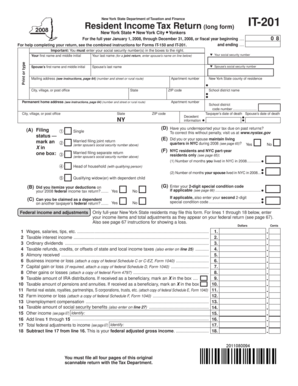
NY IT-201-I 2014 free printable template


Get Form
pdfFiller is not affiliated with any government organization
Screenshot
Screenshot
Screenshot

Get, Create, Make, and Sign NY IT-201-I

Edit your NY IT-201-I online
Type text, complete fillable fields, insert images, highlight or blackout data for discretion, add comments, and more.
Screenshot
Add your legally-binding signature
Draw or type your signature, upload a signature image, or capture it with your digital camera.
Screenshot
Share your form instantly
Email, fax, or share your NY IT-201-I via URL. You can also download, print, or export forms to your preferred cloud storage service.
Screenshot

Instructions and Help about NY IT-201-I

How to edit NY IT-201-I

To edit the NY IT-201-I Tax Form, you can use pdfFiller's editing tools. Simply upload the PDF version of the form and use the available options to fill in or modify the necessary fields. After making your changes, you can save the edited version in your desired format.

How to fill out NY IT-201-I

To successfully fill out the NY IT-201-I form, start by gathering all necessary financial information, such as income, deductions, and credits. Use the following steps to guide you through the process:
01
Obtain a copy of the NY IT-201-I form, either online or from pdfFiller.
02
Fill in your personal information, including your name and Social Security number.
03
Report your total income on the appropriate lines.
04
Claim deductions and credits where applicable.
05
Verify your calculations and sign the form before submission.

About NY IT-201-I 2014 previous version

What is NY IT-201-I?

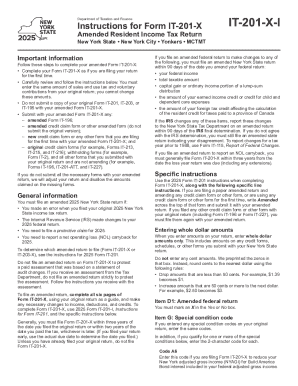
The NY IT-201-I is an Income Tax Return form used by residents of New York State. It is designed for individual income tax reporting and provides detailed instructions for completing the NY IT-201 form. This version is specific to the tax year 2014 and may still be referenced for historical and corrective reasons.

When am I exempt from filling out this form?

You may be exempt from filling out the NY IT-201-I if your income falls below the minimum threshold required for filing, or if you qualify for certain exemptions. Additionally, nonresidents earning income outside New York may not need this form.

What are the penalties for not issuing the form?

Failure to file the NY IT-201-I form may result in penalties such as fines, interest on unpaid taxes, and even legal action for tax evasion. Timely submission of the form is crucial to avoid these consequences.

Is the form accompanied by other forms?

No additional forms are specifically required when submitting the NY IT-201-I; however, you may need to include supporting documentation for deductions or credits claimed. Ensure all information is cross-referenced correctly to streamline your filing process.

What is the purpose of this form?

The purpose of the NY IT-201-I form is to guide taxpayers through the completion of their New York State individual income tax return. It outlines how to report income, claim deductions, and calculate the tax owed or refund due.

Who needs the form?

Individuals who are residents of New York State and must file a personal income tax return are required to complete the NY IT-201-I. This includes full-time residents, part-year residents, and those who earn income within the state.

Components of the form

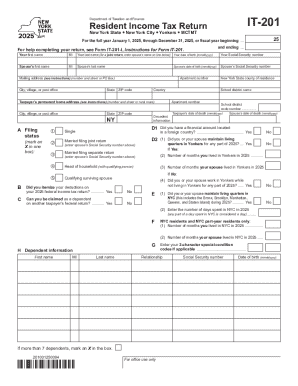
The NY IT-201-I form includes several key components: personal identification information, income reporting sections, deduction claims, tax credits, and final tax calculations. Each section must be carefully filled out to ensure compliance with state tax laws.

What information do you need when you file the form?

When filing the NY IT-201-I, gather the following information:
01
Your Social Security number or Individual Taxpayer Identification Number (ITIN).
02
Total income from all sources.
03
Documentation for any deductions and credits.
04
Bank information for direct deposit if expecting a refund.

Where do I send the form?

The completed NY IT-201-I form should be mailed to the designated address provided in the form instructions, which varies based on your filing method and whether you are including payment. It's important to check the most recent guidelines from the New York Department of Taxation and Finance to ensure proper submission.

FAQ about NY IT-201-I

If you need to amend your tax ny submission, you can do so by filing an amended return using the appropriate form. Ensure that you clearly indicate which entries are being corrected and provide any necessary documentation to support these changes. It's vital to keep notes of any adjustments for your records and monitor the status to confirm that your amendment has been processed.

You can verify the receipt of your tax ny submission by checking the online status tool provided by the tax department. Often, the system will allow you to see if your submission is still processing or if there were any issues. Be prepared to input your details, such as your Social Security number and filing status, for accurate tracking.

When submitting your tax ny documents electronically, ensure that the e-signature meets the state’s requirements. Typically, an e-signature may include a typed name or a secure electronic method as defined by the tax agency. It's also essential to keep records of any agreements or consent if filing on behalf of someone else to maintain compliance.

Yes, several common mistakes can lead to e-filing rejections for tax ny, including mismatched names and Social Security numbers or incomplete forms. It is advisable to double-check all entries for accuracy and ensure all necessary sections are filled out before submission. This can streamline processing and reduce the risk of needing to re-file.

If you receive an audit notice concerning your tax ny filing, stay calm and review the notice closely to understand what is being questioned. Gather all related documentation and communication for your records. It's crucial to respond promptly to the auditor's requests while considering consulting a tax professional for assistance in navigating the audit process effectively.


See what our users say
Trust Seal
Trust Seal
Trust Seal
Trust Seal
Trust Seal
Trust Seal
Trust Seal
Trust Seal
Rate free form
4.4
satisfied
79 votes

Related Forms

If you believe that this page should be taken down, please follow our DMCA take down process here .
This form may include fields for payment information. Data entered in these fields is not covered by PCI DSS compliance.