
Last updated on
Oct 19, 2026

Get the free FBR Client ID Renewal Form For Digital Certificate
We are not affiliated with any brand or entity on this form

Fill out
Complete the form online in a simple drag-and-drop editor.

eSign
Add your legally binding signature or send the form for signing.

Share
Share the form via a link, letting anyone fill it out from any device.

Export
Download, print, email, or move the form to your cloud storage.
Why pdfFiller is the best tool for your documents and forms


End-to-end document management
From editing and signing to collaboration and tracking, pdfFiller has everything you need to get your documents done quickly and efficiently.
Accessible from anywhere
pdfFiller is fully cloud-based. This means you can edit, sign, and share documents from anywhere using your computer, smartphone, or tablet.
Secure and compliant
pdfFiller lets you securely manage documents following global laws like ESIGN, CCPA, and GDPR. It's also HIPAA and SOC 2 compliant.
What is FBR Digital Certificate Renewal
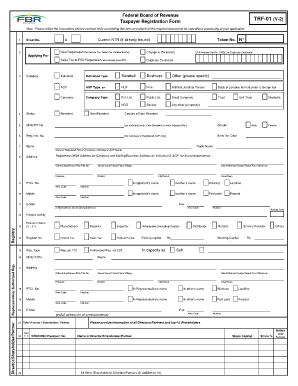
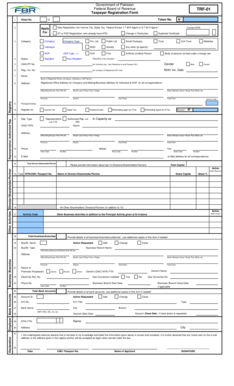
The FBR Client ID Renewal Form For Digital Certificate is a government document used by individuals and organizations in Pakistan to renew their digital certificate for electronic communication with the Federal Board of Revenue (FBR).
pdfFiller scores top ratings on review platforms




Who needs FBR Digital Certificate Renewal?
Explore how professionals across industries use pdfFiller.

FBR Digital Certificate Renewal is needed by:
-
Individuals applying for FBR digital certificate renewal
-
Organizations needing FBR digital certificates
-
Accountants handling tax matters for clients
-
Companies requiring electronic communication with the FBR
-
Authentication officers certifying the form
-
Legal advisors assisting in digital processes in Pakistan
Comprehensive Guide to FBR Digital Certificate Renewal
What is the FBR Client ID Renewal Form For Digital Certificate?
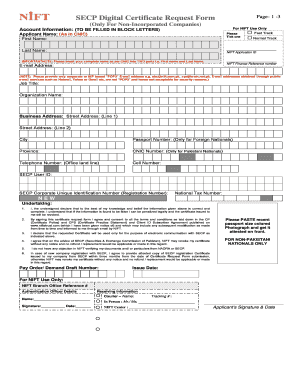
The FBR Client ID Renewal Form serves a crucial role in the renewal of digital certificates in Pakistan, facilitating electronic communication with the Federal Board of Revenue (FBR). This form requires applicants to provide essential information, such as their Computerized National Identity Card (CNIC) and National Tax Number (NTN). The form’s importance lies in ensuring a seamless process of renewing digital certificates that are vital for businesses and professionals engaged in electronic transactions.
Purpose and Benefits of the FBR Client ID Renewal Form For Digital Certificate
Renewing digital certificates through the FBR Client ID Renewal Form offers numerous advantages for both businesses and individuals. By utilizing this form, applicants can ensure smooth communication with relevant government agencies while maintaining compliance with legal requirements. This streamlining of processes enhances operational efficiency and serves as a safeguard against potential legal issues.
Who Needs the FBR Client ID Renewal Form For Digital Certificate?
This form is primarily designed for a diverse range of applicants, including businesses, freelancers, and organizations that require digital certificates for electronic communications. Accurate completion of the form is essential to ensure a successful application process. Additionally, authentication officers play a significant role in the signing process, supporting the verification of the submitted information.
Eligibility Criteria for the FBR Client ID Renewal Form
Applicants must meet specific eligibility criteria to apply for the FBR Client ID Renewal Form. This includes an overview of qualifications depending on whether the applicant is an individual or an organization. Required documentation to prove eligibility includes items such as CNIC and NTN, along with specific instructions tailored to the applicant type to ensure proper adherence to the application guidelines.
How to Fill Out the FBR Client ID Renewal Form For Digital Certificate Online
Filling out the FBR Client ID Renewal Form online involves several steps to ensure proper completion:
-
Start by entering your Computerized National Identity Card number.
-
Provide your National Tax Number.
-
Fill in your organization name, email address, and street address accurately.
-
Ensure you complete all required fields, avoiding common errors.
-
Sign the form in accordance with signature requirements for both the applicant and the authentication officer.
Required Documents and Supporting Materials for Submission
To properly complete the submission process for the FBR Client ID Renewal Form, applicants must gather specific documents:
-
Computerized National Identity Card (CNIC)
-
National Tax Number (NTN)
-
Pay order or demand draft for any applicable fees
It is crucial to format and submit accurate copies of these documents to prevent delays in processing.
Submission Methods and Delivery for the FBR Client ID Renewal Form
Applicants can choose from various methods to submit the completed FBR Client ID Renewal Form:
-
In-person submission at designated government offices
-
Online submission via official platforms
-
Postal services for sending documents
Each method has its associated delivery options and fees, with an expected timeline for processing applications through NIFT, ensuring transparency and efficiency in the process.
Common Errors and How to Avoid Them
Some frequent errors occur during the application process for the FBR Client ID Renewal Form. Here are steps to avoid these mistakes:
-
Double-check all entered information for accuracy before submission.
-
Refer to a review checklist to confirm that all requirements are met.
Additionally, keeping a copy of submitted forms and documents is advisable to safeguard against future discrepancies.
Understanding Security and Compliance for the FBR Client ID Renewal Form
When handling sensitive information, understanding the security measures and compliance requirements is essential. Companies must adhere to best practices for data protection, ensuring secure submission channels are used. By complying with FBR regulations and utilizing tools that prioritize security, applicants can confidently manage their renewal processes.
Experience Effortless Form Filling with pdfFiller
pdfFiller provides a cloud-based platform that simplifies the process of completing the FBR Client ID Renewal Form. Users can leverage features like editing, eSigning, and secure document sharing, enhancing compliance with FBR requirements. By relying on pdfFiller for form processing, applicants benefit from a user-friendly experience while ensuring both security and efficiency.
How to fill out the FBR Digital Certificate Renewal
-
1.Start by accessing pdfFiller and searching for the FBR Client ID Renewal Form for Digital Certificate within their form library. Open the form to begin your edits.
-
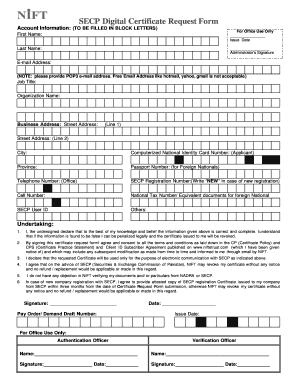
2.Familiarize yourself with the fillable fields that include your Computerized National Identity Card Number (CNIC), National Tax Number (NTN), Organization Name, E-mail Address, and Street Address.
-
3.Make sure to collect all necessary information such as CNIC, NTN, and other organizational data before starting to complete the form. This ensures you have all the details at your fingertips.
-
4.As you navigate through the document, fill each area meticulously, ensuring accuracy and completeness per the given data requirements.
-
5.Utilize the digital tools on pdfFiller to check off the checkboxes and sign the document where it specifies signature lines. Ensure both you and the authentication officer sign appropriately.
-
6.Once you’ve completed all sections of the form, take the time to review your responses carefully. Look for any errors to correct before finalizing.
-
7.After reviewing, save your document securely. You can download it, print it, or submit directly through pdfFiller by following the submission instructions provided.

Who is eligible to fill out the FBR Client ID Renewal Form?
Any individual or organization holding a current FBR digital certificate can submit the renewal form. It is specifically for those who need to maintain their compliance with the Federal Board of Revenue requirements.
What documents are required to submit the FBR Client ID Renewal Form?
Along with the completed FBR Client ID Renewal Form, you must submit a pay order or demand draft along with any necessary supporting documents, such as identification and organizational information.
What are the submission methods for the FBR Client ID Renewal Form?
You can submit the completed form along with required documents to the National Institute of Facilitation Technologies (NIFT). Ensure to check their submission guidelines for specific details.
Are there deadlines for submitting the FBR Client ID Renewal Form?
While the metadata does not specify exact deadlines, it is advisable to renew your digital certificate well before its expiration date to avoid any potential lapses in compliance.
How long does processing take for the FBR digital certificate renewal?
The processing time can vary, but typically, you should allow several business days for NIFT to process your application upon submission.
What common mistakes should I avoid when filling out the form?
Common mistakes include incorrect personal information, missing signatures, and not including required supporting documents. Always double-check your entries before submission.
Is notarization required for this form?
No, notarizing the FBR Client ID Renewal Form is not required. However, it must be signed by both the applicant and the authentication officer.


Get the latest insights from our blog


If you believe that this page should be taken down, please follow our DMCA take down process
here
.
This form may include fields for payment information. Data entered in these fields is not covered by PCI DSS compliance.