
Last updated on
Sep 30, 2026

Canada WSIB REO7 - Ontarion 2007-2026 free printable template
We are not affiliated with any brand or entity on this form

Fill out
Complete the form online in a simple drag-and-drop editor.

eSign
Add your legally binding signature or send the form for signing.

Share
Share the form via a link, letting anyone fill it out from any device.

Export
Download, print, email, or move the form to your cloud storage.
Why pdfFiller is the best tool for your documents and forms


End-to-end document management
From editing and signing to collaboration and tracking, pdfFiller has everything you need to get your documents done quickly and efficiently.
Accessible from anywhere
pdfFiller is fully cloud-based. This means you can edit, sign, and share documents from anywhere using your computer, smartphone, or tablet.
Secure and compliant
pdfFiller lets you securely manage documents following global laws like ESIGN, CCPA, and GDPR. It's also HIPAA and SOC 2 compliant.
What is Canada WSIB REO7 - Ontarion
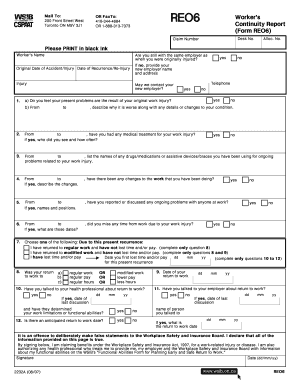
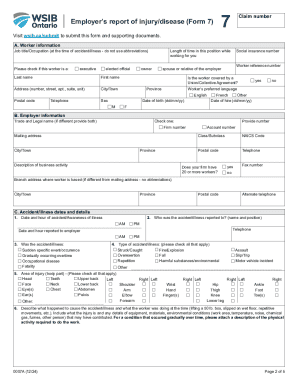
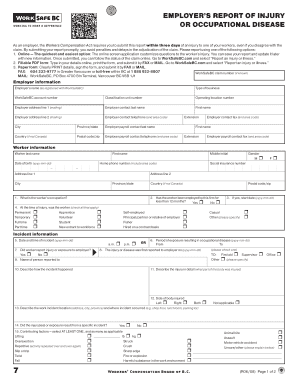
The Continuity Report (Form REO7) is an employment form used by employers in Ontario, Canada, to report a worker's recurrence of a work-related injury.
pdfFiller scores top ratings on review platforms




Who needs Canada WSIB REO7 - Ontarion?
Explore how professionals across industries use pdfFiller.

Canada WSIB REO7 - Ontarion is needed by:
-
Employers in Ontario managing worker injury claims
-
Human resources professionals handling employee management forms
-
Workplace safety officers ensuring compliance with reporting requirements
-
Insurance providers evaluating work-related injury claims
-
Legal professionals assisting clients with workplace injury cases
Comprehensive Guide to Canada WSIB REO7 - Ontarion
Understanding the Continuity Report (Form REO7)
The Continuity Report (Form REO7) is a crucial document for employers in Ontario, Canada. Its primary purpose is to report recurrences of work-related injuries among employees. This form is instrumental in ensuring that recurring injuries are tracked appropriately, allowing for better management of workplace safety and employee health.
By utilizing the continuity report form reo7, employers fulfill their obligation to maintain accurate records of workplace incidents, thereby supporting both compliance and safety initiatives.
Purpose and Benefits of the Continuity Report (Form REO7)
This report plays a vital role in the workplace by facilitating legal compliance with Ontario's workplace safety regulations. It benefits employers by streamlining the process of reporting injuries and ensuring a safer work environment for employees. Furthermore, the form aids in tracking employee health post-injury, which is essential for recovery and well-being.
Employers using the Ontario work injury form can expect improvements in overall workplace safety and a reduction in the risks associated with unreported recurrences.
Key Features of the Continuity Report (Form REO7)
The Continuity Report (Form REO7) includes several key features designed to capture essential information about the injury recurrence. Required details encompass the worker's name, treatment dates, and specific treatment information.
-
Fillable fields for entering critical information
-
Signatory requirements to validate the submission
-
Sections for confirming the accuracy of the provided information
These features enhance the usability of the continuity report form reo7, making the process smoother for employers.
Who Needs the Continuity Report (Form REO7)?
Employers who qualify under Ontario's regulations are the primary users of the Continuity Report (Form REO7). They have the responsibility to file this report whenever a worker experiences a recurrence of a work-related injury.
Failure to file the report can lead to serious consequences, including legal repercussions and fines. Therefore, understanding the eligibility criteria is crucial for compliance with workplace safety regulations.
How to Fill Out the Continuity Report (Form REO7) Online (Step-by-Step)
Filling out the Continuity Report (Form REO7) online is straightforward, especially with tools like pdfFiller. Here is a step-by-step guide to assist you:
-
Access the form in pdfFiller.
-
Enter the worker's name and reference number.
-
Fill in the original date of the accident or injury.
-
Provide details of the recurrence and any relevant medical treatments.
-
Review all entered information for accuracy.
-
Sign the document as required.
Ensuring accuracy before submission is critical to avoid common errors.
Submission Methods for the Continuity Report (Form REO7)
Once the Continuity Report (Form REO7) is filled out, it can be submitted using various methods. Employers can opt for electronic submission through platforms like pdfFiller, or print and submit the document by mail or in person.
It is essential to confirm successful submission and track its status to ensure compliance. Employers should pay close attention to any deadlines associated with submission to avoid penalties.
Security and Compliance When Using the Continuity Report (Form REO7)
When handling the Continuity Report (Form REO7), security is paramount. pdfFiller implements data protection measures that comply with regulations such as HIPAA and GDPR, ensuring sensitive information stays secure during the filling process.
Employers can rely on these compliance standards while filling out the canada workplace safety form online.
Common Errors When Filing the Continuity Report (Form REO7) and How to Avoid Them
While filling out the Continuity Report (Form REO7), several common errors may occur. It's important to double-check the following before submitting:
-
Ensure all required fields are filled out completely.
-
Verify that the signature is present.
By carefully reviewing the form, employers can avoid potential issues that may arise from inaccurate submissions.
Leveraging pdfFiller for Easy Completion of the Continuity Report (Form REO7)
pdfFiller enhances the ease of completing the Continuity Report (Form REO7) by offering features tailored for form management. Users can take advantage of eSigning and easy PDF editing, making the entire process efficient.
Utilizing pdfFiller's resources allows employers to efficiently navigate the complexities of the form, ensuring they stay compliant with Ontario's workplace requirements.
How to fill out the Canada WSIB REO7 - Ontarion
-
1.To access the Continuity Report (Form REO7) on pdfFiller, visit the pdfFiller website and log in to your account or create a new account if you don't have one.
-
2.Once logged in, use the search bar to locate 'Continuity Report (Form REO7)' and click on the form to open it.
-
3.Begin by filling out the worker's details, including their name and reference number. Ensure the information is accurate and matches your records.
-
4.Next, enter the original date of the accident or injury to provide context for the recurrence.
-
5.As you fill in the form, use checkboxes to indicate yes/no responses where applicable, ensuring you follow the provided instructions clearly.
-
6.While completing the form, keep any medical records or treatment documents handy to provide accurate dates and causes of recurrence.
-
7.After filling out all sections of the form, take a moment to review all the entered information for completeness and accuracy.
-
8.Once satisfied, finalize your form by signing it electronically, if required. This is a crucial step since the form needs employer validation.
-
9.To save your completed form, use the save option in pdfFiller and choose to download the file in your preferred format. You may also submit it directly through the platform if that's an available feature.

Who is eligible to fill out the Continuity Report (Form REO7)?
The Continuity Report (Form REO7) must be filled out by employers in Ontario who need to report a worker's recurrence of a work-related injury. The form requires employer signatures and accurate details of the recurrence.
What information is required to complete the Continuity Report (Form REO7)?
You will need the worker's name, reference number, original date of accident or injury, details about the recurrence, including the cause, treatment dates, and any contributing factors. Prepare these details before starting the form.
How should I submit the completed form?
The completed Continuity Report (Form REO7) can be submitted through pdfFiller's submission feature, if available, or downloaded and submitted via email or physical mail to the relevant authorities or safety boards in Ontario.
Is there a deadline for submitting the Continuity Report (Form REO7)?
Yes, it is crucial to submit the Continuity Report (Form REO7) as soon as possible after a worker's recurrence of injury occurs to comply with workplace safety regulations and avoid potential penalties.
What are common mistakes to avoid when filling out the form?
Common mistakes include providing inaccurate or incomplete information, failing to sign the document, missing necessary dates or details about the recurrence, and not reviewing the form thoroughly before submission.
How can I ensure my form is processed quickly?
To expedite processing, ensure you submit the Continuity Report (Form REO7) promptly, include all required information, and follow any specific submission instructions from the Ontario workplace safety board.
What should I do if I lose my copy of the form?
If you lose your copy of the Continuity Report (Form REO7), you can access the form again on pdfFiller or through your employer's records. It's essential to keep a backup for future reference.
Related Content
Related Forms




Related Catalogs
Get the latest insights from our blog


If you believe that this page should be taken down, please follow our DMCA take down process
here
.
This form may include fields for payment information. Data entered in these fields is not covered by PCI DSS compliance.