
Last updated on
Oct 2, 2026

Get the free H&R Block Bank Change of Address Form
We are not affiliated with any brand or entity on this form

Fill out
Complete the form online in a simple drag-and-drop editor.

eSign
Add your legally binding signature or send the form for signing.

Share
Share the form via a link, letting anyone fill it out from any device.

Export
Download, print, email, or move the form to your cloud storage.
Why pdfFiller is the best tool for your documents and forms


End-to-end document management
From editing and signing to collaboration and tracking, pdfFiller has everything you need to get your documents done quickly and efficiently.
Accessible from anywhere
pdfFiller is fully cloud-based. This means you can edit, sign, and share documents from anywhere using your computer, smartphone, or tablet.
Secure and compliant
pdfFiller lets you securely manage documents following global laws like ESIGN, CCPA, and GDPR. It's also HIPAA and SOC 2 compliant.
What is Change of Address Form
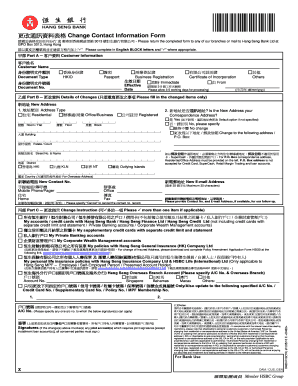
The H&R Block Bank Change of Address Form is a personal finance document used by account holders to update their address, phone number, and email address with H&R Block Bank.
pdfFiller scores top ratings on review platforms




Who needs Change of Address Form?
Explore how professionals across industries use pdfFiller.

Change of Address Form is needed by:
-
H&R Block Bank account holders
-
Co-owners of H&R Block Bank accounts
-
Individuals moving to a new residence
-
People updating their contact information
-
Clients needing to maintain accurate records with H&R Block Bank
Comprehensive Guide to Change of Address Form
What is the H&R Block Bank Change of Address Form?
The H&R Block Bank Change of Address Form is a crucial document that allows customers of H&R Block Bank to update their personal information, such as their address, phone number, and email address. This form is significant for maintaining effective communication and ensuring that account-related information reaches customers without delay. To complete the form, users need to provide details such as their name, social security number, account numbers, and the new contact information they wish to update. It's essential to keep this information current to avoid issues related to account management.
Purpose and Benefits of Using the H&R Block Bank Change of Address Form
Keeping contact information updated is vital for account owners and co-owners. Utilizing the H&R Block Bank Change of Address Form facilitates timely communication, ensuring that clients receive important notifications regarding their accounts. When contact details are accurately maintained, potential disruptions in account access and service can be prevented. By completing this form, users can ensure that they remain informed and able to manage their accounts effectively.
Key Features of the H&R Block Bank Change of Address Form
-
Name and social security number fields for identification.
-
Account numbers to associate changes with the correct account.
-
New address, phone, and email details to maintain updated records.
-
Fillable fields for enhanced user convenience.
-
Signature requirements for both account owners and co-owners.
Who Should Use the H&R Block Bank Change of Address Form?
The target users of this form include account owners and co-owners residing in Missouri. Individuals who have recently moved or need to change their contact information should utilize the H&R Block Bank Change of Address Form. Eligibility criteria may apply in co-ownership situations where both parties need to approve the changes.
How to Fill Out the H&R Block Bank Change of Address Form Online (Step-by-Step)
To complete the H&R Block Bank Change of Address Form online, follow these steps:
-
Gather necessary information, including your previous address and new contact details.
-
Access the form and fill in all required fields, paying attention to accuracy.
-
Review the information entered to ensure it is complete and correct.
-
Sign the form to authorize the changes.
-
Submit the form via the preferred method, either by mail or fax.
Submission Methods for the H&R Block Bank Change of Address Form
Once the H&R Block Bank Change of Address Form is filled out, it can be submitted through various methods:
-
By mailing the completed form to the specified address.
-
By faxing it to ensure quicker processing.
It's crucial to follow up after submission to confirm that the updates have been processed and to avoid any potential lapses in communication.
Consequences of Not Submitting the H&R Block Bank Change of Address Form
Failing to submit the H&R Block Bank Change of Address Form can lead to several risks. Customers may experience lost communications regarding their accounts or face service disruptions. Timely submission of the form helps mitigate these risks and ensures that account holders remain informed about their account status and updates.
Secure and Efficient Document Handling with pdfFiller
pdfFiller offers users a secure and efficient way to complete the H&R Block Bank Change of Address Form. The platform provides essential capabilities including eSigning and editing, ensuring that all documents are handled securely. With a focus on data protection, pdfFiller complies with privacy regulations, providing peace of mind for users handling sensitive information.
Final Steps After Completing the H&R Block Bank Change of Address Form
After submitting the H&R Block Bank Change of Address Form, users should expect to receive confirmation regarding their submission. Keeping track of the status of the change request is advisable. Additionally, should any errors occur on the form, users should know how to amend the information efficiently.
Start Using pdfFiller to Complete Your H&R Block Bank Change of Address Form Today
To enhance your experience in completing the H&R Block Bank Change of Address Form, consider utilizing pdfFiller. This platform simplifies the form-filling process and offers numerous benefits for managing personal finance documents online. Explore the additional features available on pdfFiller to accommodate your diverse needs.
How to fill out the Change of Address Form
-
1.To access the H&R Block Bank Change of Address Form on pdfFiller, go to the pdfFiller website and use the search bar to look for the form by its name.
-
2.Once you find the form, click on it to open it in the pdfFiller editing interface, where you can begin filling it out.
-
3.Before filling out the form, gather all necessary information such as your name, Social Security Number, account numbers, and the new address, phone, and email details you wish to update.
-
4.Navigate through the form fields by clicking on each blank section, where you can type in your information directly using your keyboard.
-
5.Use the instructions included within the form to ensure you complete each section accurately, paying particular attention to required signatures at the end.
-
6.Once you have filled out all required fields, review the form for any mistakes, ensuring that names, numbers, and addresses are all correct.
-
7.To finalize your form, click the save option, allowing you to download it or submit it directly via the available methods on pdfFiller.
-
8.After saving or downloading, you can print the form to mail or fax it to the specified address provided in the form instructions.

Who needs to fill out the H&R Block Bank Change of Address Form?
Anyone holding an account with H&R Block Bank who has changed their address, phone number, or email must fill out this form to ensure their contact information is current.
What information do I need to complete this form?
You will need your name, Social Security Number, H&R Block Bank account numbers, as well as your new address, phone number, and email address to complete the form.
How do I submit the completed form?
Once you've filled out the H&R Block Bank Change of Address Form, you can submit it by mailing or faxing it to the specified address given in the form instructions.
Is there a deadline for submitting this form?
There is typically no specific deadline, but it is advisable to submit your Change of Address Form as soon as possible to ensure that your information is updated promptly.
Do I need to have this form notarized?
No, the H&R Block Bank Change of Address Form does not require notarization; however, it must be signed by the account owner and co-owner if applicable.
What are some common mistakes to avoid when filling out this form?
Common mistakes include providing incorrect account details, misspelling your new address, or forgetting to sign the document. Always double-check before submission.
How long does it take for the changes to be processed?
The processing time can vary, but typically, address changes may be updated within a few business days after submission, depending on H&R Block Bank's internal procedures.
Related Content
Related Forms





Get the latest insights from our blog


If you believe that this page should be taken down, please follow our DMCA take down process
here
.
This form may include fields for payment information. Data entered in these fields is not covered by PCI DSS compliance.