
Last updated on
Sep 27, 2026

Get the free Withdrawal for a Required Minimum Distribution (RMD) Form
We are not affiliated with any brand or entity on this form

Fill out
Complete the form online in a simple drag-and-drop editor.

eSign
Add your legally binding signature or send the form for signing.

Share
Share the form via a link, letting anyone fill it out from any device.

Export
Download, print, email, or move the form to your cloud storage.
Why pdfFiller is the best tool for your documents and forms


End-to-end document management
From editing and signing to collaboration and tracking, pdfFiller has everything you need to get your documents done quickly and efficiently.
Accessible from anywhere
pdfFiller is fully cloud-based. This means you can edit, sign, and share documents from anywhere using your computer, smartphone, or tablet.
Secure and compliant
pdfFiller lets you securely manage documents following global laws like ESIGN, CCPA, and GDPR. It's also HIPAA and SOC 2 compliant.
What is RMD Withdrawal Form
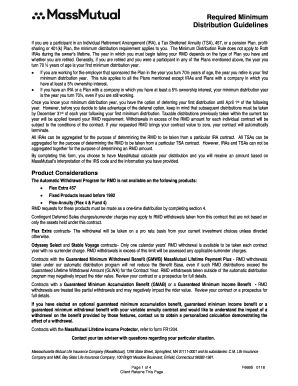
The Withdrawal for a Required Minimum Distribution (RMD) Form is a financial document used by participants in retirement plans to elect and specify details of their required minimum distributions.
pdfFiller scores top ratings on review platforms




Who needs RMD Withdrawal Form?
Explore how professionals across industries use pdfFiller.

RMD Withdrawal Form is needed by:
-
Retirement plan participants in New York
-
Spouses of plan participants
-
Plan sponsors or trustees
-
Financial advisors assisting with withdrawals
-
Account administrators managing distributions
-
Beneficiaries of retirement accounts
Comprehensive Guide to RMD Withdrawal Form
Understanding the Withdrawal for a Required Minimum Distribution (RMD) Form
The Withdrawal for a Required Minimum Distribution (RMD) Form serves a vital role for participants in the Lincoln DirectorSM and Lincoln American Legacy Retirement® contracts. This form is necessary to elect and specify the details of required minimum distributions, ensuring compliance with IRS regulations. It includes required fields and spaces for signatures, which are crucial for its validation and processing.
Purpose and Benefits of the Withdrawal for a Required Minimum Distribution (RMD) Form
This form provides several benefits for users, primarily in helping them avoid penalties associated with failing to submit their RMDs on time. Timely submission facilitates proper payment instructions and tax withholding options, enhancing communication with the financial institution involved in the retirement plans. Ensuring these details are correctly specified is essential to manage tax implications effectively.
Key Features of the Withdrawal for a Required Minimum Distribution (RMD) Form
-
Contains fillable fields for both participant and spouse information.
-
Offers detailed benefit election options, allowing users to specify their preferred payment methods.
-
Requires signatures from both the participant and spouse, as well as the plan sponsor or trustee, ensuring all parties are involved in the approval process.
Who Needs the Withdrawal for a Required Minimum Distribution (RMD) Form?
The audience for this form typically includes participants who are approaching the age for required distributions. Eligibility criteria are outlined for individuals enrolled in the relevant contracts. Additionally, the form stipulates the role of spouses and witnesses, delineating their required signatures to validate the document effectively.
How to Fill Out the Withdrawal for a Required Minimum Distribution (RMD) Form Online (Step-by-Step)
-
Begin by entering your personal information, including your name and address.
-
Specify your benefit election preferences and ensure payment instructions are clear.
-
Carefully review each section for mandatory fields, focusing on required checkboxes.
-
Make sure to gather necessary signatures from all parties involved.
Common mistakes include missing signatures or incorrectly filled fields, which can delay processing. Attention to these details is crucial for a smooth submission experience.
Submission Methods and Delivery for the Withdrawal for a Required Minimum Distribution (RMD) Form
Users have several options for submitting the completed RMD Form, including online submission, mailing it, or delivering it in person to the appropriate financial institution. If opting to mail the form, users should consider shipping options to ensure it arrives promptly. Confirmation and tracking options are available to provide assurance that the submission has been received.
What Happens After You Submit the Withdrawal for a Required Minimum Distribution (RMD) Form
After submission, users can expect a defined processing timeline. Tracking the status of the submission is recommended, which can typically be done through the financial institution’s services. If there are delays or rejection notices, it is essential to follow the outlined steps to address these issues promptly.
Security and Compliance for the Withdrawal for a Required Minimum Distribution (RMD) Form
Users can rest assured knowing that their data will be handled with extreme care. pdfFiller implements robust security measures, including 256-bit encryption, to protect sensitive information during document processing. Compliance with HIPAA and GDPR regulations further enhances the safety of personal data, ensuring confidentiality at all times.
Examples and Samples of Completed Withdrawal for a Required Minimum Distribution (RMD) Form
For clarity, users can refer to a sample filled-out form that illustrates proper completion methods. Reviewing completed sections will provide valuable insights and help ensure accuracy when filling out their own form. This resource can make the process significantly easier and more straightforward.
Experience Efficiently Filling Out Your Withdrawal for a Required Minimum Distribution (RMD) Form
Utilizing pdfFiller's services greatly enhances the form-filling experience. The platform provides intuitive features for editing and cloud-based convenience that allow users to complete forms efficiently. Get started today to ensure timely and compliant submissions, taking advantage of the capabilities offered by pdfFiller.
How to fill out the RMD Withdrawal Form
-
1.Access the Withdrawal for a Required Minimum Distribution (RMD) Form by navigating to pdfFiller and logging into your account.
-
2.Use the search bar to enter the form name or browse through the available business forms until you locate the RMD Form.
-
3.Once you open the form, familiarize yourself with the blank fields and checkboxes provided for your information.
-
4.Gather all necessary information, including your personal details, account numbers, and any relevant tax documentation needed for the distribution.
-
5.Begin filling out the form by entering your name and address in the designated fields. Ensure all information is correct.
-
6.Indicate your election for required minimum distributions by checking the appropriate box provided in the form.
-
7.Add details regarding your payment instructions and any specific distributions you'd like to request.
-
8.Have your spouse and plan sponsor/trustee complete their respective signature fields to validate the form, ensuring compliance with signing requirements.
-
9.After completing all sections of the form, review each entry for accuracy and ensure all required signatures are present.
-
10.Utilize the review feature on pdfFiller to double-check the filled form for any missed sections or potential errors.
-
11.Once satisfied with the filled form, save it to your pdfFiller account for easy access or download it to your device.
-
12.If required, proceed to submit the form through the assigned method indicated on pdfFiller, such as email or secure upload, depending on your preference.

Who is eligible to use the RMD Form?
The Withdrawal for a Required Minimum Distribution (RMD) Form is intended for retirement plan participants enrolled in Lincoln DirectorSM or Lincoln American Legacy Retirement® contracts in New York, along with their spouses and plan sponsors.
Is there a deadline for submitting the RMD Form?
Yes, retirement account participants must submit the RMD Form by the set deadline to avoid penalties. It is advisable to check specific plan guidelines for dates relevant to annual distributions.
How should I submit the completed RMD Form?
Completed RMD Forms can be submitted via the designated method outlined by your retirement plan, which may include secure digital uploads, secure email submissions, or postal mail, depending on procedures established by the plan administrators.
What supporting documents do I need to provide?
Typically, you may need to include identification verification, tax forms, and any financial instructions that relate to your specific distribution request, as well as any relevant signatures from spouses or trustees.
What are common mistakes to avoid when filling out the RMD Form?
Common mistakes include missing signatures from necessary parties, incorrect financial details, or not checking the required distribution elections. Always ensure each section is complete before submission.
What is the processing time for the RMD Form submission?
Processing times vary based on the retirement plan and submission methods. Generally, digital submissions are processed faster, while mail submissions may take longer. Check with the plan sponsor for specific timelines.
Can I amend my RMD once it has been submitted?
Yes, if you need to amend your RMD after submission, contact your plan administrator promptly to understand the proper procedures for making changes to your distribution details.
Related Content
Related Forms




Get the latest insights from our blog



If you believe that this page should be taken down, please follow our DMCA take down process
here
.
This form may include fields for payment information. Data entered in these fields is not covered by PCI DSS compliance.