
Last updated on
Oct 2, 2026

Get the free Missouri Child Support Calculation Worksheet
We are not affiliated with any brand or entity on this form

Fill out
Complete the form online in a simple drag-and-drop editor.

eSign
Add your legally binding signature or send the form for signing.

Share
Share the form via a link, letting anyone fill it out from any device.

Export
Download, print, email, or move the form to your cloud storage.
Why pdfFiller is the best tool for your documents and forms


End-to-end document management
From editing and signing to collaboration and tracking, pdfFiller has everything you need to get your documents done quickly and efficiently.
Accessible from anywhere
pdfFiller is fully cloud-based. This means you can edit, sign, and share documents from anywhere using your computer, smartphone, or tablet.
Secure and compliant
pdfFiller lets you securely manage documents following global laws like ESIGN, CCPA, and GDPR. It's also HIPAA and SOC 2 compliant.
What is Missouri Child Support Form
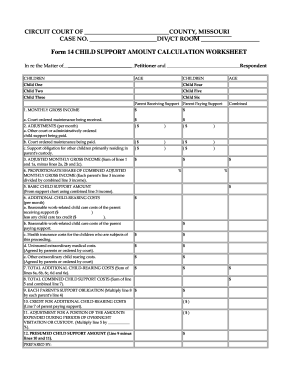
The Missouri Child Support Calculation Worksheet is a legal form used by parents in Missouri to determine the amount of child support owed from one parent to another.
pdfFiller scores top ratings on review platforms




Who needs Missouri Child Support Form?
Explore how professionals across industries use pdfFiller.

Missouri Child Support Form is needed by:
-
Parents undergoing divorce or separation
-
Legal guardians managing child support arrangements
-
Family law attorneys advising clients
-
Social workers assisting families in need
-
Individuals seeking clarity on child support obligations
Comprehensive Guide to Missouri Child Support Form
What is the Missouri Child Support Calculation Worksheet?
The Missouri Child Support Calculation Worksheet is a vital legal document used to determine child support payments between parents in Missouri. This form provides a structured approach to assessing the financial contributions required from each parent, ensuring a fair determination of child support amounts. It plays an essential role in family law procedures throughout the state, helping to formalize agreements in divorce and custody cases.
By using the worksheet, parents can systematically evaluate their income and expenses, which facilitates transparent communication regarding financial responsibilities. This form is designed to assist parents in achieving fair results while adhering to Missouri's family law standards.
Purpose and Benefits of the Missouri Child Support Calculation Worksheet
The Missouri Child Support Calculation Worksheet serves as a crucial tool for parents navigating the complexities of child support determinations. Its main purpose is to ensure that support amounts are equitable, promoting fairness in financial obligations. One of the primary benefits of using this worksheet is that it enhances transparency between parents by clearly outlining how child support amounts are calculated.
Moreover, the worksheet can significantly reduce conflicts related to financial responsibilities. By providing a clear and methodical approach, both parents can understand their obligations and rights, leading to more amicable co-parenting arrangements.
Key Features of the Missouri Child Support Calculation Worksheet
This form is equipped with various features designed to simplify the completion process. It includes fillable fields that capture essential financial information, such as monthly gross income and adjustments for existing child support payments. Additionally, the worksheet allows for modifications regarding overnight visitation and further costs associated with child care and health insurance.
-
Fillable fields for income and expenses
-
Sections for visitation adjustments
-
Inclusion of costs like child care and health insurance
-
User-friendly format promoting accuracy in calculations
Who Needs the Missouri Child Support Calculation Worksheet?
This worksheet is primarily intended for parents who are in the process of determining child support calculations. It is especially necessary in scenarios such as divorce settlements and custody arrangements, where financial responsibilities need to be clearly outlined. Legal advisors and attorneys may also utilize this form to assist parents in completing child support calculations accurately.
How to Fill Out the Missouri Child Support Calculation Worksheet Online (Step-by-Step)
Completing the Missouri Child Support Calculation Worksheet online is a straightforward process. Follow these step-by-step instructions:
-
Access the worksheet online through a reliable platform.
-
Fill in the blank fields with the necessary financial information, including your monthly gross income.
-
Adjust the income figures based on other child support payments and additional costs.
-
Include information regarding overnight visitation if applicable.
-
Double-check your entries for accuracy before finalizing the form.
Common Errors and How to Avoid Them
While completing the Missouri Child Support Calculation Worksheet, there are several common errors to be aware of. Frequent mistakes include inaccuracies in reported income or underestimating costs related to child care and health insurance. To help avoid these pitfalls, it's essential to double-check all entries prior to submission.
Utilizing resources available through pdfFiller can further assist in identifying and correcting potential errors, ensuring that the form is filled out correctly.
Submitting the Missouri Child Support Calculation Worksheet
Once the worksheet is completed, it's important to understand the submission process. The Missouri Child Support Calculation Worksheet can be submitted through various methods, including in-person deliveries and online submissions. Be aware of any potential fees associated with these methods.
Additionally, it is crucial to adhere to submission deadlines and be mindful of processing times to ensure timely resolutions to child support matters.
Security and Data Protection When Using the Missouri Child Support Worksheet
Handling sensitive information is a critical concern when filling out the Missouri Child Support Calculation Worksheet. pdfFiller ensures data protection through stringent security measures and compliance with regulations such as HIPAA and GDPR. Utilizing encrypted channels and maintaining robust privacy practices guarantees that your personal information remains safeguarded throughout the process.
To enhance your security further, always keep personal details confidential and avoid sharing your access information with unauthorized individuals.
Next Steps After Submitting the Missouri Child Support Calculation Worksheet
After submission, it's important to know what to expect. You will receive confirmation regarding your submitted documentation, which can be tracked for status updates. If corrections are necessary, you may need to address these promptly to ensure the child support calculations reflect accurate information.
This proactive approach helps to streamline the child support process and ensures that any required adjustments are made in a timely manner.
Experience Seamless Form Filling with pdfFiller
Using pdfFiller to fill out the Missouri Child Support Calculation Worksheet offers numerous advantages. The platform is user-friendly, allowing for easy access from any cloud-enabled device. Features such as e-signature capabilities and comprehensive PDF management tools enhance your experience while ensuring that handling legal forms is efficient and organized.
With pdfFiller, you can manage your forms securely, making the overall process of completing the Missouri Child Support Calculation Worksheet both straightforward and effective.
How to fill out the Missouri Child Support Form
-
1.To access the Missouri Child Support Calculation Worksheet, visit pdfFiller's website and log into your account or create a new one if necessary. Search for the form using the keywords 'Missouri Child Support Calculation Worksheet' to locate it easily.
-
2.Once you have found the form, click on it to open it in pdfFiller’s editor. Familiarize yourself with the layout of the document, noting the various fields and sections.
-
3.Before you begin filling out the form, gather essential information, including the monthly gross income of both parents, any other child support payments being made, child care costs, and health insurance expenses.
-
4.Start entering the required financial details in the specified fields. Use pdfFiller's tools to input your information easily, ensuring accuracy as you go. Fill in fields such as 'Total Number of Children' and any adjustments for custody arrangements relevant to your case.
-
5.Review each section of the form to ensure all information is accurate and complete. Use pdfFiller’s review tools to double-check your inputs and make any necessary edits before finalizing the document.
-
6.After completing the form, you can save your progress within pdfFiller. To download the completed worksheet, click the 'Download' button or choose to submit it electronically through your preferred method for filing.

Who is eligible to use the Missouri Child Support Calculation Worksheet?
The Missouri Child Support Calculation Worksheet can be used by parents or guardians in Missouri involved in child support proceedings to calculate the appropriate child support amount based on financial circumstances.
What information do I need before filling out the form?
Before completing the Missouri Child Support Calculation Worksheet, gather financial information such as monthly gross incomes of both parents, current child support payments, child care costs, and health insurance expenses to ensure accurate calculations.
How do I submit the completed form once finished?
After completing the worksheet on pdfFiller, you can either download it to your device or submit it electronically through your lawyer or local family court, depending on the requirements for your specific situation.
What are common mistakes to avoid when filling out the worksheet?
Common mistakes include omitting necessary financial details, providing inaccurate income figures, or failing to update any changes in custody arrangements. Double-check your entries before finalizing.
Is there a deadline for submitting this form?
While specific deadlines depend on your individual case and court requirements, it is advisable to submit the Missouri Child Support Calculation Worksheet as soon as possible after custody arrangements are established to avoid any delays in support orders.
How long does it take to process the child support calculation once submitted?
Processing times may vary based on the court’s schedule and workload, but typically, it can take several weeks to receive a final decision on child support calculations after submission.
Can I make changes to the form after I’ve completed it?
Yes, if you need to make changes after completing the worksheet, open the document in pdfFiller again, edit the necessary fields, and save or resubmit the updated version.
Related Forms



Get the latest insights from our blog


If you believe that this page should be taken down, please follow our DMCA take down process
here
.
This form may include fields for payment information. Data entered in these fields is not covered by PCI DSS compliance.