
Last updated on
Oct 2, 2026

Get the free Annual Performance Evaluation Form
We are not affiliated with any brand or entity on this form

Fill out
Complete the form online in a simple drag-and-drop editor.

eSign
Add your legally binding signature or send the form for signing.

Share
Share the form via a link, letting anyone fill it out from any device.

Export
Download, print, email, or move the form to your cloud storage.
Why pdfFiller is the best tool for your documents and forms


End-to-end document management
From editing and signing to collaboration and tracking, pdfFiller has everything you need to get your documents done quickly and efficiently.
Accessible from anywhere
pdfFiller is fully cloud-based. This means you can edit, sign, and share documents from anywhere using your computer, smartphone, or tablet.
Secure and compliant
pdfFiller lets you securely manage documents following global laws like ESIGN, CCPA, and GDPR. It's also HIPAA and SOC 2 compliant.
What is Performance Evaluation
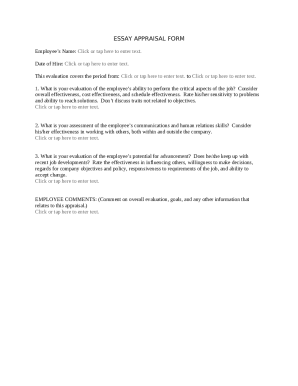
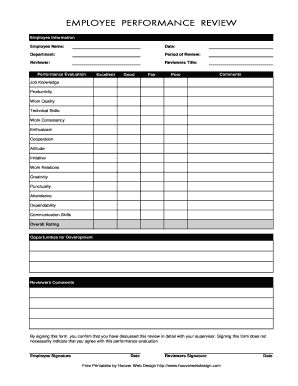
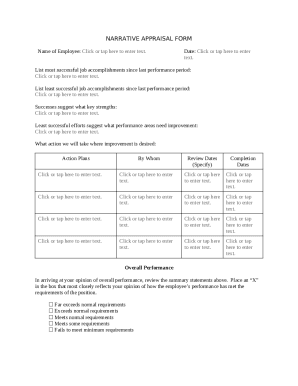
The Annual Performance Evaluation Form is a type of Employment Form used by employers to assess an employee's performance and accomplishments over a specified period.
pdfFiller scores top ratings on review platforms




Who needs Performance Evaluation?
Explore how professionals across industries use pdfFiller.

Performance Evaluation is needed by:
-
Supervisors responsible for employee evaluations
-
HR professionals managing employee performance reviews
-
Employees seeking structured feedback on their performance
-
Organizations aiming to standardize evaluation processes
-
Managers looking to set performance goals and track progress
Comprehensive Guide to Performance Evaluation
What is the Annual Performance Evaluation Form?
The Annual Performance Evaluation Form is a critical tool used to assess employee performance over a specific period. Its primary purpose is to facilitate effective employee management through structured evaluations.
This performance review PDF typically includes essential sections like supervisor assessments, goal setting, and space for employee comments. Understanding this form's structure helps both supervisors and employees engage in meaningful discussions about performance and future objectives.
Purpose and Benefits of the Annual Performance Evaluation Form
This form is essential for fostering a culture of continuous improvement in organizations. Regular evaluations can significantly enhance employee performance and ensure alignment with organizational goals.
-
Improved communication between supervisors and employees.
-
Recognition of individual accomplishments and contributions.
-
Setting clear objectives for future performance and development.
Employers benefit from this structured feedback, which helps in making informed decisions regarding promotions and personal development plans.
Key Features of the Annual Performance Evaluation Form
Several key elements make the Annual Performance Evaluation Form user-friendly and effective. It includes fillable sections such as 'Employee Name,' 'Job Title,' and 'Supervisor-Assessment,' designed to streamline the evaluation process.
Importantly, the requirement for signatures from both the supervisor and the employee adds an official element to the form, ensuring accountability.
Who Needs the Annual Performance Evaluation Form?
The primary users of the Annual Performance Evaluation Form are supervisors and employees within various organizations. This form plays a vital role in ensuring that performance evaluations are completed consistently across different departments.
Many industries recommend or mandate the use of such evaluation forms, making them a standard practice in employee management.
How to Fill Out the Annual Performance Evaluation Form Online (Step-by-Step)
Filling out the Annual Performance Evaluation Form digitally can simplify the process. Here's a step-by-step guide to using pdfFiller effectively:
-
Access the performance review PDF on pdfFiller.
-
Gather necessary information, including employee performance data and feedback.
-
Fill in the required fields like 'Employee Name' and 'Job Title.'
-
Complete supervisor assessments and specify goals.
-
Review the form for accuracy and ensure all fields are filled.
-
Sign the document where indicated.
This format maintains clarity while ensuring ease of use for both parties.
Common Errors to Avoid When Completing the Annual Performance Evaluation Form
When filling out the Annual Performance Evaluation Form, users should be aware of common pitfalls. Incomplete fields or missing signatures can lead to processing delays.
-
Double-check all entries for completeness.
-
Ensure both supervisor and employee signatures are present.
-
Verify that the evaluation aligns with set performance goals.
Being vigilant about these details can prevent common rejection reasons and facilitate smoother evaluations.
How to Sign the Annual Performance Evaluation Form
Signing the Annual Performance Evaluation Form can be done in various ways. Users must understand the differences between digital signatures and traditional wet signatures.
Employers are encouraged to use secure electronic methods, such as eSigning through pdfFiller, to ensure the authenticity and integrity of the document.
Secure and Compliant Filing of the Annual Performance Evaluation Form
Ensuring that employee evaluations are handled securely is paramount. pdfFiller employs robust security features, including 256-bit encryption, to protect sensitive information.
Additionally, the platform complies with regulations such as HIPAA and GDPR, addressing essential privacy and data protection measures. Users can feel confident when managing employee evaluations through pdfFiller.
Next Steps After Completing the Annual Performance Evaluation Form
Once the Annual Performance Evaluation Form is filled out and signed, users can follow a few key steps to complete the process:
-
Save the document to your local drive or cloud storage.
-
Print copies if necessary for record-keeping.
-
Submit the completed evaluation form to the relevant department.
Tracking submissions or any amendments in future evaluations can enhance organizational record-keeping practices.
Elevate Your Employee Reviews with pdfFiller
Utilizing pdfFiller for completing the Annual Performance Evaluation Form enhances efficiency. The platform allows users to edit and sign documents directly online, eliminating the need for downloads.
Employers can leverage pdfFiller's comprehensive tools to streamline their evaluation processes, ensuring that all documentation is managed securely and effectively.
How to fill out the Performance Evaluation
-
1.Begin by accessing pdfFiller and searching for the Annual Performance Evaluation Form in the template library.
-
2.Once you find the form, click on it to open the document editor.
-
3.Gather necessary information including the employee's name, job title, and specific performance metrics before starting the form.
-
4.Utilize the fillable fields to input information; start with the 'Employee Name', followed by 'Job Title'.
-
5.Proceed to fill out the 'Supervisor-Assessment' section, providing a comprehensive evaluation of the employee's contributions.
-
6.Make use of the checkboxes and comment fields wherever applicable to give detailed feedback.
-
7.After completing all sections, review the entered information for accuracy and completeness.
-
8.Ensure both supervisor and employee signatures are collected; you can add signature fields using pdfFiller's signature tools.
-
9.Finalize the document by saving your progress regularly and ensuring all required fields are filled.
-
10.Once the form is complete, choose to download it, email it directly from pdfFiller, or submit it through your company’s designated channels.

Who is eligible to use the Annual Performance Evaluation Form?
The Annual Performance Evaluation Form can be used by supervisors and human resources personnel within organizations as well as employees undergoing the performance review process.
Is there a deadline for submitting the completed form?
While specific deadlines may vary by organization, it is typically required to complete the Annual Performance Evaluation Form at least annually or during scheduled performance review periods.
How do I submit the completed form?
Once you have filled out the Annual Performance Evaluation Form, you can either download it as a PDF for manual submission, or use pdfFiller's built-in submission options to send it directly to the relevant parties.
What supporting documents are required with this form?
Generally, supporting documents may include previous performance evaluations, specific performance metrics, and employee goal documentation; however, the Annual Performance Evaluation Form typically stands alone for assessment.
What are common mistakes to avoid when filling out this form?
Common mistakes include failing to include specific examples of performance, neglecting to have both signatures, and leaving sections incomplete, which can lead to an ineffective evaluation process.
How long does it take to process the evaluation after submission?
Processing times can vary depending on organizational practices, but typically, evaluations should be reviewed within a few weeks of submission to ensure timely feedback.
Are there fees associated with using the Annual Performance Evaluation Form?
There are no direct fees related to filling out the Annual Performance Evaluation Form itself; however, if using services like pdfFiller, ensure you are aware of any subscription or usage fees attached to that platform.
Related Forms



Related Catalogs
Get the latest insights from our blog


If you believe that this page should be taken down, please follow our DMCA take down process
here
.
This form may include fields for payment information. Data entered in these fields is not covered by PCI DSS compliance.