
Last updated on
Oct 19, 2026

Get the free Regulation B Joint Credit Notice
We are not affiliated with any brand or entity on this form

Fill out
Complete the form online in a simple drag-and-drop editor.

eSign
Add your legally binding signature or send the form for signing.

Share
Share the form via a link, letting anyone fill it out from any device.

Export
Download, print, email, or move the form to your cloud storage.
Why pdfFiller is the best tool for your documents and forms


End-to-end document management
From editing and signing to collaboration and tracking, pdfFiller has everything you need to get your documents done quickly and efficiently.
Accessible from anywhere
pdfFiller is fully cloud-based. This means you can edit, sign, and share documents from anywhere using your computer, smartphone, or tablet.
Secure and compliant
pdfFiller lets you securely manage documents following global laws like ESIGN, CCPA, and GDPR. It's also HIPAA and SOC 2 compliant.
What is Joint Credit Notice
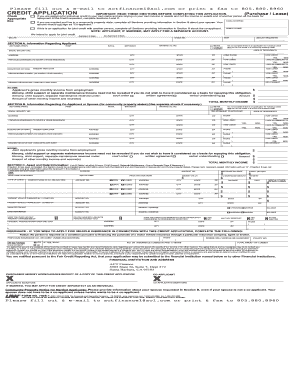
The Regulation B Joint Credit Notice is a legal document used by applicants to acknowledge their intention to apply for joint credit under the Equal Credit Opportunity Act.
pdfFiller scores top ratings on review platforms




Who needs Joint Credit Notice?
Explore how professionals across industries use pdfFiller.

Joint Credit Notice is needed by:
-
Joint credit applicants seeking transparency in their credit application process.
-
Lenders and financial institutions requiring documentation for joint credit requests.
-
Real estate professionals facilitating joint credit transactions.
-
Credit counselors advising clients on joint credit applications.
-
Legal professionals ensuring compliance with credit regulations.
-
Consumers in Texas looking to understand credit rights under Regulation B.
Comprehensive Guide to Joint Credit Notice
What is the Regulation B Joint Credit Notice?
The Regulation B Joint Credit Notice serves to define and provide critical information regarding the acknowledgment required during joint credit applications. This document is pivotal in the context of the Equal Credit Opportunity Act (ECOA), which aims to prohibit discrimination in lending based on race, gender, or other characteristics.
This form ensures that all parties involved in a joint credit application are aware of their rights and responsibilities. By understanding the implications of the ECOA, applicants can navigate the credit process with greater transparency, making the Regulation B Joint Credit Notice a vital resource.
Purpose and Benefits of the Regulation B Joint Credit Notice
The primary purpose of the Regulation B Joint Credit Notice is to ensure that all applicants acknowledge their joint credit application formally. Acknowledgment is crucial, as it highlights the commitment of both parties to the financial obligations they may incur together.
The advantages of using this legal form extend to both applicants and lenders. By fostering transparency in the application process, both parties can avoid misunderstandings regarding credit responsibilities. Additionally, the form can streamline approval processes, making it beneficial for all involved.
Key Features of the Regulation B Joint Credit Notice
This document includes several key features designed to enhance usability and compliance. It contains multiple signature lines, allowing all applicants to sign directly on the form, ensuring that acknowledgment is straightforward and clear.
The form is also designed to be fillable, particularly beneficial for users accessing it on the pdfFiller platform. Its user-friendly design enables applicants to fill out necessary information easily, making the submission process simpler.
Who Needs the Regulation B Joint Credit Notice?
How to Fill Out the Regulation B Joint Credit Notice Online
To fill out the Regulation B Joint Credit Notice online, follow these steps:
-
Access the form on pdfFiller.
-
Complete each required field, ensuring accuracy of personal information.
-
Review the acknowledgment statements presented within the document.
-
Sign the form where indicated.
-
Save or send the completed notice according to your lender's submission guidelines.
Field-by-field guidance is available to assist users in ensuring that all necessary information is included.
Common Errors and How to Avoid Them
When filling out the Regulation B Joint Credit Notice, applicants may encounter several common errors. It is crucial to double-check for misentered information, missing signatures, and overlooked acknowledgment statements.
Signing the Regulation B Joint Credit Notice
Signing the Regulation B Joint Credit Notice involves understanding legal requirements for signatures. Applicants have the option to utilize digital signatures, which are becoming increasingly accepted in today’s digital landscape.
Where and How to Submit the Regulation B Joint Credit Notice
Submitting the Regulation B Joint Credit Notice can be done through various methods. Applicants can choose to send the completed form via postal mail or electronically, depending on the lender's submission requirements.
Security and Compliance for the Regulation B Joint Credit Notice
When handling the Regulation B Joint Credit Notice, applicants can rest assured that their sensitive data is protected. pdfFiller employs stringent security measures, including encryption, to safeguard personal information during the form filling and submission process.
Experience the Ease of Filling Out Your Regulation B Joint Credit Notice with pdfFiller
Utilizing pdfFiller for completing the Regulation B Joint Credit Notice offers users a host of benefits, including intuitive editing capabilities and seamless eSigning options. This platform transforms the often complex process of filling out essential financial documents into a straightforward experience.
How to fill out the Joint Credit Notice
-
1.To access the Regulation B Joint Credit Notice on pdfFiller, go to the pdfFiller website and log in to your account. Use the search bar to find the form by typing 'Regulation B Joint Credit Notice'.
-
2.Once located, click on the form to open it in the pdfFiller editor. Familiarize yourself with the interface, where you will see fields designated for information entry.
-
3.Before filling out the form, gather necessary information such as identification details, joint application specifics, and any financial documents relevant to your credit application to ensure smooth completion.
-
4.Start completing the form by clicking on the blank fields to enter your information. Ensure accuracy as you fill out names, addresses, and any relevant financial details to avoid future issues.
-
5.Pay close attention to the acknowledgment statements included within the document. You will need to provide your signature at the designated signature lines. If required, you can use the 'draw' or 'type' functions in pdfFiller to sign the document digitally.
-
6.After entering all required information, review the filled sections carefully. Use the zoom function to check for errors, ensuring that all information is clear and accurate.
-
7.Once you are satisfied with the completed form, you can save it directly within pdfFiller. Choose the save option to keep a copy in your account, or use the download button to save it locally on your device.
-
8.If you need to submit the form, pdfFiller offers submission options via email or direct upload to your desired platform. Choose the method that aligns with your requirements.

Who is eligible to use the Regulation B Joint Credit Notice?
Any individual or group of individuals intending to apply for joint credit are eligible to use the Regulation B Joint Credit Notice, as it is designed specifically for applicants under the Equal Credit Opportunity Act.
Is there a deadline to submit the joint credit application using this form?
While there is no specific deadline for filling out the Regulation B Joint Credit Notice, it's advisable to submit the form promptly along with your joint credit application to avoid any processing delays.
How can I submit the Regulation B Joint Credit Notice once completed?
You can submit the completed Regulation B Joint Credit Notice via email or upload it to the relevant financial institution's portal directly through pdfFiller's submission options available once you finish editing.
What supporting documents are typically needed when submitting this form?
Commonly required supporting documents may include identification verification, income statements, and any relevant financial history. However, check with your lender for their specific requirements.
What common mistakes should I avoid when filling out the form?
To minimize errors, ensure all information entered is accurate, avoid leaving any required fields blank, and double-check that signatures are placed in the designated areas.
How long does it take to process the Regulation B Joint Credit Notice?
Processing times for the Regulation B Joint Credit Notice may vary by lender, but generally, it should be reviewed promptly once submitted alongside your credit application.
Can I edit the Regulation B Joint Credit Notice after I save it?
Yes, you can edit the Regulation B Joint Credit Notice after saving it on pdfFiller. Simply open the saved document in your account to make any necessary changes.
Related Forms





Get the latest insights from our blog


If you believe that this page should be taken down, please follow our DMCA take down process
here
.
This form may include fields for payment information. Data entered in these fields is not covered by PCI DSS compliance.