
Last updated on
Oct 31, 2026

Get the free Helium Trampoline Park Waiver and Release
We are not affiliated with any brand or entity on this form

Fill out
Complete the form online in a simple drag-and-drop editor.

eSign
Add your legally binding signature or send the form for signing.

Share
Share the form via a link, letting anyone fill it out from any device.

Export
Download, print, email, or move the form to your cloud storage.
Why pdfFiller is the best tool for your documents and forms


End-to-end document management
From editing and signing to collaboration and tracking, pdfFiller has everything you need to get your documents done quickly and efficiently.
Accessible from anywhere
pdfFiller is fully cloud-based. This means you can edit, sign, and share documents from anywhere using your computer, smartphone, or tablet.
Secure and compliant
pdfFiller lets you securely manage documents following global laws like ESIGN, CCPA, and GDPR. It's also HIPAA and SOC 2 compliant.
What is Trampoline Waiver
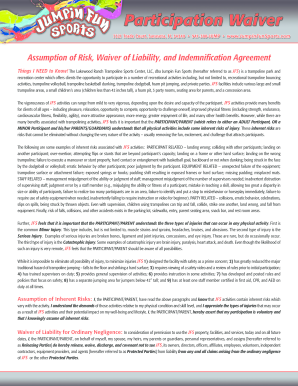
The Helium Trampoline Park Waiver and Release is a legal document used by participants and parents/guardians to acknowledge and assume risks associated with trampoline park activities.
pdfFiller scores top ratings on review platforms




Who needs Trampoline Waiver?
Explore how professionals across industries use pdfFiller.

Trampoline Waiver is needed by:
-
Individuals participating in trampoline park activities
-
Parents or guardians of minors attending Helium Trampoline Park
-
Legal representatives overseeing recreational safety
-
Event organizers hosting activities at trampoline parks
-
Insurance providers assessing liabilities for recreational venues
Comprehensive Guide to Trampoline Waiver
What is the Helium Trampoline Park Waiver and Release?
The Helium Trampoline Park Waiver and Release is a crucial legal document that participants and guardians must complete to engage in trampoline activities safely. This waiver serves as a formal acknowledgment of inherent risks associated with these activities, protecting both the participants and the facility.
This waiver outlines significant points such as the necessity for participants to recognize and assume potential risks involved in trampoline use. Moreover, it also specifies its enforceability under Wisconsin laws, providing a framework for legal protection in case of accidents.
Purpose and Benefits of the Helium Trampoline Park Waiver and Release
The Helium Trampoline Park Waiver and Release is essential for various reasons. Firstly, it shields the trampoline park from liability by formally recognizing the risks of activities undertaken by participants. In doing so, it helps create clarity for participants about the conditions of their engagement.
Another significant benefit is the assurance it provides to parents and guardians of minor participants. By signing this form, they can feel secure knowing that the park has taken measures to communicate risks, enhancing their peace of mind.
Who Needs the Helium Trampoline Park Waiver and Release?
The waiver is mandatory for all individuals aged 12 and older who wish to engage in trampoline activities. Those signing the waiver must include a parent or guardian for any minor participants, ensuring that all relevant parties are informed of the risks involved.
-
Participants aged 12 and older must sign the waiver.
-
Parents or guardians must sign for participants under 12.
-
A participant is defined as anyone using the trampoline facilities.
How to Fill Out the Helium Trampoline Park Waiver and Release Online
Filling out the Helium Trampoline Park Waiver and Release online is straightforward. The process begins by entering required information into designated fields, including names, signatures, and dates.
-
Navigate to the online waiver form.
-
Input your personal information in the respective fields.
-
Review your details to ensure accuracy and completeness.
-
Submit the form once all fields are filled correctly.
Field-by-Field Instructions for the Helium Trampoline Park Waiver
Understanding each field in the waiver is vital for proper completion. Fields include 'Signature of Participant', 'Date of Birth', and 'Signature of Parent/Guardian'. Each field holds specific importance, and failure to fill them accurately could lead to complications.
-
'Signature of Participant'—required for those 12 and older.
-
'Date of Birth'—ensures age verification.
-
'Signature of Parent/Guardian'—mandatory for minors.
Signing the Helium Trampoline Park Waiver and Release: Digital vs. Wet Signature
There are two methods to sign the Helium Trampoline Park Waiver and Release: digital signatures and traditional wet signatures. While both are legally valid, understanding how to execute each correctly is crucial for compliance.
To sign the form digitally, you can use platforms like pdfFiller, which streamline the process with simple steps for electronic signing. This option provides convenience while maintaining the integrity of the document.
How to Download, Print, and Submit the Helium Trampoline Park Waiver
Once the waiver is completed, users may need to download, print, and submit it. This ensures that the trampoline park receives a physical copy of the signed document.
-
Download the completed PDF for your records.
-
Print the document for in-person submission.
-
Submit the waiver at the trampoline park's designated area.
Security and Compliance When Using the Helium Trampoline Park Waiver
When filling out the Helium Trampoline Park Waiver, it is essential to consider the security of personal information. pdfFiller employs robust security measures, including encryption and compliance with data protection laws like HIPAA and GDPR, to protect sensitive data.
This focus on security assures users that their information is handled with the utmost care, providing peace of mind when completing the waiver.
Next Steps After Completing the Helium Trampoline Park Waiver
After submission, users can expect a confirmation process to verify that the waiver has been received. It is also important to keep a copy of the signed waiver for personal records.
-
Await confirmation after submitting the waiver.
-
Retain a copy of the signed waiver for your records.
-
Be mindful of deadlines—late filings could result in denial of participation.
Enhance Your Experience with pdfFiller for the Helium Trampoline Park Waiver
Using pdfFiller enhances the experience of filling out and managing the Helium Trampoline Park Waiver. The platform offers a user-friendly interface and various features that simplify the process, such as eSigning and document management.
Utilizing pdfFiller ensures a seamless experience while handling important legal documents. Users can take advantage of these benefits to streamline their waiver management.
How to fill out the Trampoline Waiver
-
1.Access pdfFiller and locate the Helium Trampoline Park Waiver and Release form through the search bar or the provided link.
-
2.Once opened, review the form layout to familiarize yourself with the required fields.
-
3.Prepare necessary information, including names, dates of birth, and contact details for both participants and guardians.
-
4.Fill out the participant’s name and date of birth in the designated fields.
-
5.If the participant is 12 years or older, ensure to provide their signature in the specified area.
-
6.For minors, the parent or guardian must complete the 'Signature of Parent/Guardian' section.
-
7.Double-check all entries for accuracy and completeness before proceeding.
-
8.Utilize the instructions provided within the form to ensure compliance with legal requirements.
-
9.After completing the form, review each section carefully to ensure all fields are filled properly.
-
10.Once confirmed, save the form on pdfFiller either by downloading or submitting it electronically as instructed.

Who needs to sign the Helium Trampoline Park Waiver?
Both the participant aged 12 years or older and the parent or guardian of any minor involved must sign the waiver. This ensures that all parties acknowledge and assume responsibility for the inherent risks.
Is a notarization required for this waiver?
No, the Helium Trampoline Park Waiver and Release does not require notarization. You simply need the required signatures from the participant and the parent/guardian.
How can I submit the completed waiver?
The completed waiver can be submitted electronically through pdfFiller or printed out and delivered in person at Helium Trampoline Park. Ensure that all signatures are completed before submission.
What happens if I forget to sign the waiver?
If the waiver is not signed by the required parties, the participant may not be allowed to participate in activities at Helium Trampoline Park. Always ensure compliance before attendance.
Are there any fees associated with filling out this waiver?
There are no fees for filling out or submitting the Helium Trampoline Park Waiver and Release. However, participating in activities may require payment of admission fees at the park.
Can I fill out the waiver on behalf of my minor child?
Yes, a parent or guardian may fill out the waiver on behalf of a minor child. The guardian's information and signature are required to legally bind the waiver.
What should I do if I encounter problems filling out the form?
If you experience difficulties while filling out the form on pdfFiller, consult the help section on their website or contact their support team for assistance. They can provide guidance on form completion.
Related Forms




Related Catalogs
Get the latest insights from our blog


If you believe that this page should be taken down, please follow our DMCA take down process
here
.
This form may include fields for payment information. Data entered in these fields is not covered by PCI DSS compliance.