
Last updated on
Oct 31, 2026

Get the free Attending Physician Statement
We are not affiliated with any brand or entity on this form

Fill out
Complete the form online in a simple drag-and-drop editor.

eSign
Add your legally binding signature or send the form for signing.

Share
Share the form via a link, letting anyone fill it out from any device.

Export
Download, print, email, or move the form to your cloud storage.
Why pdfFiller is the best tool for your documents and forms


End-to-end document management
From editing and signing to collaboration and tracking, pdfFiller has everything you need to get your documents done quickly and efficiently.
Accessible from anywhere
pdfFiller is fully cloud-based. This means you can edit, sign, and share documents from anywhere using your computer, smartphone, or tablet.
Secure and compliant
pdfFiller lets you securely manage documents following global laws like ESIGN, CCPA, and GDPR. It's also HIPAA and SOC 2 compliant.
What is Physician Statement
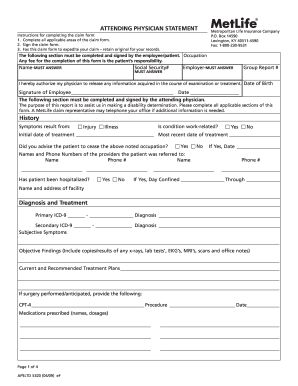
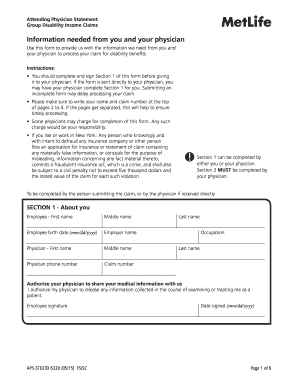
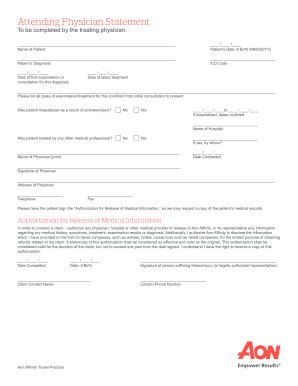
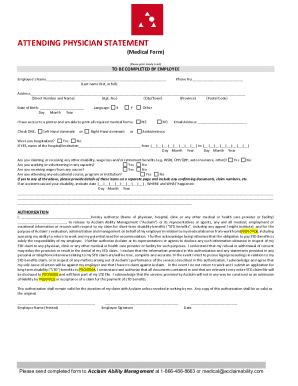
The Attending Physician Statement is a healthcare form used by employees and physicians to assist in making a disability determination.
pdfFiller scores top ratings on review platforms




Who needs Physician Statement?
Explore how professionals across industries use pdfFiller.

Physician Statement is needed by:
-
Employees seeking disability claims
-
Attending Physicians completing evaluations
-
Insurance companies processing claims
-
Medical professionals providing treatment records
-
Patients needing to document health conditions
-
Legal representatives involved in disability cases
Comprehensive Guide to Physician Statement
What is the Attending Physician Statement?
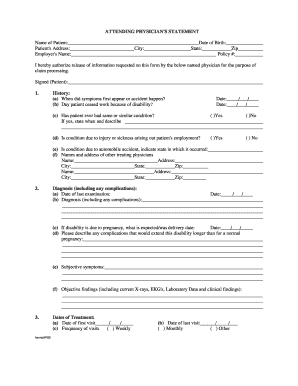
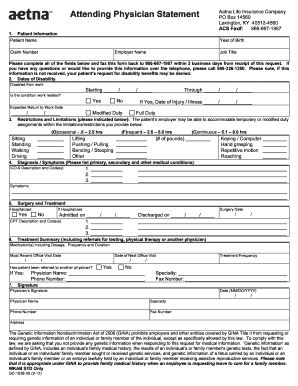
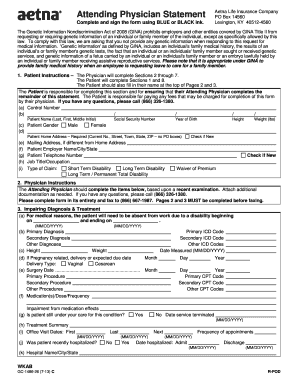
The Attending Physician Statement (APS) is a critical form in the realm of disability determinations, serving as a vital document in healthcare claims. This statement outlines essential information pertaining to the patient's medical condition, which is necessary for processing disability claims. Typically, the form is completed by both the employee or patient and their attending physician. Insurance companies, including MetLife, utilize this form to assess eligibility for benefits accurately.
Purpose and Benefits of the Attending Physician Statement
The Attending Physician Statement is essential for substantiating disability claims with accurate medical documentation. This form provides a comprehensive view of the patient's medical history and details treatment information that effectively supports their claims. Having a signed statement from both the employee and the attending physician serves as a corroborative piece of evidence that adds credibility to the request for benefits.
Moreover, this statement streamlines the claims process and reduces potential delays by ensuring all necessary information is readily available.
Key Features of the Attending Physician Statement
The Attending Physician Statement comprises several significant sections that are critical for thorough documentation. These sections typically include the following:
-
Patient History: A detailed account of previous medical conditions and treatments.
-
Symptoms: A description of current symptoms affecting the patient’s ability to work.
-
Diagnosis: The attending physician’s professional assessment of the patient's condition.
-
Treatment Plans: Outline of medical interventions and therapies prescribed.
-
Physical Capabilities: Information regarding the patient’s abilities and limitations.
Each section often includes blank fields and checkboxes that must be completed accurately, along with signature requirements from both parties. This thoroughness is necessary for the statement's validity and effectiveness in processing claims.
Who Needs to Use the Attending Physician Statement?
Employees or patients filing for disability claims are the primary users of the Attending Physician Statement. This form is also essential for physicians who need to provide detailed medical information. Scenarios mandating the use of this statement typically arise within the context of insurance claims where documenting the patient’s health condition is crucial for assessment.
How to Fill Out the Attending Physician Statement Online
To fill out the Attending Physician Statement using pdfFiller, follow these steps:
-
Access the form: Visit pdfFiller and create an account if you do not have one.
-
Locate the Attending Physician Statement in the form library.
-
Fill out each section carefully, ensuring all fields are accurately completed.
-
Include necessary signatures from both the patient and the physician.
-
Review the completed form for accuracy before submission.
These steps help ensure a smooth completion and submission process.
Submission Methods and Delivery for the Attending Physician Statement
Once the Attending Physician Statement is completed, there are several submission methods available:
-
Faxing the form directly to the insurance provider for expedited processing.
-
Submitting it online via pdfFiller, which offers a convenient platform for document management.
It's essential to maintain copies of submitted forms for personal records and to track the submission status effectively. Ensure that sensitive healthcare documents are handled securely throughout the process.
Common Errors and How to Avoid Them
When completing the Attending Physician Statement, several common errors may hinder effective processing. Frequent mistakes include:
-
Leaving blank fields that require information.
-
Omitting signatures from either the employee or the physician.
To avoid these pitfalls, double-check all entered information and utilize resources for verifying compliance with the form's requirements. Best practices include reviewing each section before submission to enhance overall accuracy.
Security and Compliance of the Attending Physician Statement
Handling sensitive documents like the Attending Physician Statement necessitates strict adherence to security protocols. pdfFiller employs essential measures such as 256-bit encryption and maintains HIPAA compliance, ensuring data protection for both patients and healthcare providers. Compliance with local and federal regulations is crucial when managing these documents to preserve patient privacy.
Sample of a Completed Attending Physician Statement
For users looking for guidance, a sample of a filled-out Attending Physician Statement can be highly beneficial. This example showcases the completed form with annotations highlighting critical areas requiring specific information from both the employee and the physician. Users are encouraged to reference this sample while filling out their own forms for clarity.
Experience the Ease of Completing the Attending Physician Statement with pdfFiller
Utilizing pdfFiller for your Attending Physician Statement offers significant advantages, such as easily editing and eSigning documents from any device without the need for downloads. The platform ensures a streamlined experience for filling out forms, making it convenient for users to complete and manage their healthcare documentation efficiently.
How to fill out the Physician Statement
-
1.To access the Attending Physician Statement on pdfFiller, visit the pdfFiller website and log in to your account, or create a new account if necessary.
-
2.Use the search bar to find the 'Attending Physician Statement' form. Click on the form title to open it within the PDF editor.
-
3.Familiarize yourself with the form layout and identify key sections, such as history, symptoms, diagnosis, treatment plans, and physical capabilities.
-
4.Gather necessary information, including the patient's personal details, medical history, Social Security number, and treatment plan specifics, before starting to fill out the form.
-
5.Begin completing the form by entering text into the required fields. Use pdfFiller's text editing tools to adjust font size and style as needed.
-
6.Navigate through the blank fields and checkboxes, following the instructions provided on the form to ensure all applicable sections are filled out correctly.
-
7.Ensure both the employee and attending physician sign the form in the designated areas. You can use the electronic signature feature on pdfFiller for convenience.
-
8.After filling out all required fields, review the form thoroughly. Check for any missing information or errors.
-
9.Once finalized, save your completed Attending Physician Statement form by clicking the 'Save' button in the top right corner of the interface.
-
10.To download or submit the completed form, select 'Download' to save it to your device or use the submission options provided by pdfFiller to send it directly to the required parties.

Who is eligible to use the Attending Physician Statement?
The Attending Physician Statement is intended for employees who are applying for disability claims and the attending physicians responsible for providing evaluations and medical insights about the patient's condition.
What documents need to accompany the Attending Physician Statement?
Typically, the Attending Physician Statement may require supporting documents such as medical records, proof of treatment, and other relevant healthcare information to substantiate the disability claim.
How do I submit the Attending Physician Statement?
You can submit the Attending Physician Statement by faxing it to the insurance company or by using electronic submission through pdfFiller. Ensure you follow any specific submission guidelines provided by the insurance provider.
Are there any deadlines for submitting the Attending Physician Statement?
Yes, it is crucial to submit the Attending Physician Statement within any deadlines set by the insurance company or claim process to avoid delays in your claim approval.
What common mistakes should I avoid when filling out this form?
Common mistakes include leaving blank fields, providing incorrect patient information, not acquiring required signatures, and failing to follow submission guidelines. Double-check your entries to ensure accuracy.
What is the processing time for my disability claim after submission?
Processing times for disability claims can vary by insurance provider. Typically, you should expect an initial review period of several weeks, and you will be notified if further information is required.
Is notarization required for the Attending Physician Statement?
No, notarization is not required for the Attending Physician Statement. However, both the employee and the attending physician must provide signatures to validate the form.
Related Forms



Get the latest insights from our blog


If you believe that this page should be taken down, please follow our DMCA take down process
here
.
This form may include fields for payment information. Data entered in these fields is not covered by PCI DSS compliance.