

Get the free Government Servant Nomination Forms
We are not affiliated with any brand or entity on this form

Fill out
Complete the form online in a simple drag-and-drop editor.

eSign
Add your legally binding signature or send the form for signing.

Share
Share the form via a link, letting anyone fill it out from any device.

Export
Download, print, email, or move the form to your cloud storage.
Why pdfFiller is the best tool for your documents and forms


End-to-end document management
From editing and signing to collaboration and tracking, pdfFiller has everything you need to get your documents done quickly and efficiently.
Accessible from anywhere
pdfFiller is fully cloud-based. This means you can edit, sign, and share documents from anywhere using your computer, smartphone, or tablet.
Secure and compliant
pdfFiller lets you securely manage documents following global laws like ESIGN, CCPA, and GDPR. It's also HIPAA and SOC 2 compliant.
What is Nomination Forms
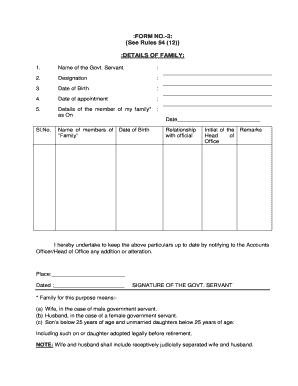
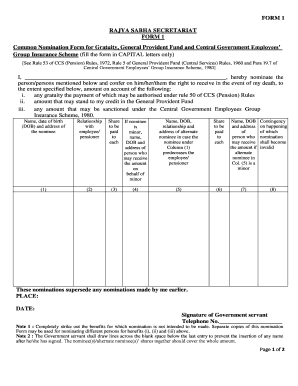
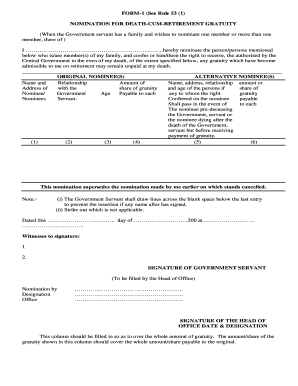
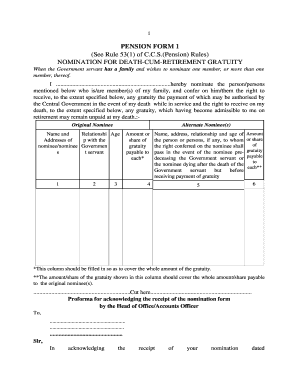
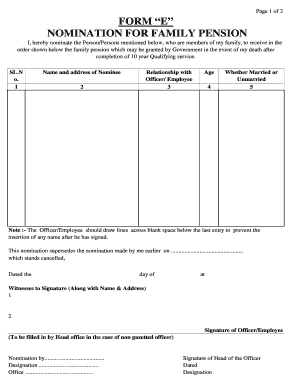
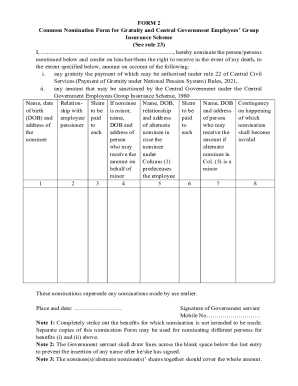
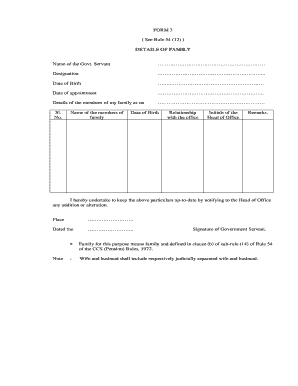
The Government Servant Nomination Forms are legal documents used by government employees in India to nominate family members for financial benefits like provident fund and gratuity in case of their death.
pdfFiller scores top ratings on review platforms




Who needs Nomination Forms?
Explore how professionals across industries use pdfFiller.

Nomination Forms is needed by:
-
Government servants applying for nominations
-
Family members of deceased government employees
-
Legal representatives of government employees
-
Witnesses verifying government servant signatures
-
Human resources departments in government offices
-
Financial institutions managing benefits
How to fill out the Nomination Forms
-
1.Access the Government Servant Nomination Forms by navigating to pdfFiller's main website and searching for the form title in the search bar.
-
2.Open the form by clicking on it from the list of search results, which will launch pdfFiller's editor interface.
-
3.Familiarize yourself with the form layout, noting fields that require personal information such as the government servant's name and details of family members for nomination.
-
4.Gather all necessary information, including personal identification numbers, beneficiary details, and signatures from two witnesses before starting to fill out the form.
-
5.Input the required information into the designated fields, ensuring accuracy and completeness. Utilize pdfFiller's tools to aid in text entry or dropdown selections.
-
6.Select or check appropriate options as indicated in the form, particularly in sections related to financial assistance plans and benefits.
-
7.Review the completed form carefully to check for any errors or missing information, making adjustments as necessary within pdfFiller.
-
8.Finalize your form by saving your changes within the pdfFiller system. You can choose to download a copy of the completed form for your records.
-
9.Submit the form as per your requirements, either by printing it out for manual submission or using pdfFiller's online submission features if available.

Who is eligible to use the Government Servant Nomination Forms?
Government servants in India who need to nominate family members for financial benefits are eligible to use these forms. This includes individuals employed by various government departments and agencies.
What details are required when filling out these forms?
The forms require personal details of the government servant, nominee information, and signatures from two witnesses. Ensure all information is accurate to avoid delays in processing.
How should I submit my completed nomination form?
Completed forms can be submitted either in person to the respective government department or online through platforms like pdfFiller when available. Make sure to follow your department's submission guidelines.
Is there a deadline for submitting these forms?
While specific deadlines may vary, it is advisable to submit the Government Servant Nomination Forms as soon as possible to ensure timely processing of benefits. Check with your department for specific due dates.
What common mistakes should I avoid when filling out the forms?
Common mistakes include omitting required fields, providing incorrect witness signatures, and failing to proofread for accuracy. Double-check all entries prior to submission to avoid delays.
Are there any fees associated with submitting these forms?
Typically, there are no fees for submitting nomination forms within government agencies. However, if additional services or notarizations are required, fees may apply depending on the context.
How long does it take to process the nomination forms?
Processing times for Government Servant Nomination Forms can vary based on department workload and efficiency. It's best to inquire directly with your government office for estimated timelines.
Related Forms



Get the latest insights from our blog


If you believe that this page should be taken down, please follow our DMCA take down process
here
.
This form may include fields for payment information. Data entered in these fields is not covered by PCI DSS compliance.