
Last updated on
Oct 31, 2026

MI Clinton County RESA Gas Voucher Receipt Form 2014-2026 free printable template
pdfFiller is not affiliated with any government organization

Fill out
Complete the form online in a simple drag-and-drop editor.

eSign
Add your legally binding signature or send the form for signing.

Share
Share the form via a link, letting anyone fill it out from any device.

Export
Download, print, email, or move the form to your cloud storage.
Why pdfFiller is the best tool for your documents and forms


End-to-end document management
From editing and signing to collaboration and tracking, pdfFiller has everything you need to get your documents done quickly and efficiently.
Accessible from anywhere
pdfFiller is fully cloud-based. This means you can edit, sign, and share documents from anywhere using your computer, smartphone, or tablet.
Secure and compliant
pdfFiller lets you securely manage documents following global laws like ESIGN, CCPA, and GDPR. It's also HIPAA and SOC 2 compliant.
What is MI Clinton County RESA Gas Voucher Receipt Form
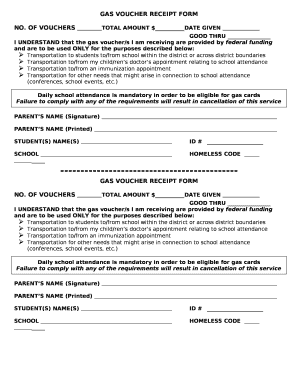
The Gas Voucher Receipt Form is a permission document used by parents to obtain gas vouchers for their child's school-related transportation needs.
pdfFiller scores top ratings on review platforms




Who needs MI Clinton County RESA Gas Voucher Receipt Form?
Explore how professionals across industries use pdfFiller.

MI Clinton County RESA Gas Voucher Receipt Form is needed by:
-
Parents requiring gas vouchers for school transportation
-
School administrators managing transportation services
-
Students needing assistance for attending school or related events
-
Health care providers facilitating student appointments
-
School district officials overseeing compliance and fund allocation
Comprehensive Guide to MI Clinton County RESA Gas Voucher Receipt Form
What is the Gas Voucher Receipt Form?
The Gas Voucher Receipt Form serves as a crucial tool for parents seeking gas vouchers to facilitate transportation for their children. This form not only assists in detailing the number of vouchers provided but also allows parents to meet school transportation needs effectively. Furthermore, it is linked to federal funding that supports educational transportation, making it essential for eligible families.
Purpose and Benefits of the Gas Voucher Receipt Form
The main purpose of the Gas Voucher Receipt Form is to enable parents to access gas vouchers for their children's transportation needs. By filling out this form, parents can ensure their eligibility for these vouchers, which can significantly alleviate travel costs associated with maintaining school attendance and attending healthcare appointments. Additionally, the convenience offered by these vouchers plays a crucial role in promoting regular attendance at school and supporting children’s overall education.
Key Features of the Gas Voucher Receipt Form
This form includes several important elements that aid in its completion. Key fields that parents will encounter include:
-
Number of vouchers
-
Total amount
-
Parent signature
-
Date given
-
Expiration date
With fillable fields and checkboxes, this form is designed for clarity. It also contains specific instructions that must be followed to ensure compliance and proper submission.
Who Needs the Gas Voucher Receipt Form?
The Gas Voucher Receipt Form is specifically targeted at parents of students who qualify for transportation vouchers. This tool is especially important for those dealing with particular transportation needs that arise due to school attendance or healthcare appointments. Identifying eligible families helps streamline the distribution of these valuable resources.
Eligibility Criteria for the Gas Voucher Receipt Form
To qualify for the gas vouchers listed on this form, several requirements must be met. Mandatory school attendance is a primary condition; students must attend school regularly to maintain their eligibility for the vouchers. Additionally, parents should be aware of any deadlines or expiration dates linked to the vouchers to ensure timely submission and compliance.
How to Fill Out the Gas Voucher Receipt Form Online (Step-by-Step)
Filling out the Gas Voucher Receipt Form online is a straightforward process. Here are the steps to successfully complete the form:
-
Enter the Parent's Name in the designated field.
-
Input the Student ID(s) accurately.
-
Specify the Total Amount of vouchers requested.
-
Review additional fields for completeness.
-
Submit the form using available options through pdfFiller.
This step-by-step guide ensures that parents provide all necessary information, facilitating a smooth submission process.
Digital Signature vs. Wet Signature Requirements
When completing the Gas Voucher Receipt Form, parents have the option to choose between a digital signature and a traditional wet signature. Digital signatures are legally recognized in this context and provide a convenient alternative to handwritten signatures. Understanding the preferences for signing the form will ensure compliance with documentation requirements while maintaining the integrity of submissions.
Where to Submit the Gas Voucher Receipt Form
Once the Gas Voucher Receipt Form is completed and signed, parents need to know how to submit it. The submission can be made online via designated channels or by mailing the completed form to the appropriate school district office. Depending on the requirements, additional documentation may be necessary with the submission to ensure proper processing.
Security and Compliance for the Gas Voucher Receipt Form
Handling the Gas Voucher Receipt Form securely is paramount. pdfFiller employs robust security measures, including 256-bit encryption, to safeguard sensitive information. Compliance with regulations like HIPAA and GDPR is central to pdfFiller’s operations, ensuring that all documents are processed with utmost care and confidentiality.
Enhance Your Form-Filling Experience with pdfFiller
Utilizing pdfFiller can greatly enhance the experience of filling out the Gas Voucher Receipt Form. The platform allows users to seamlessly edit and submit the form with features like eSigning and document management. With secure storage and ease of access, pdfFiller stands out as a reliable tool for parents navigating the complexities of form submission.
How to fill out the MI Clinton County RESA Gas Voucher Receipt Form
-
1.To access the Gas Voucher Receipt Form, visit pdfFiller and search for the form name in the search bar.
-
2.Once you find the form, click on it to open it in the pdfFiller editing interface.
-
3.Review the required fields listed in the form and gather the necessary information before you begin filling it out.
-
4.Start by entering the number of vouchers you wish to receive in the 'NO. OF VOUCHERS' field.
-
5.Next, input the total amount for the vouchers in the 'TOTAL AMOUNT' section.
-
6.Fill in the 'DATE GIVEN' field with the date you are requesting the vouchers.
-
7.Complete the 'GOOD THRU' field with the expiration date of the vouchers, ensuring it's accurate.
-
8.In the 'PARENT’S NAME (Printed)' field, type the full name of the parent or guardian filling out the form.
-
9.Then, sign your name in the 'PARENT’S NAME (Signature)' section to indicate you agree to the terms.
-
10.Enter the student’s name and ID number in the appropriate 'STUDENT(S) NAME(S)' and 'ID #' fields.
-
11.If applicable, check any boxes indicating the purposes for which the vouchers will be used.
-
12.Before finishing, review all entered information carefully to ensure accuracy and completeness.
-
13.Once satisfied, save your changes within pdfFiller, and choose to download or submit the form electronically.
-
14.Follow any on-screen prompts to complete the submission process, ensuring that all required documents are included.

What are the eligibility requirements for receiving gas vouchers?
Eligibility for gas vouchers requires students to maintain daily school attendance and compliance with school-related transportation needs. Parents must fill out the Gas Voucher Receipt Form, including necessary signatures and student details.
Is there a deadline for submitting the Gas Voucher Receipt Form?
Submission deadlines for the Gas Voucher Receipt Form can vary by school district. It’s essential to check with your local school administration for specific deadlines regarding the processing of gas vouchers.
How can I submit the Gas Voucher Receipt Form?
You can submit the completed Gas Voucher Receipt Form electronically through pdfFiller. After filling out the form, follow the prompts to save or submit it directly to your school district's transportation department.
What supporting documents do I need to include with the form?
Typically, you'll need to provide proof of your child’s school enrollment and any additional documentation requested by your school district. Check with their guidelines to ensure all requirements are met for your gas voucher request.
What common mistakes should I avoid when filling out the form?
Common mistakes include incorrect or missing signatures, errors in student information, and failing to include all necessary checkboxes. Double-check your entries to avoid these issues and ensure proper processing of your request.
How long does it take to process the Gas Voucher Receipt Form?
Processing times for the Gas Voucher Receipt Form can vary widely based on the school district. Generally, you can expect a few days to a couple of weeks for review and approval, so plan accordingly for your transportation needs.
Can I access the form in languages other than English?
Currently, the Gas Voucher Receipt Form is available in English. For non-English speakers, it is advisable to seek assistance from a bilingual educator or administrative staff at your school to ensure accurate completion.
Related Forms



Get the latest insights from our blog


If you believe that this page should be taken down, please follow our DMCA take down process
here
.
This form may include fields for payment information. Data entered in these fields is not covered by PCI DSS compliance.