
Last updated on
Nov 8, 2026
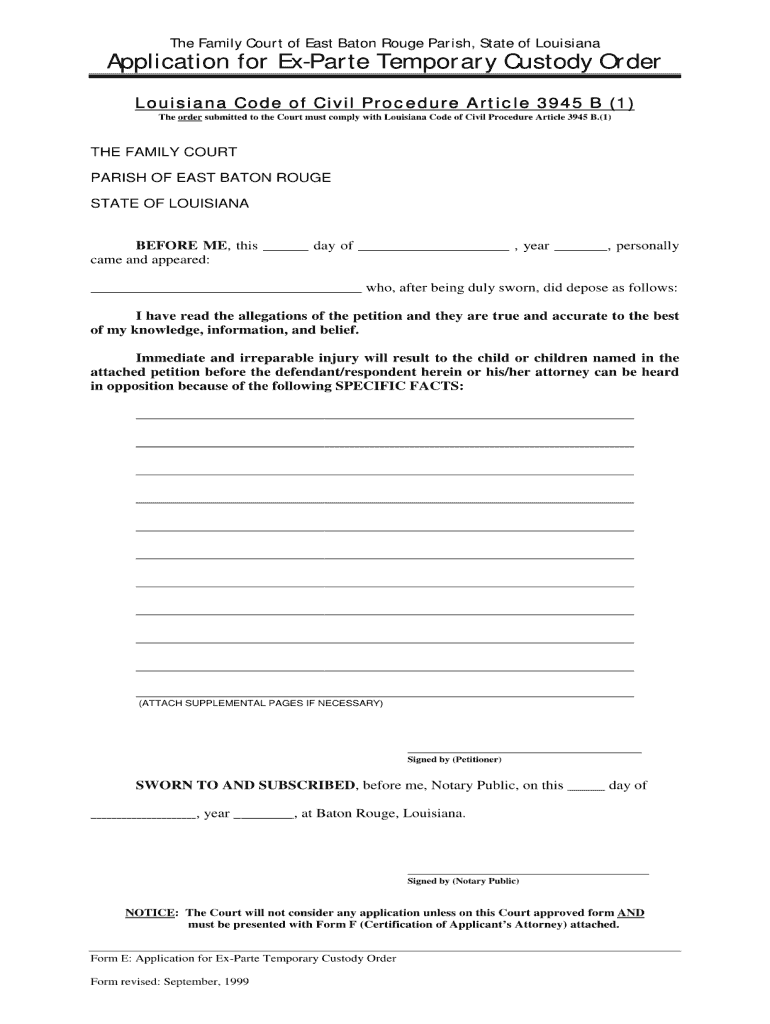
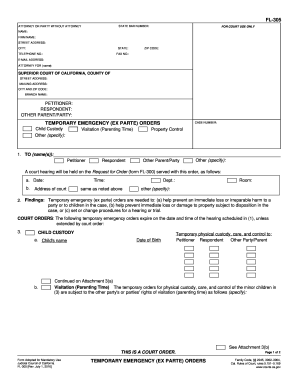
LA Form E 1999 free printable template
We are not affiliated with any brand or entity on this form

Fill out
Complete the form online in a simple drag-and-drop editor.

eSign
Add your legally binding signature or send the form for signing.

Share
Share the form via a link, letting anyone fill it out from any device.

Export
Download, print, email, or move the form to your cloud storage.
Why pdfFiller is the best tool for your documents and forms


End-to-end document management
From editing and signing to collaboration and tracking, pdfFiller has everything you need to get your documents done quickly and efficiently.
Accessible from anywhere
pdfFiller is fully cloud-based. This means you can edit, sign, and share documents from anywhere using your computer, smartphone, or tablet.
Secure and compliant
pdfFiller lets you securely manage documents following global laws like ESIGN, CCPA, and GDPR. It's also HIPAA and SOC 2 compliant.
What is LA Form E
The LA Form E is a document used by individuals or entities for specific legal or administrative purposes related to California regulations.
pdfFiller scores top ratings on review platforms




What do you like best?
PDF Filler was a Game changer for me! All my files are saved as a PDF now, I can sign documents and send back via fax or email to customers. Its also very handy with my touch screen laptop. I use a stylist pen and clients can sign just 1 time and I can use it over the course of all their documents. Clients can come in and sign without dealing with paper and copying. All I need is 1 signature and that's it!!! My whole team loves it, and I have had other Agents ask me what I use, so I have referred several of my friends to PDF FILLER.
What do you dislike?
Wish they had more fonts and color texts. Also it would be great if we could capture a signature and send it in to use. Perhaps a bigger data base for signatures as well, and more documents to be saved. Overall this program is very useful in my line of business. I use it multiple times a day, even on the weekends when necessary.
Recommendations to others considering the product:
Easy to use and saves time and money
What problems are you solving with the product? What benefits have you realized?
So much less paperwork! Saves time, money, paper and ink. 90% of my documents are saved on my computer. So no more bulky filing cabinets and paper records. Less $ on ink, and paper which is very expensive. Its actually safer to save to a hard drive anyway. Very pleased with everything PDF Filler has to offer my business.
very good very simple
It has nice features. I just have to get familiar with them.
So far so good
So far so good, I would have given it a 5, if downloading my edited documents weren't hidden behind a paywall, but hey, I get it, it is in our nature to capitalize on things where it is impossible to find a solution, few have the solution, so why give it away for free? But yeah, good software none the less.
great for data control
I've only started using the program and so far it is doing what I want - merging my weekly quizzes together so I can show parents (when it comes time) all of their abilities rather than just the top 3
This service is very helpful. Pdffiller features are amazing.
Who needs LA Form E?
Explore how professionals across industries use pdfFiller.

LA Form E is needed by:
-
Individuals submitting administrative requests in California
-
Business owners seeking to comply with local regulations
-
Legal representatives filing official documents
-
Accountants preparing tax-related submissions
-
Non-profit organizations handling legal filings
Comprehensive Guide to LA Form E
What is the LA Form E?
The LA Form E is a crucial document used mainly for specific applications within legal or governmental processes. Its primary purpose is to streamline submissions and ensure that essential information is accurately conveyed to the relevant authorities. This form is primarily intended for individuals or organizations that need to provide documented evidence for various administrative purposes.
Users seeking to understand what is LA Form E will find that it serves as a standardized method for formal communication, crucial for compliance and efficient processing.
Purpose and Benefits of the LA Form E
The LA Form E plays a vital role in numerous administrative and legal processes. By accurately completing this form, users can benefit from improved processing times and reduced chances of errors that could delay their applications. Utilizing the LA Form E can lead to favorable outcomes, such as expedited approvals and streamlined interactions with governing bodies.
-
Ensures compliance with relevant regulations.
-
Facilitates effective communication with authorities.
-
Reduces errors leading to smoother application processes.
Who Needs to Use the LA Form E?
Specific groups such as individuals applying for permits, businesses seeking licenses, or organizations involved in formal legal matters will need to use the LA Form E. Eligibility criteria may vary based on local regulations or the specific purpose of the submission.
Common scenarios where the LA Form E is utilized include applications for zoning changes, business registrations, or other legal submissions requiring detailed information regarding the applicant.
When and How to Submit the LA Form E
The timeline for submitting the LA Form E is critical and often involves strict deadlines that users must adhere to. Typically, forms should be submitted well in advance of any scheduled hearings or deadlines set by governing bodies.
-
Gather required information and documents.
-
Access the form online through the designated platform.
-
Complete the form using accurate information.
-
Review and confirm all details before submission.
-
Choose your preferred method of submission (digital or paper).
How to Fill Out the LA Form E Online
Filling out the LA Form E online requires attention to detail. Using pdfFiller, users can complete the form with a step-by-step guide that simplifies the process. Each field must be filled accurately to ensure acceptance.
-
Double-check all input for accuracy.
-
Avoid common mistakes such as missing signatures or incorrect information.
-
Consult help prompts if unsure about certain fields.
How to Sign and Notarize the LA Form E
Signing and notarization requirements for the LA Form E can vary based on jurisdiction. Users may have options for eSigning through pdfFiller, which is a convenient alternative to traditional wet signatures. Understanding the differences between digital and wet signatures, especially regarding their acceptance in different contexts, is essential for ensuring that the form is valid when submitted.
Document Security and Privacy Compliance Related to the LA Form E
Security measures are critical when handling sensitive documents like the LA Form E. pdfFiller employs 256-bit encryption and is compliant with GDPR and HIPAA regulations, ensuring that user data remains secure during the submission process.
-
Data encryption to protect personal information.
-
Compliance with global privacy standards.
-
Robust privacy policies for sensitive document handling.
What Happens After You Submit the LA Form E?
After submitting the LA Form E, users should be aware of the next steps in the process. Typically, there will be a confirmation of receipt, which can often be tracked online through the submission platform. In the event of issues with the submission, users should know the appropriate steps to address these problems promptly.
Common Errors and Issues with the LA Form E
Many users experience frequent mistakes when filling out the LA Form E, which can lead to delays or rejections. Awareness of these common errors can help mitigate risks associated with improper submissions.
-
Incomplete fields that may cause processing delays.
-
Incorrect formatting of dates or numbers.
-
Failure to attach necessary supporting documents.
Your Solution for Filling Out the LA Form E Effectively
Leveraging pdfFiller can significantly streamline the process of filling out the LA Form E. With features designed to enhance ease of use, such as editing capabilities, digital signatures, and secure document storage, users can complete their forms efficiently and confidently.
-
User-friendly interface for efficient form filling.
-
Secure eSigning options to save time.
-
Comprehensive document management capabilities at your fingertips.
How to fill out the LA Form E
-
1.To begin, visit pdfFiller and log in to your account or create a new one if necessary.
-
2.In the PDF search bar, type 'LA Form E' to locate the form quickly.
-
3.Click on the form name in the search results to open it in the editor.
-
4.Before completing the form, gather all necessary information such as identification details, business registrations, or any specific data required for your submission.
-
5.Use the toolbar to navigate through the fields, clicking on each field to type in your information. Utilize features like drag-and-drop to easily upload supporting documents.
-
6.Once you have filled out all sections of the form, review your entries carefully to ensure accuracy and completeness.
-
7.After reviewing, utilize the options available to finalize the form. Save your work by clicking 'Save As' to keep a copy on your device.
-
8.To submit the form, select 'Submit' and choose your preferred method, whether it’s via email or another designated submission channel provided within pdfFiller.
-
9.Finally, download a copy for your records after submission is complete.

Who is eligible to use the LA Form E?
The LA Form E is intended for individuals and organizations involved in specific administrative processes within California. Eligibility typically includes business entities and legal representatives handling related filings.
Is there a deadline for submitting the LA Form E?
Deadlines for submitting the LA Form E depend on the context in which it is used. It is essential to check specific regulations or guidelines to determine if there are particular dates to adhere to.
How do I submit the LA Form E?
You can submit the LA Form E directly through pdfFiller or by downloading it and emailing or mailing it to the appropriate authority. Ensure that you follow all provided submission instructions.
What supporting documents are required when submitting the form?
While specific supporting documents can vary, applicants usually need to provide identification, relevant business licenses, or any additional paperwork specified in the instructions associated with the form.
What are common mistakes to avoid when filling out the LA Form E?
Common mistakes include providing incomplete information, overlooking required signatures, and failing to include necessary supporting documents. Double-check all entries before submission.
What is the processing time for the LA Form E?
Processing times for the LA Form E can vary based on the nature of the request and the reviewing agency. Generally, it can take several weeks, so it's best to submit early if possible.
Are there any fees associated with submitting the LA Form E?
Fees may apply depending on the context of the submission and the reviewing agency. It's advisable to verify the exact fees, if any, at the time of application.
LA Form E Form Versions
Related Content
Related Forms





Get the latest insights from our blog


If you believe that this page should be taken down, please follow our DMCA take down process
here
.
This form may include fields for payment information. Data entered in these fields is not covered by PCI DSS compliance.