
Last updated on
Oct 31, 2026

IL EGR Properties Move In/Out Condition Report 2011-2026 free printable template
pdfFiller is not affiliated with any government organization

Fill out
Complete the form online in a simple drag-and-drop editor.

eSign
Add your legally binding signature or send the form for signing.

Share
Share the form via a link, letting anyone fill it out from any device.

Export
Download, print, email, or move the form to your cloud storage.
Why pdfFiller is the best tool for your documents and forms


End-to-end document management
From editing and signing to collaboration and tracking, pdfFiller has everything you need to get your documents done quickly and efficiently.
Accessible from anywhere
pdfFiller is fully cloud-based. This means you can edit, sign, and share documents from anywhere using your computer, smartphone, or tablet.
Secure and compliant
pdfFiller lets you securely manage documents following global laws like ESIGN, CCPA, and GDPR. It's also HIPAA and SOC 2 compliant.
What is IL EGR Properties Move In/Out Condition Report
The Move In/Out Condition Report is a property management form used by tenants to document the condition of an apartment during move-in and move-out for damage assessment.
pdfFiller scores top ratings on review platforms




Who needs IL EGR Properties Move In/Out Condition Report?
Explore how professionals across industries use pdfFiller.

IL EGR Properties Move In/Out Condition Report is needed by:
-
Tenants moving into a new apartment
-
Property managers overseeing rental properties
-
Landlords requiring condition documentation
-
Real estate agents assisting renters
-
Accounts or financial departments assessing repair costs
Comprehensive Guide to IL EGR Properties Move In/Out Condition Report
Understanding the Move In/Out Condition Report
The Move In/Out Condition Report is a crucial document used in the rental process to ensure accurate documentation of an apartment's state. This form plays a significant role in emphasizing the importance of documenting conditions at the start and end of a tenancy. By detailing the apartment's condition, the report safeguards tenants from unfair damage claims that may arise after moving out.
Essentially, the tenant condition report provides a thorough account of various aspects of the apartment, forming a necessary part of a rental inspection report.
Benefits of the Move In/Out Condition Report
Completing the Move In/Out Condition Report offers numerous advantages for both tenants and landlords. First, it guarantees transparency between both parties concerning the apartment's condition, fostering a healthier rental relationship. This report also serves as a reference document for any security deposit disputes or damage claims that may occur.
Moreover, maintaining an organized record of property conditions aids in efficient rental management, ensuring that both tenants and landlords are on the same page throughout the tenancy.
Key Features of the Move In/Out Condition Report
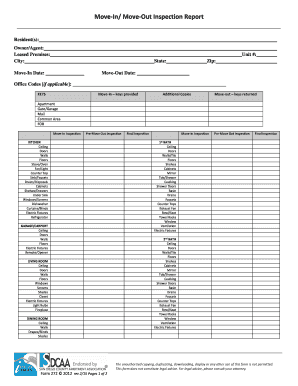
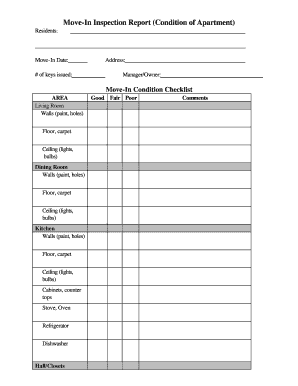
The Move In/Out Condition Report comprises various sections that detail the apartment's condition, including walls, floors, and appliances. Each section contains checkboxes and blank fields, enabling tenants to accurately document any existing issues. Furthermore, the report provides specific instructions for completion and submission, emphasizing the importance of adhering to the specified timeframe.
For tenants, this rental condition checklist ensures that all aspects of the apartment are evaluated thoroughly.
Who Should Use the Move In/Out Condition Report?
This document is designed primarily for tenants who are moving in or out of an apartment. It is essential for individuals entering typical rental agreements, ensuring they have a formal record of the apartment's state. Additionally, management companies and landlords may also utilize the report to verify the condition of their properties during transitions.
Filling Out the Move In/Out Condition Report Online
Accessing and completing the Move In/Out Condition Report online is a straightforward process. Tenants can easily locate the fillable form on pdfFiller. While filling it out, it is crucial to follow field-by-field instructions carefully, especially in sections that require detailed attention.
-
Ensure all relevant information is accurately filled out.
-
Pay careful attention to any critical sections highlighted in the instructions.
To avoid common mistakes, familiarize yourself with the form layout before starting, ensuring that all fields are completed as requested.
Submission Guidelines for the Move In/Out Condition Report
Once the report is completed, follow these guidelines for submission. Tenants have the option to submit the form online or deliver a physical copy. Be aware of any deadlines and acceptance criteria that may apply to your specific rental situation.
In some cases, there may be potential fees associated with processing the report or waiting times for confirmation of submission.
Post-Submission Process
Upon submitting the Move In/Out Condition Report, landlords or property management will begin the review process. If discrepancies arise after submission, tenants should take proactive steps to address these issues directly with their landlord.
Additionally, tenants may wish to track their submission status or request confirmation to ensure their completed report has been received.
Security and Compliance in Handling the Move In/Out Condition Report
When handling the Move In/Out Condition Report, security and compliance are paramount. pdfFiller implements 256-bit encryption to protect sensitive data and adheres to regulations such as HIPAA and GDPR. Safeguarding the confidentiality of real estate documents is essential for maintaining consumer trust in the rental process.
Using pdfFiller to Simplify the Move In/Out Condition Report Process
pdfFiller offers various capabilities that streamline the completion of the Move In/Out Condition Report. Features like fillable forms and electronic signatures enhance the ease of use and accessibility. This cloud-based platform allows users to handle their documentation needs efficiently, making it simple to start and complete the necessary forms online.
How to fill out the IL EGR Properties Move In/Out Condition Report
-
1.Access the Move In/Out Condition Report by navigating to pdfFiller and searching for the form name in the search bar.
-
2.Once you've found the form, click on it to open in the editor. Familiarize yourself with the various fields and checkboxes provided.
-
3.Before starting, gather necessary information such as your move-in date, details of any prior damages, and specifications about the apartment features that need assessment.
-
4.Begin filling out the form by noting the current condition of each area mentioned, including walls, floors, windows, and appliances. Use checkboxes where available for quick marking.
-
5.Take your time to ensure all areas are thoroughly assessed and document any existing damages. Be as detailed as possible to prevent future disputes.
-
6.After completing the form, review all entries for accuracy. Ensure you've filled all mandatory fields and that the descriptions align with current conditions.
-
7.Once satisfied, save your work directly on pdfFiller. You can download a copy for your records or choose to submit it electronically to your landlord or property manager.

Who is required to complete the Move In/Out Condition Report?
Tenants are required to complete the Move In/Out Condition Report. This documentation is necessary to note the apartment's condition for potential future claims regarding damages.
What is the deadline for returning the completed form?
The completed Move In/Out Condition Report must be returned to the office within 7 days of moving into the apartment. Timeliness ensures that any existing damages are documented properly.
How do I submit the completed form?
You can submit the completed form electronically via pdfFiller. Once finished, choose the submission option on the platform to send it to your property manager or landlord.
What supporting documents should I provide with the form?
While the Move In/Out Condition Report itself is the primary document, you may want to include photographs of existing damages as additional evidence to support your assessments.
What are some common mistakes to avoid when completing this report?
Common mistakes include overlooking specific areas of the apartment, failing to provide detailed descriptions, and not reviewing the form for completeness before submission.
How long does it take to process the form after submission?
Processing times can vary based on the property management's procedures. Typically, you should expect a response regarding the assessment of any damage claims within a few business days.
Is notarization required for this form?
No, the Move In/Out Condition Report does not require notarization, making it easier for tenants to complete and submit it promptly.
Related Forms



Get the latest insights from our blog


If you believe that this page should be taken down, please follow our DMCA take down process
here
.
This form may include fields for payment information. Data entered in these fields is not covered by PCI DSS compliance.