
Last updated on
Oct 2, 2026

Get the free National UCC Financing Statement Form UCC1
We are not affiliated with any brand or entity on this form

Fill out
Complete the form online in a simple drag-and-drop editor.

eSign
Add your legally binding signature or send the form for signing.

Share
Share the form via a link, letting anyone fill it out from any device.

Export
Download, print, email, or move the form to your cloud storage.
Why pdfFiller is the best tool for your documents and forms


End-to-end document management
From editing and signing to collaboration and tracking, pdfFiller has everything you need to get your documents done quickly and efficiently.
Accessible from anywhere
pdfFiller is fully cloud-based. This means you can edit, sign, and share documents from anywhere using your computer, smartphone, or tablet.
Secure and compliant
pdfFiller lets you securely manage documents following global laws like ESIGN, CCPA, and GDPR. It's also HIPAA and SOC 2 compliant.
What is UCC1 Form
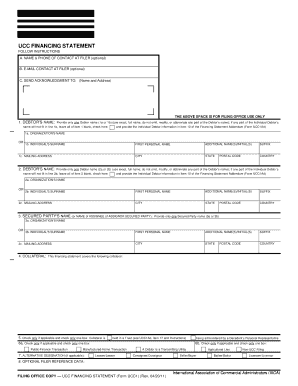
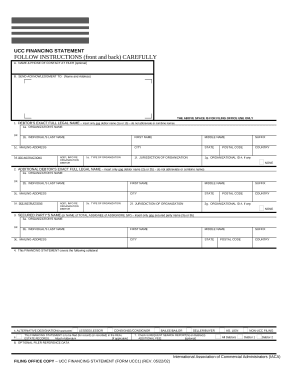
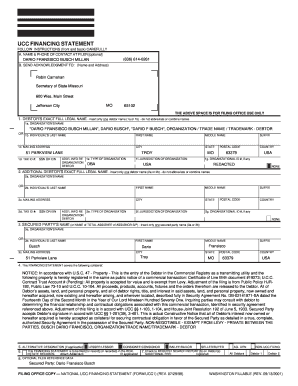
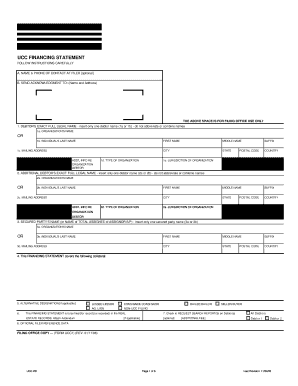
The National UCC Financing Statement Form UCC1 is a legal document used by secured parties in the US to establish a security interest in collateral.
pdfFiller scores top ratings on review platforms




Who needs UCC1 Form?
Explore how professionals across industries use pdfFiller.

UCC1 Form is needed by:
-
Businesses securing loans or credit
-
Lenders requiring collateral documentation
-
Attorneys facilitating financing agreements
-
Accountants managing business compliance
-
Real estate professionals involved in transactions
-
Individuals requiring loan documentation
Comprehensive Guide to UCC1 Form
Understanding the National UCC Financing Statement Form UCC1
The National UCC Financing Statement Form UCC1 is a crucial document in establishing a security interest in collateral. By filing this form, secured parties can perfect their legal rights over a debtor's assets. This form plays an essential role in various legal and business contexts, ensuring that secured transactions are recognized and enforceable under U.S. law.
The UCC1 form is instrumental in securing loans and other business transactions, as it provides a public notice of the secured party's interest. It outlines the borrower's information, thereby facilitating transparency and supporting the principles of trust in financial dealings.
Who Should Use the National UCC Financing Statement Form UCC1?
The primary users of the UCC1 form include secured parties who need to register their interests in collateral. These individuals or entities may include lenders, creditors, or other parties that have a legal claim to assets owned by the debtor. Understanding when to file is critical for protecting their rights.
Accuracy in the debtor's information is vital when filling out the form. Ensuring that the debtor's name and relevant details are correct not only minimizes the risk of disputes but also maintains the integrity of the filing process.
Key Features of the National UCC Financing Statement Form UCC1
This form includes several essential fields, such as debtor name and collateral description, which are critical for establishing the security interest. Each section plays a significant role in defining the terms of the agreement and protecting the secured party’s interests.
-
Debtor name: Should include only one debtor name in item one.
-
Collateral description: Detailed descriptions ensure clarity in identifying the secured assets.
-
Secured party information: Necessary for establishing who holds the security interest.
Understanding these features can help users understand their importance and ensure proper and comprehensive filings.
How to Fill Out the National UCC Financing Statement Form UCC1 Online
Filling out the UCC1 form online can be streamlined with a fillable template. Here is a step-by-step guide for successfully completing the form:
-
Gather required information, including debtor and secured party details.
-
Start with the debtor’s information, ensuring accuracy in spelling and format.
-
Provide a detailed description of the collateral being secured.
-
Complete any additional required fields, such as the secured party's address.
-
Review all entries for errors and make necessary corrections.
Remember to follow the instructions carefully to avoid potential delays or complications.
Filing Process for the National UCC Financing Statement Form UCC1
The filing process for the UCC1 form involves several important considerations. Secured parties can submit their form through various methods, including electronically, by mail, or in person, depending on state requirements.
-
Determine the appropriate submission method based on local regulations.
-
Be mindful of filing deadlines to ensure timely acceptance.
-
Prepare for associated fees that may vary by jurisdiction.
-
Understand processing times to anticipate when the filing will be recorded.
Consequences of Not Filing or Late Filing the UCC1 Form
Failing to file the UCC1 form in a timely manner can have severe implications for secured parties. Neglecting to file accurately may jeopardize legal rights to the collateral.
An incomplete or late submission can result in loss of priority in claims against the debtor's assets, leading to potential financial losses and diminished recovery options in the event of default.
Security and Compliance for the National UCC Financing Statement Form UCC1
Ensuring data security throughout the filing process is paramount. pdfFiller incorporates various measures to protect sensitive information while handling the UCC1 form. Their platform adheres to GDPR and HIPAA compliance standards, providing users with peace of mind when managing their document filings.
-
256-bit encryption for secure document handling.
-
Regular audits to maintain compliance with data protection regulations.
-
Secure storage solutions for sensitive information.
Editing, Saving, and Printing the UCC1 Form with pdfFiller
Users can enhance their experience with pdfFiller by utilizing its robust tools for editing, saving, and printing the UCC1 form. Editing functionality allows for seamless corrections after initial completion, ensuring that all information remains accurate.
-
Save completed forms directly to your account for future reference.
-
Access various options for printing the UCC1 form once finalized.
-
Download forms in multiple formats for versatility.
What to Do After Filing the National UCC Financing Statement Form UCC1
After filing the UCC1 form, secured parties should check the status of their application to confirm processing. It’s essential to know what to expect after the submission to ensure that the filing has been recorded accurately.
-
Monitor the submission for confirmation of filing.
-
Be prepared to make corrections or amendments as necessary.
Streamline Your UCC1 Filing with pdfFiller
Utilizing pdfFiller for managing your UCC1 filings can significantly enhance your experience. The platform simplifies the process of editing, eSigning, and securely managing the UCC financing statement.
Users are encouraged to take advantage of pdfFiller's features for a more effective filing experience and improved document management.
How to fill out the UCC1 Form
-
1.Access pdfFiller and search for the National UCC Financing Statement Form UCC1 in the search bar.
-
2.Click on the form to open it in the pdfFiller interface.
-
3.Begin by gathering all necessary information including debtor details, secured party identification, and collateral descriptions.
-
4.Enter the debtor name in the designated field, ensuring it's spelled correctly as only one debtor name is allowed in Item 1.
-
5.Fill in the secured party's name and address accurately in the corresponding fields.
-
6.Detail the collateral being secured in the provided space, clearly describing the assets involved in the loan or financing agreement.
-
7.Use checkboxes where applicable to provide additional details about the transaction.
-
8.Thoroughly review all entered information for accuracy; mistakes on the form can have legal consequences.
-
9.Once satisfied with the information, proceed to save the form to your device or directly submit it through pdfFiller.
-
10.Utilize the download option to save your completed document if you need a copy for your records.
-
11.Ensure to check local submission guidelines for filing the UCC1 form with the relevant state authorities.

What is the purpose of the UCC1 form?
The UCC1 form is used to establish a secured party's interest in collateral. By filing this form, secured parties can perfect their interest in a debtor's assets, ensuring legal protection in case of default.
Who should complete the UCC1 form?
The UCC1 form should be completed by secured parties, such as lenders or businesses, who are looking to secure a financial transaction against a debtor's assets.
Are there any deadlines for submitting the UCC1 form?
While there are no universal deadlines for submitting the UCC1 form, it is important to file it promptly after entering into a financing agreement to protect your interests. Check local regulations for specific timelines.
What documents are required to complete the UCC1 form?
To complete the UCC1 form, you will need the debtor's legal name, the secured party's details, and a thorough description of the collateral. Supporting business documentation may be helpful.
What are common mistakes to avoid when filling out the UCC1 form?
Common mistakes include misspelling names, incorrect collateral descriptions, and failing to review the form for completeness. Ensuring accuracy is crucial to avoid legal issues.
How long does it take to process a UCC1 filing?
Processing times for UCC1 filings can vary by state. Typically, filings are processed within a few days, but it's advisable to check with local authorities for specific timelines.
How can I file the completed UCC1 form?
You can file the completed UCC1 form by submitting it electronically through the appropriate state filing office or by mailing a physical copy, as per state regulations.
Related Content
Related Forms





Get the latest insights from our blog


If you believe that this page should be taken down, please follow our DMCA take down process
here
.
This form may include fields for payment information. Data entered in these fields is not covered by PCI DSS compliance.